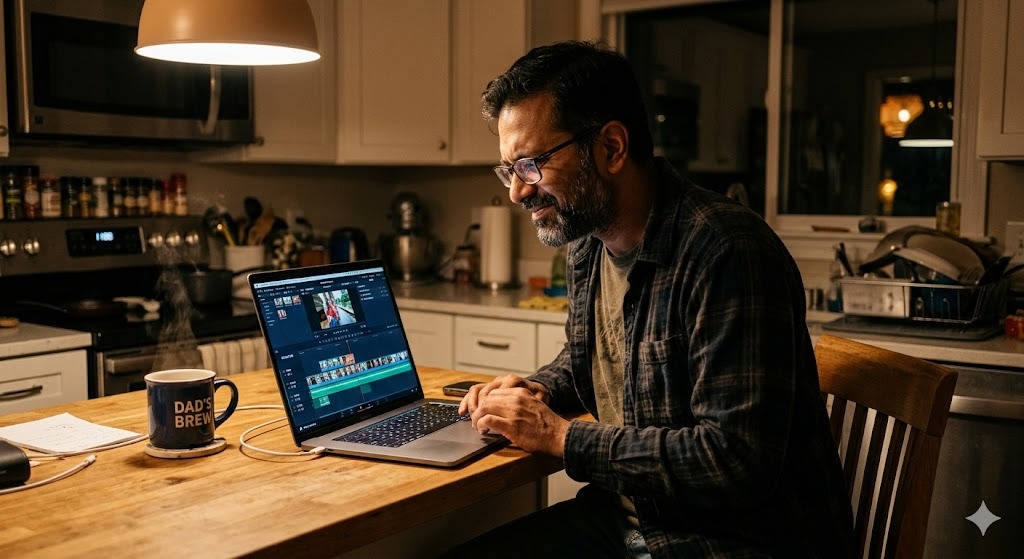
The best graduation video maker depends on what kind of graduation video you want to create. A group video tribute where 20 people contribute personal messages requires a completely different tool than a solo photo slideshow. This guide compares the top graduation video makers for 2026 across the formats that actually matter: group message collection, slideshow creation, and documentary-style editing.
What Type of Graduation Video Do You Want to Make?
Before comparing tools, identify the format. The three most common graduation video formats each require different tools:
- Group video tribute: Multiple people record individual messages that are compiled into one video. Requires a platform that handles collection, reminders, and compilation.
- Photo slideshow or recap video: One person assembles photos and video clips into a chronological or thematic video. Requires basic editing software.
- Documentary or produced video: Original footage captured and edited into a short film. Requires intermediate to advanced editing tools.
Most people looking for a graduation video maker want the first option: a group tribute where contributions come from multiple people. That format requires a different set of tools than solo editing, and the comparison below reflects that.
Best Graduation Video Maker for Group Tributes: Tribute
Tribute is the purpose-built platform for group graduation video gifts. It is designed around the specific challenge of collecting video messages from multiple contributors, none of whom should need technical skills or special software to participate.
How Tribute Works
- You create a tribute, add the graduate’s name and photo, and set a contribution deadline
- You share a unique link with everyone you want to contribute
- Contributors click the link and record directly from any phone or computer browser, no app or account required
- Tribute sends automatic reminders to non-submitters
- You arrange clips, choose music, and customize the final video using a drag-and-drop editor
- Tribute delivers the finished video as a digital link or downloadable file
What Makes Tribute Stand Out
- Zero friction for contributors: No app download, no account creation, no file format issues. Click and record.
- Automatic reminders: The platform follows up with non-submitters so you do not have to.
- Professional compilation: The final video looks polished without requiring any editing skills from the organizer.
- Digital delivery: The finished video is accessible anywhere, shareable via any platform, and watchable on any device.
- Scale: Works equally well for 5 contributors or 50+.
Best For
Anyone organizing a group graduation video where the goal is to collect meaningful personal messages from multiple contributors. This is the format that produces the most emotionally powerful graduation videos and the one most likely to move the graduate to tears.
Over 8 million video messages have been sent on Tribute, and 82% of recipients cry tears of joy. The average tribute includes 20 or more video clips.
👉 Start a graduation Tribute today. No editing skills required.
Best Graduation Video Maker for Photo Slideshows
Canva
Canva is a web-based design tool with video slideshow templates that work well for graduation photo recaps. Drag in photos, choose a template, add text overlays and music, and export. No prior design or video experience needed.
Best for: Parents creating a photo slideshow of the graduate’s school years to play at the graduation party or alongside a group tribute.
Strengths: Huge template library, intuitive interface, accessible from any browser, free tier available with watermark on exports.
Limitations: Not designed for collecting contributions from multiple people. A photo slideshow is one person’s creation, not a group tribute. It captures images, not voices.
Google Photos
Google Photos has a built-in movie creation feature that automatically assembles photos into a video with music. For a quick, no-effort graduation recap, it is the lowest-friction option available.
Best for: Anyone who wants a simple, fast photo video with minimal effort and already uses Google Photos.
Strengths: Completely free, automatic, requires almost no effort or decision-making.
Limitations: Limited customization, no ability to collect contributions from others, output quality is basic.
iMovie (Apple)
iMovie is Apple’s free video editing software for Mac and iOS. For creating a polished photo and video montage with more control over sequencing, transitions, text, and music, iMovie is the accessible entry point for Apple users.
Best for: Apple users who want more control over a solo graduation video without paying for professional software.
Strengths: Free, clean interface, good output quality, supports video clips alongside photos.
Limitations: Apple-only, requires time to learn if you have not used it before, does not handle multi-contributor collection.
Best Graduation Video Maker for Documentary or Produced Videos
CapCut
CapCut is a free mobile and desktop editing app with strong features for short-form video creation. It is significantly more capable than iMovie for effects, transitions, and text animation, and is widely used for polished short-form content.
Best for: Graduates or friends comfortable with mobile editing who want a more produced, social-media-ready graduation video.
Strengths: Free, mobile-first, powerful features for the price, strong template library for transitions and effects.
Limitations: CapCut’s ownership and data practices have been a topic of ongoing concern in some markets. Users who prioritize privacy may prefer iMovie or DaVinci Resolve.
DaVinci Resolve
DaVinci Resolve is professional-grade video editing software available for free. It is used by film and television professionals and offers more capability than any other free option by a significant margin.
Best for: Anyone with video editing experience who wants to create a high-quality, documentary-style graduation video.
Strengths: Professional quality, free, extensive feature set, color grading tools.
Limitations: Steep learning curve for beginners, requires a reasonably powerful computer, overkill for simple graduation videos.
Graduation Video Maker Comparison at a Glance
- Tribute: Group tribute with multiple contributors. No editing skills required. Best for emotionally powerful graduation gifts. Handles collection, reminders, compilation, and delivery. Visit tribute.co.
- Canva: Photo slideshow with templates. Best for parents creating a visual recap. Free tier with watermark.
- Google Photos: Automatic photo video. Best for zero-effort quick creation. Free, limited customization.
- iMovie: Solo photo and video montage. Best for Apple users with moderate effort. Free, Apple-only.
- CapCut: Produced short-form video. Best for mobile editors comfortable with effects. Free, privacy considerations.
- DaVinci Resolve: Professional editing. Best for experienced editors creating documentary-style content. Free, steep learning curve.
Which Graduation Video Maker Should You Use?
The answer depends on what you are trying to create:
- You want a video from multiple contributors: Use Tribute. It is the only platform designed specifically for this, and it is the format that produces the most emotionally powerful result.
- You want a solo photo and video recap: Use Canva for the easiest experience or iMovie for more control on Apple devices.
- You want something produced and cinematic: Use CapCut for mobile-first editing or DaVinci Resolve if you have editing experience.
- You want both: Create a group tribute via Tribute and add a photo slideshow introduction or play both at the graduation party. Many families do this, presenting a parent-made slideshow followed by the Tribute.
If you are not sure where to start, start with Tribute. A graduation video made from the voices of 20 people who love the graduate will always outperform any solo video in terms of emotional impact, regardless of production quality.
A Real Graduation Tribute: DaMario’s Story
DaMario is the kind of person who sets a goal and does not stop until he reaches it. His aunt Lan knew that better than anyone. When DaMario graduated, Lan wanted to give him something that matched who he was: a gift that showed how many people across the country had been watching him work toward this moment.
She created a Tribute.
Lan collected video messages from DaMario’s friends and family spread all across the country, people who wanted to be there for his graduation but could not all be in the same room. The Tribute made it possible for every one of them to show up anyway.
After the graduation party, DaMario sat down with his mom at home. She pulled up the video and pressed play. He watched messages from people he loved, from places he had come from, all saying the same thing in different ways: we see you, we are proud of you, keep going.
He was moved. Not just by the words, but by the scale of it. He had not known how many people were watching.
“He was very touched and moved by all the people who showed love for him,” Lan said afterward. For her, creating it felt like an honor. “I was honored to pay tribute to such an inspiring guy.”
That is what a graduation Tribute does. It makes visible the love that was always there but rarely gets said out loud all at once.
👉 Start a graduation Tribute today. No editing skills required.
Frequently Asked Questions About Graduation Video Makers
What is the best app to make a graduation video?
For group graduation videos where multiple people contribute messages, Tribute (tribute.co) is the best option. It handles everything: collection, reminders, compilation, and delivery, with no editing skills required. For solo photo slideshows, Canva and iMovie are the most accessible options. For more produced videos, CapCut or DaVinci Resolve offer greater capability.
Is there a free graduation video maker?
Canva, Google Photos, iMovie, CapCut, and DaVinci Resolve all have free tiers or are fully free. Tribute has pricing based on the features and number of contributors you need. For the most emotionally impactful graduation video format, a group tribute via Tribute, the value relative to cost is significant: 82% of recipients cry tears of joy, and the video is watched for years.
How do you collect video messages from multiple people for a graduation video?
Tribute is the simplest solution. You share a link, contributors record from any device with no app required, and Tribute stores, organizes, and compiles everything. Without a platform like Tribute, collecting video files from multiple people requires managing different formats, storage, email chains, and follow-up reminders manually, which is significantly more complex and rarely gets finished.
Can you make a graduation video on your phone?
Yes. Tribute contributors record via their phone browser with no app needed. For solo editing, CapCut is the strongest mobile editing option. iMovie is available on iPhone and iPad. Google Photos creates automatic graduation videos from your phone’s photo library with no editing required.
How much does it cost to make a graduation video with Tribute?
Tribute offers multiple plans based on features and the number of contributors. Visit tribute.co for current pricing. There are no watermarks on the final video, and a concierge editing service is available for hands-off compilation.
What graduation video maker works for long-distance contributors?
Tribute is specifically designed for this. Contributors from anywhere in the world can record and submit via the link without needing to be in the same city, on the same platform, or using the same device. Long-distance graduation video contributions are one of Tribute’s strongest use cases.
The Right Tool for the Right Graduation Video
Graduation video makers range from fully automatic photo tools to professional-grade editing software. The right choice comes down to one question: do you want a video that holds voices or a video that holds images?
Images are meaningful. Voices are irreplaceable.
A group graduation video tribute from Tribute captures the voices of the people who shaped the graduate’s journey. That is the graduation video that gets watched on the hardest nights of the first year out of school. That is the one worth making.
👉 Start a graduation Tribute today. No editing skills required.