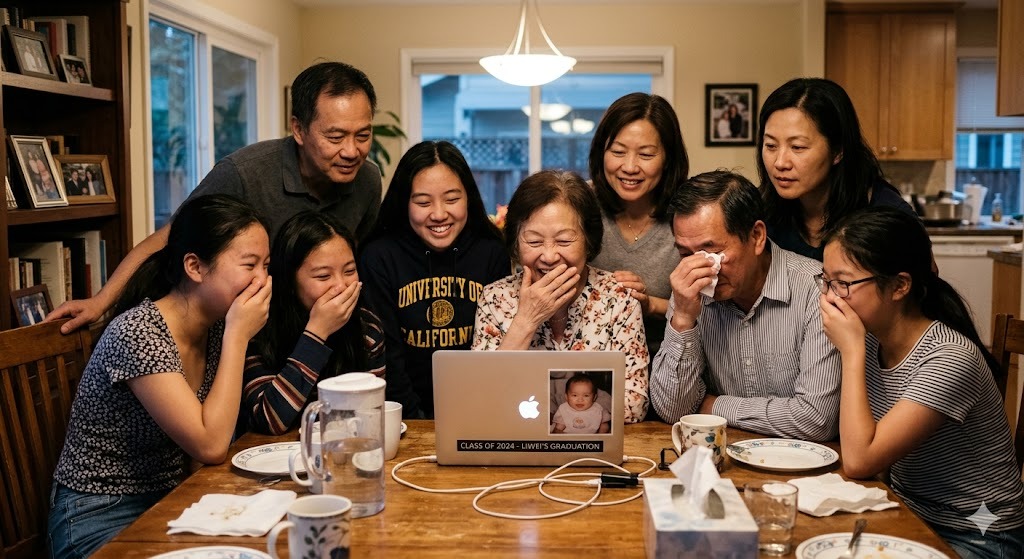
A graduation video montage that gets watched for years is not made from a slideshow template. It is made from real people saying real things in their own voices, compiled into something that captures a community at the exact moment it is about to scatter. This guide covers exactly how to create one, from the first step to the final delivery, with no video editing experience required.
What Is a Graduation Video Montage?
A graduation video montage is a compiled video that brings together multiple short clips into one cohesive viewing experience. For graduation, the most powerful format is a group video montage: short personal video messages from the people who shaped the graduate’s journey, compiled into a single professional video.
This is different from a photo slideshow. A slideshow shows images. A group video montage captures voices, faces, and real emotion from real people in real time. The difference in emotional impact is significant.
According to Cornell University research on experiential gifts, the most lasting emotional gifts are ones that create or capture genuine human connection. A graduation video montage from 20 or 30 contributors is exactly that.
Why Do Graduation Video Montages Hit Differently?
Graduation is the one milestone where the people who shaped someone’s journey are all simultaneously relevant and about to separate. The high school teacher is still accessible. The college roommate has not yet moved to a different city. The grandparent who flew in for the ceremony is still in town. The coach from sophomore year is still at the same school.
A graduation video montage captures all of them before the dispersion happens. That is why it lands so hard and why it gets watched again years later, when the graduate needs a reminder of who they are and who was watching when it counted.
Over 8 million video messages have been sent on Tribute, and 82% of recipients cry tears of joy. The average tribute includes 20 or more video clips.
How to Create a Graduation Video Montage With Tribute: Step by Step
Tribute is the platform built for group video montages. Here is the complete process:
Step 1: Start Your Tribute
Go to tribute.co and start a new graduation tribute. Add the graduate’s name and a photo so contributors know exactly who they are recording for. Choose the graduation occasion and set your deadline for contributions.
Step 2: Invite Contributors
Share your unique contributor link via text, email, or WhatsApp. You can invite anyone, anywhere. Contributors do not need an account or an app. They click the link, record their video message directly in the browser or on their phone, and submit. It takes about two minutes per person.
Step 3: Send Your Brief to Contributors
Give contributors a simple prompt so they know what to say. A few options that work well:
- Share one specific memory you have with the graduate
- Name one quality you have always admired about them
- Give them one piece of advice for the chapter ahead
- Tell them what you know they are going to accomplish
Keep the ask simple. The more straightforward the prompt, the more people follow through.
Step 4: Let Tribute Handle the Reminders
Tribute sends automatic reminders to contributors who have not submitted yet. You do not have to chase anyone individually. Set your deadline and let the platform do the follow-up.
Step 5: Customize the Final Video
Once clips are in, use Tribute’s drag-and-drop editor to arrange the order of messages, choose a music track, select a theme, and add title cards or personal touches. No video editing experience is needed.
Step 6: Deliver It
Tribute delivers the final video as a digital link you can share anywhere: via text, email, social media, or played on a screen at the graduation party. The graduate can watch it on any device, share it with anyone, and return to it whenever they need it.
👉 Start a graduation Tribute today. No editing skills required.
Who Should You Invite to Contribute to a Graduation Video Montage?
Graduation is different from a birthday because of the range of people who are meaningfully involved. Think beyond the obvious contributors and include people from every chapter of the graduate’s life.
Family Contributors
- Parents, grandparents, siblings, aunts and uncles
- Cousins and extended family who have watched them grow
- Family friends who have known them since childhood
- Relatives who could not attend the ceremony in person
School Contributors
- Teachers or professors who made a genuine impact
- Academic advisors and department mentors
- Classmates and study group members
- Lab partners and project collaborators
Beyond School
- Coaches, club advisors, and activity leaders
- Former employers and internship supervisors
- Childhood friends who knew them before the degree
- Neighbors and community members who watched them grow
- Mentors from volunteer or faith communities
A graduation video montage with 30 contributors from across the graduate’s life is not overwhelming. It is a portrait of who shaped this person. That is the gift.
What Makes a Great Graduation Video Message?
The best individual messages in a graduation video montage are short, specific, and genuine. A simple structure that works for every contributor:
- Open with a direct congratulations that uses the graduate’s name
- Share one specific memory or observation that stands out to you about them
- Close with something forward-looking: your belief in them, a piece of advice, or what you hope for their future
Keep each message under two minutes. The best video messages are 60 to 90 seconds. The graduate does not need a speech. They need to hear that the people who matter showed up.
See also: Graduation Video Messages: What to Say to the Graduate
How Long Should a Graduation Video Montage Be?
The ideal graduation video montage is 8 to 15 minutes long, depending on the number of contributors. General guidelines:
- 10 to 15 contributors: Aim for 5 to 8 minutes total
- 15 to 25 contributors: Aim for 8 to 12 minutes total
- 25 to 40 contributors: Aim for 12 to 18 minutes total
Shorter is better than longer. A tight, emotional 10-minute montage is more powerful than a 25-minute one where attention drifts. Use the clip length guidelines when briefing contributors to help hit your target.
How to Present a Graduation Video Montage
The delivery matters as much as the video itself. Options that work well:
- At the graduation party: Set up a screen or connect to a TV and play it as a surprise. Have tissues nearby. This is the most impactful presentation when done well.
- The night before the ceremony: A quiet family viewing the night before creates space for emotion before the public celebration.
- Privately after the ceremony: Send the digital link so the graduate can watch it alone first, then share it with whoever they want.
- At a graduation dinner: A smaller, intimate setting where the graduate can see the faces of the people who contributed as they watch their messages.
Tribute delivers the finished video as a shareable link. The graduate can watch it anywhere, on any device, and return to it any time they need it.
Graduation Video Montage Tips for the Best Result
- Start two to three weeks early: Give contributors enough time to record without feeling rushed. Most procrastinators need at least one reminder.
- Keep the ask simple: A one-sentence prompt gets more responses than a detailed brief. People respond to clarity.
- Include voices from different chapters of their life: A montage that only includes current friends misses the emotional depth of voices from earlier periods.
- Add a title card opening: A brief title card with the graduate’s name and graduation year gives the video a professional, intentional feel from the first second.
- Choose music that fits them, not just graduation in general: Generic graduation music is everywhere. A song connected to their specific tastes or a meaningful shared experience lands differently.
- Keep it as a surprise if possible: Graduation video montages presented as surprises produce more emotional impact than ones the graduate knew were coming.
A Real Graduation Tribute: DaMario’s Story
DaMario is the kind of person who sets a goal and does not stop until he reaches it. His aunt Lan knew that better than anyone. When DaMario graduated, Lan wanted to give him something that matched who he was: a gift that showed how many people across the country had been watching him work toward this moment.
She created a Tribute.
Lan collected video messages from DaMario’s friends and family spread all across the country, people who wanted to be there for his graduation but could not all be in the same room. The Tribute made it possible for every one of them to show up anyway.
After the graduation party, DaMario sat down with his mom at home. She pulled up the video and pressed play. He watched messages from people he loved, from places he had come from, all saying the same thing in different ways: we see you, we are proud of you, keep going.
He was moved. Not just by the words, but by the scale of it. He had not known how many people were watching.
“He was very touched and moved by all the people who showed love for him,” Lan said afterward. For her, creating it felt like an honor. “I was honored to pay tribute to such an inspiring guy.”
That is what a graduation Tribute does. It makes visible the love that was always there but rarely gets said out loud all at once.
👉 Start a graduation Tribute today. No editing skills required.
Frequently Asked Questions About Graduation Video Montages
What is the best app to make a graduation video montage?
Tribute is the best platform for group graduation video montages where multiple people contribute messages. It handles collection, reminders, compilation, and delivery without requiring any video editing experience. For single-creator photo slideshows, iMovie, Canva, and Adobe Express are solid options. For the most emotionally powerful graduation video, the group format via Tribute consistently outperforms any single-creator slideshow.
How do I collect video clips from multiple people for a graduation montage?
Tribute makes this as simple as sharing a link. Contributors click, record on any device without downloading an app, and submit. Tribute stores the clips, sends reminders, and handles the technical side. Without a platform like Tribute, collecting video clips from multiple people requires managing different file formats, storage, and follow-up manually, which is significantly more complex.
How far in advance should I start a graduation video montage?
Two to three weeks before the graduation ceremony is ideal. This gives contributors enough time to record, allows for follow-up reminders, and leaves time for you to customize the final video before delivery. For last-minute situations, Tribute can be set up and completed in a single day, with digital delivery immediately after.
How many people should be in a graduation video montage?
There is no minimum or maximum, but 15 to 30 contributors tends to produce the most balanced and powerful result. Fewer than 10 can feel thin. More than 40 can make the video feel long. The right number depends on the graduate’s social world and how many truly meaningful contributors you can identify across their life.
Can I add music to a graduation video montage?
Yes. Tribute includes music customization options. You can choose from Tribute’s music library or select a track that is meaningful to the graduate. Music adds a lot to the emotional tone of the final video, and choosing something specific to the graduate rather than a generic graduation track makes the montage feel more personal.
What do you say in a graduation video message for a montage?
Start with a direct congratulations. Share one specific memory or quality. Close with something forward-looking about their future. Keep it under two minutes. The most powerful messages are specific rather than generic. See: Graduation Video Messages: What to Say to the Graduate.
The Graduation Video Montage That Gets Watched for Years
A graduation photo slideshow captures images. A graduation video montage from Tribute captures voices. Those are two entirely different things, and the graduate knows the difference the moment the video starts playing.
The voice of the coach who pushed them. The grandmother who could not make the ceremony. The professor who wrote the recommendation letter. All of them, saying something real, in one video, preserved at the moment they were all still part of the same chapter.
That is what gets watched again at 2am in a new city after a hard first week. That is what gets shared with a partner five years later. That is the graduation video montage worth making.
👉 Start a graduation Tribute today. No editing skills required.