
Best Wedding Video Maker: Tribute vs. the Alternatives (2026)
A wedding video maker that actually works does one thing well: it takes the people who love a couple and turns their words into something permanent.
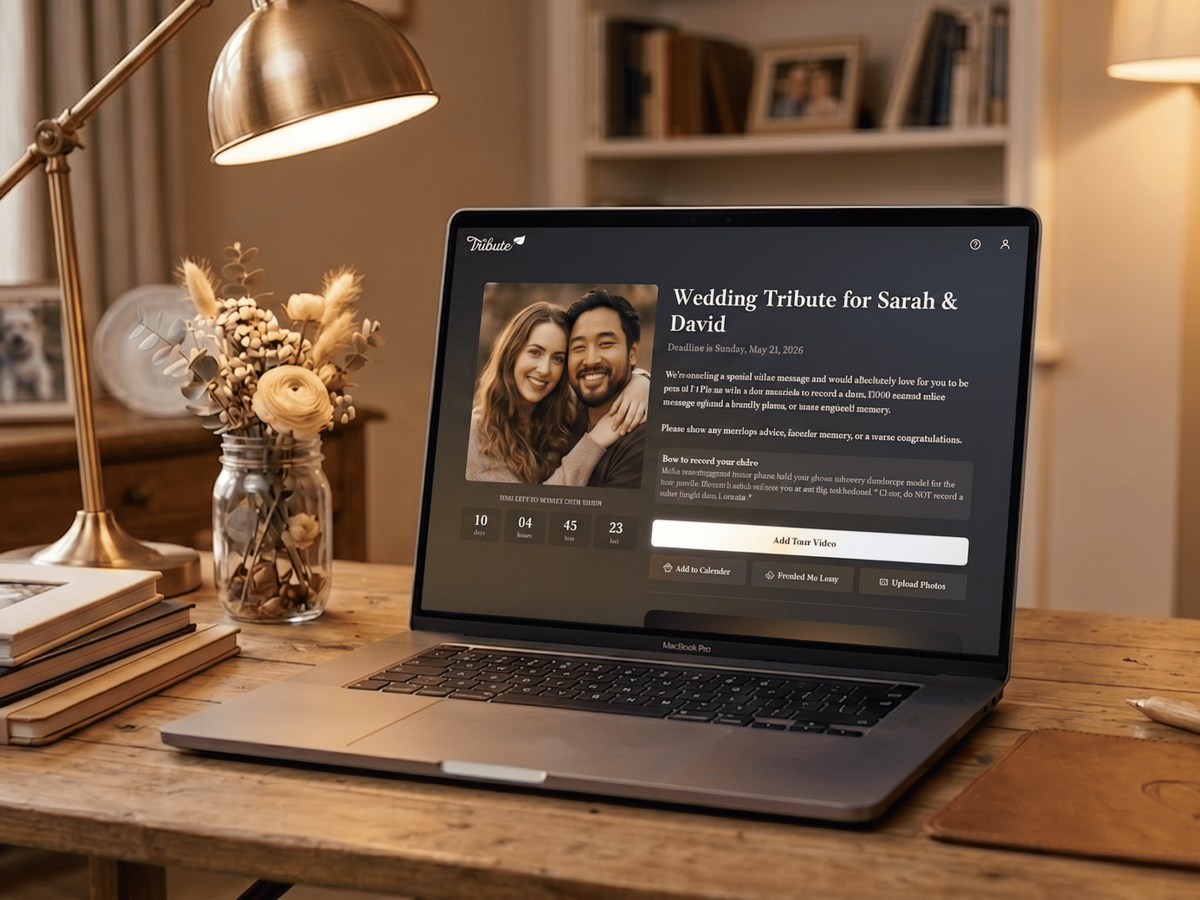
A wedding video maker that actually works does one thing well: it takes the people who love a couple and turns their words into something permanent. The best tools today go far beyond slideshows — they collect real video messages from real people, compile them automatically, and deliver a finished product that hits harder than any physical gift. Here is how to choose the right one, and how to use Tribute to make a wedding video the couple will watch for the rest of their lives.
👉 Create a wedding video with Tribute — the group video maker built for moments like this
What Should You Look for in a Wedding Video Maker?
The tool you choose for a wedding video depends on what you are trying to create. If you want a photo slideshow, any number of apps — iMovie, Canva, Google Photos — will do the job. But if you want to give the couple a video that captures the actual voices and words of the people in their lives, you need a tool built specifically for group video collection.
The best wedding video makers for group tribute projects share five qualities: they make it easy for non-technical contributors to record and submit, they handle different devices without compatibility issues, they give the organizer visibility into who has contributed, they offer editing options at different price points, and they deliver a final video the couple can keep and revisit. Tribute was built around all five of these.
Why Is Tribute the Best Wedding Video Maker for Group Gifts?
Tribute is a group video gift platform that lets you collect personal video messages from friends and family into a polished wedding montage. It works by sharing a link — contributors record from any device, no app needed, and Tribute compiles everything automatically.
Over 8 million video messages have been sent through Tribute. In surveys, 84.4% of recipients cry happy tears when they watch. That is not because the production is slick — it is because the content is real. The grandmother in another country, the college roommate who could not fly in, the old friend from a different chapter of life — all of them appear in the video, speaking directly to the couple, as if they were in the room.
Unlike a slideshow tool or a general-purpose video editor, Tribute was designed from the ground up for this specific use case: collecting video messages from a distributed group and turning them into a single, emotionally resonant gift.
How Do You Use Tribute as a Wedding Video Maker?
The process is straightforward and takes about ten minutes to set up.
Step 1: Create Your Project
Go to Tribute and start a new wedding project. Add the couple’s names, a photo if you have one, and a short description that contributors will see when they open the link. Include a recording prompt — “Share your favorite memory of [name] or [name]” works well — so contributors know exactly what to say.
Step 2: Choose Your Plan
Tribute offers three options. The DIY plan at $35 gives you full control: you collect submissions, review clips, and edit the final sequence yourself using Tribute’s editor. The Concierge plan at $99 includes a professional editor who handles sequencing, transitions, and music for you. The Concierge + Video Book plan at $149 includes everything in the Concierge package plus the finished video delivered inside a linen-bound hardback with a built-in 7-inch HD LCD screen — an heirloom object the couple can display and press play on whenever they want.
Step 3: Share the Link
Send your Tribute project link to everyone on your contributor list. They click, record in their browser, and submit — no account creation, no app required. The process works on any smartphone, tablet, or computer. A contributor who has never made a video in their life can complete their recording in under five minutes.
Step 4: Monitor Submissions
Tribute shows you in real time who has submitted and who has not. When you are two to three days from your deadline, send a warm reminder to anyone still outstanding. One reminder is usually all it takes. Most contributors are enthusiastic — they just needed the nudge to sit down and record.
Step 5: Edit and Finalize
Once submissions close, review each clip. On the DIY plan, arrange clips in an emotional order, trim anything that runs too long, and add background music at a level that supports rather than competes with the voices. On the Concierge plan, Tribute’s editorial team handles all of this — you review the draft, request any changes, and approve the final version.
Step 6: Deliver or Present the Video
Download the finished video and play it at the rehearsal dinner, reception, or send it digitally. If you ordered the Video Book, it arrives ready to wrap and present. The couple opens it, sees their names on the cover, and presses play. No setup required.
👉 Start making your wedding video on Tribute
How Does Tribute Compare to Other Wedding Video Makers?
Most video making tools — iMovie, Animoto, Canva Video, Adobe Express — are built for individual creators working with their own footage. They are excellent at what they do, but they require the organizer to collect video files manually (often through email, Google Drive, or WeTransfer), convert different formats, and edit everything in a separate application.
Tribute eliminates all of that. Collection, standardization, and compilation happen in one place. You do not manage video files at all — contributors submit directly into the project. The difference in effort is significant: what might take an organizer four to six hours in iMovie takes about 30 minutes of active effort in Tribute.
Unlike a general-purpose tool like Animoto or a slideshow builder, Tribute is also specifically designed for group emotional gifts. The contributor experience, the prompting tools, the editorial support, and the Video Book delivery option all exist because the platform understands that a wedding video maker for a group tribute has different requirements than a marketing video tool.
See also: How to Make a Wedding Video Montage
What Makes a Wedding Video Worth Watching Years Later?
The wedding videos that couples return to are not the ones with the best production quality. They are the ones where the people on screen say something the couple needed to hear — specific, honest, and personal. A shaky phone recording of a grandmother speaking from her kitchen in another country, describing what she loves about her grandchild’s partner, will outlast any slick studio-produced wedding highlight reel in the couple’s emotional memory.
The wedding video maker you choose should make it as easy as possible for real people to show up on screen and say something real. That is the only spec that matters for a gift video.
See also: How to Make a Wedding Tribute Video
Who Should Organize a Wedding Video Using Tribute?
The best organizer is whoever has the widest reach into both the bride and groom’s networks. That is usually a maid of honor, best man, or parent. The organizer does not need to be good at video editing — especially with the Concierge plan, the role is primarily about coordination: sending the link, following up with contributors, and choosing the reveal moment.
If you are a guest who wants to give a personal video gift without organizing a whole group project, Tribute also works for individual messages. You can create a project for just your message, have it polished into a standalone video, and present it as your personal gift.
See also: How to Organize a Group Video Gift for a Wedding
Frequently Asked Questions About Wedding Video Makers
What is the best app to make a wedding video?
For a group tribute video collecting messages from multiple people, Tribute is the most purpose-built and easiest to use. For photo slideshows, Google Photos or Canva are strong options. For full-length event coverage, a professional videographer with their own tools is the right choice.
How much does it cost to use Tribute as a wedding video maker?
Tribute’s DIY plan starts at $35. The Concierge plan with professional editing is $99. The Concierge + Video Book plan, which includes a physical hardback book with a built-in HD screen, is $149. Contributors record and submit for free.
How long does it take to make a wedding video on Tribute?
Setup takes about ten minutes. Contribution collection typically runs one to two weeks depending on how much lead time you have. Final editing takes 30 minutes to a few hours on the DIY plan, or is handled by Tribute’s team on the Concierge plan.
Can I use Tribute even if I have never made a video before?
Yes. Tribute was designed to be usable by anyone regardless of technical skill. The DIY editor has a simple drag-and-drop interface. If you want professional-quality output without any editing, the Concierge plan handles everything for you.
What file format does Tribute deliver the finished video in?
Tribute delivers the finished video as a downloadable MP4 file. You can play it from a laptop, phone, or USB drive at any venue. The Video Book version plays directly from the book’s built-in hardware without any external device.
Can I use Tribute to make a wedding anniversary video?
Yes. Tribute is used for all milestone celebrations — birthdays, retirements, graduations, and anniversaries. The wedding anniversary use case is particularly strong for milestone years: 25th, 40th, and 50th anniversaries where family wants to celebrate the couple’s journey with a group tribute.
What happens to the video after the wedding?
The digital video is the couple’s to download and keep. They can watch it as many times as they want, share it with family, and store it permanently. The Video Book version plays from built-in storage without any internet connection or device pairing — it works as long as the battery is charged.
The Wedding Video That Earns Its Place in the Couple’s Story
The best wedding video maker is not the one with the most features — it is the one that makes it easiest for real people to say something real. Tribute does that better than any other tool built for group video gifts. The setup is fast, the contributor experience is frictionless, and the result is a video the couple will not put away.
Over 8 million messages. 84.4% of recipients in tears. The platform exists because weddings deserve more than a slideshow — they deserve the actual voices of the people who matter most.
See also: Best Wedding Gift Ideas for Every Budget and Relationship


