
How to Make a Wedding Slideshow They’ll Watch for Years (2026)
A wedding slideshow sets photos to music and plays them for guests during cocktail hour or the reception. It is a classic way to celebrate the couple’s story — and with the right tools, it takes less than an hour to put together.
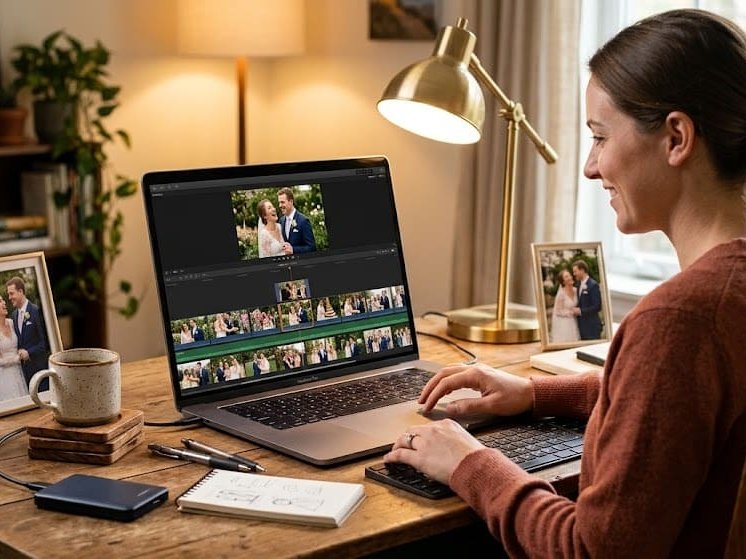
A wedding slideshow sets photos to music and plays them for guests during cocktail hour or the reception. It is a classic way to celebrate the couple’s story — and with the right tools, it takes less than an hour to put together. This guide covers how to make a wedding slideshow from scratch, what makes one worth watching, and when a different format might move people even more.
What Goes Into a Good Wedding Slideshow?
A good wedding slideshow has three ingredients: a strong photo selection, music that fits the couple’s style, and a clear narrative arc. The best slideshows feel like a short film about the relationship — childhood photos give way to friendship, friendship to the couple’s early years, and the whole thing builds toward the wedding day. That structure gives viewers something to follow emotionally rather than just a random collection of images.
Most effective wedding slideshows run between four and eight minutes. Longer than that and attention starts to wander, especially in a reception setting where there are competing conversations, food, and music. Shorter than four minutes and it can feel abrupt. Aim for 40 to 80 photos depending on how long each image stays on screen.
How Do You Choose Photos for a Wedding Slideshow?
Start with range: childhood photos of both the bride and groom, early friendship or dating photos if you have them, major milestones, and recent images leading up to the wedding. The goal is to show the couple’s story, not just their best photos. A slightly awkward middle school photo of the groom next to a stunning engagement shot creates the kind of contrast that makes a room laugh and then immediately feel something.
Collect photos from multiple sources. Parents, siblings, and old friends often have images that the couple does not — photos from before they met each other or before the current era of their relationship. Ask for submissions early, because tracking down old photos takes time.
What Software Makes a Wedding Slideshow Easiest to Build?
You have several solid options depending on your technical comfort and available time.
iPhoto / Apple Photos
Apple Photos has a built-in slideshow feature that handles music, timing, and transitions automatically. Upload your photos, choose a theme, select a song, and export. It is the fastest option and produces clean results. The limitation is customization — you cannot manually control timing on individual photos or add text overlays easily.
Best for: Mac users who want a quick, low-effort slideshow with minimal technical work
Why it works: The automatic features handle the basics well, and the export quality is high enough for projection on a large screen
Google Photos
Google Photos automatically generates movies and slideshows from your library and also lets you create them manually. If you are collecting photos from multiple people via Google Drive or shared albums, Google Photos lets you compile and export without downloading everything to a single device first.
Best for: Organizers collecting photos from a large group across different devices and platforms
Why it works: Collaborative photo collection and slideshow creation in one place, accessible from any device
Canva
Canva’s slideshow templates give you more design control than native photo apps. You can add text overlays, choose from hundreds of music tracks, and customize timing for individual slides. The free version covers most wedding slideshow needs. Export as MP4 for easy sharing and projection.
Best for: Anyone who wants more visual control and is comfortable with a simple drag-and-drop interface
Why it works: The template library includes wedding-specific designs, and the text and music features let you add context and mood that photo-only slideshows lack
Adobe Express (formerly Spark)
Adobe Express offers professional-quality slideshow templates with music licensing included. If you want a more polished look without learning video editing software, it is a step up from Canva in visual quality and a step down in complexity from Premiere.
Best for: Design-conscious organizers who want a high-quality output without professional editing skills
Why it works: Licensed music and refined templates produce results that look planned and intentional rather than DIY
What Music Should You Use in a Wedding Slideshow?
Choose music that means something to the couple, not just music that sounds like a wedding. A song from their first date, a track they played on a road trip, or an artist one of them has loved since high school will land harder than a generic romantic instrumental. Two or three songs for an eight-minute slideshow is the right amount — enough to shift the emotional register without feeling like a playlist.
Keep the volume balanced. The music should set a mood, not drown out the photos. If you are playing the slideshow in a reception space where people are talking, a slightly louder mix works better than something subtle. Test the volume in the actual room before the event if you can.
See also: Wedding Reception Ideas That Make the Night Unforgettable
When Does a Wedding Slideshow Fall Short?
A slideshow shows the couple’s history through images. That is meaningful — but images are silent. They show what people looked like, not what they sounded like. They show moments, not relationships. For couples who want a gift that captures the actual people in their lives — the voices, the words, the specific things only those people could say — a group video tribute does what a slideshow cannot.
A Tribute group video collects personal video messages from family and friends and compiles them into a single video gift. Unlike a slideshow, it lets everyone in the couple’s life speak directly to them. The grandmother who flew in from across the country, the college roommate who could not attend, the childhood best friend — each person appears on screen in their own voice, saying something the couple will carry with them long after the wedding week ends.
Tribute is a group video gift platform that lets you collect personal video messages from friends and family into a polished wedding montage. It works by sharing a link — contributors record from any device, no app needed, and Tribute compiles everything automatically. Plans start at $35 for DIY and $99 for Concierge editing.
See also: How to Make a Wedding Video Montage
Can You Combine a Slideshow and a Video Tribute?
Yes — and it is a powerful combination. Show the photo slideshow during cocktail hour as guests arrive and settle. Then play the group video tribute at the rehearsal dinner or as a dedicated moment in the reception. The slideshow covers the visual history. The tribute covers the living relationships. Together, they give the couple their story in two different but complementary formats.
See also: How to Organize a Group Video Gift for a Wedding
How Do You Set Up and Play a Wedding Slideshow at the Reception?
Export your slideshow as an MP4 file and bring it on a USB drive or download it to a laptop. Test it on the venue’s equipment before the event — projectors, TVs, and AV systems vary and what looks perfect on your home monitor can look washed out or cut off on a different screen. Bring an HDMI cable and a backup copy of the file on a second device.
Coordinate with the venue or DJ about when the slideshow will play and how long it will run. Cocktail hour is the most common slot. Make sure the sound system is connected and working before guests arrive.
Frequently Asked Questions About Making a Wedding Slideshow
How many photos should a wedding slideshow have?
For a four to eight minute slideshow, plan for 40 to 80 photos. Each photo typically stays on screen for four to six seconds. Fewer photos with longer display times works well for meaningful individual images. More photos with faster transitions works better for a high-energy, celebratory feel.
How far in advance should you make a wedding slideshow?
Start collecting photos at least three to four weeks before the wedding. Building and editing the slideshow itself typically takes two to four hours. Build in time for tech testing at the venue — ideally at least a day before the event.
What is the best format to export a wedding slideshow for a venue?
MP4 is the most universally compatible format. Export at 1080p for HD quality. Bring the file on a USB drive and have a backup copy on a laptop or cloud storage in case of hardware issues.
Can you use copyrighted music in a wedding slideshow?
For a private event, playing copyrighted music is generally allowed. For a slideshow you plan to post publicly on social media or YouTube, use royalty-free music or licensed tracks to avoid content removal. Tools like Canva and Adobe Express include licensed music libraries for public sharing.
What is the difference between a wedding slideshow and a wedding video?
A wedding slideshow is photos set to music. A wedding video is filmed footage from the wedding day itself. A wedding tribute video is a separate format — video messages from the people in the couple’s lives, compiled into a group gift. All three serve different purposes and complement each other well.
How do you collect photos from multiple people for a wedding slideshow?
Create a shared Google Photos album or a Dropbox folder and send the link to family and friends with a clear deadline. Tell them exactly what you are looking for: “Please add any photos you have of [name] or [name] from any point in their life — childhood, school, recent years, anything.” Set the deadline at least a week before you need to build the slideshow.
Can the couple see the slideshow before the wedding?
They can — but most organizers keep it as a surprise. A slideshow shown for the first time at the rehearsal dinner or reception creates a shared moment the couple experiences alongside their guests. Seeing the couple’s reaction live adds to the emotional impact for everyone in the room.
Make Something Worth Watching
A wedding slideshow is one of the simplest and most effective ways to celebrate a couple’s story. Done well, it gives guests something to feel together during a moment in the evening set aside for exactly that. Done carelessly, it is just a parade of photos that no one quite looks at.
The difference is intention: a strong photo selection, music that means something, and a structure that builds toward a feeling. Start there, test your tech, and you will have something worth showing.
And if you want to give the couple something that goes beyond a slideshow — something they can return to again and again with voices and faces rather than images — a group video tribute created on Tribute is the natural next step.


