
How to Create a Mother’s Day Video Montage She’ll Rewatch Forever (2026)
A Mother’s Day video montage is a compiled video made from individual clips recorded by family members and friends — each person shares a message, memory, or expression of love, and the clips are edited together into a single, emotionally rich video. The best montages include 15 to 30 or more contributors, run two to…

A Mother’s Day video montage is a compiled video made from individual clips recorded by family members and friends — each person shares a message, memory, or expression of love, and the clips are edited together into a single, emotionally rich video. The best montages include 15 to 30 or more contributors, run two to five minutes, and are the kind of gift that gets watched on birthdays, anniversaries, hard days, and ordinary afternoons for the rest of her life. Here’s how to create one that genuinely delivers.
What Is a Mother’s Day Video Montage?
A video montage is a single video assembled from multiple clips. For Mother’s Day, each clip is a personal message from someone who loves her — a child, a grandchild, a sibling, a best friend, a coworker. The clips are compiled and edited into a flowing video with transitions, music, and a cohesive feel.
The power of a montage over a single video message is cumulative impact. One person saying “I love you, Mom” is sweet. Twelve people saying it — each in their own voice, with their own story, from their own corner of her life — is overwhelming in the best possible way. The average Tribute video includes 20 or more individual clips.
How Do You Make a Mother’s Day Video Montage Step by Step?
Step 1: Choose a Platform
Tribute is a group video gift platform built specifically for this. It handles the collection, compilation, and delivery of group video montages without requiring any video editing skills. You create a page, share a link, and Tribute does the rest — including sending automatic reminders to contributors who haven’t recorded yet. For the most polished result, the concierge editing service transforms raw clips into a beautifully produced final video.
For a DIY approach, you can collect clips via WhatsApp or Google Drive and edit them yourself in iMovie or DaVinci Resolve, but this requires significantly more time and technical skill.
Step 2: Set Up the Collection Page
On Tribute, creating a collection page takes about five minutes. You add her name, a photo, a brief description of who this is for, and set a deadline for contributions. The platform generates a shareable link you can send to contributors via text, email, or any messaging app.
Step 3: Invite Contributors
Send the link to everyone you want to participate. Include a brief note with context: what the gift is, how long each video should be (30 to 90 seconds works well), and what kind of content would be meaningful. One or two prompts help contributors who aren’t sure what to say:
“Share a specific memory of her.” “Tell her something you’ve always wanted her to know.” “Describe what she means to you in one sentence — and then explain it.”
Step 4: Set and Communicate the Deadline
Give contributors a deadline at least two to three days before you need the final video. People procrastinate. Tribute sends automatic reminders, but a personal message the day before the deadline often gets the last few stragglers to record. Build buffer time into your plan.
Step 5: Review and Finalize
Once contributions are in, Tribute compiles the clips and presents you with the final video. You can reorder clips, add a personal intro or outro, and customize music and themes. Review the final version before sharing it with her.
Step 6: Present It Memorably
How you share the video matters almost as much as the video itself. Options include sharing a private link and telling her to watch alone first, playing it on a TV during a family gathering, or presenting it on a device while everyone is together so they can watch her reaction in real time.
Watch how families experience the moment of watching together:
What Makes a Great Video Montage for Mother’s Day?
Specific, Personal Messages
The best clips are ones where contributors say something specific. A memory they’ve never told her. The exact words they want her to know. Something they observed that they’ve never acknowledged. General declarations of love are sweet; specific stories and observations are unforgettable. Share this guidance with contributors when you invite them.
Variety in Contributors
A montage that includes her youngest grandchild, her oldest friend, her siblings, her children, and a coworker who’s known her for twenty years is richer than one from only one category of people. The variety of perspectives creates a more complete portrait of her as a person, not just in her role as a mother.
Authentic Over Polished
Contributors don’t need a script, a ring light, or a professional backdrop. A genuine message recorded on a phone in decent light, delivered without reading from notes, lands better than a technically perfect video that feels rehearsed. Remind contributors: the less they try to perform, the better their clip will be.
Music and Pacing
Tribute handles music and pacing in the compilation. If choosing music yourself, look for instrumental or soft vocal tracks that support emotion without overwhelming the spoken content. Avoid anything too energetic or distracting from the messages themselves.
See also: Mother’s Day Video Messages: What to Say to Make Her Cry
Can You Add a Physical Component to a Video Montage?
Yes. Tribute’s Video Book add-on is a physical book with a built-in screen that plays the video montage. She can hold it, flip it open, and watch everyone’s messages without needing a phone or laptop.
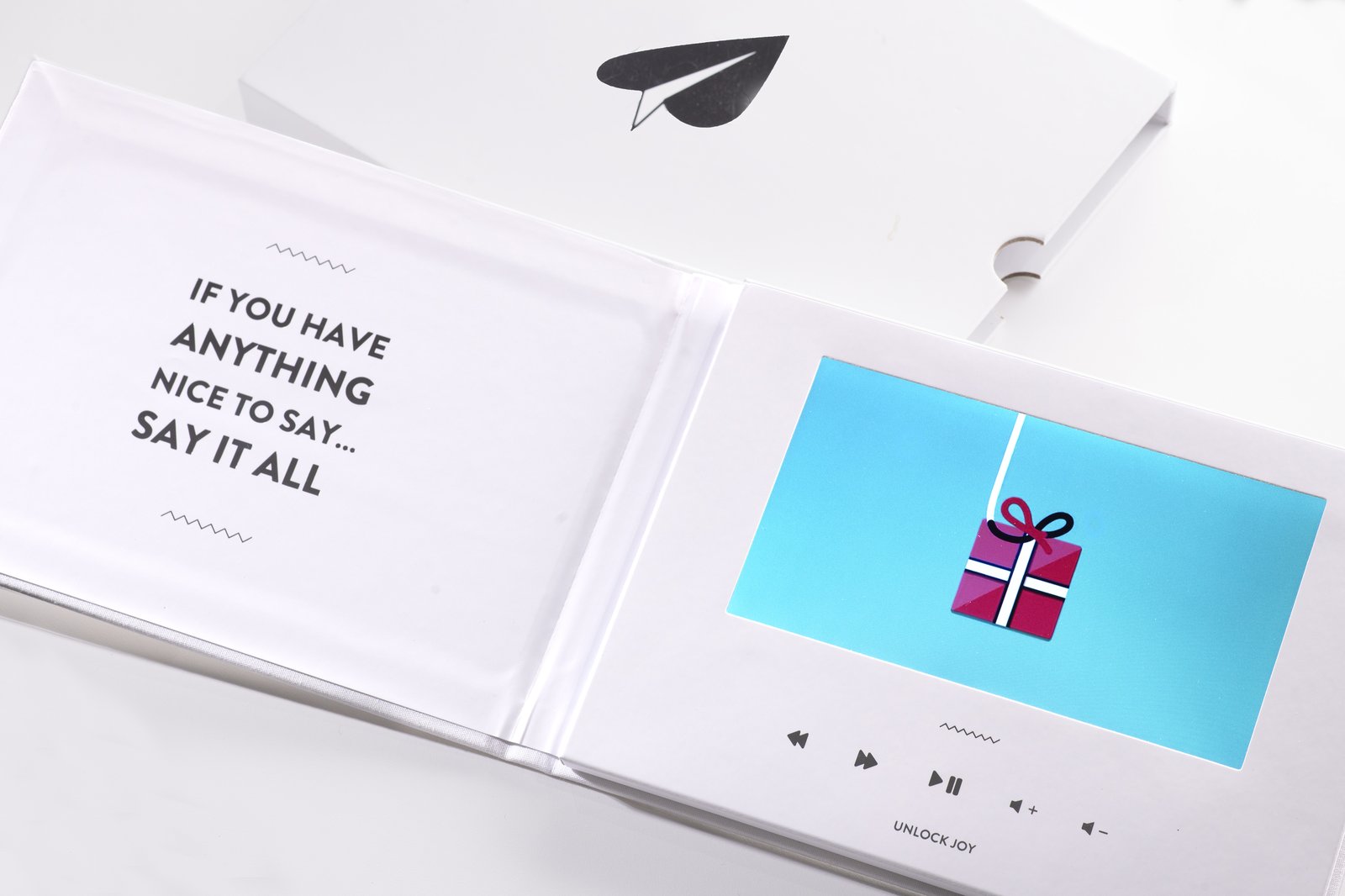
The Video Book transforms a digital experience into a physical keepsake — something she can display, share, and keep on her coffee table or nightstand. For milestone occasions or the mom who has everything, this is one of the most extraordinary gift options available.
👉 Add a Video Book to her Mother’s Day montage — the digital gift in physical form
How Far in Advance Should You Start a Mother’s Day Video Montage?
Start at least two weeks before Mother’s Day to give contributors enough time and yourself enough buffer for late submissions. One week is workable. Three to five days is tight but possible with Tribute, which handles compilation quickly once contributions are in. The day-before option exists for last-minute situations, though fewer contributors will have time to record.
The earlier you start, the more contributors you can include — and more contributors means a richer, more complete, and more moving final video.
See also: Last-Minute Mother’s Day Gifts That Don’t Look Last-Minute
Frequently Asked Questions About Mother’s Day Video Montages
What is a Mother’s Day video montage?
A Mother’s Day video montage is a compiled video made from individual clips recorded by multiple contributors — family members, friends, and anyone who loves her. Each person records a personal message, memory, or expression of appreciation, and the clips are edited together into a single video she can watch and rewatch. Platforms like Tribute handle the collection and compilation automatically.
How do I make a Mother’s Day video montage without video editing skills?
Use Tribute. You create a collection page, share the link with contributors, and the platform handles all compilation and editing. Contributors record on any device and submit through the link — no app download required. The result is a professionally compiled video without any technical skill needed from the organizer or contributors.
How many people should be in a Mother’s Day video montage?
There’s no minimum, but more contributors generally means more impact. Two to five clips produce a meaningful video. Ten or more creates a cumulative emotional experience that’s hard to achieve with fewer contributors. The average Tribute video includes 20 or more clips. Reach out to people across all areas of her life — family, friends, coworkers, neighbors — for the most complete portrait.
How long should a Mother’s Day video montage be?
Two to five minutes is ideal. Long enough to include meaningful content from multiple contributors, short enough to be rewatchable in a single sitting. Individual clips within the montage typically run 30 to 90 seconds. Tribute’s compilation maintains pacing automatically based on the clips submitted.
What should people say in a Mother’s Day video message?
The most effective messages are specific rather than general. Start with a memory, describe something she did that mattered, or tell her something you’ve always wanted her to know. Avoid reading from a script — natural delivery connects more deeply. Short is fine. Thirty seconds of genuine, specific feeling is more powerful than two minutes of general sentiment.
What is the Tribute Video Book and is it worth it for Mother’s Day?
The Tribute Video Book is a physical book with a built-in screen that plays the video montage. It turns a digital experience into a tangible keepsake she can hold, display, and share. For milestone occasions or a mom who has everything, it’s an extraordinary option. She gets both the video montage and a physical artifact she’ll keep on her nightstand or coffee table for years.
Can I start a Mother’s Day video montage at the last minute?
Yes, though you’ll have fewer contributors. Tribute can collect clips and compile the video quickly once contributions are submitted. Even five to eight heartfelt clips from close family members make a deeply moving gift. If time is very short, focus on the people closest to her and aim for genuine, specific messages from a small group rather than a rushed large one.
She’ll Watch It for the Rest of Her Life
A Mother’s Day video montage from the people she loves is not a one-time gift. It’s something she pulls out when she misses someone, when she needs a reminder of why she keeps going, when she wants to show her grandchildren who their family was when they were small. It’s a time capsule and a love letter, compiled and delivered in one.
Unlike flowers that wilt or a gift that gets stored in a closet, a Tribute video montage lives in her phone and her heart simultaneously. Start one today — it takes five minutes and lasts forever.
👉 Create her Mother’s Day video montage now — free to start, takes 5 minutes to set up


