A last-minute memorial video is absolutely possible, even if the service is days away. The key is to stop trying to find and edit everything yourself and instead collect short video messages from the people who knew them best. With the right approach, you can have a complete, meaningful tribute ready in 24 to 48 hours.
Is It Really Possible to Make a Memorial Video Fast?
Yes, and the reason most people underestimate their timeline is that they picture the hardest version of the task: gathering hundreds of photos, learning editing software, and producing a polished film alone. A quick memorial video does not have to work that way.
The fastest memorial videos are not made by one person doing everything. They are made by sharing a link with a group and letting people contribute what they have. When ten people each record a two-minute message, the video writes itself.
According to the National Funeral Directors Association, personalized video tributes have become a standard part of memorial services. The families who feel least prepared are often the ones who have not yet discovered how much the community wants to help, and how little technical skill that help requires.
What Is the Fastest Way to Make a Memorial Video in a Hurry?
The fastest path to a finished memorial video right now is a collaborative platform that handles the collection, assembly, and delivery for you. You spend your time reaching out to the people who loved them. The platform turns what they record into a finished video.
Tribute (tribute.co) is a group video gift platform that lets you collect personal video messages from friends, family, and community into a polished memorial montage. It works by sharing a link: contributors record from any device, no app needed, and Tribute compiles everything automatically.
Here is a short video showing how a Tribute memorial comes together:
Unlike editing software that requires hours of work from one person, Tribute does the compiling automatically. Unlike a shared Google Drive folder, Tribute sends automatic reminders to anyone who has not yet contributed, so you are not chasing people during the hardest week of your life. Digital delivery is instant, which means you can share it the same day the last message comes in.
Tribute is free to start. Contributors do not need to download anything or create an account. A message of 15 to 50 clips is ready as soon as they are submitted.
👉 Start your last-minute memorial video on Tribute now
See also: How to Make a Memorial Video: Complete Guide
What If You Want to Build the Video Yourself With Photos?
If you want to make a fast tribute video using photos rather than recorded messages, the most efficient approach is to limit your scope from the start. Choose one tool, gather photos from one or two sources, and commit to a time limit for editing.
Step 1: Set a firm time box. Give yourself two to three hours total. A five-minute video with 30 to 40 photos is more than enough to move a room.
Step 2: Pull photos from one place first. Start with your own phone and the camera roll of one sibling or close friend. Do not wait for everyone’s contributions before you start. You can add more photos in a second pass.
Step 3: Choose your tool and stay with it. iMovie for Mac and iPhone users, CapCut for Windows or Android, Canva Video for anyone who prefers a browser. Do not switch tools mid-project.
Step 4: Pick two songs. One for the early, lighter moments and one for the closing. Music you already know works best because you will not waste time auditioning tracks. Royalty-free alternatives from YouTube Audio Library or Pixabay Music are safe for sharing online.
Step 5: Keep transitions plain. A simple crossfade between every photo is fine. Every minute you spend on transitions is a minute you could spend on the photos themselves.
Step 6: Export and share without overthinking it. A video delivered on time matters more than a video that is perfect but arrives after the service. Export at 1080p and share a private link.
The Hospice Foundation of America notes that memorial rituals, including video tributes, provide a structured way for people to express grief and feel connected to a community of people who share their loss. A video made with care, even in a few hours, serves that purpose.
See also: Memorial Video Maker: Tools and Tips
How Do You Collect Clips Fast When Time Is Short?
The challenge with a last-minute group video is that people are also grieving and may not respond quickly. Here is how to move the process along without becoming the person sending a dozen follow-up texts.
Send one clear message to the whole group at once. A group text or group email works. Keep the ask short: “I am putting together a video for the service. Please record a short video message, even 30 seconds is enough. Here is the link.” A direct, simple ask gets more responses than a long explanatory message.
Set a specific deadline, not just “as soon as you can.” A time and day gives people something to act on. “By Thursday at noon” is a task. “Whenever you get a chance” gets deferred.
If you use Tribute, the platform sends automatic reminders to everyone who has not yet submitted. You do not have to follow up individually. That alone can save several hours of back-and-forth during a time when your energy is limited.
According to Tribute, more than 8 million messages have been sent through the platform. Many of those were collected in short windows around a funeral or memorial service, when families discovered that the community wanted to contribute but needed a clear, simple way to do it.
👉 Let Tribute handle the reminders so you can focus on everything else
What Should a Last-Minute Memorial Video Include?
When time is short, prioritize the moments that are hardest to replace. You can always add more photos, but you cannot go back and record a message from someone who would have spoken if asked.
The most valuable content in a quick memorial video is usually: one or two people speaking directly about the person who died, a photo from each decade of their life if possible, and a closing image that feels like them. Everything else is additional.
If you have a video clip of the person, even a short one from a family gathering, include it. Hearing someone’s voice in a memorial does something photographs alone cannot. If no video exists, a voicemail or a voice note recorded on a phone serves the same purpose.
Keep the total running time under seven minutes. A focused five-minute tribute holds the room better than an exhaustive fifteen-minute one. Restraint in what you include is a form of care for the people watching.
See also: How to Make a Group Memorial Video
How Do You Share a Memorial Video Once It Is Finished?
A finished video is only as useful as the people who can access it. Plan your sharing before you finish, not after.
For the service itself, export to a USB drive as a backup even if you plan to stream from a laptop. Venue Wi-Fi is unreliable, and a file on a drive gives you a fallback that does not depend on a network connection.
After the service, share a private link with family members who could not attend. A private YouTube or Vimeo link is watchable on any device without requiring an account. Many people who were too far away or too unwell to attend will watch the video alone, and a well-made tribute gives them a way to feel part of what happened.
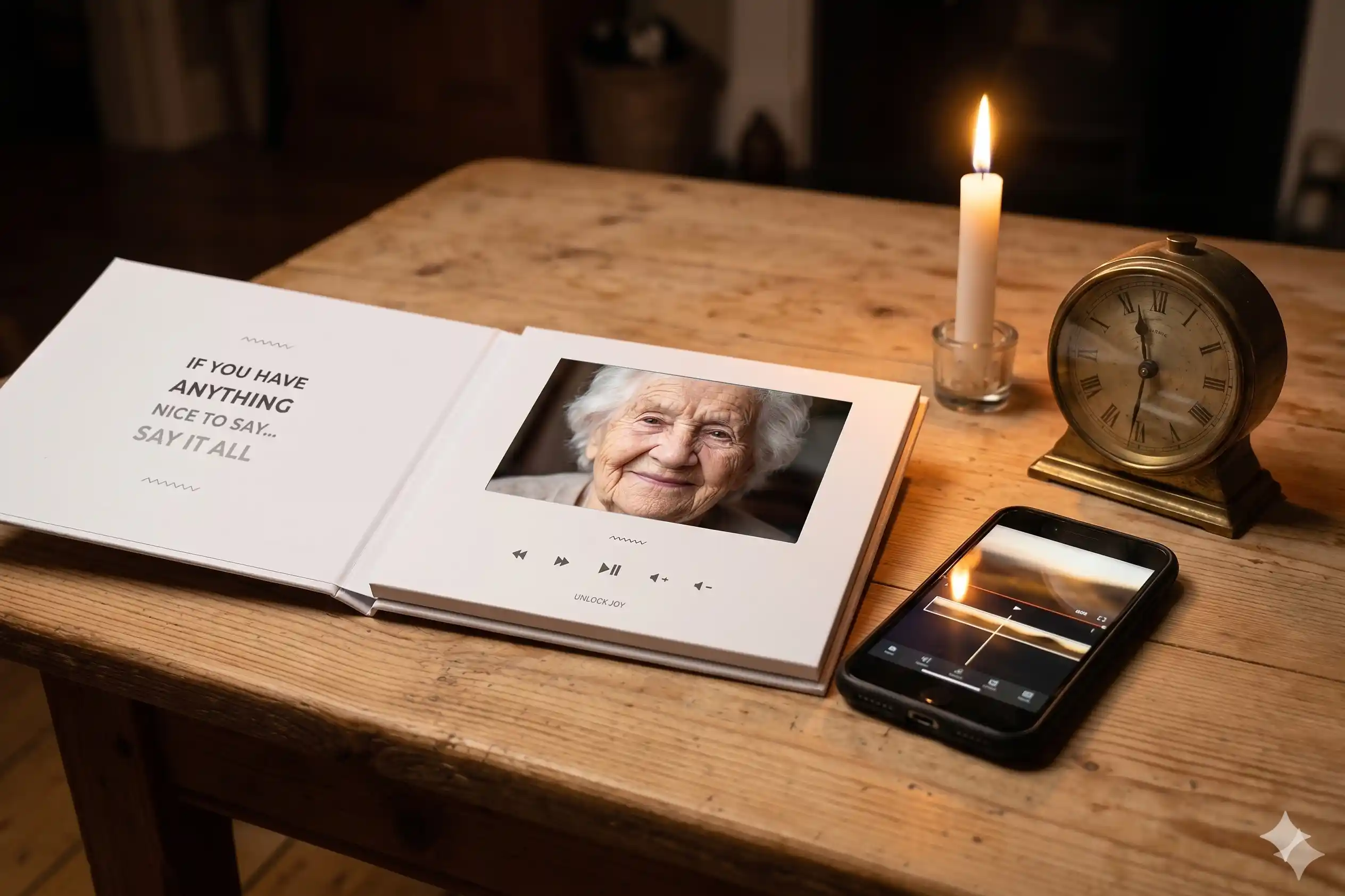
If you used Tribute, digital delivery is instant. The completed video is available to share the moment the last contributor submits their message. You can send the link directly or order a physical Tribute Video Book: a linen-bound hardback with a seven-inch screen that plays the video automatically when opened.
See also: How to Honor the Memory of a Loved One
Frequently Asked Questions About Last-Minute Memorial Videos
How fast can a memorial video be made?
A memorial video can be ready in as little as a few hours if you use a collaborative platform that automates the assembly. A DIY approach using photos and free editing software typically takes three to six hours for one person working alone. The fastest option is usually a combination: send a Tribute link to contributors first, then add any photos you want to include.
What is the minimum content needed for a memorial video in a hurry?
A meaningful memorial video needs at least a handful of good photos, one or two personal video messages, and a piece of music that meant something to the person. Even 10 strong photos and three short video messages from close family members can produce something that moves a room. Less is better than a rushed collection of everything you could find.
What is the quickest free tool for making a memorial video at home?
Canva Video is the fastest to learn for anyone unfamiliar with editing software because it runs in a browser and uses templates. iMovie is faster to export for Apple users already familiar with it. If you want contributions from multiple people without doing any editing yourself, Tribute is the fastest path to a finished group video.
How do I get family members to send clips quickly?
Send one clear message with a specific deadline and a simple link. Long instructions reduce response rates. Platforms like Tribute include automatic reminder messages that go out to contributors who have not yet recorded, which removes the need for you to follow up individually.
Can I make a memorial video the night before a funeral?
Yes. A photo slideshow can be assembled in two to three hours using iMovie or Canva. A group video using Tribute can be started the night before if you already have several contributors lined up, though giving people at least 24 hours improves the number of responses you receive. Instant digital delivery means the video is shareable the moment it is complete.
Does a last-minute memorial video have to be long?
No. A three-to-five minute video is ideal for most services. It is long enough to feel substantial and short enough to hold the room without losing people’s attention. Quality and emotional truth matter far more than running time.
What if not many people submit video messages in time?
Even a few messages from the people who knew the person best are enough to make a meaningful tribute. Five heartfelt 60-second messages from close family members carry more weight than 20 brief clips from people who barely knew them. Set your deadline early and accept what arrives by then.
You Have Enough Time to Do This
The most important thing to know right now is that you do not need weeks to make something meaningful. A last-minute memorial video made with honesty and care will matter to the people watching. The time pressure you feel is real, but it is not a barrier to making something good.
If you are working alone with photos, give yourself a clear time limit and a simple tool. If you want people to speak in their own words without becoming the coordinator of a complicated technical project, Tribute removes almost all of that friction. The platform is free to start, handles the reminders, and delivers the video the moment it is ready.
Over 82 percent of people who receive a Tribute cry tears of joy. That is not because the videos are perfect. It is because they are true.
👉 Start your memorial video now, free to start, no app needed