
How to Make a Memorial Video (2026)
Making a memorial video means choosing how to gather content, arranging it into a meaningful sequence, and sharing it with the people who need it most.
Making a memorial video means choosing how to gather content, arranging it into a meaningful sequence, and sharing it with the people who need it most. You can do it yourself with a photo slideshow app, or you can take a collaborative path where family and friends each contribute their own video messages. The second path often produces the more powerful result because it captures voices you could never replicate on your own.
Why Does a Memorial Video Matter So Much?
Grief researchers at the Hospice Foundation of America note that creating rituals around memory supports healthy mourning. A memorial video gives scattered family members a shared focal point, something concrete to watch together and return to over time. It also preserves voices, stories, and mannerisms that photographs alone cannot hold.
According to the National Funeral Directors Association, personalization is now one of the most requested elements of modern memorial services. Families want something that reflects who the person actually was, not a generic slideshow. A well-made tribute video accomplishes exactly that.
The process does not have to be complicated or expensive. Over 8 million video messages have been sent through Tribute, and the platform reports that 82% of recipients cry tears of joy when they see the finished result.
What Are the Two Main Paths for Making a Memorial Video?
Before you open any software, the most important decision is whether you are making this alone or with others. These two paths lead to very different experiences and very different results.
Path 1: Solo or DIY
You gather all the photos and video clips yourself, arrange them in editing software, add music, and export a finished file. This works well when you have a small amount of material and the time to sit with it.
Best for: People who already have all the content on hand, enjoy hands-on editing, and want complete creative control over every frame.
Why it works: A single editor means a consistent visual style and no coordination overhead. Tools like iMovie, Canva, or a dedicated memorial video maker can produce a polished memorial slideshow in an afternoon.
Path 2: Collaborative (Tribute)
You share a link. Friends, colleagues, and family members record short video messages from wherever they are. A platform compiles and edits everything into one tribute video. You end up with the voices of 15, 25, or even 50 people in a single video.
Best for: Families whose loved one touched many lives across different communities, cities, or countries. Also ideal when you are in the middle of grief and do not have the bandwidth to edit alone.
Why it works: Unlike a solo slideshow, a collaborative tribute video captures the actual voices and faces of the people who loved the person. No amount of editing skill can replicate what someone says when they speak from the heart.
👉 Start a free memorial tribute for your loved one at Tribute.co
What Do You Need Before You Start?
Preparation makes every step that follows faster and less stressful. Gather what you have, then decide what you still need.
Photos and Video Clips
Pull together photos from phones, family albums, old hard drives, and social media. Ask siblings and close friends to share what they have. If you are going the collaborative route, contributors will bring their own clips, which means your starting collection does not have to be comprehensive.
A Clear Time Frame
Decide whether the video needs to be ready for a service, a memorial gathering, or simply for the family to keep. Services often happen within a week of a death. Digital delivery through a collaborative platform is instant once the tribute is complete, which matters when time is short.
Music
Music sets the emotional register for everything. Choose songs that were meaningful to the person, not just songs that feel generically sad. A guide to the best songs for a memorial video can help you narrow down options that fit the tone you want to set.
How Do You Gather Content From Family and Friends?
This is often the hardest part of making a memorial video alone. When people are grieving, asking them to send files feels like a logistics project at the worst possible time. A collaborative platform removes most of that friction.
Tribute (tribute.co) is a group video gift platform that lets you collect personal video messages from friends, family, and community into a polished memorial montage. It works by sharing a link: contributors record from any device, no app needed, and Tribute compiles everything automatically.
Contributors receive automatic reminders if they have not recorded yet, which takes the follow-up burden off the organizer during a hard week. You do not have to chase anyone down. You share the link, and Tribute handles the rest.
Watch how a tribute comes together:
How Do You Choose Music for a Memorial Video?
Start with what the person loved, not what seems appropriate. A jazz fan deserves jazz. A country music devotee deserves the song they played every Sunday morning. Personal music choices make the video feel true rather than generic.
If you are using a collaborative platform, most tools let you add a single music track beneath all the contributed clips. This creates a cohesive sound even when the video includes dozens of individual recordings from different phones and environments. Tribute includes a library of licensed tracks so you do not have to worry about copyright strikes when you share the video online.
For more inspiration and song recommendations, the resource on memorial video ideas covers music, structure, and creative approaches families have used.
What Is the Best Way to Compile and Edit the Video?
The editing step looks very different depending on which path you chose.
Editing a DIY Slideshow
Import your photos and video clips into your editor of choice. Arrange them in an order that tells a story, usually chronological but not always. Add transitions, your chosen music track, and any text captions you want to include. Export at the highest resolution the platform allows.
Best for: Someone with a few hours, some comfort with software, and a contained set of content.
Why it works: Full creative control means every transition, every caption, and every music cue is exactly where you want it.
Editing a Collaborative Tribute
Once contributors have recorded their messages, Tribute gives you a drag-and-drop editor to reorder clips, apply themes, and adjust the music. You can rearrange the sequence so the video flows the way you want. If you prefer not to edit at all, Tribute’s concierge editing service handles everything hands-off.
Best for: Families who want a finished, polished tribute video without the technical or emotional weight of editing during bereavement.
Why it works: Unlike traditional video editing software, which requires learning curves and hours of work, Tribute’s interface is designed for people who are not video editors.
What Is a Real Example of a Collaborative Memorial Video?
Few stories show the power of this format better than the tribute made for Dan Fredinburg. Dan was a 33-year-old Google.org product manager and devoted adventurer who died on April 25, 2015, when a massive earthquake struck Nepal while he was climbing Mt. Everest. When news of his death reached his global community, those who loved him created a Tribute, gathering video messages from Google colleagues, climbing partners, family members, and friends spread across the world.
The finished video captures his infectious energy and the breadth of connection he built across a life fully lived. No single editor could have assembled that from one location. It took a community contributing together.
How Do You Deliver and Share the Finished Video?
Once the video is complete, you have several options for how to get it to the people who need it.
Digital Sharing
A private link lets you send the video to family members wherever they are. This is the fastest option and works well when family is spread across different cities or countries. Digital delivery through Tribute is instant, which matters in the days immediately following a loss.
Playing at a Service
Download the video file and bring it to the funeral home or memorial venue on a USB drive or laptop. Most funeral homes have screens and playback equipment. If you are using Tribute, the downloaded file is high resolution and plays without watermarks.
The Tribute Video Book Keepsake
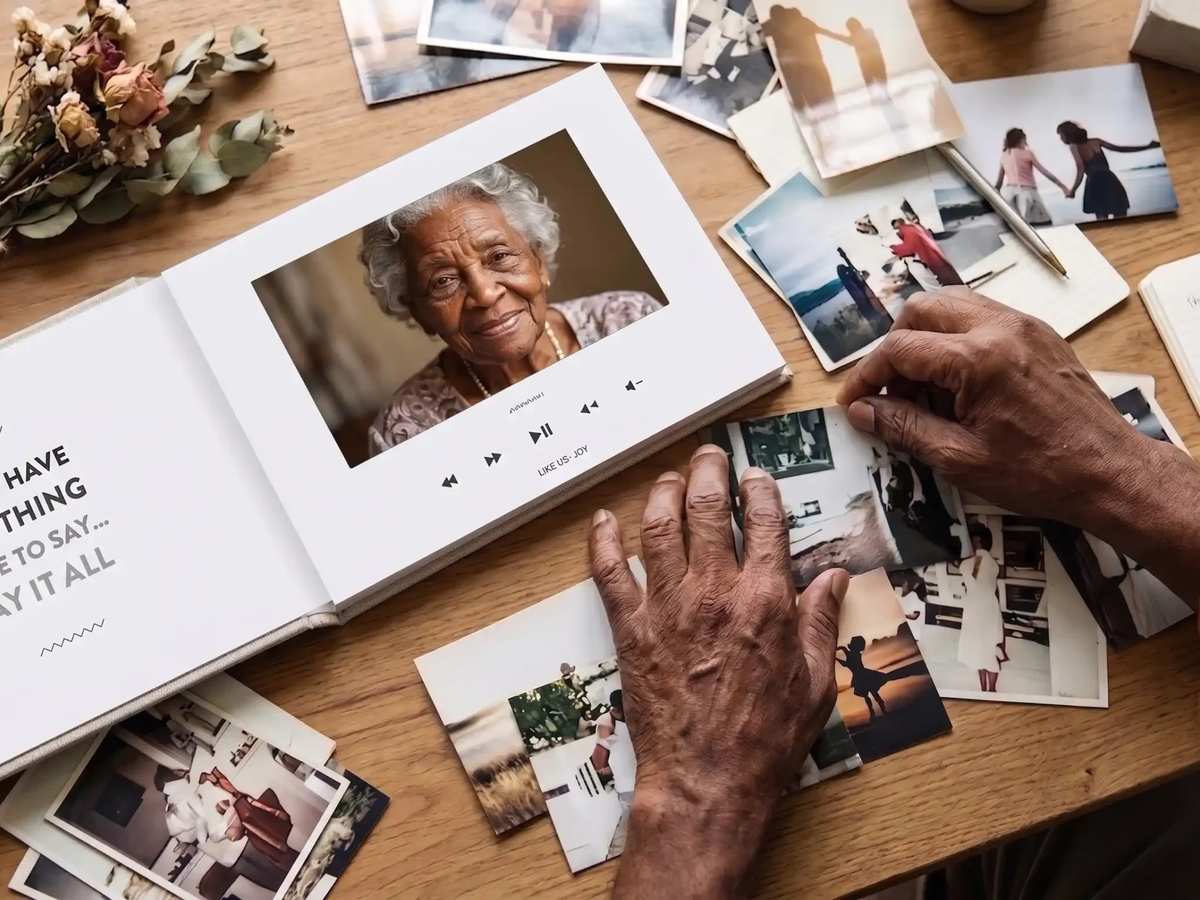
For families who want something permanent, Tribute offers the Tribute Video Book: a linen-bound hardback that opens to reveal a built-in 7-inch screen with speakers. The montage plays automatically when the book is opened. It sits on a shelf or mantel and becomes a keepsake families return to on anniversaries, holidays, and quiet moments. Unlike a digital file that gets buried in a folder, a Video Book stays visible and accessible for years.
For more ideas on how to honor someone’s memory beyond the video itself, the guide on how to honor the memory of a loved one covers a range of meaningful options families have found helpful.
👉 Create a collaborative memorial video your whole family can be part of
Which Approach Is Right for Your Situation?
A solo DIY slideshow works when the content is already on hand, the family is small, and one person has the time and composure to edit. A collaborative tribute video works when the person touched many lives, when family is geographically spread out, or when the organizer simply does not have the capacity to carry the project alone during a week of grief.
Unlike general video editing software, Tribute is built for this specific situation. Unlike a memorial slideshow that features only what one person could gather, a Tribute video includes the voices of everyone who mattered. The result is not a document of a person’s life. It is a community speaking about someone they loved.
Resources from What’s Your Grief consistently show that social support, and actively engaging the community around a loss, is one of the most protective factors in healthy grieving. A collaborative memorial video is one concrete way to activate that support.
Frequently Asked Questions About How to Make a Memorial Video?
How long should a memorial video be?
Most memorial videos run between three and ten minutes. Shorter videos (three to five minutes) work well for services where time is limited. Longer videos suit private family gatherings or keepsakes where people want to sit with the memories. A collaborative tribute with 15 to 50 contributors often lands naturally in the five to ten minute range.
What is the easiest way to make a memorial video?
The easiest path for most families is a collaborative platform like Tribute, where you share a link and contributors do the recording. You do not need to gather files from everyone or learn video editing. The platform compiles and auto-edits everything, and you make any final adjustments with a drag-and-drop interface.
Can I make a memorial video for free?
Tribute is free to start, and the finished video has no watermark. You can start a tribute, collect contributions, and deliver digitally without paying anything upfront. Paid options include the Video Book keepsake and the concierge editing service for families who want a fully hands-off experience.
What photos and videos should I include?
Include moments that show the person as they actually were: candid shots alongside formal ones, photos across different life stages, and any video clips that capture their voice or laugh. Aim for variety. A mix of childhood photos, adult milestones, and everyday moments creates a more complete picture than a formal portrait gallery alone.
How do I get family members to contribute video clips?
The biggest barrier is the ask feeling like a burden during a hard time. With Tribute, you share a single link. Contributors record a short message from their phone or computer, no app needed, and Tribute sends automatic reminders to anyone who has not recorded yet. This removes the need for the organizer to follow up individually.
What music can I use without copyright issues?
Tribute includes a library of licensed music tracks available for use without copyright concerns. If you want to use a specific song for personal family viewing only (not posting publicly), most platforms allow this. For public sharing or YouTube uploads, stick to licensed or royalty-free tracks to avoid having the video muted or removed.
How do I share the memorial video with family who cannot attend the service?
Digital delivery through Tribute is instant. Once the tribute is complete, you can share a private link by text or email. Recipients anywhere in the world can watch on a phone, tablet, or computer. For something more lasting, the Tribute Video Book ships to any address and works without an internet connection.
Is a memorial video different from a funeral slideshow?
A funeral memorial slideshow typically shows photos set to music, played during a service. A memorial video can include all of that, but adds recorded video messages from contributors, which means the finished product includes real voices, faces, and stories. A tribute video created with a collaborative platform is a more complete record of who the person was and how they were loved.


