To make a tribute video, choose your approach (solo slideshow, collaborative video montage, or a mix of both), gather content from everyone who knew the person, add music that meant something to them, and deliver it digitally or as a physical keepsake. The most meaningful tribute videos collect video messages from many voices, not just one, because no single person holds the whole story of someone’s life.
What Is a Tribute Video, and Why Does It Matter?
A tribute video is a short video created to honor someone who has died. It can include photographs, home footage, personal video messages from friends and family, music, and text. The format has grown from simple slideshows to collaborative memorial montages that gather dozens of voices from across the country or the world.
Tribute (tribute.co) is a group video gift platform that lets you collect personal video messages from friends, family, and community into a polished memorial montage. It works by sharing a link, contributors record from any device with no app needed, and Tribute compiles everything automatically.
The Hospice Foundation of America encourages families to create rituals and memory objects after a loss. A tribute video is both. It gives the act of remembering a shape and a home.
What Approach Should You Choose Before You Start?
The three main approaches are a photo slideshow, a filmed video tribute using home footage, and a collaborative video montage gathering recorded messages from contributors. Each requires a different amount of time and coordination.
A photo slideshow can be put together in a few hours with tools you already have. A filmed tribute using home video requires sourcing footage and some editing. A collaborative montage requires reaching out to contributors and giving them time to record, but it produces something no other format can: a video tribute made of many different voices, each speaking directly to the family about the person they loved.
The approach you choose will also shape what you end up with. A slideshow is a record. A collaborative montage is closer to a reunion, compressed into a video. Families who go the collaborative route often describe being surprised by the clips that moved them most, a coworker they barely knew sharing a story they had never heard, a childhood friend describing a moment the family never knew happened.
Unlike a solo slideshow, a collaborative memorial tribute captures the person as others experienced them, not just as photographs show them. That difference is what families tend to return to years later.
How Do You Gather Content for a Tribute Video?
Start with what you already have. Go through phones, old computers, and any cloud storage accounts the person used. Reach out to siblings, parents, and close friends who may have photographs or home footage you have not seen.
For a collaborative video tribute, the gathering process is different. You are asking people to record themselves sharing a memory, a story, or a message for the family. The key is making it as easy as possible, because the people you are asking are also grieving.
With Tribute, you share a single link. Contributors tap it, record from any device with no app required, and submit. Automatic reminders go out to anyone who has not yet recorded, which means you are not chasing people during one of the hardest weeks of your life. A typical Tribute gathers between 15 and 50 individual clips from contributors spread across cities and time zones.
See also: Group Memorial Video: How to Gather One from Far Away
How Do You Add Music to a Tribute Video?
Music is the element families most often wish they had thought harder about. A song that meant something to the person being honored will do more work than any technically perfect choice from a royalty-free library.
Ask the people closest to the person to suggest a song when they submit their video message. You will often find one or two names coming up from multiple contributors. That convergence is usually the right answer. The National Funeral Directors Association notes that personalized music choices are among the details families remember most about a memorial service.
Tribute lets you set music for the full montage and adjust the volume so the music supports the voices without overpowering them. If you want more guidance on song selection, the resource at the internal link below covers it in detail.
See also: Memorial Video Ideas: How to Honor a Life
What Does Making a Tribute Video on Tribute.co Actually Look Like?
Starting on Tribute takes a few minutes. You create a page for the person being honored, give it a title and a brief description, and then share the collection link with everyone you want to invite. Contributors can be across the room or across the world. They record from any device, no account or app needed, and the clips appear in your dashboard as they arrive.
Once you have the clips you want, you arrange them using drag-and-drop reordering, choose a theme, and set the music. You can add text cards between clips to give the video structure. When you are ready, Tribute renders and delivers the finished video.
For families who do not want to handle any of the editing, Tribute offers a concierge editing service. You collect the clips and pass the rest to the Tribute team. The service is designed for families who are managing a service, out-of-town guests, and a hundred other things at the same time. Tribute is free to start, so you can begin collecting videos before making any decisions about delivery or format.
👉 Start your memorial tribute on Tribute today
What Does a Real Tribute Video Look Like When It Works?
The best example of what a collaborative video tribute can become started with a loss felt around the world.
Dan Fredinburg was a 33-year-old Google.org product manager and devoted adventurer who died on April 25, 2015, when a massive earthquake struck Nepal while he was climbing Mt. Everest. His global community, Google colleagues, climbing partners, family members, and friends spread across continents, came together on Tribute to record their memories. The result captures his energy, his love of exploration, and the depth of connection he built in 33 years.
What made that tribute powerful was not production quality. It was the number of different people who showed up, each with a piece of Dan that the others did not have. A colleague described the way he ran meetings. A climbing partner described watching him summit a peak in the dark. Together they built a portrait of a person, one that his family could watch and understand: this is how much of the world he touched, and this is what they saw in him.
Over 8 million video messages have been sent through Tribute, and 82% of recipients cry tears of joy when they first watch. That number reflects what happens when people who loved the same person are given a simple way to say so, on camera, from wherever they are.
See also: How to Honor the Memory of a Loved One
How Do You Deliver and Share a Tribute Video?
Digital delivery is instant and works well for families who need the video ready before a service. The finished video can be shared with a link that anyone can open on any device. For families with members who are not comfortable with streaming links, a downloadable file works just as well.
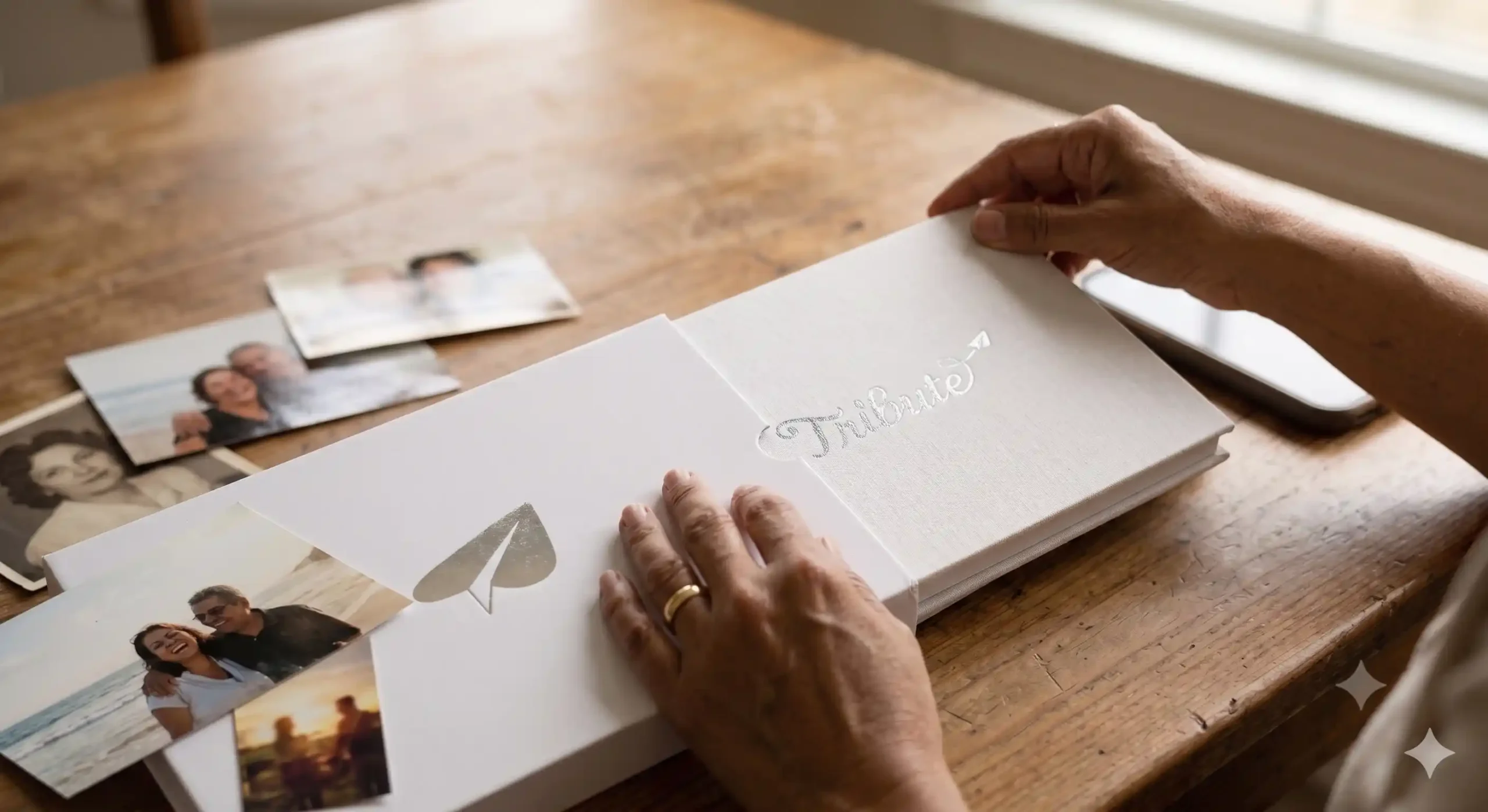
The Tribute Video Book is the physical delivery option, and it is the one families tend to describe as the keepsake they did not know they needed. It is a linen-bound hardback book with a built-in 7-inch screen and speakers. When the cover opens, the memorial montage plays automatically. No device required. No account. No Wi-Fi. It sits on a shelf or a mantel the way a framed photograph does, but it holds the voices and faces of everyone who contributed.
Unlike a USB drive or a folder of video files, the Video Book is an object with weight and presence. The person receiving it does not need to find the right app or remember a password. They open it and the people they love are there. Families often order more than one copy so that each branch of the family has their own.
Unlike a generic sympathy gift, a Video Book carries the specific voices and faces of the people who shared a life with someone. It is the kind of object that gets passed down.
See also: Memorial Video Maker: Tools and Options Compared
What If You Have Very Little Time Before the Service?
Digital delivery is instant once the video is finished, which makes Tribute one of the better options for families working against a deadline. You can share the collection link, gather clips over 24 to 48 hours, and have a finished video before the service.
If the deadline is genuinely tight, focus on the five to ten people whose messages will matter most to the immediate family. A shorter tribute with the right voices is more valuable than a longer one padded with clips from more distant connections. You can always add more later and send the updated version to the broader family.
It also helps to send contributors a short note explaining what you are making and roughly how long their clip should be. Twenty to forty seconds is plenty. Some of the most memorable clips on Tribute are under a minute. When people know the context, they tend to say something true and specific rather than reaching for something polished.
The What’s Your Grief community has written about the pressure families feel to get memorial details right in an impossible timeframe. Starting small and letting the tribute grow is a practical and compassionate approach. A tribute you finish in 48 hours and show at the service is far more valuable than one you never quite complete.
Frequently Asked Questions About Making a Tribute Video
How long does it take to make a tribute video?
A photo slideshow can be ready in a few hours. A collaborative video tribute typically takes two to five days to gather clips from contributors and a few hours to arrange and finish. Tribute’s concierge editing service can move faster when families flag a tight deadline. Digital delivery is instant once the video is complete.
Do contributors need to download an app to record a message?
No. With Tribute, contributors receive a link and record directly from any phone, tablet, or computer. There is no account creation and no app to download. The process is designed to be as simple as possible for people who are also grieving and may not be comfortable with technology.
How long should a tribute video be?
For a service, three to seven minutes is the range most families find workable. A collaborative tribute with 15 to 25 clips, each running 20 to 45 seconds, naturally lands in that range. Longer versions, 10 to 20 minutes, work well for a reception or for the Video Book format, where people watch at their own pace.
What is the Tribute Video Book?
The Tribute Video Book is a linen-bound hardback with a built-in 7-inch screen and speakers. It plays the memorial montage automatically when opened. It requires no device, account, or internet connection and is designed to be kept on a shelf or mantel as a lasting physical keepsake. Families order it after completing their digital tribute.
Can I make a tribute video if I have no editing experience?
Yes. Tribute is designed for people with no video editing background. You gather the clips, arrange them with drag-and-drop tools, choose music, and Tribute handles the rendering and delivery. The concierge editing service handles everything for families who want a fully hands-off experience.
How many video messages should I try to collect?
There is no minimum. Even five messages from the closest people in someone’s life can be more moving than a large production. If you have the time and the network, 15 to 30 clips creates a tribute that feels full and covers many different dimensions of who the person was. Tribute typically gathers between 15 and 50 clips per tribute.
What music can I use in a tribute video?
Tribute includes a library of licensed music you can use in your montage. You can also upload your own audio file if you have a specific song in mind. The most meaningful choice is usually a song the person loved, something contributors or family members recognize the moment it starts playing. Personal music choices are what make a tribute feel specific rather than generic.
Can I share the tribute video with people who were not at the service?
Yes. Tribute delivers a shareable link that anyone can open on any device. For family members who were not able to attend, receiving that link in the days after the service can be its own form of comfort. The Video Book can be ordered in multiple copies and sent to family members in different locations.
What Is the One Thing That Makes a Tribute Video Worth Making?
The answer is the same every time: the people in it. Photographs and music set the tone, but it is the voices of the people who loved someone that make a tribute video worth watching again five years later.
The families who feel best about the tribute they made are usually the ones who reached out to one more person than felt comfortable, the old college roommate they almost did not contact, the coworker they thought might not want to be asked. Almost everyone wants to be included. Almost everyone has something to say. The asking is the hardest part, and once it is done, the rest tends to take care of itself.
Unlike a professionally filmed memorial video produced by a single videographer, a collaborative tribute gathers the specific, irreplaceable thing each contributor holds: their version of the person, their memory, their gratitude. Together, those pieces become a whole that none of them could have made on their own.
👉 Start collecting video messages for your tribute on Tribute