
Photo Slideshow Generator: Turning Stills Into a Video
A photo slideshow generator takes a folder of stills and gives back a video: each picture held a few seconds, one track underneath. Google Photos builds it for you from a person or a date. Photos on a Mac and Canva let you set the lengths by hand.
One note before the steps: we make the Tribute video editor, and it appears once near the end for the case it fits. The rest of this page is about tools we do not sell.

What does a photo slideshow generator do?
Three things, and the differences between tools come down to which of them you control. It sets a duration for each still, it lays a music track under the sequence, and it renders one video file.
Searches for a picture slideshow maker and for a photo slideshow generator land on the same short list of tools, so the word you used does not matter. What matters is whether the tool chooses the pacing or asks you to.
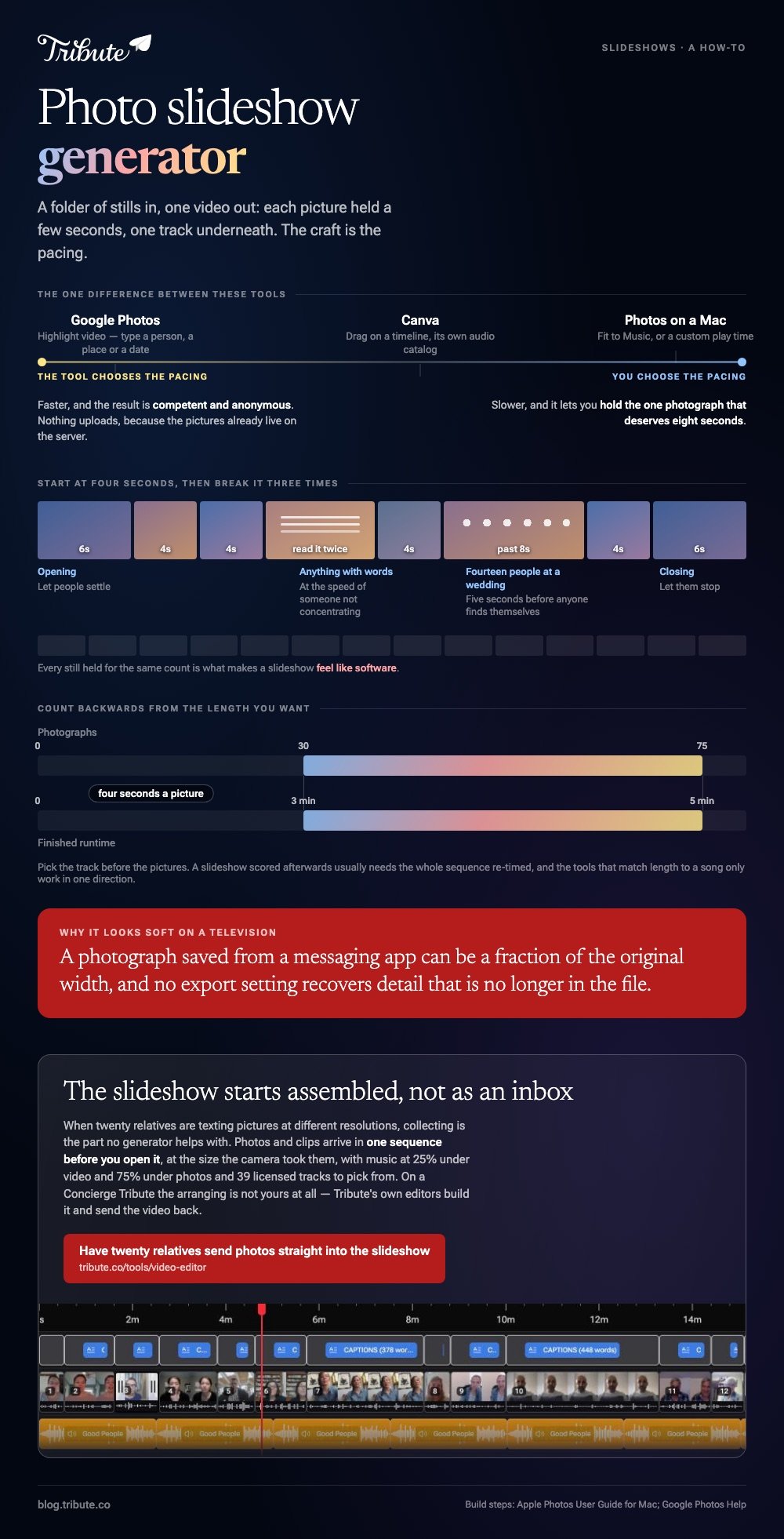
Generators that choose are faster and produce a competent and anonymous result. Tools that ask take longer and let you hold the one photograph that deserves eight seconds.
How do you make a photo slideshow in Google Photos?
Google calls the output a Highlight video, which is the generator route: you supply a subject, it supplies the cut.
- Go to photos.google.com and click Create at the top right, then Highlight video.
- To let Google choose, type a person, place, theme or date in the search box, or pick from the suggestions.
- To choose yourself, click Create your own video, then or select photos, and select your stills.
- Click Create at the top, then Save when the preview looks right.
Nothing uploads, because the pictures are already on Google's servers, which makes this the quickest route for a library of several thousand. The trade is control: you are accepting Google's pacing and its music.
Best for: A slideshow about one person or one holiday, from a library that already lives in Google Photos.
Why it works: The search box does the selecting, which is the job that takes an hour when you do it by hand.
How do you build a slideshow in Photos on a Mac?
Apple's version is a saved project rather than a quick play, so it survives being closed and can be exported.
- Open Photos, click Library in the sidebar, then All Photos in the toolbar.
- Select the pictures you want, then choose File > Create > Slideshow > Photos.
- Click the Slideshow pop-up menu, choose New Slideshow, type a name and click OK.
- Click the Themes button and pick a theme. You can change it later.
- Click the Music button, then the arrow next to Music Library, and select one or more songs. Choose Theme Songs for the bundled tracks.
- Click the Duration button and choose Fit to Music, or Custom to set the total play time with a slider.
- Click Preview to watch it, then export it from the File menu.
Apple documents the build in its guide to creating slideshows in Photos on Mac and keeps the export steps in a separate article. Not every duration option appears with every theme, which is the one thing that catches people out.
Best for: A slideshow that has to play at an event and survive a laptop restart.
Why it works: Fit to Music sets every slide length from the song you picked, so the last picture lands on the last note.

How do you set the length of each picture?
Unlike a printed album, a slideshow sets the speed for the person watching, so pacing is most of the craft. Start at four seconds and vary it.
Every still held for the same count is what makes a slideshow feel like software, and three deliberate exceptions are enough to break that.
Give the opening and closing images six seconds, because the first one has to let people settle and the last one has to let them stop.
Hold anything with words in it long enough to be read twice at the speed of someone who is not concentrating.
Cut group shots short. A face fills the frame in a second, and a photograph of fourteen people at a wedding takes five before anyone finds themselves in it, which is the one case for going past eight.
How do you add music to a photo slideshow?
Pick the track before the pictures if you can. A photo slideshow with music chosen afterwards tends to need the whole sequence re-timed, and the tools that match length to a song will only do that in one direction.
Use the library inside the tool where there is one. Apple bundles theme songs, Google scores the Highlight video itself, and Canva has an audio track with its own catalog.
A song from your own collection is fine on a laptop at a party and gets flagged the moment the file goes to a public platform.
Then set the level. If any clip in the mix has someone speaking, the music belongs under the voice rather than beside it, which tends to mean dropping it by about three quarters while they talk.
What if the photos are coming from other people?
Collecting is the part no generator helps with. Twenty relatives texting pictures at different resolutions, half of them compressed by the messaging app, is a different problem from arranging a folder you already own.
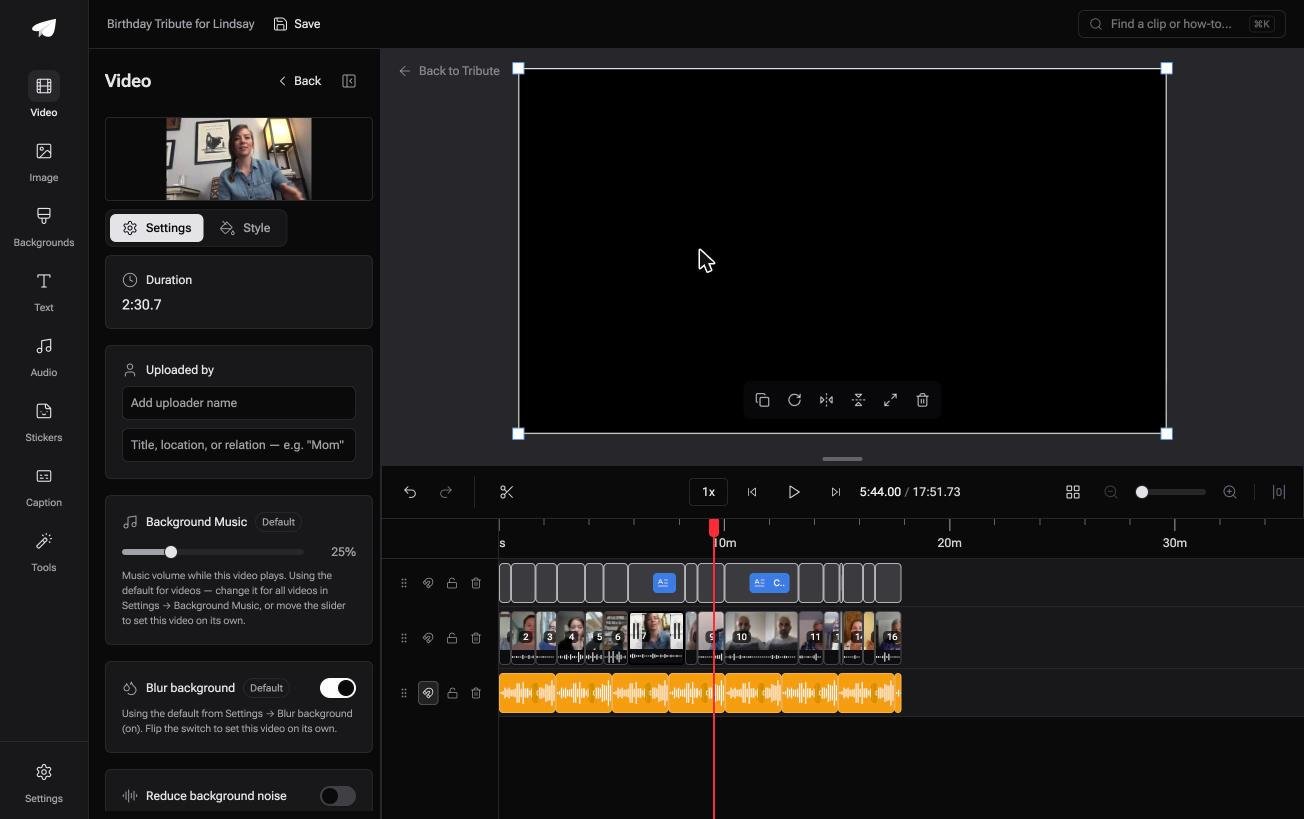
The Tribute video editor is a browser-based group video editor: contributors record clips on their phones and Tribute assembles them on a timeline with the music balanced under the voices.
Photos and clips arrive in one sequence before you open it, with music at 25% under video and 75% under photos by default and 39 licensed tracks to pick from.
On a Concierge Tribute the arranging is not yours at all: Tribute's own editors build the slideshow and send the video back. It lives inside a paid Tribute rather than working as a standalone generator.
Best for: A birthday or retirement video where the pictures and clips are coming from a dozen people.
Why it works: Everything arrives at full quality in one place, so the slideshow starts assembled rather than starting as an inbox.
More on that in one video from thirty different phones and turning everyone's clips into one birthday video.
How should you export and share it?
Export at 1080p unless the pictures are large and the slideshow is going on a television. Beyond that the file size climbs and the difference hides on every screen smaller than a wall.
Then upload rather than attach. Messaging apps compress video hard, and a sequence of still photographs is the worst thing to put through that, because compression goes after the fine detail a photograph is made of.
Facebook reaches 70% of US adults, per Pew's social media fact sheet, so it is often the path of least resistance for family, with an unlisted video link as the better-looking alternative.
Assume a phone at the other end. With 91% of US adults owning a smartphone, according to the Pew Research Center mobile fact sheet, check your captions and your group shots at that size before you send anything.

Can you mix video clips into a photo slideshow?
Yes, and it changes the pacing. A clip brings its own length and its own sound, so the four-second rhythm you set for the stills stops applying the moment one starts playing.
Put the clips where they do the most: one near the start to show the slideshow is more than pictures, and one at the end. Everything in between can stay still.
The mixed case has its own steps in mixing stills and clips in one video, and the grid version in a photo and video collage.

Frequently Asked Questions
Can I use a photo slideshow generator for free?
Google Photos, Apple Photos and Canva's free plan all build one and export without a watermark on your own media. The browser tools built around a single upload are the ones that stamp the output.
How many photos should I use?
Between thirty and seventy five for a three to five minute piece at four seconds a picture. Count backwards from the length you want rather than loading the folder and hoping.
Can I reorder the pictures after the generator has built it?
In Apple Photos and Canva, yes, by dragging on the timeline. A Google Highlight video is rebuilt rather than rearranged, so change the selection and generate it again.
Why does my slideshow look soft on a television?
Small source files. A photograph saved from a messaging app can be a fraction of the original width, and no export setting recovers detail that is no longer in the file. Ask for the originals.
Can I add names or captions to each photo?
Canva and iMovie both put text over a picture. The automatic generators do not, which is the usual reason people leave them after the first attempt.
What is the difference between a slideshow and a memory video?
Only who chose the pictures. Compared to a slideshow you build, a memory video is a generator's selection from a date or a face, served before you asked for it.
Will the music get my video blocked?
It can, if you upload a commercial track to a platform that scans audio. Use the library inside the tool for anything public and keep your own music for playback at home.
👉 Have twenty relatives send their photos straight into the slideshow if collecting is the part no generator helped with, and every picture arrives at the size its camera took it.
