
Birthday video maker: Turning Everyone's Clips Into One Birthday Video
To make a birthday video from a pile of clips, put the files in one folder, number them in the order you want them watched, then build the timeline and export once. iMovie is the shortest route on a phone, CapCut gives you per-clip volume, and a browser tool needs no install.
One note before the steps: we make the Tribute video editor, and it appears once, near the end, for the case where the clips came from twenty people. Everything else here uses tools we do not sell.

What does a birthday video maker need to do?
Less than the feature lists suggest.
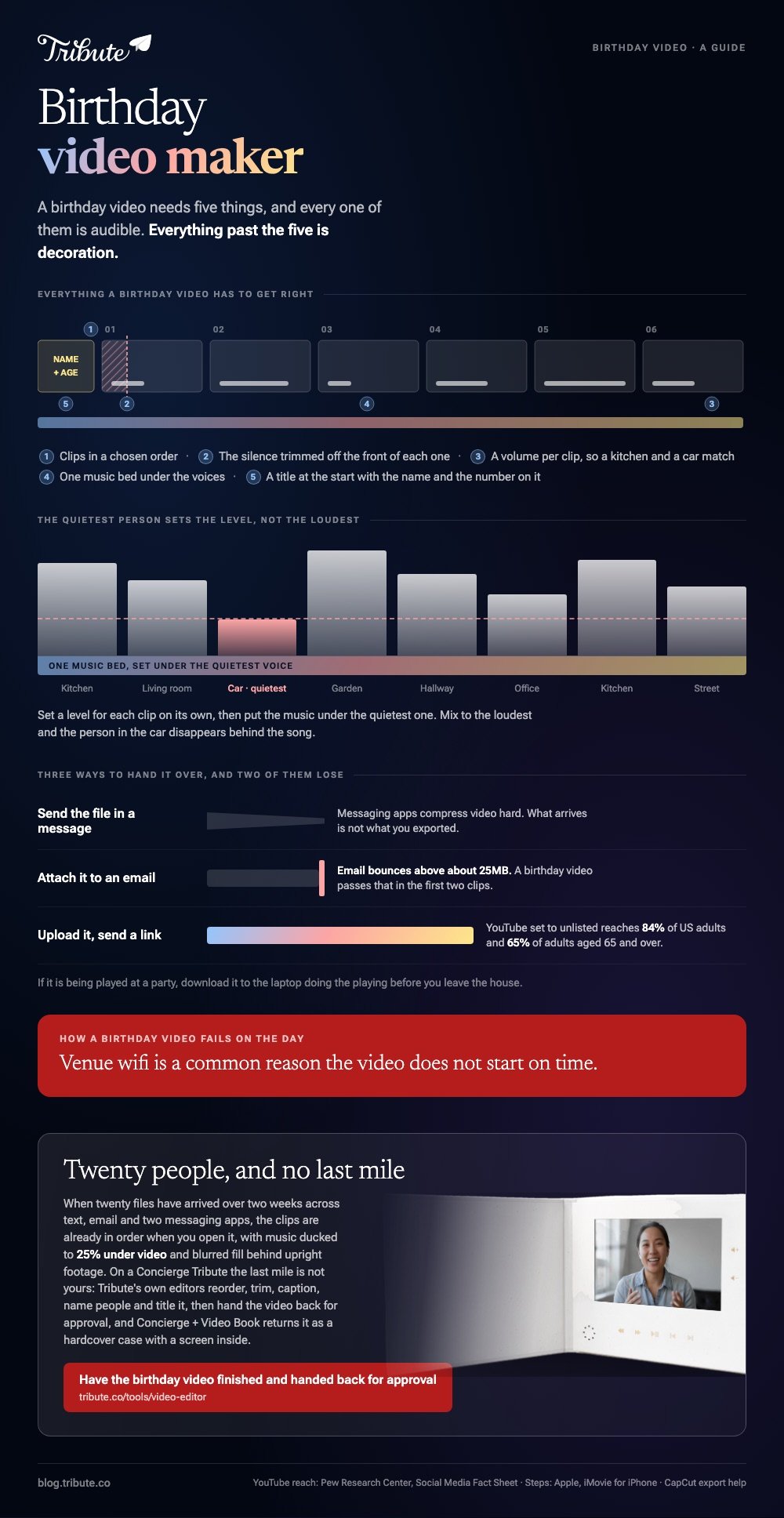
A birthday video needs five things: clips in a chosen order, the silence trimmed off the front of each one, a volume per clip so a kitchen and a car match, one music bed under the voices, and a title at the start with the name and the number on it.
Everything past that is decoration. Color grades, animations and motion titles are pleasant and none of them is the reason the video works. Unlike a reel from a weekend away, a birthday video lives or dies on whether you can hear what people said.
How do you make a birthday video on a phone?
iMovie is a free app on most iPhones and handles a dozen clips without complaint. Apple's iMovie for iPhone guide documents the project flow, and the labels below are the ones on screen.
- Open iMovie and tap Start New Project, then Movie.
- On the Moments screen, tap each clip in the order you want it to appear. A checkmark marks the ones you picked.
- Tap Create Movie. The clips land on the timeline in that order.
- Tap a clip, then drag its yellow edge in until the clip starts on the first word.
- Tap the audio tab to add a soundtrack, then tap the music bar and lower its volume so speech sits in front.
- Tap Done, then the share icon, then Save Video.
On Android the same job goes to CapCut or Google Photos, since the gallery editor differs between handsets and the button names move with the manufacturer.
Best for: Six to twelve clips, when the phone that will play the video is the phone that is editing it.
Why it works: Nothing uploads and nothing installs, so a ten minute video is finished in the time a browser tool would still be transferring.

How do you build a birthday video montage in CapCut?
CapCut is the step up when the clips came from several phones and the sound levels do not match. It runs on iOS, Android, desktop and in a browser, with the same import, arrange, export shape in each.
- Tap New project and select every clip you want in the video.
- Tap Add to bring them onto the editing timeline.
- Drag the clips along the timeline until the order matches your numbering.
- Tap a clip, then Volume, and set a level for that clip on its own. Do this for any clip recorded in a car, a kitchen or outdoors.
- Tap the resolution label beside the Export button and pick your output, then tap Export.
Check the export screen before you commit.
CapCut's own export help page lists 720P, 1080P, 2K and 4K on mobile, says 2K and 4K need CapCut v12.0 or later, and is blunt that you cannot export 4K if all your source clips are 1080p or lower.
Watermark and resolution rules also differ between the app and the web version.
Best for: A birthday video montage built from ten or more phones with mismatched audio.
Why it works: Per-clip volume is the one control that stops a montage sounding like a tour of other people's houses.
How do you make a birthday video compilation in a browser?
Browser editors such as Clideo, Canva, Adobe Express and CapCut's web version upload your clips to a server, assemble them there, and hand back a download. An old laptop performs as well as a new one because the work happens somewhere else.
Read the export terms before you upload rather than after the render. A free tier often caps the output at 720p, stamps a watermark on the corner, limits total upload size, or deletes your files after a few hours.
Upload time is the other cost, and a 4K clip from a recent phone can take longer to send than the edit takes to make.
Best for: A work laptop or a Chromebook where you cannot install software.
Why it works: You trade render speed for upload time and get a finished birthday video compilation without installing anything.
If you want several faces on screen at once rather than one after another, that is a different build: putting several clips on one screen.
What order should the clips go in?
Not the order they arrived in, which is the order of who is most organized. Open with someone warm and brief, so the viewer knows the tone in ten seconds. Put the longest story a third of the way in, where attention is highest.
Close with the person closest to the birthday, then hold two or three photographs over the last few bars of music. Group siblings together, keep the two people who tell the same story apart, and cut anyone's second attempt at the same joke.

What music works under a birthday video?
One track for the whole video, instrumental, and quiet enough that you stop noticing it. Switching songs between clips draws attention to the joins, which is the opposite of what you want.
Set the music level by ear on the quietest speaker in the video rather than the loudest. If one person recorded in a car, they set the floor, and everything else can come up to meet them.
Use a licensed library track rather than a chart song. The video plays either way, but an upload may collect a copyright claim and get blocked in some countries, which is a poor surprise on the morning of a birthday.
What if the clips came from twenty people?
Then the editing was never the hard part. Twenty files arrive over two weeks across text, email and two messaging apps, at twenty resolutions, four of them upright, and you have lost track of who still owes you one.
Compared with editing six clips you recorded yourself, the collecting is most of the work.
The Tribute video editor is a browser-based group video editor: contributors record clips on their phones and Tribute assembles them on a timeline with the music balanced under the voices.
The clips are already in order when you open it, with a tick against the ones on the timeline, music ducked to 25% under video, and blurred fill behind upright footage so there are no black bars.
Reorder, trim against the waveform, caption, name people, add a title: that is the last mile.
On a Concierge Tribute it is not yours: Tribute's own editors do all five and hand the video back for approval, and Concierge + Video Book returns it as a hardcover case with a screen inside.
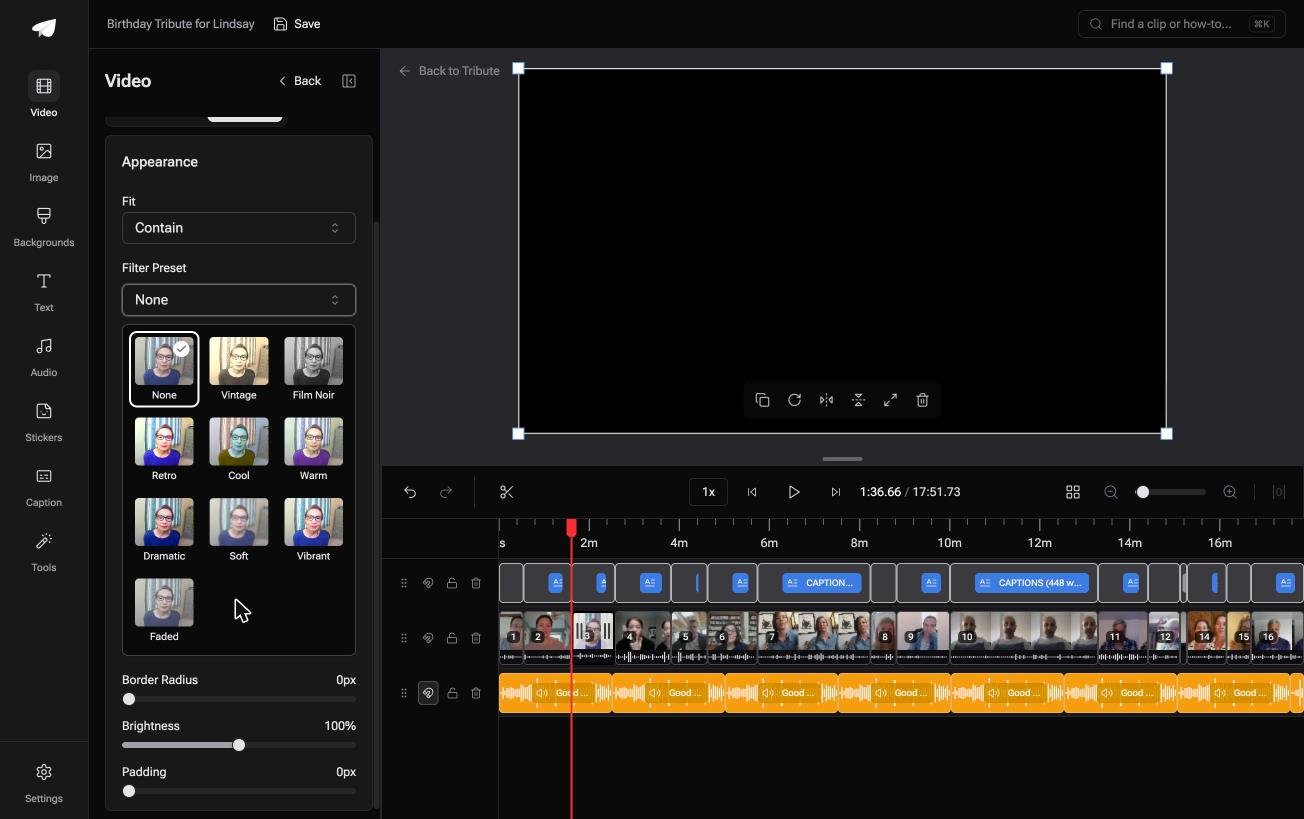
There are 39 licensed tracks across eleven genres, 10 color grades previewed on the real clip, and a Reorder media window that numbers every clip so you can move one to the front without dragging it past nineteen others.

It lives inside a paid Tribute and is not a general purpose editor. The collecting side is covered in collecting clips from everyone, and the wording of the request in how to ask for a birthday video message.
Where should the finished birthday video go?
Upload it and send a link. Messaging apps compress video hard and email bounces above about 25MB, so the file itself is the wrong thing to send to a group.
YouTube set to unlisted is the usual answer, and it reaches the right audience: Pew's social media fact sheet puts YouTube use at 84% of US adults and 65% of adults aged 65 and over.
Most of the people in the video can open the link without an account or an explanation.
If the video will be played at a party, download it to the laptop doing the playing. Venue wifi is a common reason a birthday video does not start on time.

For the wider job, including memorials and retirements, start from our main montage guide or what a video tribute is.
Frequently Asked Questions
How long should a birthday video be?
Four to six minutes for a room, up to twelve if people will watch at home. Twenty contributors at forty seconds each is already thirteen minutes, so either cut each clip to its best line or accept the runtime.
Can I mix photographs and video?
Yes, and the video improves when you do. Hold each still for three to five seconds and put them between the longer stories so the viewer gets a break from faces.
What do I do with upright phone clips?
Pick one output frame and fill the space either side with a blurred copy of the clip. It reads far better than black bars, and most editors with a background setting will do it.
Does joining clips reduce the quality?
Only when the clips differ. Matching codec, resolution and frame rate means the tool copies the streams; mixed sources get re-encoded to one setting and the weakest clip sets the ceiling.
With smartphone ownership at 91% of US adults, per the Pew Research Center mobile fact sheet, mixed sources are the normal case.
How many clips is too many?
Phone editors slow down past about twenty, browser tools cap total upload size rather than clip count, and desktop editors handle hundreds. The real limit is your patience with reordering on a small screen.
Can I add names on screen?
Yes, in any editor with a text layer. Put the name low in the frame for the first three seconds of each clip, which is enough for a recipient who will not recognize everyone.
How far ahead should I start collecting?
Three weeks for ten people, five for thirty. The last five contributors take as long as the first twenty-five, every time.
👉 Trade twenty downloads for a birthday video Tribute's editors finish if that many people each recorded something for one person, and the last mile never reaches you.


