
Audio and Video Out of Sync Windows 11: Where the Drift Comes From
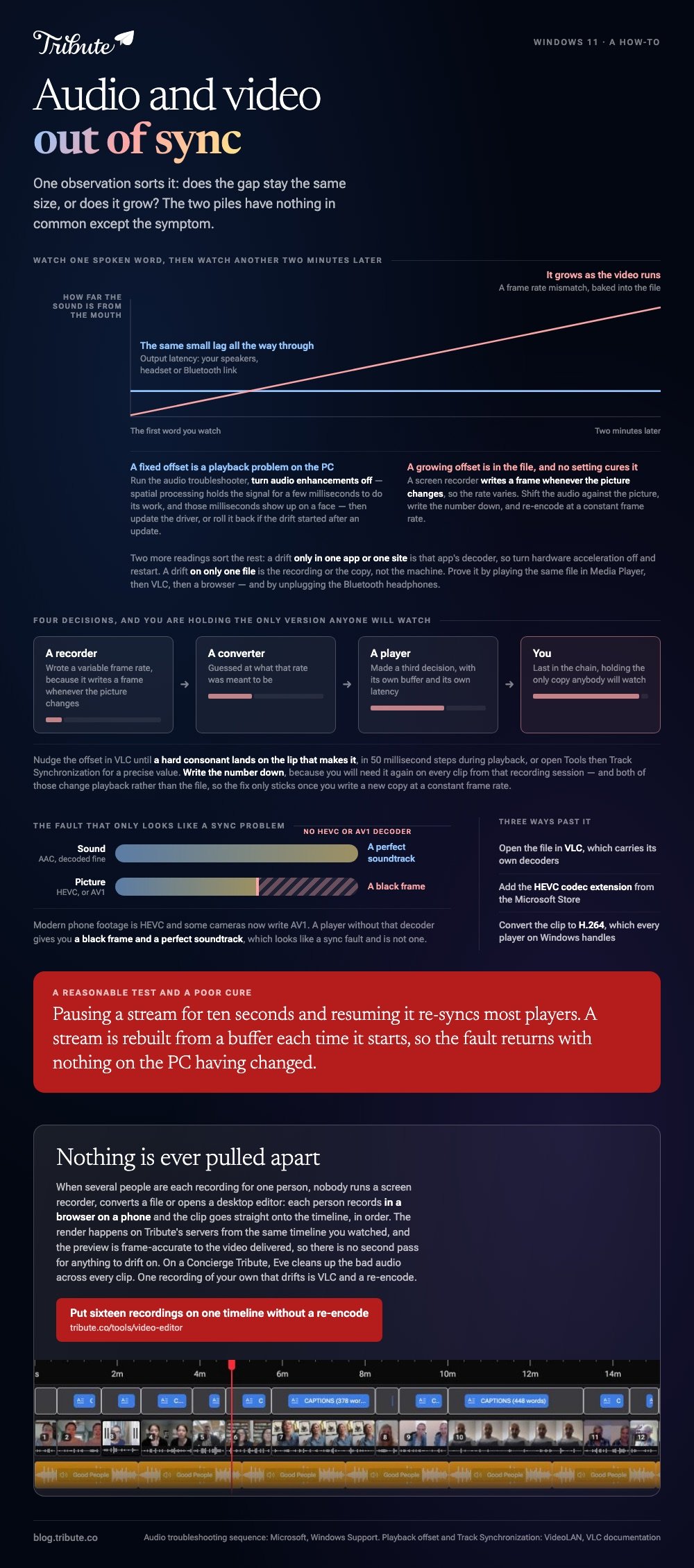
Audio and video out of sync Windows 11 faults split in two. A fixed offset that never changes is a playback problem on the PC. An offset that grows as the video runs is baked into the file, and no setting will cure it.

Which way is it drifting, and by how much?
Watch one spoken word and decide whether the sound arrives before the mouth or after it.
That single observation sorts the problem into one of two piles, and the piles have nothing in common except the symptom.
| What you see | What it means | Where to look |
|---|---|---|
| The same small lag all the way through | Output latency | Your speakers, headset or Bluetooth link |
| Fine at the start, worse by the end | A frame rate mismatch | The file itself |
| Only in one app or one site | Decoding in that app | Hardware acceleration |
| Only on one file | A bad recording or a bad copy | The source |
A screen video and audio recorder for Windows 10 or 11 writes a variable frame rate file more often than not, and that is the single biggest cause of drift that grows.
Is audio and video out of sync Windows 11 a playback fault or a file fault?
Test it with a second player before you change a single setting.
Open the same file in a different app. If the drift follows the file, the file is the problem. If the file behaves somewhere else, your PC is.
- Play the clip in the Media Player app, then in VLC, then in a browser.
- Play a different video in the app that failed.
- Unplug Bluetooth headphones and listen through the built-in speakers.
- Note whether the offset holds steady or widens over two minutes.
Bluetooth deserves its own line. Wireless output adds a delay of its own, and on video that delay is visible where on music it is not.
What fixes the playback side on the PC?
Three settings, in the order Microsoft puts them.
Its page on fixing sound problems in Windows carries the full sequence, and these are the parts that bear on timing.
- Run the audio troubleshooter. Settings, System, Troubleshoot, Other troubleshooters, then Audio.
- Turn off audio enhancements. Settings, Sound, pick your output device, Advanced settings, then set enhancements to Off.
- Update the audio driver. Device Manager, Sound video and game controllers, right-click the device, Update driver.
- Roll the driver back if the drift started after a Windows update, using the Driver tab in the device's properties.
Enhancements are the one people miss. Spatial processing holds the signal for a few milliseconds to do its work, and those milliseconds show up on a face.
How do you fix audio and video out of sync Windows 11 in a browser?
Switch off hardware acceleration and restart the browser.
When a site drifts and a local file does not, the decoder is the suspect. Video and audio out of sync Windows 10 and 11 behave the same way here, and so does the fix.
- Chrome and Edge: Settings, System, then the hardware acceleration switch.
- Then clear the cache for the site and reload it.
- Then try another browser. A drift that follows you is the machine, not the site.
Pausing a stream for ten seconds and resuming it re-syncs most players, which is a reasonable test and a poor cure.
Unlike a local file, a stream is rebuilt from a buffer each time it starts, so the fault disappears and returns without anything on the PC having changed.

Why is Windows Media Player playing audio but not video?
Because the sound decoded and the picture did not.
Modern phone footage is HEVC, and some cameras now write AV1. A player without that decoder gives you a black frame and a perfect soundtrack, which looks like a sync fault and is not one.
- Open the file in VLC, which carries its own decoders.
- Or add the codec extension for HEVC from the Microsoft Store.
- Or convert the clip to H.264, which every player on Windows handles.
A phone clip that arrives with no sound at all is a separate fault with separate causes: that one is in iPhone video with no audio.
How do you repair a file that is out of sync at the source?
Shift the audio against the picture, then write a new copy with a fixed frame rate.
VLC does the first part while the video plays. VideoLAN's own page on audio out of sync documents an offset you can move in 50 millisecond steps during playback, and points at Tools, then Track Synchronization, when the fault is in the input file.
Nudge until a hard consonant lands on the lip that makes it. Write the number down, because you will need it again on every clip from that recording session.
Then re-encode at a constant frame rate. In the Windows video editor you add audio on its own row, and Windows will not re-align it for you, so the realignment has to happen before the clip goes in.
The routes for putting a corrected track back are in adding audio to a video clip and video editors on Windows.
What if the clips never passed through a converter?
Then there is no re-encode, no frame rate mismatch and no offset to write down.
The Tribute video editor is a browser-based group video editor: contributors record clips on their phones and Tribute assembles them on a timeline with the music balanced under the voices. It is ours, and it is the last thing on this page.
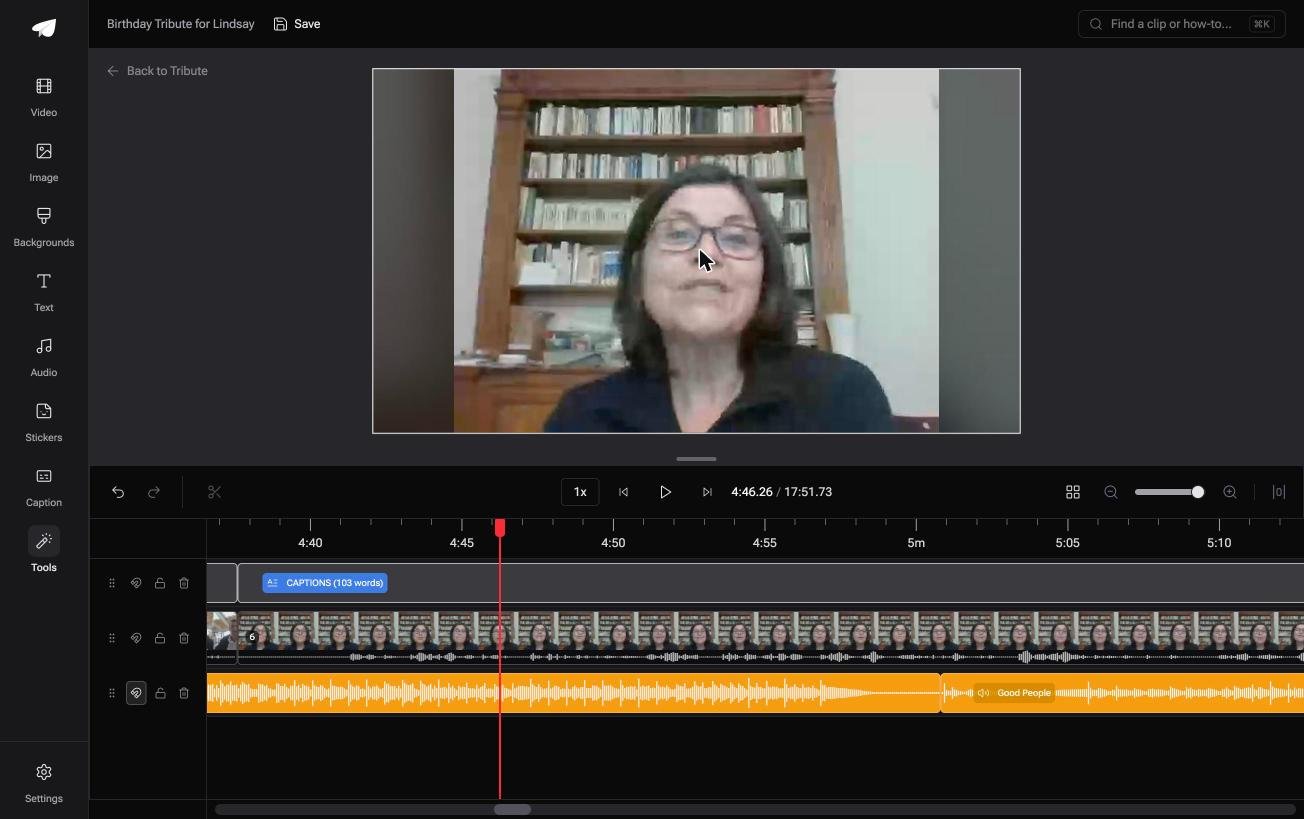
- Clips arrive in order on the timeline, with a tick against the ones already placed
- A waveform under every clip, so the first word is visible rather than guessed at
- Music ducks automatically to 25% under speech and 75% under photos
- Tribute renders on its own servers, and the preview is frame-accurate to the video delivered

Best for: Clips from sixteen different phones and sixteen different cameras, none of which agreed on a frame rate.
Why it works: Compared to re-encoding sixteen recordings into one timeline, nothing is converted twice, so nothing drifts on the second pass.
What happens to sync when nobody edits the file?
Every repair above is work on a file that already went wrong somewhere upstream.
A recorder wrote a variable frame rate. A converter guessed at it. A player made a third decision. You are the last person in a chain of four, holding the only version anybody will watch.
There is one case where that chain is one link long.
The case: nothing is recorded to be edited
You are in it when several people each record something for one person.
A grandmother turning eighty. A colleague leaving after fifteen years. A memorial where the people who should speak are in four time zones.
Nobody runs a screen recorder, converts a file or opens a desktop editor. Each person records in a browser on a phone and the clip goes straight onto a timeline.

Why the picture and the sound stay married
Because you never pull them apart.
Clips arrive auto-assembled on the timeline in order, and the render happens on Tribute's servers from the same timeline you watched. The preview is frame-accurate to the video that comes back.
That is how the Tribute video editor avoids the problem: not a sync tool, but a route with no step where you detach the audio in the first place.
What you do not have to repair
- No drift to correct. The picture and the sound are never pulled apart, so there is no offset to measure.
- No re-encode. Tribute renders from the timeline you watched, and the preview is frame-accurate.
- No cleanup on the quiet clips on a Concierge Tribute: Eve, the assistant inside the editor, cleans up bad audio across every one.
- No timeline to open on Concierge, where Tribute's editors build the video from the clips as recorded.
When this is the wrong answer: you have one recording of your own that drifts, and it has to be saved. Then VLC and a re-encode are the whole job, and the sections above are the route.
The editor is also not a repair tool: it lives inside a paid Tribute and takes clips as they are recorded.
Frequently Asked Questions
Why did my video go out of sync after a Windows update?
A new audio driver changed the output latency. Roll the driver back from the Driver tab in Device Manager, or run the audio troubleshooter and let Windows pick a known good version.
Does Bluetooth cause audio delay on video?
Yes, and it is a fixed offset rather than a growing one. Wired output is the quickest way to prove whether the headset is the cause.
How do I shift the audio in VLC?
Play the file and adjust the audio offset in 50 millisecond steps, or open Tools and then Track Synchronization for a precise value. Both change playback, not the file on disk.
Can I save the corrected timing for good?
Only by writing a new file. Apply the offset in an editor, export at a constant frame rate, and keep the original until you have checked the copy.
Why does a screen recording drift and a phone clip does not?
Screen recorders write a frame whenever the picture changes, so the frame rate varies. A phone camera holds a steady rate, which gives the audio a stable grid to sit on.
Does the Windows video editor have an audio sync control?
There is no offset field. You detach or add the audio on its own row and drag it, which is accurate to about a frame and no better.
👉 Put sixteen recordings on one timeline without a re-encode if no two devices timed them the same way, and nothing has a chance to drift.
