
Best Slideshow Makers Compared
The best slideshow makers are the ones on your devices: Google Photos builds a Highlight video from clips you tap, Clipchamp exports HD with nothing stamped on it, and iMovie adds the slow zoom that stops stills looking static. Canva wins on typography, Animoto on templates, and both charge for the best parts.

Which slideshow software should you compare?
Every price here came off the maker's own pricing page in October 2026. Free plan rules move often, so check the export screen before you commit a long slideshow to any of them.
| Tool | Best for | Price (as of October 2026) | Watermark at no cost |
|---|---|---|---|
| Google Photos | Photos already on your phone | Free app, preinstalled | None |
| Clipchamp | A clean 1080p file, no account tier | Free plan; 4K with Microsoft 365 | None |
| iMovie | Slow zoom and themed titles | Free app from Apple | None |
| Canva | Typography and layout | Free plan; Pro US$144/year | Premium elements only |
| Animoto | Template-led business slideshows | Free plan; Basic $9/month annual | Yes, at 720p |
| Tribute video editor | A slideshow several people contributed to | Paid product | Not applicable |
Which are the best slideshow makers for photos and clips?
Six tools, in the order most people should try them. The first three cost nothing and three of the six are already installed on something you own. If one of those three finishes your slideshow, stop there.
Google Photos
Google's help page for making creations with Google Photos lists Highlight video as one of the Create tab tools, described as a video with music built from photos and videos. It is the shortest path from a library to a finished video.
- Open Google Photos and tap Create at the bottom, then Highlight video.
- Or select the photos and clips first, then tap Create and Highlight video.
- Open the result and tap Edit.
- Touch and hold a photo to drag it into a different position, or tap one and choose Remove.
- Tap Add music, then Section to choose which part of the song plays.
- Tap Volume to balance "Video audio" against "Soundtrack".
- Tap Add text, then Save.
Two limits are worth knowing. Google says older devices may not be able to create Highlight videos, and the music that comes with them is for personal, non-commercial use.
The generated cut is also a starting point rather than a result. Reorder it, drop the photographs that nobody will recognize, and trim the clips to the moment people begin to speak.
- Look for: the Section control, which decides whether the song's chorus lands on the right photo.
- Price: free app, already on most Android phones and available on iPhone.
- Time needed: about ten minutes for thirty photos.
Best for: A slideshow from photos that are already backed up.
Why it works: There is no import step, because the app and the photos live in the same place.
Clipchamp
Microsoft preinstalls Clipchamp on Windows 11 and runs the same editor at app.clipchamp.com in Edge or Chrome, on Windows, Mac, Linux and Chromebook. Its documentation says it processes video on your own device rather than uploading it, and exports carry no watermark.
For a slideshow the workflow is short: drag the photos into My media, click the green + on each in the order you want, then set how long each one holds by dragging its green bars.
Add music from the content library tab and pull the volume slider down in the property panel.
- Look for: the export quality menu, where 4K sits behind a Microsoft 365 subscription and the no-cost ceiling is 1080p.
- Price: free plan; premium features arrive with Microsoft 365.
Best for: A clean HD file from a Windows PC, with nothing added to the picture.
Why it works: Unlike the browser tools that upload your files, a sixty photo slideshow renders without waiting on a connection.

iMovie
iMovie is the one that solves the problem specific to stills. A photograph held on screen for four seconds reads as a pause; the same photograph with a slow push in reads as a shot.
Apple calls that the Ken Burns effect and the user guide covers it alongside crop and rotate.
On a Mac, open Projects view, click Create New, then Movie, and drag photos to the timeline. On an iPhone, Start New Project then Magic Movie builds a cut for you from the photos you tap, in the order you tap them.
The app costs nothing and the current mobile release is version 3.0.6.
- Look for: the Ken Burns control, which is off on some clips and on by default on others.
- Price: free app, included with Apple devices.
Best for: A photo slideshow that needs movement without looking like a template.
Why it works: Movement across a still is the single edit that separates a slideshow from a video.
Canva
Canva is a design tool with a timeline attached, which is the right shape for a slideshow where the words matter. Titles, captions under photos and section cards all look considered before you have learned anything.
Pricing is public: a free plan at US$0, Pro at US$144 a year for one person and Business at US$250 a year per person.
Its help center explains the watermark rule: premium elements carry a crosshatch pattern on the free plan until you buy them, one design at a time, while photos you uploaded yourself are never marked.
- Look for: the crosshatch on any stock element, which is the warning that the download will be marked.
- Price: free plan at US$0; Pro US$144 a year as of October 2026.
Best for: A slideshow with real typography, like a retirement or leaving presentation.
Why it works: Compared with a video-first editor, the text tools are the ones that have been thought about.
Animoto
Animoto is the template-led option, built for businesses that make the same kind of slideshow every month. Its pricing page lists a free plan at $0, Basic at $9 a month on annual billing, Pro at $19 and Pro Plus at $39 for three users.
The tiers are clearer than most about what you are buying. The no-cost plan exports at 720p with an Animoto watermark; Basic removes the watermark and raises the output to 1080p; Pro and Pro Plus both reach 4K.
- Look for: the resolution line, since 720p is the ceiling until you pay.
- Price: free plan at $0; Basic $9 a month on annual billing as of October 2026.
Best for: A business slideshow that has to look consistent month after month.
Why it works: The templates carry the design decisions, which is what you want when the deadline is the point.
Tribute, if several people sent the photos
This is the narrow case the five tools above were not built for. Twenty people each send two photographs and a short clip, over text, email and WhatsApp, and half of them arrive compressed.
The slideshow is the easy part; collecting the material at full quality is not.
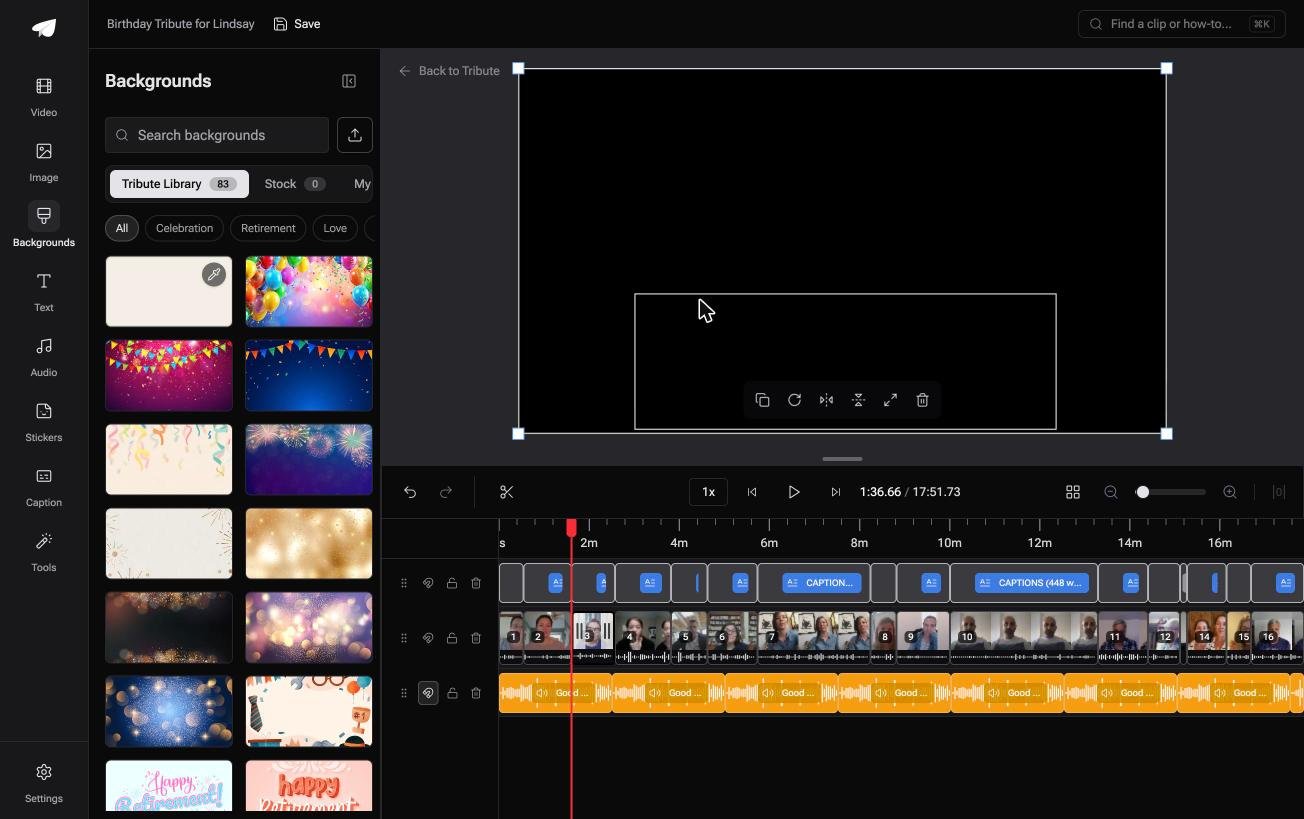
The Tribute video editor is a browser-based group video editor: contributors record clips on their phones and Tribute assembles them on a timeline with the music balanced under the voices.
Photos get nine 3D layout effects including Tilt, Book and Floating, music sits at 75% under photos by default, and the background library holds 83 occasion backgrounds grouped by Celebration, Retirement and Love.
It lives inside a paid Tribute and it is not a general slideshow maker app.
- Look for: the Find photo duplicates tool, which matters when twenty people send the same wedding photograph.
- Price: part of a paid Tribute; there is no standalone slideshow tool.
Best for: A slideshow whose pictures are still sitting in ten other people's phones.
Why it works: Unlike a shared album you chase people into, the collecting, the ordering and the audio balance are finished before you open the editor.
That case is covered in how a group video maker handles thirty phones and in our guide to making a video montage.
What separates a good slideshow from a bad one?
Not the software. Four decisions do most of the work, and none of them belongs to a tool:
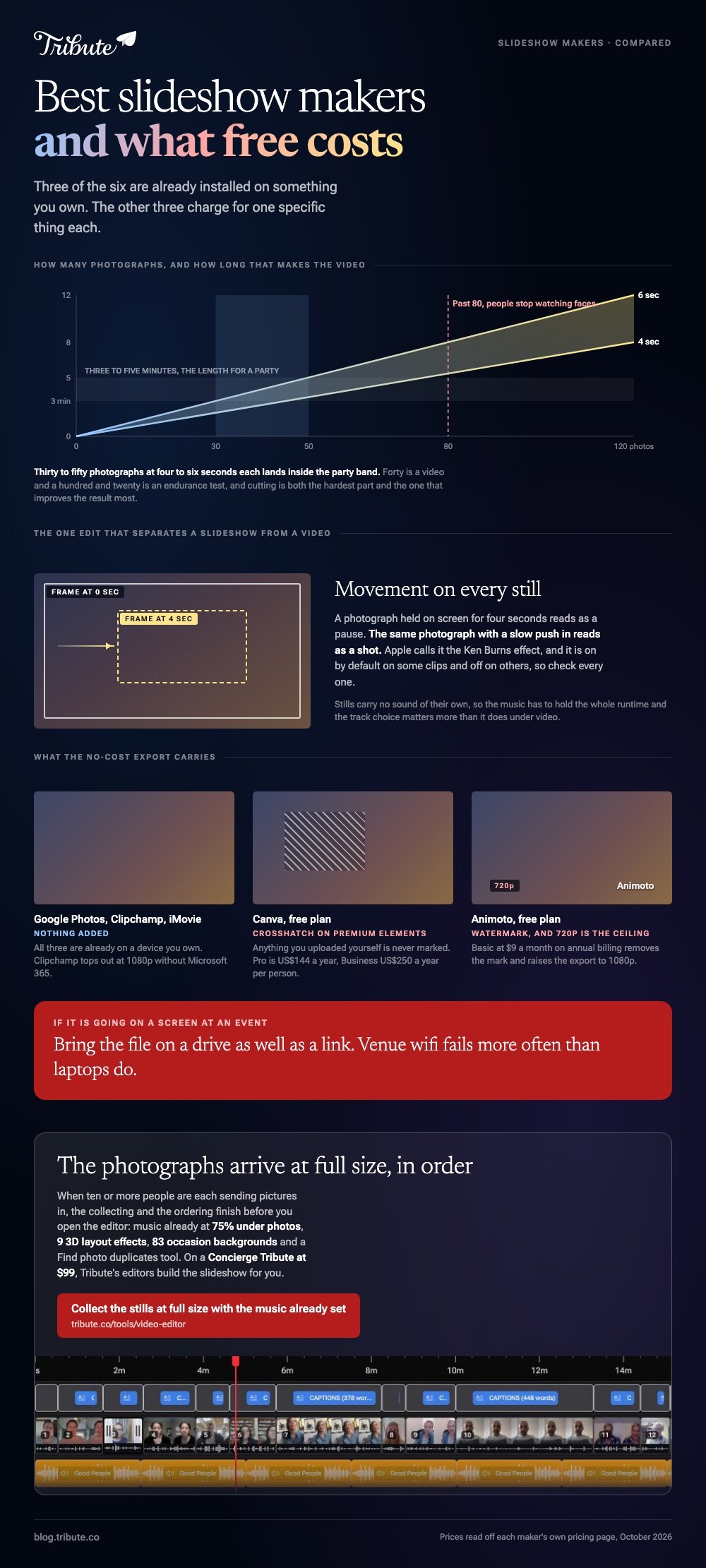
- Fewer photos. Forty is a video; a hundred and twenty is an endurance test. Cut to the ones with faces in them.
- Movement on every still. A slow push in or a drift across the frame, which iMovie calls the Ken Burns effect.
- One song, chosen first. Pick the track before the photos and cut to its shape rather than fading it out mid-verse.
- Four to six seconds a photo. Long enough to read a face, short enough to keep moving.
Our guide to making a slideshow from photos and video clips works through those choices in order, and our roundup of free video editors for montages covers the tools without the slideshow filter.

Where should a finished slideshow go?
Upload it rather than attaching it, because messaging apps compress video hard and a slideshow is made of fine detail. YouTube set to unlisted is the safe default for a family video.
Pew Research Center puts YouTube use at 85% of US adults aged 50 to 64 and 65% of those aged 65 and over, according to its social media fact sheet.
For a slideshow made for a grandparent, that matters more than the resolution you exported at.

If the slideshow is going on a screen at an event, test it on that screen first. A laptop speaker flatters music that a function room will swallow, and the shape of the room's projector is seldom the one you built for.
Bring the file on a drive as well as a link. Venue wifi fails more often than laptops do, and a slideshow that will not load is the one thing nobody can fix in the room.
Frequently Asked Questions
What is the best slideshow app with music at no cost?
Google Photos on a phone and Clipchamp on a computer. Both add music without a watermark, though the music that comes with a Google Photos Highlight video is licensed for personal use only.
How many photos should a slideshow have?
Between thirty and fifty for a five minute video at four to six seconds each. Past about eighty, people stop watching faces and start waiting for the end. Cutting is the hardest part and the one that improves the result most.
Can I mix photos and video clips?
Yes, in every tool here. Keep the clips short and let the photos breathe, and drop the music under any clip where someone is speaking. A mixed slideshow reads better than either on its own, because the voices break up the rhythm of the stills.
Does a slideshow maker app watermark my video?
It depends on the tool. Animoto's no-cost plan stamps exports at 720p, Canva marks only premium elements you did not upload, and Google Photos, Clipchamp and iMovie add nothing.
What music can I use?
Licensed library tracks from inside the tool are the safe answer. A commercial song will often get a family video muted or blocked on YouTube, even when the video is unlisted.
How long should a slideshow be?
Three to five minutes for a party, and up to about seven for a memorial where people expect to sit with it. Build to the song rather than to a target length, and end on a photograph rather than on a fade to black.
What if everyone wants to send photos in?
Give them one place to upload rather than collecting across four apps, because that is where the quality and the hours go. A group video tool exists for that problem and no other.
👉 Get the stills in at full size with the music already set under them if other people are sending the photographs in, and Tribute's editors will build the slideshow for you on a Concierge Tribute.
