
Birthday Video Template: Which Ones Save Time and Which Ones Cost It
A birthday video template is a finished edit with gaps in it: the pacing, the type and the music are set, and you drop your own photos onto the placeholders. CapCut, Canva and Clipchamp all carry them. Each one decides your clip count for you.

| Where | How it works | Best when |
|---|---|---|
| CapCut | Pick a template, fill the slots in order | Short, cut to the beat, for a feed |
| Clipchamp | Template opens, swap each clip from your roll | A laptop and a dozen photographs |
| Canva | Drag an upload onto a photo in the design | Names, ages and titles on screen |
| No template | You set every duration | People talking for different lengths |
What does a birthday video template decide for you?
More than most people expect, which is the point and also the trap.
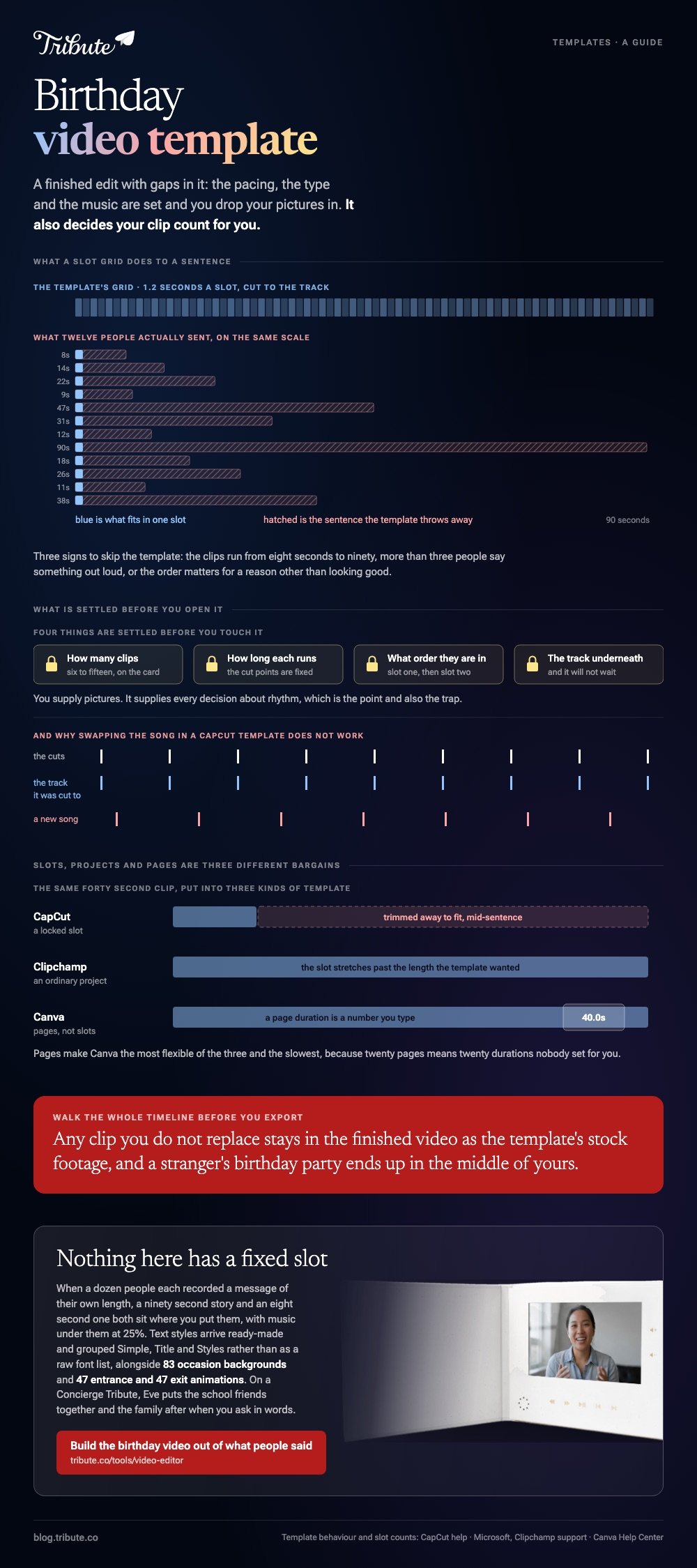
A template fixes four things before you touch it: how many clips it holds, how long each one runs, what order they appear in, and the track underneath. You supply pictures. It supplies every decision about rhythm.
That trade is excellent when your material is photographs and two-second cutaways. It falls apart the moment a clip is a person talking, because a template built for 1.2 second slots will cut your aunt off mid-sentence and the music will not wait for her.
Best for: Twenty to forty photographs and a birthday post that needs to look edited by tonight.
Why it works: Pacing is the slowest decision in any montage, and a template has already made it.
How do you use a birthday video template in CapCut?
Templates have their own tab, separate from the editor.
CapCut's help on using templates says to open the app and tap Template at the bottom of the screen, and notes that templates are supported on mobile and web while the desktop app carries official templates only.
- Tap Template and search for birthday.
- Read the slot count on the template card before you open it. Most want between six and fifteen clips.
- Preview it once at full length. The cut points are fixed, so what you see is what your version does.
- Tap Use template and pick your photos and clips in the order you want them.
- Tap each slot to adjust which part of your clip sits inside it.
- Tap Export and pick 1080p.
Check the export screen before you commit, since a template shared from a feed can carry its creator's credit into the file. Compared with building from scratch, this route costs you ten minutes and all of the control.
Best for: A short birthday video for a feed, cut to music, from clips of near equal length.
Why it works: The beat matching is the hard part, and somebody already did it for this track.
How do you swap your clips into a Clipchamp template?
The template opens as an ordinary project, which is the difference that matters.
Microsoft's guide to editing a template in the Clipchamp app describes picking one from the homepage categories, previewing it, and starting a project from it. The content library then opens so you can replace each template clip with your own footage.
One detail worth knowing: any clip you do not replace stays in the finished video as the template's stock footage. Walk the whole timeline before you export, or a stranger's birthday party ends up in the middle of yours.
Because it opens as a project rather than a locked slot machine, you can stretch a clip past the length the template wanted. That makes Clipchamp the better of the two when one person in your video talks for a minute.
Best for: A Windows laptop, a dozen photographs, and one or two longer clips.
Why it works: You keep the template's look and still control the timing of each piece.

What about a Canva birthday video template?
Canva templates are pages rather than slots.
Search birthday video on the Canva home page, open a template whose page count is near your number of photographs, then drag an upload straight onto a picture already in the design.
It takes that image's place and keeps the frame, the crop and any animation on it. Double-click the text to change the name and the age.
Pages make this the most flexible of the three, because a page's duration is a number you can change. They also make it the slowest, since twenty pages means twenty durations nobody set for you.
Watch for the crown icon. A Canva element marked that way puts a watermark on the export, and swapping it for an unmarked one clears the problem before you spend the render.
When is a birthday video template the wrong choice?
When the clips are people talking.
This is the case that catches out anyone searching for a first birthday video template and then collecting messages from the grandparents. The template wants equal-length pieces.
Speech is never equal length, and trimming a sentence to fit a slot removes the reason the clip exists.
Three signs you should skip the template:
- Your clips range from eight seconds to ninety
- More than three people say something out loud
- The order matters for a reason other than looking good
In those cases a plain timeline is faster, not slower. More on that build in our main montage guide and in birthday video makers that start from photos.
What if a dozen people each sent a clip?
Then the template was never the slow part.
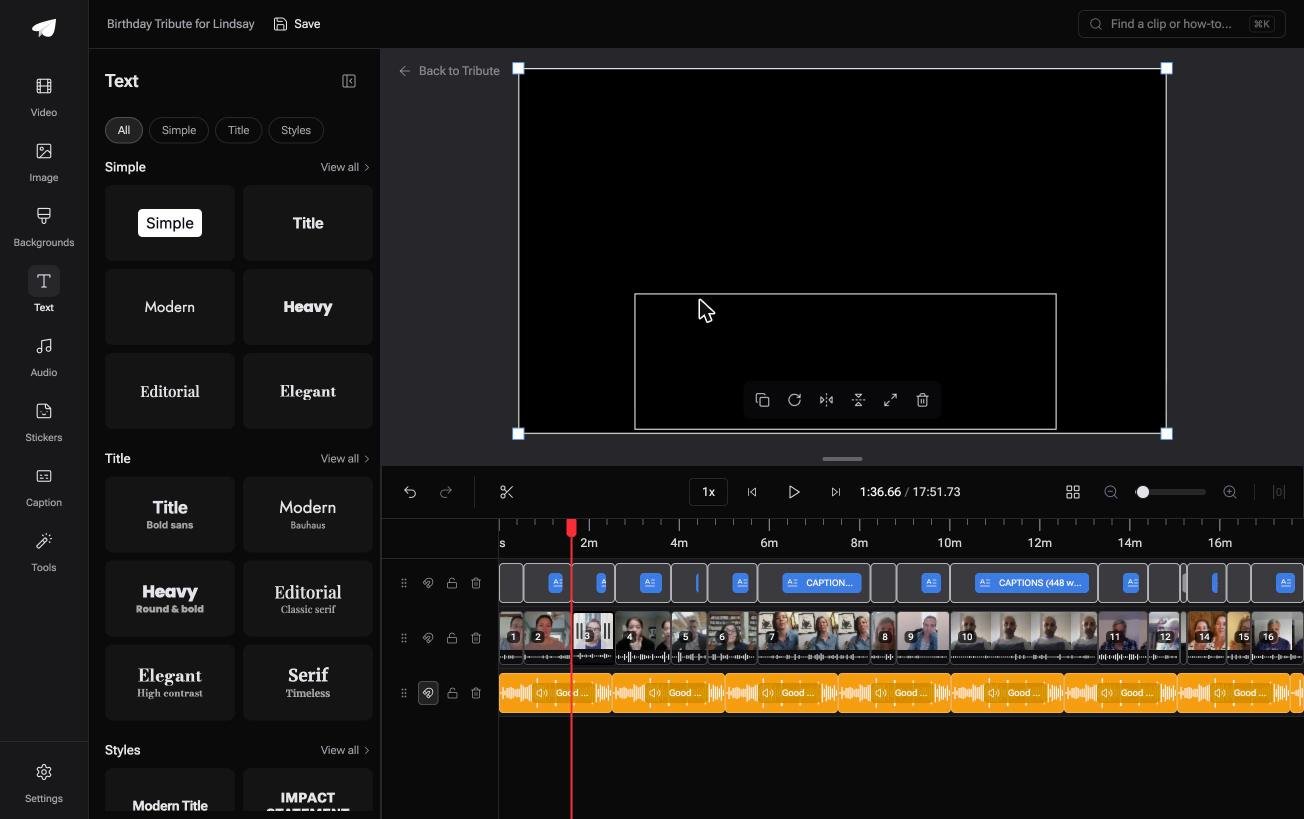
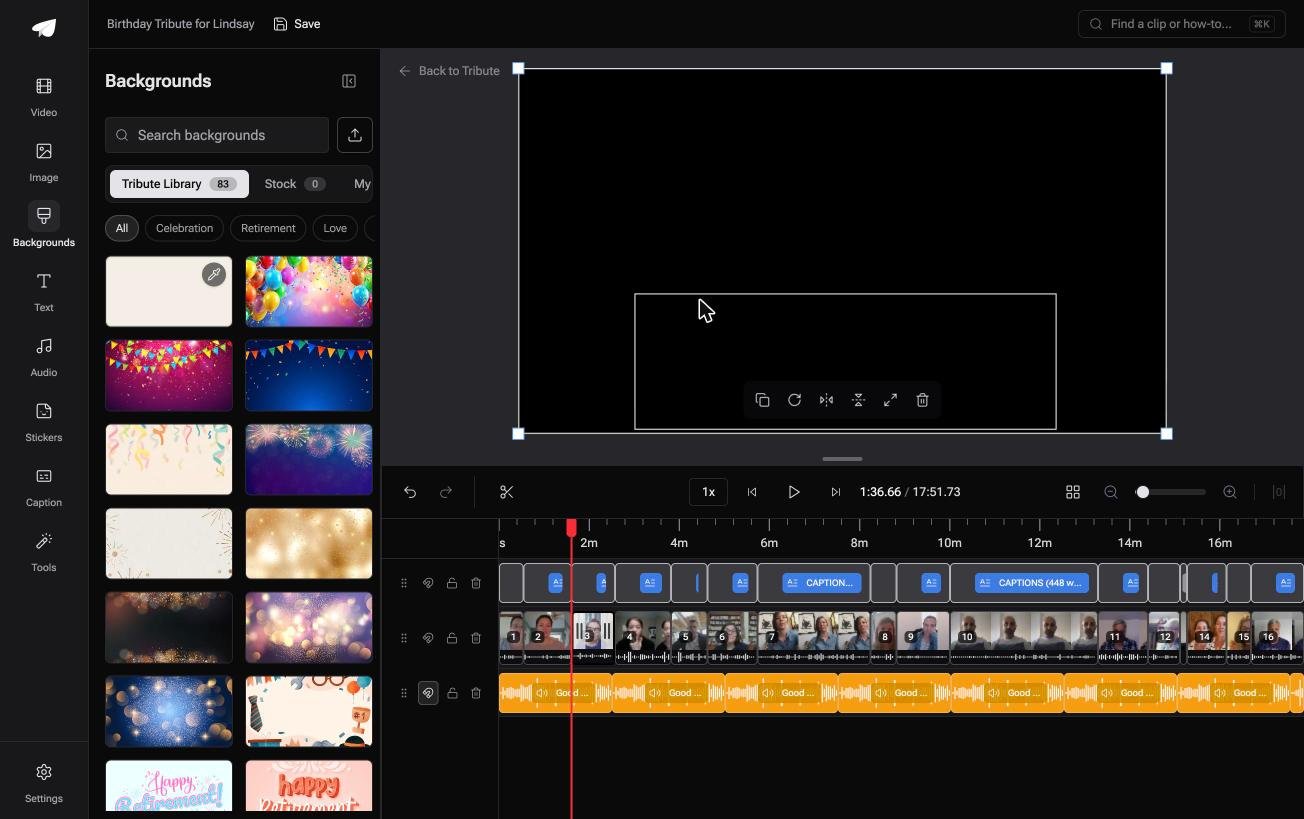
The Tribute video editor is a browser-based group video editor: contributors record clips on their phones and Tribute assembles them on a timeline with the music balanced under the voices.
The clips are in order before you open it, with a tick against the ones already on the timeline.
Specific numbers do the persuading.
Text styles arrive ready-made and grouped as Simple, Title and Styles rather than as a raw font list, there are 83 occasion backgrounds grouped by occasion, 47 entrance and 47 exit animations including Slow zoom and Drift, and 9 3D layout effects for photographs.
Best for: A birthday video where ten or more people each recorded a message of their own length.
Why it works: Nothing has a fixed slot, so a ninety second story and an eight second one both sit where you put them.
Can you skip the template question altogether?
Everything above exists because you are building a container and then filling it.
Picking a look, counting the slots, cutting your material to fit: all of it runs in that direction. There is one case where the material sets the shape instead.
The case: several people, each recording for one person
You are in it when a dozen people record a message for someone turning one, or forty, or eighty. Nobody is designing a piece. Everyone is saying something, and the lengths will be whatever the sentences were.
Which means the search that brought you here, a birthday video template, is looking for a shape that this kind of video gets from the people in it.
What you do not have to do
Three jobs, and choosing a template is not one of them.
- Not the shape. Each message runs as long as the sentence was, with music under it at 25%.
- Not the edit. On a Concierge Tribute, Tribute's editors trim, caption and title the whole thing.
- Not the grouping. Eve, the assistant on Concierge and Concierge + Video Book, puts the school friends together and the family after when you ask in words.
That is how the Tribute video editor handles it. Unlike a template with twelve slots, nothing here asks your material to be a particular length.

When this is the wrong answer: you have forty photographs and no speeches, or the video is going on a feed tonight. Then a CapCut template is faster than anything else here. Related: ideas for a birthday video.
Frequently Asked Questions
Are birthday video templates free to use?
The free tier of CapCut, Clipchamp and Canva all include templates, with some marked for paid plans. The thing to check is the export, since a paid element inside a template can watermark the file.
Can I change the music in a template?
In Clipchamp and Canva, yes, by deleting the audio track and adding another. In a CapCut template, no: the cuts were made to that track, and a new song lands against cut points that no longer mean anything.
How many photos does a template need?
Whatever the slot count says, and matching it matters. Too few leaves stock footage in your video; too many means culling in a hurry at the end.
Is there a first birthday video template worth using?
Plenty, and the good ones hold each picture for four seconds or more. A template cut at one second per slot suits a highlight reel, not a year of someone's life.
Can I use a template for a memorial video?
Choose one with slow cuts and no beat matching, or skip templates. The fast rhythm that makes a birthday template work is the wrong register for a memorial.
Where should the finished video go?
Upload it and send a link rather than the file. Pew puts YouTube use at 84% of US adults and 65% of adults aged 65 and over, so an unlisted link opens for almost everyone invited.
Can I make my own template to reuse?
In Canva and Clipchamp you can save a design and duplicate it each year. It is worth doing from about the third birthday video you make, and not before.
👉 Build the birthday video out of what people said if a dozen of them are each recording a message rather than filling twelve slots, and the lengths look after themselves.
