
Birthday Wishes Video Free Download: The Free Apps and Clips Worth Using
Two routes give you a birthday wishes video free download: a free app that builds one from your own photos, or a stock clip site whose license lets you keep the result. Most pages ranking for this phrase hand you a watermark instead.

| Where | What you get | The catch |
|---|---|---|
| Stock clip libraries | Balloons, candles, confetti | No name, no voice, no message |
| Template sites | A finished-looking piece | A watermark until you subscribe |
| A free app on your phone | Your own photos, your own words | Twenty minutes of your evening |
| Clips from other people | The thing they will rewatch | Two weeks of chasing |
Where can you get a birthday wishes video free download?
From a free app, or from a stock library with a license you have read.
Stock clip libraries
Pexels and Pixabay hold thousands of generic birthday clips: candles being blown out, confetti falling, a cake on a table.
The Pexels license says the footage is free to use and edit, credit is appreciated and not required, and the things you may not do are resell an unaltered copy, suggest an endorsement, or redistribute the clip on another stock platform.
That makes them useful as background behind your own words, and useless on their own. A clip of somebody else's cake is not a wish.
Template sites
Most of the pages that rank for this phrase are template sites. You pick a design, type a name, and the preview looks finished.
The download does not: it carries a watermark, or it stops at 480p, or it wants a card before the export starts.
Check the export terms before you spend twenty minutes on the design. Unlike an app that runs on your phone, a browser template holds your work on its own servers until you pay.
A birthday video maker you download
Every birthday video maker app below is a free app you download from the App Store or Google Play, and each exports your own media without a stamp on it.
- CapCut: the most capable, and the one with per-clip volume
- iMovie: on iPhone already, and the shortest route for a dozen clips
- Clipchamp: in a browser, so nothing installs on a work laptop
Does a birthday wishes video free download exist?
Free apps, yes.
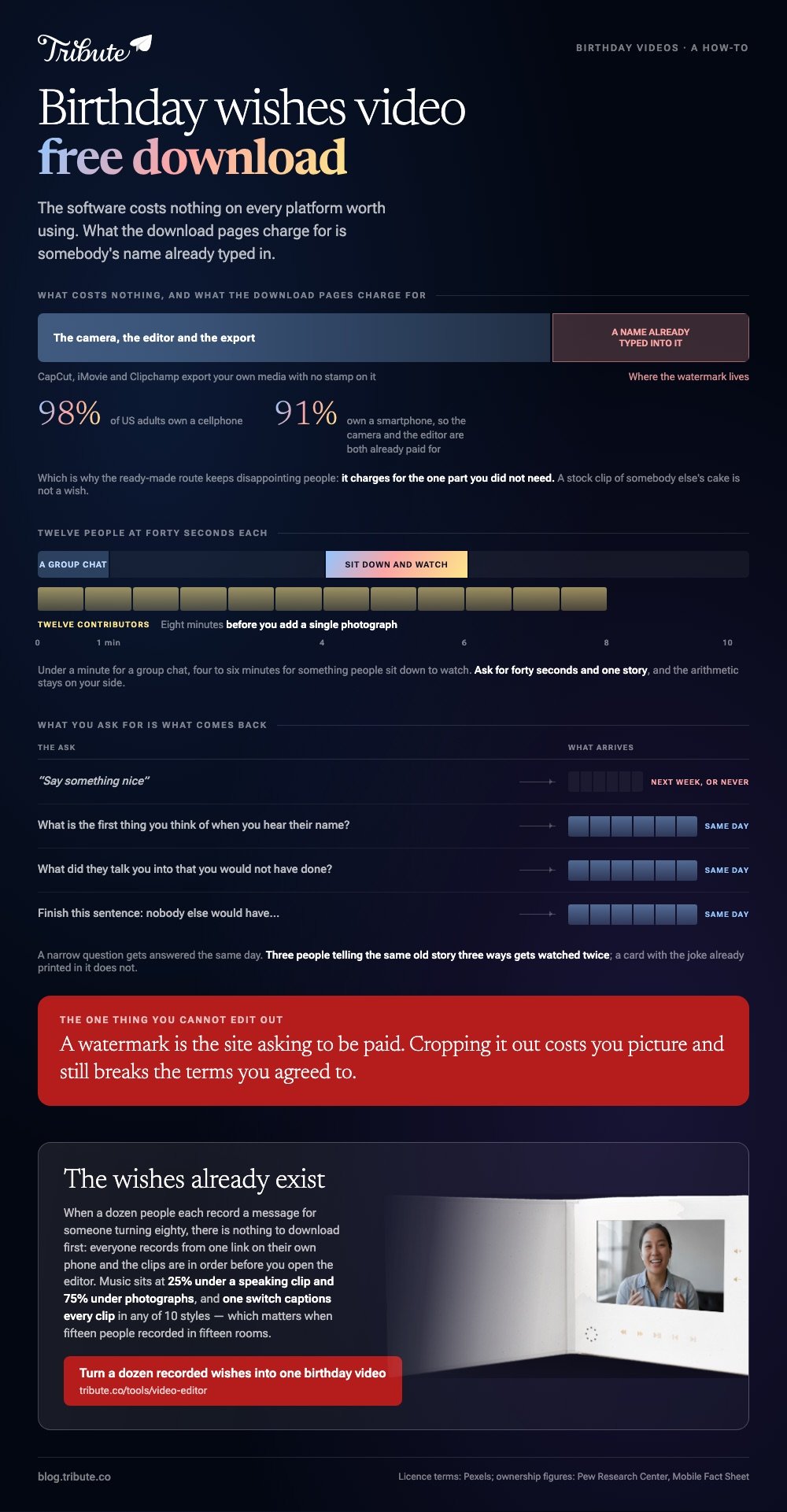
The honest version of the answer separates two things people are searching for at once. One is software, which costs nothing on every platform worth using. The other is finished content with somebody's name already in it, and that is where the watermark lives.
Pew Research Center puts cellphone ownership at 98% of US adults, with 91% on smartphones. The camera and the editor are both already paid for, which is why the ready-made route keeps disappointing people: it charges for the one part you did not need.
How do you make one in ten minutes instead?
Open the editor on the device holding the photos.
On a phone, CapCut is the quickest path from a camera roll to a file you can send.
- Tap New project and select the clips and photographs you want.
- Tap Add to bring them onto the timeline.
- Drag clips along the timeline until the order is right.
- Tap Text, then add the name and the number on the first clip.
- Tap Audio, add a track, and lower it under any clip where someone speaks.
- Tap the resolution label beside Export, pick 1080p, and export.
In a browser, Clipchamp does the same job on a laptop.
Microsoft's guide to editing a video in Clipchamp covers the parts people get stuck on: drag your files into My media, drag them onto the timeline, trim with the green bars at each clip's edges, add a track from the content library, then use the export button at the top right.
Best for: A video you need by tomorrow, built from what is already on your phone.
Why it works: Nothing uploads, nothing watermarks, and the file lands in your camera roll ready to send.

What should the words say?
Name one thing only they would know.
A happy 60th birthday video download from a stock site says nothing about the person. Forty seconds from the friend who shared their first flat says everything, and takes the same amount of your evening to arrange.
Searching for a funny birthday wishes for best friend video download is the same impulse as buying a card with the joke already printed in it. It works, and nobody keeps it.
A birthday wishes for best friend video download built from three people telling the same old story three ways gets watched twice.
Three prompts that produce usable clips:
- What is the first thing you think of when you hear their name?
- What did they talk you into that you would not have done?
- Finish this sentence: nobody else would have...
Ask for forty seconds and one story. Compared with "say something nice", a narrow question gets answered the same day. More prompts in ideas for a birthday video, and the card version in a video birthday card.
What if the clips came from fifteen different people?
Then downloading something was never going to solve it.
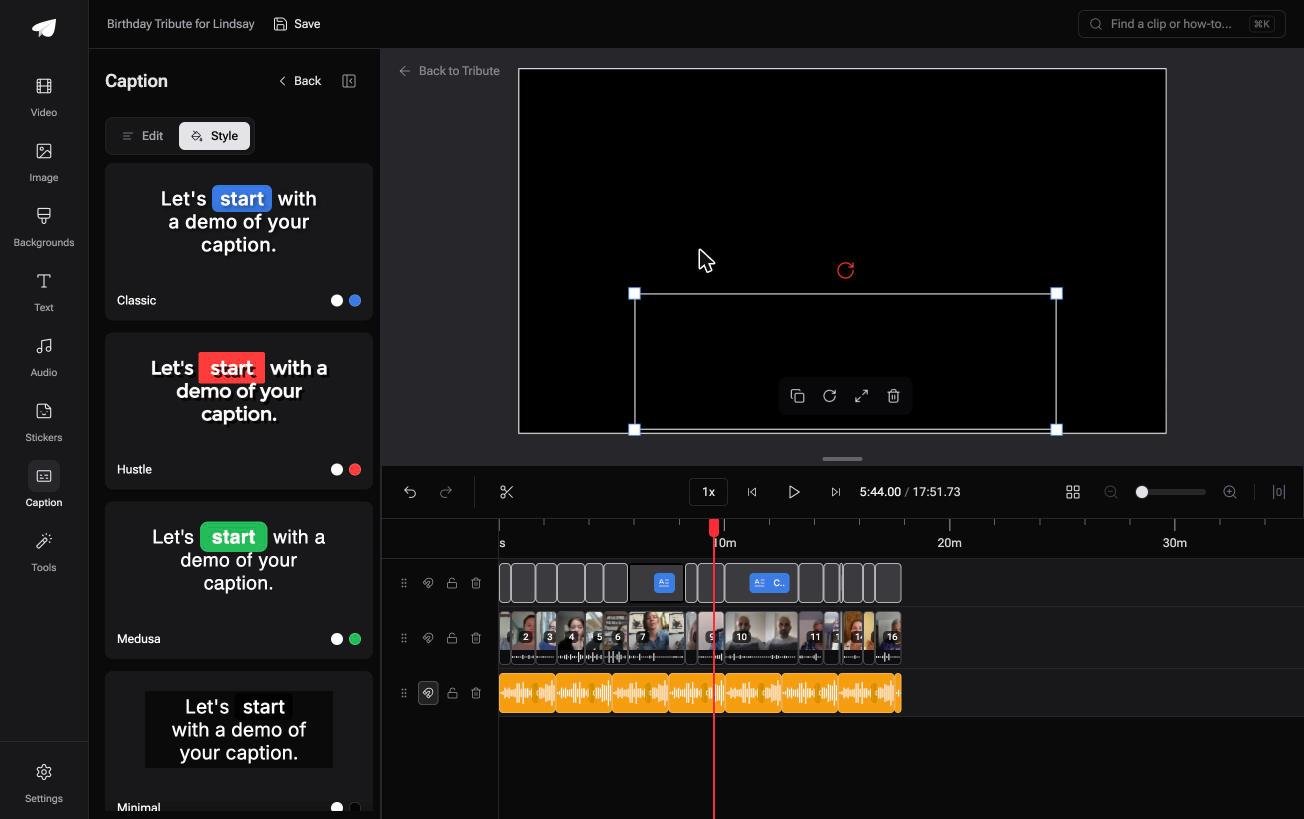
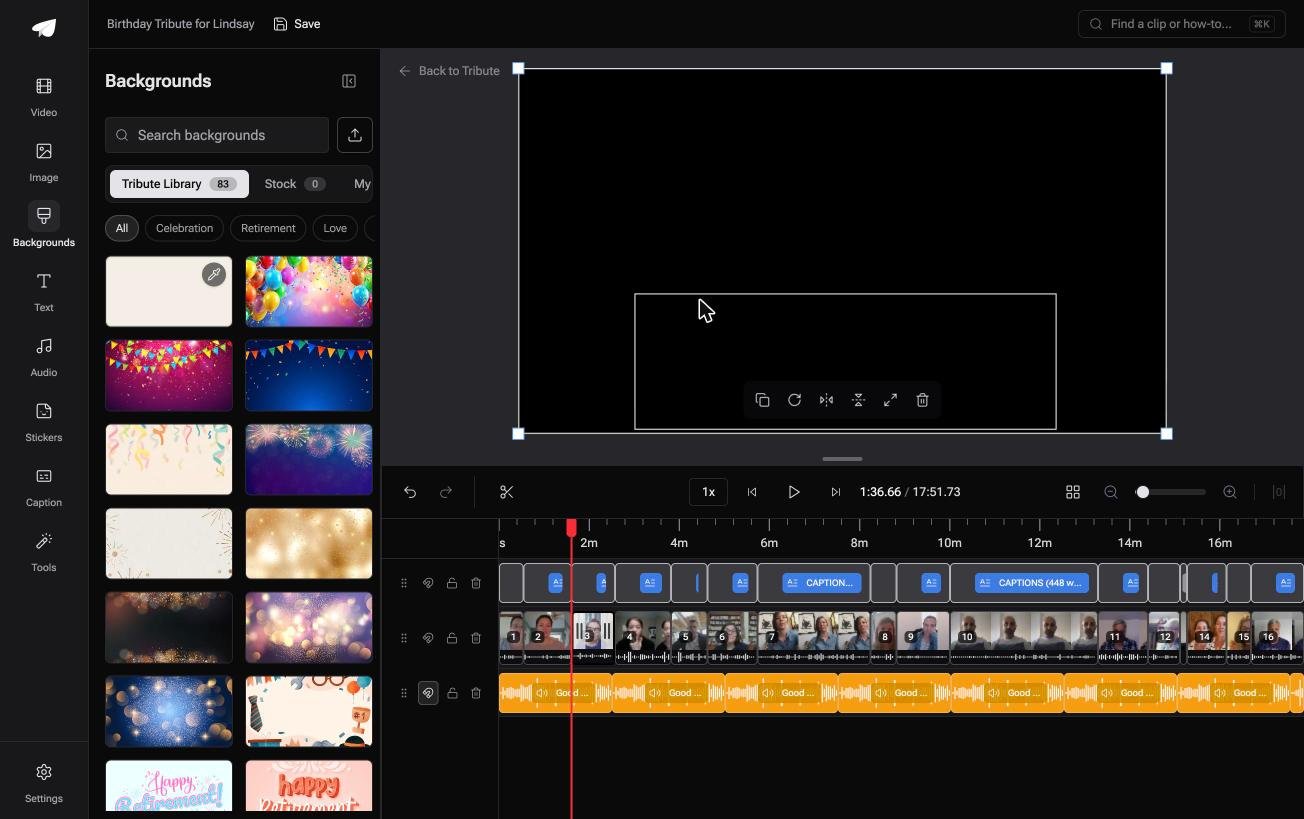
The Tribute video editor is a browser-based group video editor: contributors record clips on their phones and Tribute assembles them on a timeline with the music balanced under the voices.
The clips are in order before you open it, with a tick against the ones already on the timeline.
Specific numbers do the work. Music sits at 25% under a speaking clip and 75% under photographs. One switch captions every clip on the timeline, in any of 10 caption styles with the spoken word highlighted, which matters when fifteen people recorded in fifteen rooms.
Best for: A birthday video where ten or more people each send a message from their own phone.
Why it works: The collecting and the assembling are the same step, so there is no folder of fifteen filenames to sort.
Can you skip the download question altogether?
Everything above starts from you holding the material.
Hunting for a clip, hunting for an app: both start from the job of producing something sitting with you. There is one case where it does not.
The case: several people, each recording for one person
You are in it when a dozen people each record a message for someone turning thirty, or sixty, or eighty. Nobody is designing anything and nobody is shooting a scene. Everyone is talking to a phone in their own front room.
Which means the search that brought you here, a birthday wishes video to download, is answered by the people rather than by a file. The wishes already exist. They are in fifteen heads and none of them is a video yet.
What you do not have to make
Three jobs disappear, and hunting for a template is the first.
- No file to find. A dozen people each record from one link, on their own phone.
- No assembling. The clips are in order on a timeline, with music underneath at 25% while anyone is speaking.
- No build of your own on Concierge, where Tribute's editors trim, caption and title it.
That is how the Tribute video editor handles it. Unlike a template with a name typed into it, nothing here was made for somebody else first.

When this is the wrong answer: the birthday is tomorrow, or you want one short clip to drop into a group chat. Then the phone route above is the whole job. The longer build is in our main montage guide.
Frequently Asked Questions
Can I use a stock birthday clip in something I sell?
Under the Pexels license, yes, with limits: you may edit the clip and use it in something you sell, but not resell an unaltered copy or put it back on another stock site.
Read the license on the site you took it from, since terms differ.
How do I remove a watermark from a downloaded video?
You do not. A watermark is the site asking to be paid, and cropping it out costs you picture and still breaks the terms you agreed to. Rebuild the video in an editor that exports your own media clean.
What format should I send?
MP4 at 1080p plays everywhere and stays small enough to upload. Send a link rather than the file itself, since messaging apps compress hard and email bounces above about 25MB.
How long should a birthday video be?
Under a minute for a group chat, four to six minutes for something people sit down to watch. Twelve contributors at forty seconds each is eight minutes before you add a single photograph.
Can I add music without a copyright problem?
Use the library inside your editor, where the tracks are cleared for use in it. A chart song plays at a party either way, and a public upload may collect a claim and be blocked in some countries.
Is there a desktop birthday video maker worth installing?
CapCut and Clipchamp both run on Windows and Mac, and neither asks for a card to export at 1080p. A heavier program buys you nothing on a project this size.
What if someone will not record themselves?
Take a voice note and put it over a photograph of them. The sentence is the part that lands, and plenty of people are happier speaking when nobody is watching them do it.
👉 Turn a dozen recorded wishes into one birthday video if everyone wants to say something to one person, and there is nothing to download first.
