
Crop Video On Line: What You Gain, What You Lose, and Which Tool to Open
To crop video on line, you cut pixels off the edges of the frame, which changes its shape and lowers its resolution. Clipchamp, Canva and the Photos app each do it in about a minute, and none of them needs a download.
| Operation | What it changes | What it costs |
|---|---|---|
| Crop | Cuts the edges away | Pixels, and anything outside the box |
| Resize | Shrinks the whole frame | Detail, but nothing in shot |
| Fit | Adds bars or fill around the frame | Screen space |
| Trim | Cuts time, not picture | Nothing in the frame at all |
What does it mean to crop video on line?
It means drawing a smaller rectangle inside the one you have and throwing the rest away.
People reach for it to cut a distraction out of the edge of a shot, to square up a clip for a post, or to kill the black bars around footage someone exported wrong.
Those are three separate problems, and only the first one is a crop in the strict sense.
Trimming is the one most often confused with it. Trimming shortens the clip in time, so the frame stays whole and the ending disappears instead.
Any video editor to crop videos with will offer both, often within a click of each other, which is where the mix up starts.
What do you lose when you crop video on line?
Resolution, and you cannot get it back.
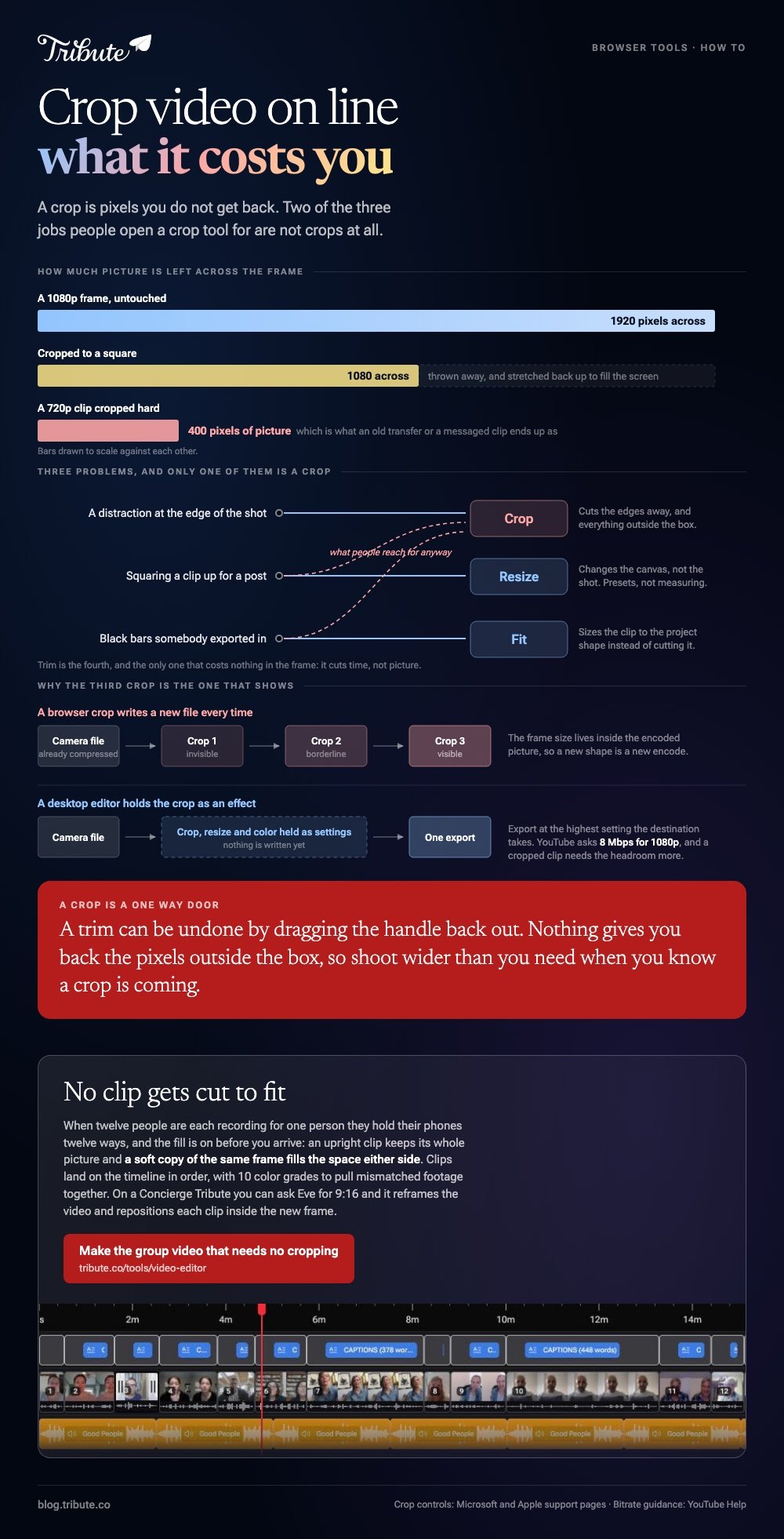
A 1080p frame is 1920 pixels across. Crop it to a square and 1080 remain, so the clip is a little over half as wide as the one you started with, stretched back up to fill whatever screen it plays on.
That matters most on footage that was already soft: an old camcorder transfer, a screen recording, a video someone sent through a messaging app. Crop a 720p clip hard and you are watching 400 pixels of picture.
Shoot wider than you need when you know a crop is coming. Unlike a trim, this one is a one way door.
Which tool should you use to crop video on line?
Clipchamp, if the clip is on a computer and you want handles rather than numbers.
- Start a new video and bring the clip in with the import media button, then drag it to the timeline.
- Click the clip so it is highlighted.
- Click the crop button in the floating toolbar. Handles appear on the sides, top and bottom of the preview.
- Drag any handle inward. Microsoft's guide to freehand cropping covers the diagonal drag as well.
- Click done, then export.
The same toolbar carries a fit option, which removes black borders by sizing the clip to the project's shape instead of cutting it. Resize presets for the main social platforms sit alongside it, so a vertical post does not need hand measuring.

On an iPhone, without a browser at all
Photos crops video with the same tool it uses on stills.
Open the clip, tap Edit, tap the crop icon, then drag the corners of the rectangle or pinch. Apple's guide to cropping, rotating and straightening covers the preset shapes, which include square and a vertical ratio for social posts.
Tap Done to save. The edit stays reversible: open it again, tap Edit, then Revert.
There is a longer walk through in cropping a video on iPhone, and the browser options are compared in cropping a video online.
Does cropping an MP4 change the file itself?
Yes. Every crop mp4 job rewrites the video.
The frame size is baked into the encoded picture, so a new shape means a new encode, and a new encode means a second generation of compression on footage that was already compressed in the camera.
One crop is invisible. Three rounds of cropping, exporting and re-importing are not, which is the argument for doing all your edits in one session and exporting once.
Export at the highest setting the destination accepts. YouTube recommends 8 Mbps for 1080p at standard frame rates, and a cropped clip benefits from the headroom more than an untouched one.
A desktop video cropping tool such as Premiere Pro keeps the crop as an effect until export, which avoids the stacking problem. That route is covered in cropping in Premiere Pro.
Is cropping the right fix for vertical footage?
Almost never.
Someone hands you a clip shot upright and you need it in a wide frame. Crop to fill and you lose the top of a head and the bottom of a gesture, because a portrait frame holds almost nothing a wide crop can use.
The better move is to leave the picture whole and treat the gutters as a design problem. Fill them with a blurred copy of the same clip and the eye stops reading them as empty.
Compared with a crop, that choice costs you nothing in the frame and nothing in resolution. It is what most editors now do by default when portrait meets a landscape project.
What if the clips came from a dozen different people?
The Tribute video editor is a browser-based group video editor: contributors record clips on their phones and Tribute assembles them on a timeline with the music balanced under the voices.
It is ours, and it is the last thing on this page.
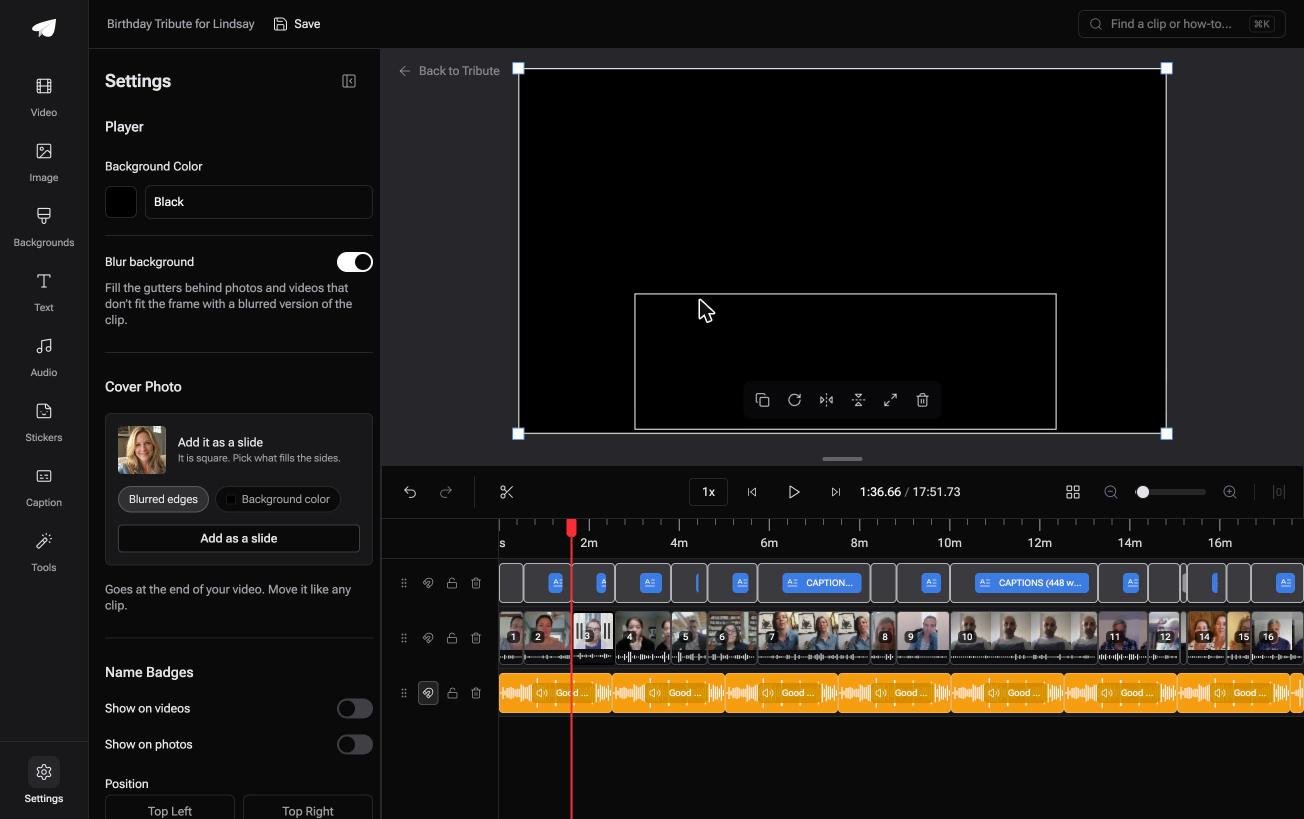
- Blurred edges on by default, filling the frame behind upright phone footage instead of black bars
- Clips arrive on the timeline in order, whichever way each person held their phone
- 10 color grades previewed on the real clip, so mismatched footage can be pulled together
- Autosave with restorable history, so a change you dislike is not a lost afternoon
Best for: A dozen clips in a dozen shapes, on a work laptop that installs nothing.
Why it works: Twelve people will hold their phones twelve ways, and the fill handles that without anyone being cropped out of shot.
Can the shape of the frame stop being your problem?
Everything above starts from one clip and a decision about its edges.
There is a case where the decision is made before you see the footage.
The case: several people recording for one person
A retirement after twenty years. A ninetieth birthday. A memorial where the people who should speak live four time zones apart.
Each person records on their own phone, held however feels natural, which means some clips are upright and some are wide. Nobody is shooting to a spec.
Which is where the search that brought you here tends to come from: a mixed pile of shapes and no appetite for cropping each one.
Why the cropping never starts
Because the gutters are filled rather than cut.
Upright clips keep their full picture, and a soft blurred version of the same frame fills the space on either side. The Tribute video editor switches that on before you arrive, and the switch is in clip settings if you want it off.
What you do not have to do
- Tell anyone how to hold a phone. Upright, sideways and square all arrive and all fill the frame.
- Collect the files. They land on the timeline in order, with music under the voices.
- Open a crop tool. Nothing in the frame is being cut to fit.
- Build the video, on a Concierge Tribute. Tribute's editors cut it and send it back finished.
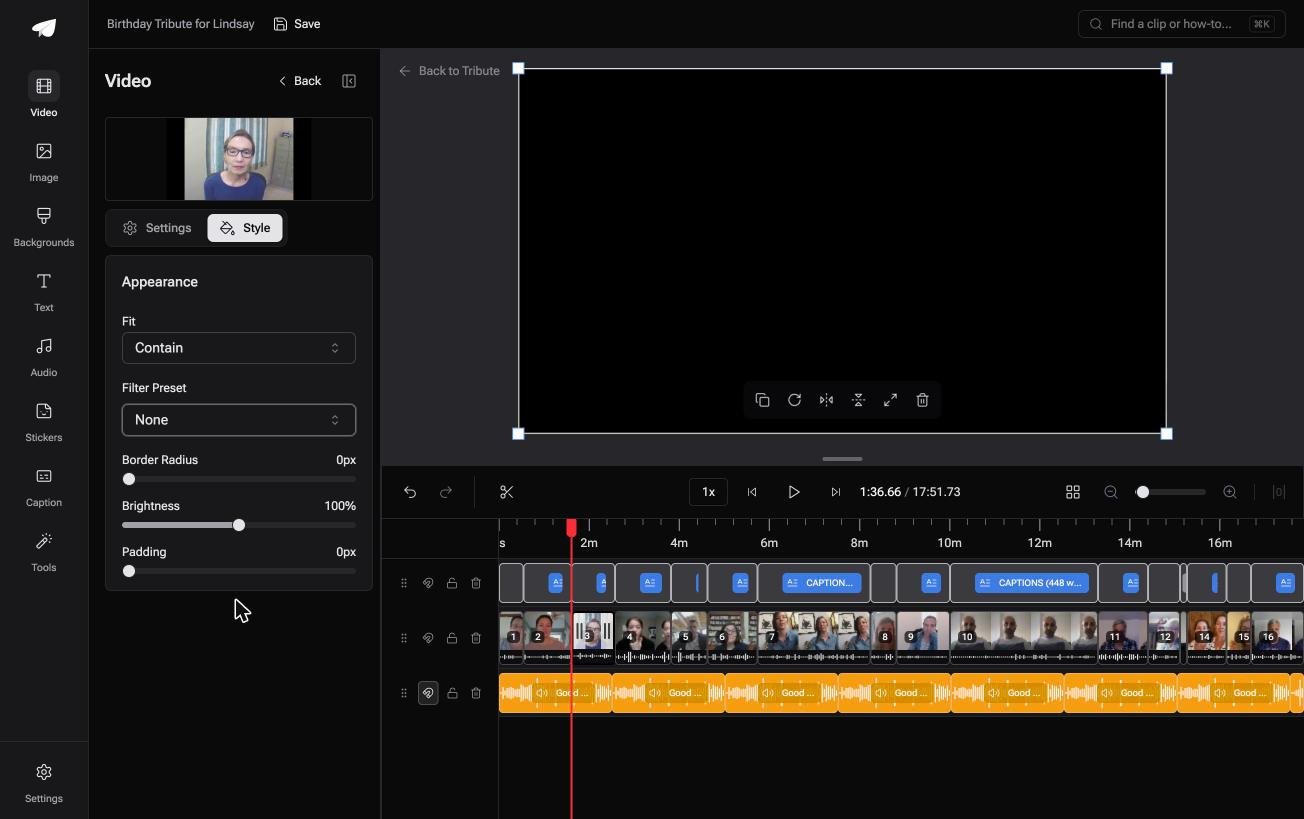
When this is the wrong answer: you need the finished video in a square or upright shape for a social post. A DIY Tribute has no aspect ratio switcher and no crop control, so edit and crop the video in Clipchamp or Photos.
Concierge and Concierge Deluxe Tributes add Eve, the AI assistant inside the editor. Ask Eve for 9:16 and it reframes the video to that aspect ratio and repositions each clip inside the new frame.
Frequently Asked Questions
Does cropping lower the resolution of a video?
Yes. You keep only the pixels inside the box, and the player stretches them to fill the screen. A square crop of 1080p footage leaves 1080 pixels across.
Can I crop a video without re-encoding it?
Not in a browser. The frame size lives inside the encoded picture, so a crop always writes a new file.
What is the difference between cropping and changing the aspect ratio?
Cropping removes picture. Changing the ratio changes the canvas, and the clip inside it can be cropped, shrunk or surrounded by fill.
How do I remove black bars from a video?
Use the fit option rather than a crop where the tool offers one. It sizes the clip to the project shape instead of cutting pixels off a frame that was never wrong.
Is there a video editor crop that works on a phone?
Photos on iPhone crops video with the same handles it uses for stills, and CapCut does it on both phone platforms. Neither needs a computer.
Can I crop part of a clip and leave the rest alone?
Split the clip first, then crop one of the two pieces. A crop applies to a whole clip on the timeline.
Why does my cropped video look soft on a TV?
A small crop of a 1080p source is a long way below 1080p, and a large screen shows every missing pixel. Crop less, or start from higher resolution footage.
👉 Make the group video that needs no cropping if twelve people are each recording for one person, and no clip gets cut to fit.
