
Free Caption Generator: Four Free Tools That Caption a Video
A caption generator listens to the speech in your video and writes it on screen as timed text. Three of the four below are built into something you already have, at no cost. None gets every word right, so budget five minutes for corrections.

What does a free online caption generator do?
It runs speech recognition over your audio and hands back lines with timecodes.
That output takes one of two shapes. Either the text is burned into the picture, where it cannot be turned off, or it is saved as a separate .SRT file that a player shows on request.
Which one you want depends on where the video is going. Social feeds play muted, so burned-in text wins there. A file you are emailing to family is better off with the sidecar, because anyone can switch it off.
| Tool | Output | Best when |
|---|---|---|
| YouTube Studio | Sidecar, editable | The video is going on YouTube |
| Clipchamp | Burned in, plus .SRT download | You are on a browser or Windows |
| CapCut | Burned in, styled | The video is going on a phone feed |
| Your video editor | Burned in | It is already free to use |
Which free caption generator should you use?
The one attached to wherever the video ends up.
Every option here will add captions to video free of charge, and the free tools differ in how much cleanup they leave you rather than in how good the transcription is.
1. YouTube Studio
Upload the video and YouTube does it unasked. Google states that automatic captions cover 67 languages on long-form videos and Shorts, and that they are published without you turning anything on.
- Upload the video, as unlisted if it is not for the public.
- Wait. Captions are not ready the moment the upload finishes.
- Open YouTube Studio, go to Subtitles, and pick the video.
- Read the transcript and fix what the machine mangled.
- Download the track if you want the .SRT for somewhere else.
Best when: The video is going on YouTube anyway, or you want a transcript to reuse.
2. Clipchamp
Microsoft's browser editor generates captions and lets you take the file away. The steps are short and the labels are plain.
- Import the clip under My media and drag it onto the timeline.
- Click the captions icon in the video preview, or open the captions tab in the property panel.
- Choose the transcription language, tick the offensive-language filter if you want it, and click transcribe media.
- Fix misspelled words in the transcript, which carries editable timestamps.
- Click download captions for the .SRT, then export the video.
Microsoft notes two limits on its autocaptions page: the feature only works on assets that contain a voice, and you get one transcription language per video.
Best when: You want burned-in captions and the .SRT from the same pass.
3. CapCut
The phone app that most short-form video passes through, and its captions are styled rather than plain.
- Open the project and tap Captions in the bottom menu on mobile.
- On desktop, go to Captions, then Auto Captions.
- Pick the language that matches the audio and confirm the settings.
- Tap or click Generate and wait for the lines to appear.
- Tap any line to correct it before you export.
CapCut's own help page lists why generation fails: noisy or distorted audio, the wrong language selected, an unstable connection, or a clip with no usable sound.
Best when: The video is going straight to a feed and you want the text to look designed.

Why do auto captions get names and places wrong?
Because speech recognition is guessing from sound, and a name carries no context to guess from.
Google is open about what breaks it: mispronunciations, accents, dialects, background noise, people talking over each other and more than one language in the same clip. A long silence at the start can stop captions generating at all.
The fix is the same everywhere. Read the transcript once, correct proper nouns and numbers, and leave the rest.
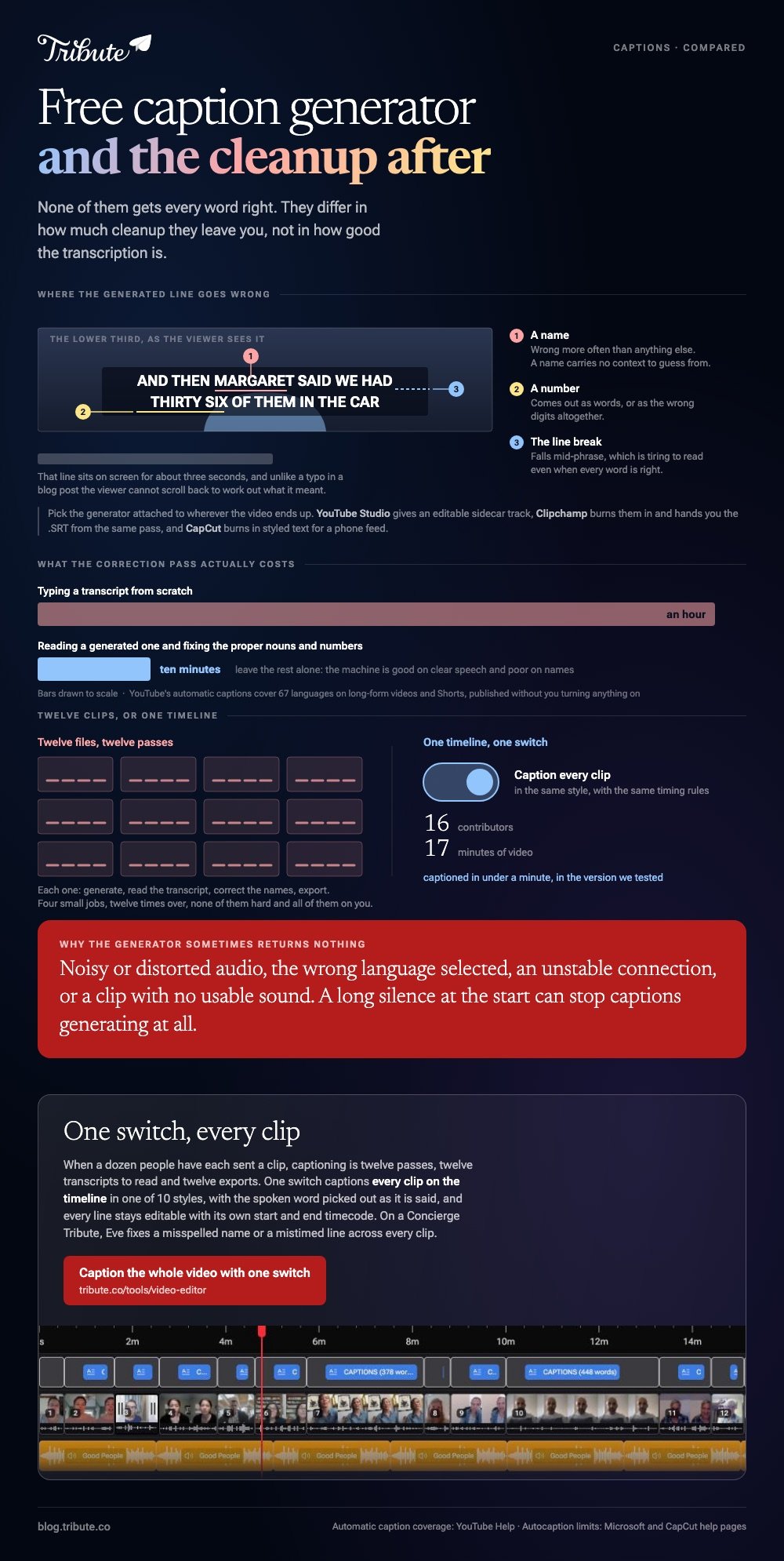
- Names of people and places are wrong more often than anything else.
- Numbers come out as words, or as the wrong digits.
- Line breaks fall mid-phrase, which is tiring to read even when every word is right.
Unlike a typo in a blog post, a caption error sits on screen for three seconds and the viewer cannot scroll back.
Compared with typing a transcript from scratch, a correction pass over a generated one is ten minutes against an hour.
More on placing them in captions for Facebook video and in CapCut's auto caption tool.
What if a dozen people each sent you a clip?
Then captioning is not one job. It is twelve passes, twelve transcripts to read and twelve exports.
The Tribute video editor is a browser-based group video editor: contributors record clips on their phones and Tribute assembles them on a timeline with the music balanced under the voices. It is ours, and it is the last thing on this page.
- One switch captions every clip on the timeline: 16 contributors and 17 minutes of video in under a minute
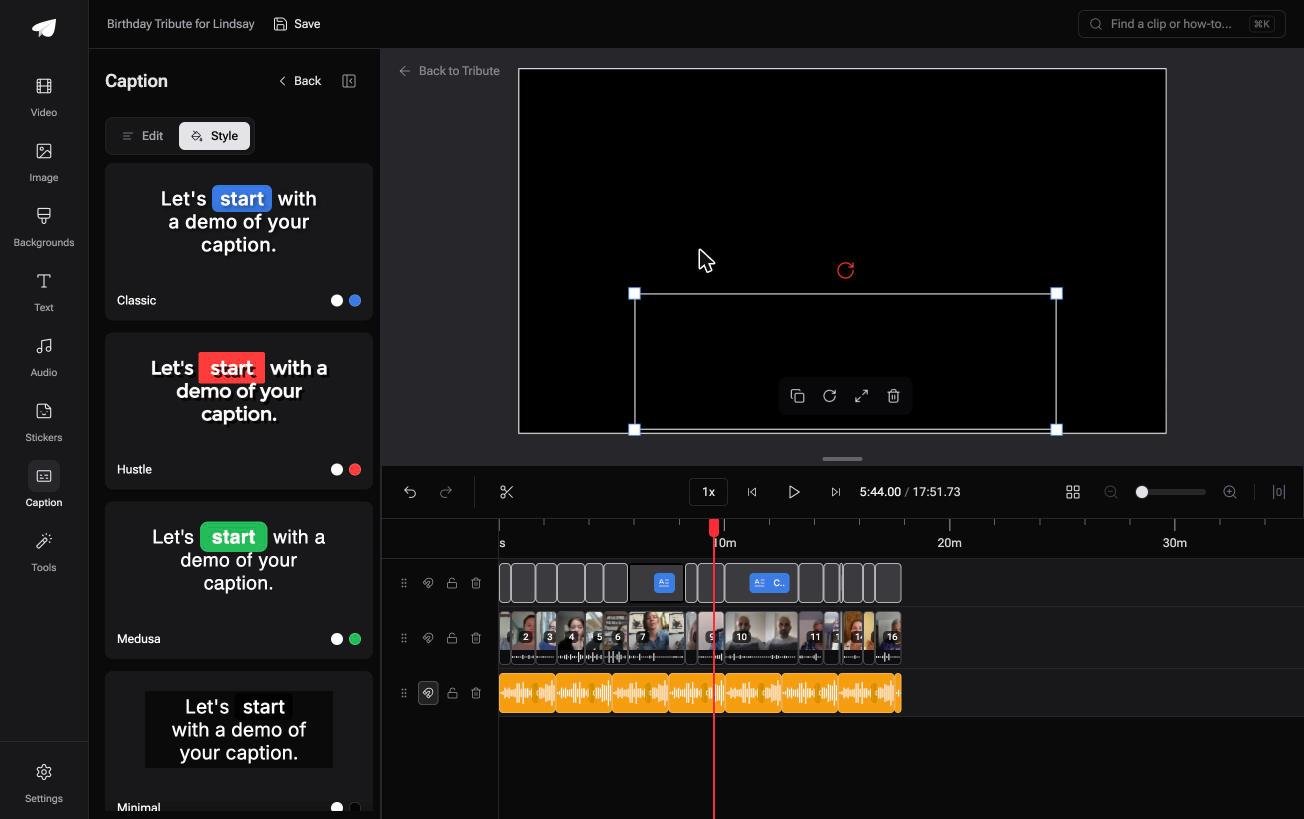
- 10 caption styles, with the word being spoken picked out as it is said
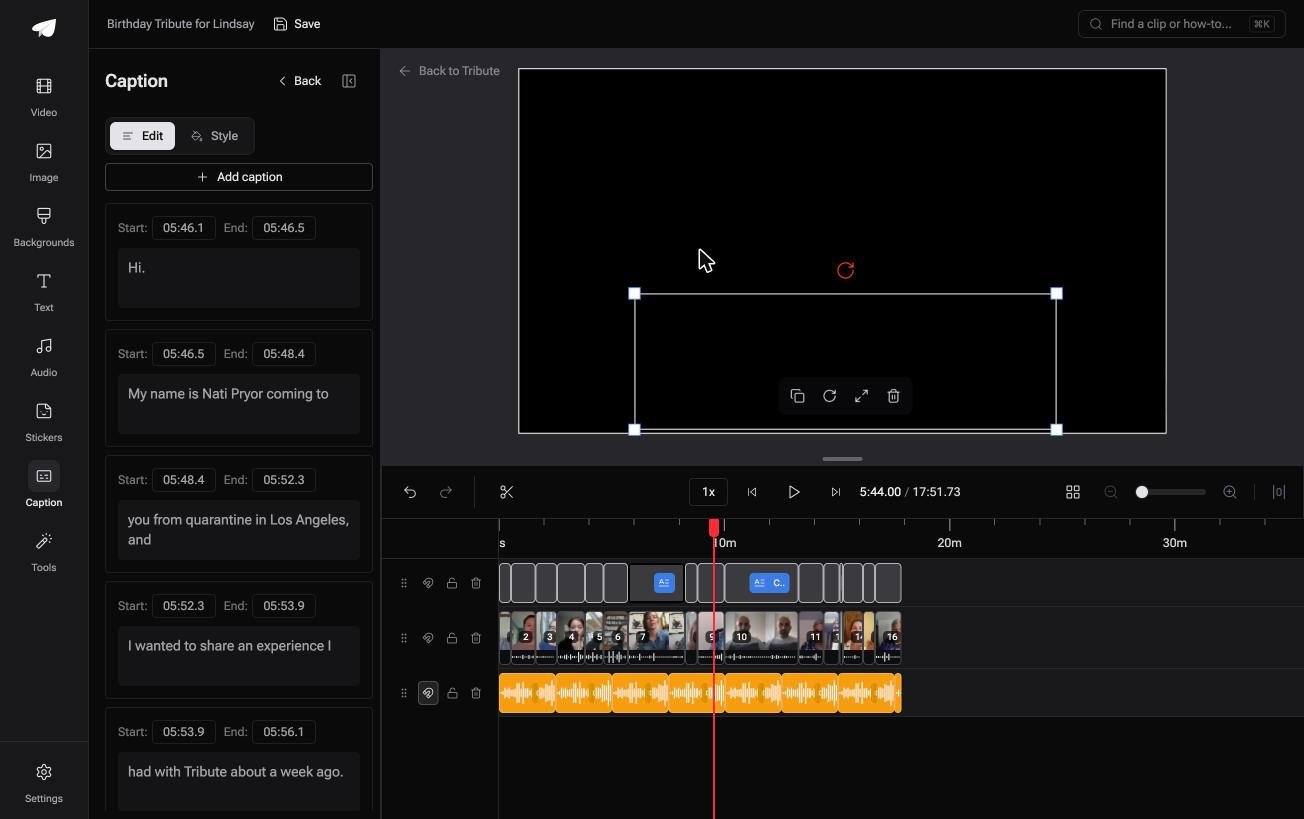
- Every line editable, with its own start and end timecode
- Re-generate captions and Remove captions sit in the Tools panel as bulk actions
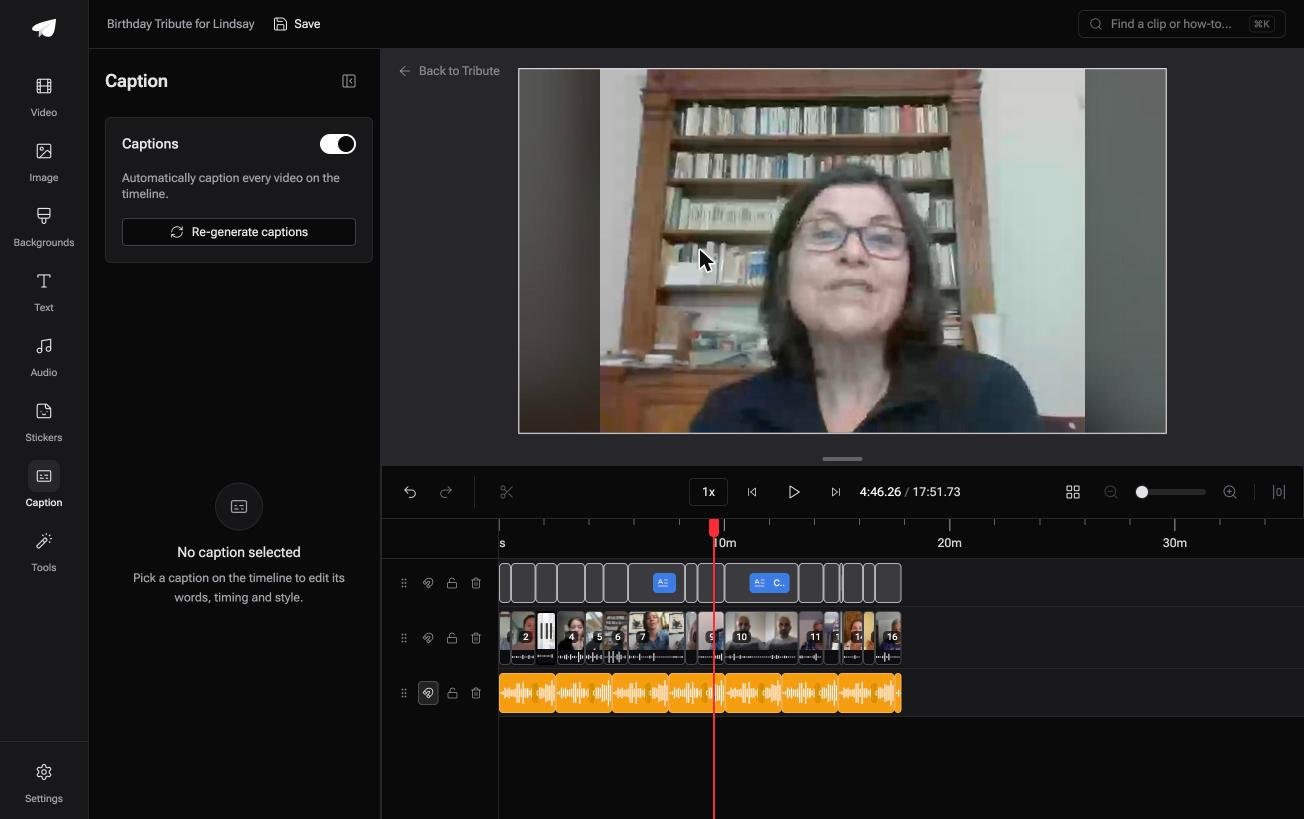
Best for: Seventeen minutes of speech from twelve people, all of it needing captions.
Why it works: The captioning pass is one switch rather than one job per contributor.
Can you skip the captioning job altogether?
Nobody captions for pleasure.
You are doing it because an aunt will watch with the sound off, or because a grandfather will not hear half of what is said. There is one case where the work collapses to a single switch.
The case: you are collecting, not shooting
That case arrives when several people each record something for one person.
A grandmother turning eighty. A colleague leaving after fifteen years. A memorial where the people who should speak are in four time zones. Everyone is recording a message, and every message needs the same treatment.

Why the generator question never comes up
Because the captioning is attached to the timeline, not to each file.
Flip one switch and every clip on it gets captioned at once, in the same style, with the same timing rules.
That is how the Tribute video editor handles it: not a fifth free online tool for the list, but a way of doing the job once instead of twelve times.
What you do not have to caption
- Not one clip at a time. One switch captions every clip, in the same style.
- Not the styling. 10 caption styles, with the spoken word highlighted as it is said.
- Not the misheard names on a Concierge Tribute: Eve, the assistant inside the editor, fixes a misspelled name or a mistimed line across every clip.
- Not the edit itself, if you take Concierge and Tribute's editors build the video for you.
When this is the wrong answer: you have one clip and one feed to post it to. Then CapCut or Clipchamp at the top of this page is faster than anything else.
The Tribute editor is not a standalone captioner: it lives inside a paid Tribute. Photos rather than clips? See building a photo slideshow, and making a video montage for the wider edit.
Frequently Asked Questions
What is the best free tool for auto captions?
Whichever one is attached to where the video is going. YouTube Studio for YouTube, Clipchamp for a browser or Windows, CapCut for a phone feed. Accuracy between them is close enough that the workflow decides it.
Can I get captions without uploading my video anywhere?
Not with these. Every option here sends audio to a server for recognition. A desktop subtitle editor with a local speech model is the alternative when the footage is private.
How accurate are auto captions?
The free tools here deliver captions for videos that are good on clear speech and poor on names. Google lists accents, background noise and overlapping speakers as the main causes of error, and all three are normal in a home video.
What is the difference between captions and subtitles?
Captions carry the speech plus relevant sound for a viewer who cannot hear. Subtitles assume you can hear and carry the words in another language. In everyday use the terms get swapped.
Should captions be burned in or a separate file?
Burn them in for social feeds, where most viewing is muted and no player control exists. Keep the .SRT separate for anything watched on a television or a computer, so the viewer decides.
How long do auto captions take to generate?
Under a minute for a short clip in a browser editor. YouTube is slower and does not publish a time, which is why they are missing right after an upload finishes.
👉 Caption the whole video with one switch if several people are each recording for one person, instead of running a generator twelve times over.
