
How to Make a Funeral Video (2026)
A funeral video can be a simple slideshow of photos set to music, or it can be a collaborative memorial montage that brings together the voices of everyone who loved your person.
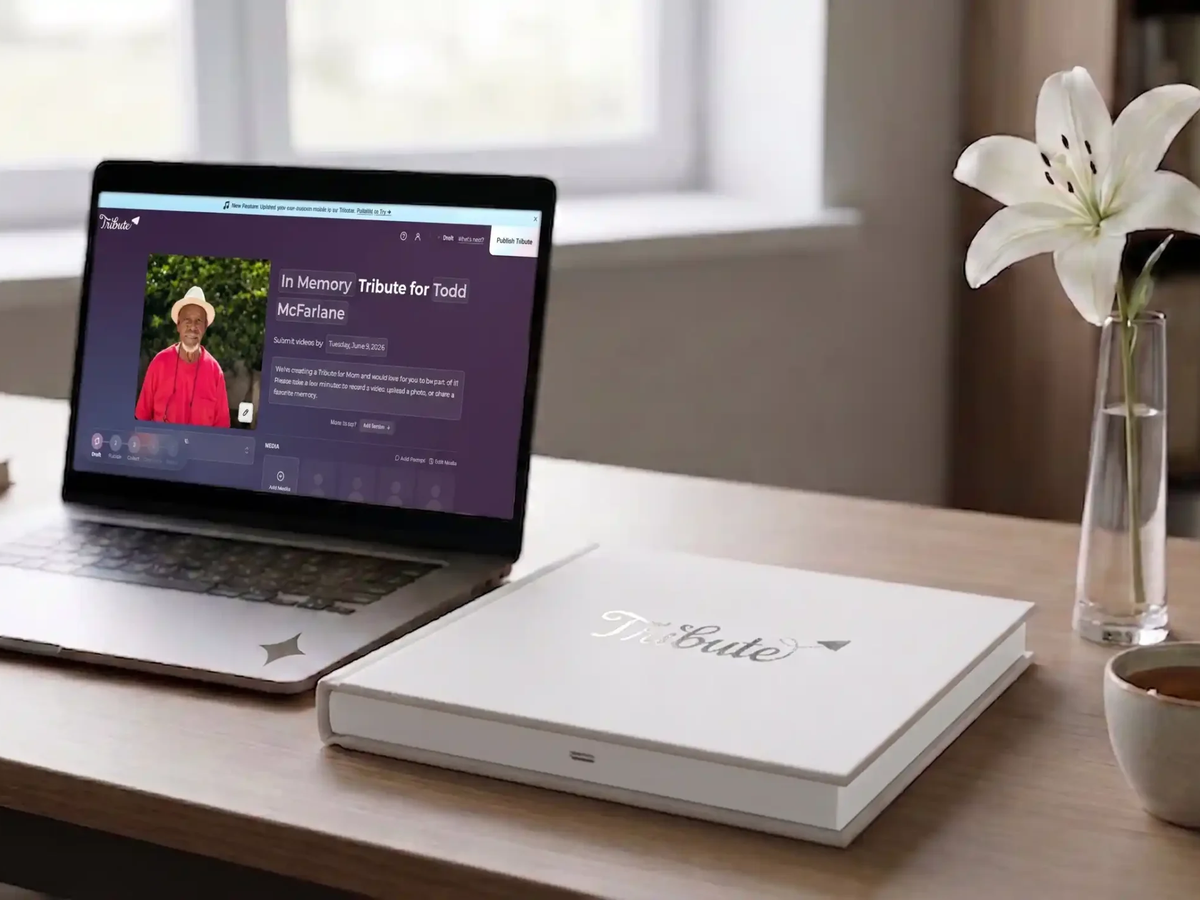
A funeral video can be a simple slideshow of photos set to music, or it can be a collaborative memorial montage that brings together the voices of everyone who loved your person. The right choice depends on your timeline, your technical comfort level, and whether you want the video to capture one family’s memories or the full community’s. This guide walks through both paths so you can decide what fits your situation.
What Is a Funeral Video and Why Does It Matter?
A funeral video is any video shown at a memorial service or shared with family afterward to honor the person who died. It might be a funeral slideshow of photographs, a collection of recorded messages, or a professional memorial video edited from both. The National Funeral Directors Association (NFDA) has tracked a steady rise in families requesting video tributes as part of services, reflecting how central video has become to how people share and preserve memory.
A funeral tribute video does more than document a life. It gives guests something to focus on together, provides family members who could not attend a way to be part of the service, and becomes a lasting record the family returns to long after the gathering is over.
What Are the Two Main Paths for Making a Funeral Video?
There are two primary approaches families take. The first is a funeral slideshow: a sequence of still photos set to music, produced by one person using software or an online tool. The second is a collaborative memorial video: a montage of personal video messages recorded by friends, family, and community members, then assembled into a single tribute.
Both are meaningful. They serve different purposes and suit different families. Understanding the difference helps you choose the right path without wasting time on a method that does not fit your needs or timeline.
How Do You Make a Funeral Slideshow?
A funeral slideshow is the most common DIY funeral video option. You gather photos, arrange them in a meaningful order, add music, and export the finished file. Most families complete this in one to three hours once the photos are collected.
Tools like Google Photos, iMovie, Animoto, and Adobe Express all support slideshow creation without video editing experience. Upload your photos, choose a transition style, add a music track, and export. Many free tiers exist, though watermarks are a common limitation on unpaid plans.
The hardest part is usually photo collection, not the editing itself. Ask family members to share their phone camera rolls and any printed photos that can be scanned. A shared Google Photos album or a group text can gather a wide set of images before you begin.
See also: How to Make a Funeral Slideshow
What Is a Collaborative Memorial Video and How Is It Different?
A collaborative memorial video collects personal video messages from many contributors and weaves them into a single tribute. Unlike a slideshow that shows who your loved one was through photos, a collaborative video lets the people who knew them speak directly, in their own voice and with their own memory.
Unlike a single-person eulogy, a collaborative video can include 15, 30, or 50 people each sharing the specific thing only they knew. Unlike a funeral slideshow, it captures the tone of voice, the laugh, the way someone pauses before they say something true.
Tribute (tribute.co) is a group video gift platform that lets you collect personal video messages from friends, family, and community into a polished memorial montage. It works by sharing a link, contributors record from any device, no app needed, and Tribute compiles everything automatically.
Over 8 million video messages have been sent through Tribute. Automatic reminders help gather videos even during a hard week when people forget or need a gentle nudge. The platform is free to start, with no watermark on the final video, and drag-and-drop reordering lets you shape the final running order once all clips are in.
👉 Start collecting video messages for your loved one’s tribute
See also: Memorial Video Ideas
How Long Should a Funeral Video Be?
A funeral tribute video shown during a service typically runs between 5 and 15 minutes. Shorter videos, in the 3 to 5 minute range, work for a focused slideshow played during a specific moment in the service. Longer videos, up to 20 minutes, are better suited to a reception or a private family viewing rather than a formal ceremony.
For a collaborative memorial video, plan for 1 to 2 minutes per major contributor. A tribute gathering 20 to 30 short clips often runs 8 to 12 minutes at a natural pace. The Hospice Foundation of America notes that rituals and tributes that give guests enough time to feel something, without exhausting them, tend to support healthier grief processing.
If you are making a longer memorial video for the family to keep, there is no strict limit. Many families create a shorter version for the service and a full-length version for private use. A typical tribute through Tribute gathers 15 to 50 individual clips, giving families a rich archive alongside a curated highlight.
What Music Should You Choose for a Funeral Video?
Music in a memorial video serves two functions: it sets the emotional tone and it fills silence in a way that keeps the audience present. The right choice depends on your loved one’s tastes and the mood you want to carry through the video.
For a tender, grief-forward feeling, artists like Eva Cassidy, Norah Jones, and Johnny Cash have long been associated with memorial contexts. For something more celebratory and uplifting, Stevie Wonder, Louis Armstrong, and Israel Kamakawiwo’ole offer warmth without heaviness. For a contemporary feel that resonates with younger attendees, artists like Bon Iver, Sleeping at Last, and Gregory Alan Isakov offer quiet sincerity.
If your loved one had a signature song, a hymn they always sang, or a track they played constantly, start there. Their own music history is the best guide. Check licensing requirements if the video will be posted publicly; for private family use, most platforms allow personal use without additional clearance.
See also: Best Songs for a Memorial Video
What Is the Step-by-Step Process for Making a Funeral Tribute Video with Tribute?
The process is designed to be low-effort during one of the hardest weeks of your life. You create a tribute page, write a short prompt for contributors (something like “Share a memory or a message for the family”), and share the link by text or email. Contributors click the link, record their message from their phone or computer, and submit. No app download is required on their end.
Once clips come in, you review them, reorder using drag-and-drop, and select a theme and background music. Tribute compiles the montage automatically. If you prefer a completely hands-off experience, the concierge editing service handles the assembly for you.
Digital delivery of the final video is instant. If you want a physical keepsake, the Tribute Video Book is a linen-bound hardback that opens to a 7-inch screen with built-in speakers and plays the montage automatically. It sits on a shelf or mantel and can be passed to grandchildren or other family members who want to keep a piece of the tribute.
👉 Create a tribute video your family will keep forever
See also: How to Honor the Memory of a Loved One
What Should You Include in a Funeral Video?
For a slideshow: childhood photos, family milestones, friendships, places they loved, hobbies, work life, and recent photos. Aim for a progression that tells the arc of the life rather than stopping at one era. End with a warm, recent image rather than a formal portrait if possible.
For a collaborative video: the people who knew them in distinct contexts, a childhood friend, a college roommate, a long-time colleague, a neighbor, a grandchild. Ask contributors to share a specific memory rather than a general statement. “Tell us one thing you will always remember about them” produces more emotionally resonant clips than “Say something nice.”
Include a title card with the name and dates. Add a brief closing card with the family’s contact or a note of thanks to guests who contributed. These small structural elements give the video a beginning, middle, and end that makes it feel complete rather than like a raw collection.
How Do You Share the Finished Funeral Video?
For in-service display, export the file to a laptop or USB drive and test it on the venue’s setup before the service. Arrive early enough to confirm audio levels and screen sizing. A video that cannot be heard or seen properly loses its impact entirely.
For remote family members, a private YouTube link, a Google Drive file, or a Vimeo share all allow viewing without the recipient needing an account. Send the link before the service if possible so remote guests can watch alongside the in-room audience.
For long-term preservation, store the original file in at least two places: a cloud service and a physical drive. Video files are large and can be lost in device transitions. The Tribute Video Book solves this problem physically, placing the playable video in a format that does not require a device, a password, or a working streaming service to access.
82% of Tribute recipients cry tears of joy when they watch their memorial montage. The video becomes one of the most returned-to objects a family holds after a loss. Resources from What’s Your Grief consistently describe the ongoing relationship with a loved one’s memory as central to healthy long-term grief, and a well-made video supports exactly that relationship.
👉 Start your loved one’s memorial video today
Frequently Asked Questions About Making a Funeral Video
How much does it cost to make a funeral video?
A basic funeral slideshow using free tools like iMovie or Google Photos costs nothing beyond your time. Tribute is free to start with no watermark on the final video. Paid upgrades and the Tribute Video Book are available for families who want additional features or a physical keepsake, but a full memorial video can be created and delivered at no cost.
How long does it take to make a funeral video?
A simple funeral slideshow can be completed in one to three hours once photos are gathered. A collaborative memorial video through Tribute typically takes two to five days to collect contributions, plus a short editing session once all clips are in. Starting as soon as possible after the death gives you the best chance of having the video ready for the service.
Do contributors need to download an app to send a video message?
No. With Tribute, contributors record directly from their phone or computer browser by clicking a shared link. There is no app to download, no account to create, and no technical steps beyond pressing record. This makes it accessible for older family members and anyone who is not comfortable with technology.
What is the best length for a funeral tribute video shown at a service?
Five to fifteen minutes is the range that works best for in-service display. Shorter videos are appropriate for a single moment in a formal ceremony. Longer videos suit a reception or private family viewing. If you are unsure, aim for eight to ten minutes, long enough to feel complete, short enough to hold attention.
Can I make a funeral video if I am not technical?
Yes. Tribute handles the compilation automatically once contributions are collected. Slideshow tools like Animoto and Google Photos are designed for users with no video editing background. If you want to be completely hands-off, Tribute’s concierge editing service manages the assembly and delivery for you.
What is the difference between a funeral slideshow and a memorial video?
A funeral slideshow is typically a sequence of still photos set to music, produced by one person. A memorial video is a broader term that can include video footage, recorded messages, and edited montages from multiple contributors. A collaborative memorial video, like those made through Tribute, includes the voices and stories of the full community rather than one family’s photo collection.
How do I get photos from other family members quickly?
Create a shared Google Photos album or iCloud shared album and send the link to immediate family by text. Ask each person to add photos directly from their phone. For printed photos, a quick phone scan using the Google PhotoScan app or any document scanner app produces usable digital files within minutes.
Can the funeral video be kept after the service?
Yes, and most families consider the video one of their most valued keepsakes. Digital files can be stored indefinitely in cloud services and on physical drives. The Tribute Video Book provides a physical format: a linen-bound hardback with a built-in screen and speakers that plays the video automatically when opened, without requiring any device or internet connection.


