
KineMaster Transition: Where They Come From and Which to Use
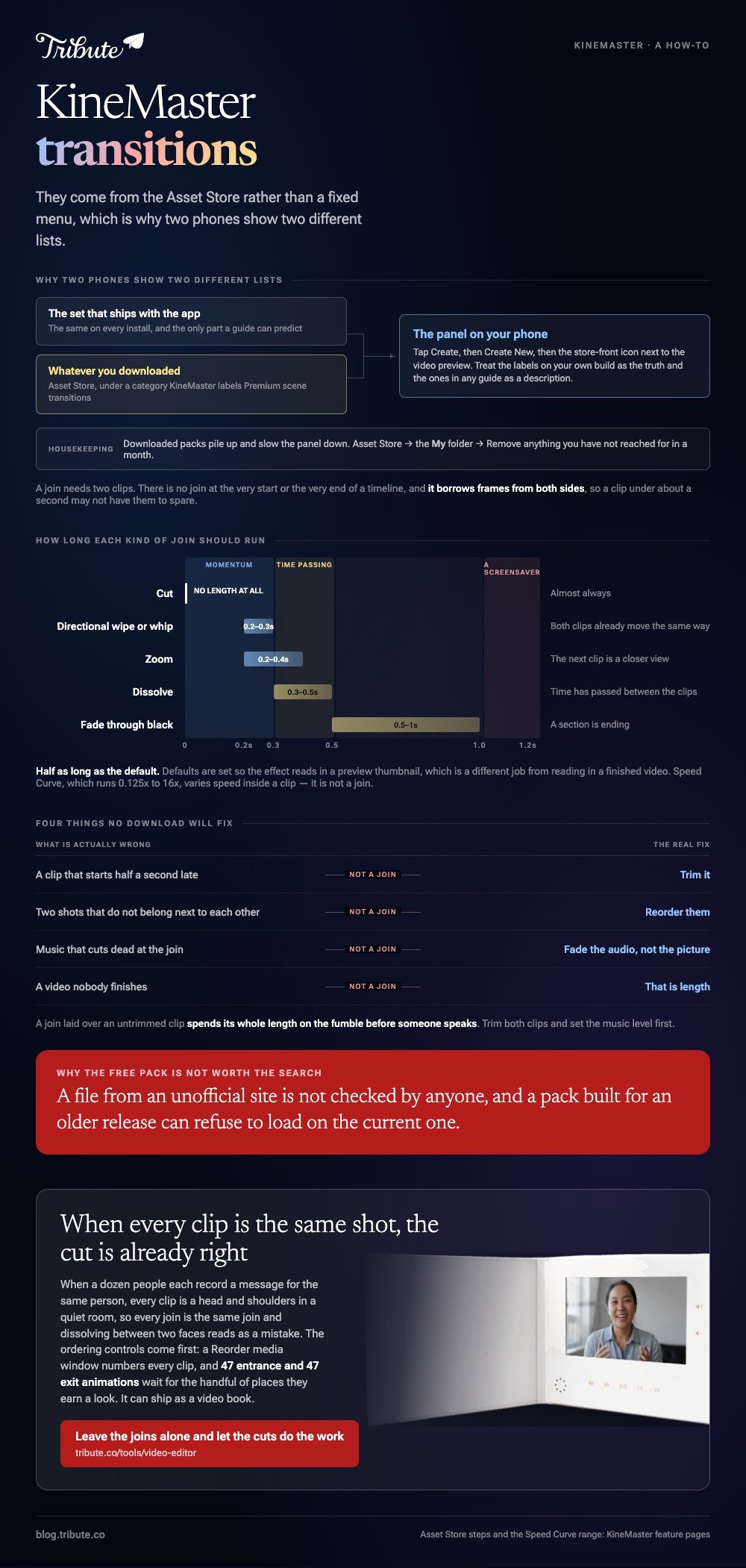
A KineMaster transition comes from the Asset Store rather than a fixed menu, which is why two phones show two different lists. The app ships with a set, the store adds more, and the one you need is almost never the one in the preview.

Where does a KineMaster transition live?
In the Asset Store, under a category KineMaster labels "Premium scene transitions".
That is the one place the company documents by name. Its feature page lists transitions alongside music, filters, effects, stickers and fonts as downloadable asset types rather than as a built-in panel.
KineMaster publishes steps for reaching the store, and they are worth following rather than guessing.
- Tap Create at the bottom right of the screen.
- Tap Create New, or the thumbnail of a project you already started.
- Tap the store-front icon next to the video preview on the editing page.
- Use the search bar or the categories to find what you want.
- Download it, and it appears in the editor the next time you open the panel.
Removing the ones you do not use
Downloaded packs pile up and slow the panel down. Open the Asset Store, tap the My folder icon at the top right, then tap Remove on anything you have not reached for in a month.
If a download keeps failing, KineMaster's advice is to reboot the device, confirm the connection and update the app before contacting support with a screenshot.
How do you apply a transition in KineMaster?
You tap the join itself, not a menu.
Put two clips next to each other on the timeline and a small control appears between them. Tapping it opens the list of transitions you have available, and choosing one applies it to that join alone.
Two things worth knowing before you start.
- A transition needs two clips. There is no join at the very start or the very end of a timeline, so a single clip cannot take one.
- It borrows frames from both sides. A clip under about a second may not have the frames to spare.
KineMaster does not publish a step-by-step help page for this, so treat the labels you see on your own build as the truth and the ones in any guide, including this one, as a description.
The speed ramp is not a transition
KineMaster's Speed Curve is often recommended as a way to soften a join, and it does something else. The company describes it as a tool to vary speed within a clip, across a range from 0.125x to 16x.
Useful at the end of a clip to decelerate into a cut. Not a join.
Which KineMaster transition effects are worth downloading?
Four kinds, and a long list to skip.
| Type | Use it when | Length |
|---|---|---|
| Cut | Almost always | None |
| Dissolve | Time has passed between the clips | 0.3 to 0.5s |
| Fade through black | A section is ending | 0.5 to 1s |
| Directional wipe or whip | Both clips already move the same way | 0.2 to 0.3s |
| Zoom | The next clip is a closer view | 0.2 to 0.4s |
Best for: Short vertical video where the pace carries the piece and a join has to stay out of the way.
Why it works: Compared with a themed pack, these five map onto things an audience already reads without being taught.

What a transition effect download for KineMaster will not fix
- A clip that starts half a second late. Trim it instead
- Two shots that do not belong next to each other. Reorder them
- Music that cuts dead at the join. Fade the audio, not the picture
- A video nobody finishes. That is length, not joins
Are KineMaster transition effects free to download?
Some are, and the premium category is named as such.
KineMaster groups its downloadable transitions under a premium label on its own feature page, so expect part of the catalog to sit behind the subscription. Searching for a KineMaster transition effects free download turns up third party packs, and those are worth avoiding.
Two reasons. A file from an unofficial site is not checked by anyone, and a pack built for an older release can refuse to load on the current one.
The same joins in another phone editor are covered in InShot transitions, and the wider question of where packs come from in video transition effects free download.
How long should a KineMaster transition run?
Half as long as the default.
Defaults are set so the effect reads in a preview thumbnail, which is a different job from reading in a finished video. Cut each one down and watch the sequence again at full speed.
- Under 0.3 seconds: momentum
- 0.3 to 0.5 seconds: time passing
- Over a second: a screensaver
Export settings matter less than people expect here. KineMaster lists MP4 output with H.264 or H.265 up to 4K at 60fps, and no join is going to look better at a higher bitrate than it did on the timeline.
For assembling a longer piece out of many clips, start at making a video montage.
What if a dozen people each hand you thirty seconds?
The Tribute video editor is a browser-based group video editor: people record clips on their phones and Tribute lays them on a timeline with the music already balanced under the voices.
It is ours, and it is built for one narrow shape of video.
- 47 entrance and 47 exit animations, including Slow zoom, Drift and Breathe
- A Reorder media window with every clip numbered, plus move to front, move to back and move to position
- Clips arrive in order before you open the editor, each one ticked once it is placed
- 83 occasion backgrounds grouped by Celebration, Retirement and Love

Best for: A parent or a colleague collecting birthday messages from people who will never agree on a format.
Why it works: Unlike a phone timeline you build clip by clip, the order arrives first, so the only decisions left are the interesting ones.
Does a video of twelve people need transitions at all?
You came here for a list of joins because your clips sit next to each other with a jolt.
That is a real problem when the clips are different: a wide shot, then a close one, then a sunset. It stops being a problem when every clip is the same shot.
The case: every clip is one person talking
You are in it when a group each record a message for the same person.
Nine colleagues for a leaving party. Four generations for a ninetieth birthday. Every clip is a head and shoulders in a quiet room, so every join is the same join, and dissolving between two faces reads as a mistake.
Why the Asset Store stops mattering
When the shots match, the cut is already correct and the real decision is sequence.
Which means the search that brought you here, KineMaster transition, is shopping for a fix to something this kind of video never breaks. The Tribute video editor puts the ordering controls first and keeps animations for the handful of places they earn a look.
What you do not have to do
- No Asset Store purchase. One cut to the next person is what a video of messages wants.
- No effect to choose. 47 entrance and 47 exit animations are there for the clip that needs one.
- No order to set. On a Concierge Tribute, Eve moves the clips so it opens and closes on the right person.
- No captions to type. One switch covers the lot, then Tribute renders it.

When this is the wrong answer: you are cutting your own footage and the joins are the craft. Then KineMaster is the right app and the Asset Store is the right place. The editor also lives inside a paid Tribute, not on its own.
Frequently Asked Questions
Why can I not see the transition control between my clips?
The two clips are not touching. Close the gap on the timeline so they sit edge to edge, then zoom in, because the control is small at a wide zoom.
Can I apply one transition to the whole project?
Some builds offer an apply-to-all control in the transition panel. Use it for a dissolve and nothing else, because a repeated effect makes a video look machine-made.
Do transitions make the video shorter?
Yes, by about the length of each join, since frames overlap from both clips. Across twenty joins that adds up to several seconds.
Will a downloaded pack work after an app update?
For packs from the Asset Store, yes. Packs from elsewhere are built against a version and can stop loading, which is the main argument for staying inside the store.
Is KineMaster better than CapCut for joins?
They are close. KineMaster leans on a download model and CapCut on a built-in library, and neither choice changes which five joins are worth using.
Why does my transition look blurry on export?
Check the export resolution against the project resolution. A 1080p project exported at 720p softens every join, and a fast one shows it first.
What should I fix before adding joins?
Trim both clips and set the music level. A transition laid over an untrimmed clip spends its whole length on the fumble before someone speaks.
👉 Leave the joins alone and let the cuts do the work if a dozen people are each recording for the same person, and no Asset Store opens.
