
Memorial Video: How to Make One From Photos, Clips and What People Want to Say
A memorial video is photographs, home clips and spoken messages about one person, placed in order and played at a service or sent to people who cannot travel. Three to six minutes is the usual length. You can build one on a phone or in a browser.

What should a memorial video include?
Less than most people gather.
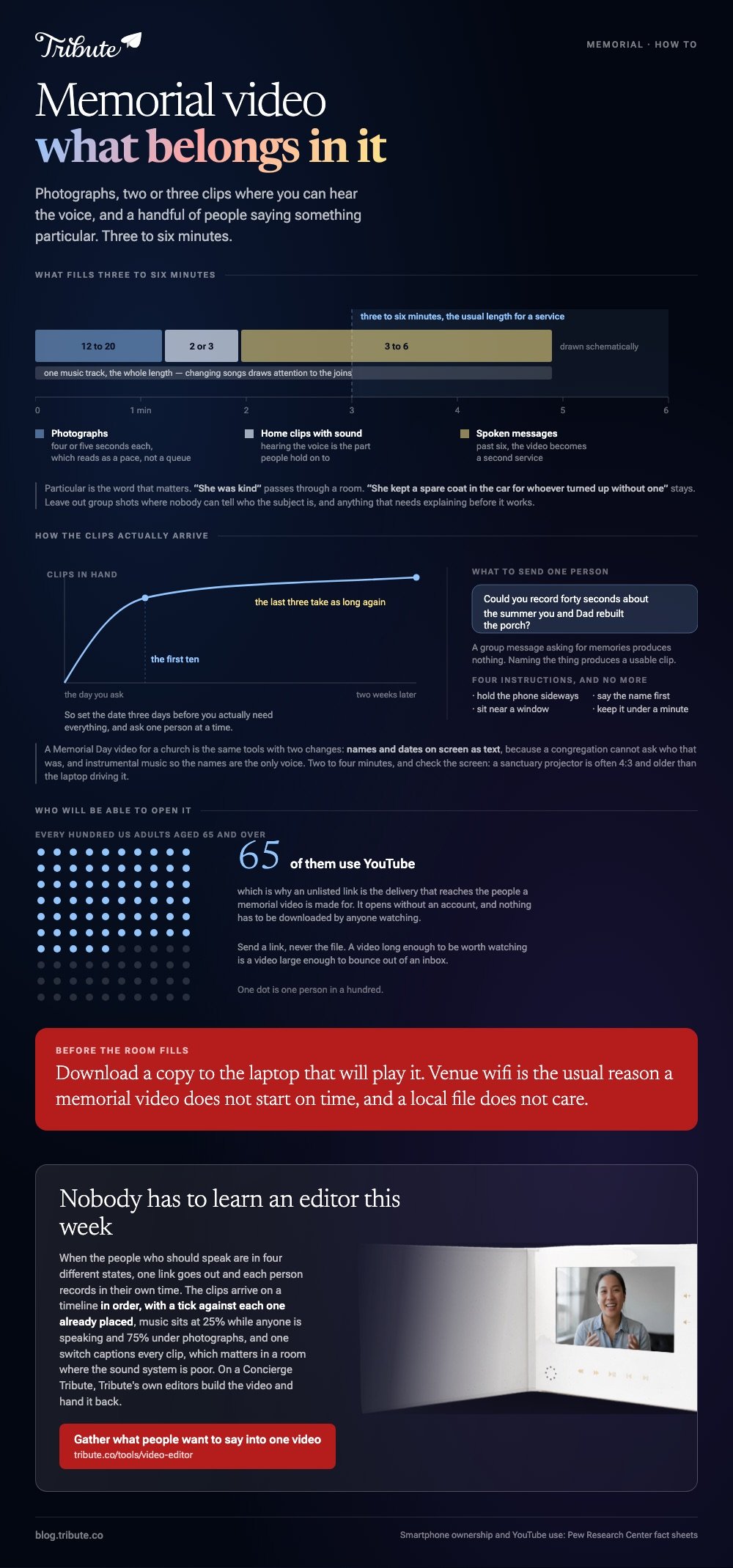
The material that earns its place is narrow: a dozen photographs spread across a life, two or three home clips where you can hear the person's voice, and a handful of people saying something short and particular about them.
Particular is the word that matters. "She was kind" passes through a room. "She kept a spare coat in the car for whoever turned up without one" stays.
| Material | How much | Why |
|---|---|---|
| Photographs | 12 to 20 | Four or five seconds each reads as a pace, not a queue |
| Home clips with sound | 2 or 3 | Hearing the voice is the part people hold on to |
| Spoken messages | 3 to 6 | Past six, the video becomes a second service |
| One music track | Whole length | Changing songs draws attention to the joins |
Memorial videos of loved ones follow this shape whether the service is next week or the first anniversary is next year. Leave out group shots where nobody can tell who the subject is, and anything that needs explaining before it works.
How do you make a memorial video on a phone?
iMovie is the shortest route on an iPhone and it is a free app on most of them.
Apple's guide to creating a movie project documents the flow, and the labels below are the ones on screen.
- Open iMovie, tap Start New Project, then Movie.
- Tap each photograph and clip in the order you want it watched. A checkmark marks what you picked.
- Tap Create Movie. Everything lands on the timeline in that order.
- Tap a photograph and drag its edges to set how long it holds. Four to five seconds suits most.
- Tap a spoken clip, drag its yellow edge in, and start the clip on the first word.
- Tap the audio tab, add a soundtrack, then lower the music bar so speech sits in front of it.
- Tap Done, then Share, then Save Video.
Best for: A memorial video for a funeral that is three days away and a phone holding most of the photographs.
Why it works: Nothing uploads and nothing installs, so the whole job finishes in an afternoon at a kitchen table.
Phones hold most of this material already. Pew Research Center puts smartphone ownership at 91% of US adults, which is why the clips people send arrive in four different shapes.
How do you build a memorial video in a browser instead?
Use a browser editor when the photographs are scattered across several people's accounts.
Clipchamp, Canva and Clideo all upload your material to a server, assemble it there and hand back a download. An older laptop performs as well as a new one, since the work happens somewhere else.
Read the export terms before you spend the upload time. A free tier often caps output at 720p, places a watermark in a corner, or removes your files after a few hours.
None of that is a thing to discover on the morning of a service.
Best for: A memorial funeral video assembled by two or three family members who are not in the same house.
Why it works: Everyone works from one link rather than passing a 4GB folder around.

What about a Memorial Day video for a church service?
That is a different job with the same tools.
A Memorial Day worship video remembers a group rather than one person: service members from the congregation, often read as a roll of names over still photographs.
Memorial Day videos for a church screen run two to four minutes, because they sit inside a service rather than carrying one.
Build a Memorial Day video tribute for a church the same way, with two changes. Names and dates go on screen as text, since a congregation cannot ask who that was, and the music stays instrumental so the names are the only voice.
Check the screen before the morning. A sanctuary projector is often 4:3 and older than the laptop driving it, so a widescreen export arrives with bars on two sides.
How do you ask other people for clips?
Ask narrow, and ask one person at a time.
A group message asking for memories produces nothing. A direct message that names the thing you want produces a usable clip: "Could you record forty seconds about the summer you and Dad rebuilt the porch?"
Give four instructions and no more. Hold the phone sideways, sit near a window, say the person's name in the first sentence, and keep it under a minute. Compared with a list of ten tips, four gets read.
Set a date three days before you need everything: the last three people take as long as the first ten. More on the wider job in our main montage guide and in what a video tribute is.
What if the people who should speak are in four different states?
Then collecting is the work, and editing is the small part at the end.
The Tribute video editor is a browser-based group video editor: contributors record clips on their phones and Tribute assembles them on a timeline with the music balanced under the voices.
The clips are in order before you open it, with a tick against each one already on the timeline.
Music sits at 25% under a speaking clip and 75% under photographs, overridable per clip. There are 39 licensed tracks across eleven genres, and one switch captions every clip on the timeline, which matters in a room where the sound system is poor.
Best for: A memorial video where ten or more people each want to say something and few of them live nearby.
Why it works: Nobody has to learn an editor during the week they are least able to.
Can a memorial video be made without anyone editing it?
Almost, and only in one case.
Everything above assumes one person gathers the material and builds the sequence. That person is often the one grieving hardest, which is a poor time to learn a timeline.
The case: several people, each recording for one person
You are in it when the people who should speak are spread out, and nobody is recording anything other than a message to camera. A memorial service in one state with family in three others.
A person whose closest friends are now in their eighties and will not travel.
Which means the search that brought you here, how to make a memorial video, describes a problem that belongs to whoever holds the files. In this case nobody holds them.
What you do not have to do
Three things, and building a sequence is the first of them.
- No gathering. One link, and each person records in their own time.
- No ordering. The clips arrive on a timeline, music underneath at 25% while anyone speaks.
- No edit, if it is more than you can face today. On a Concierge Tribute, Tribute's own editors build the video and hand it back.
That is how the Tribute video editor handles it. Unlike a folder of files that arrived over text and email, there is no stage where you are deciding what order anything goes in from scratch.

Where it ends up
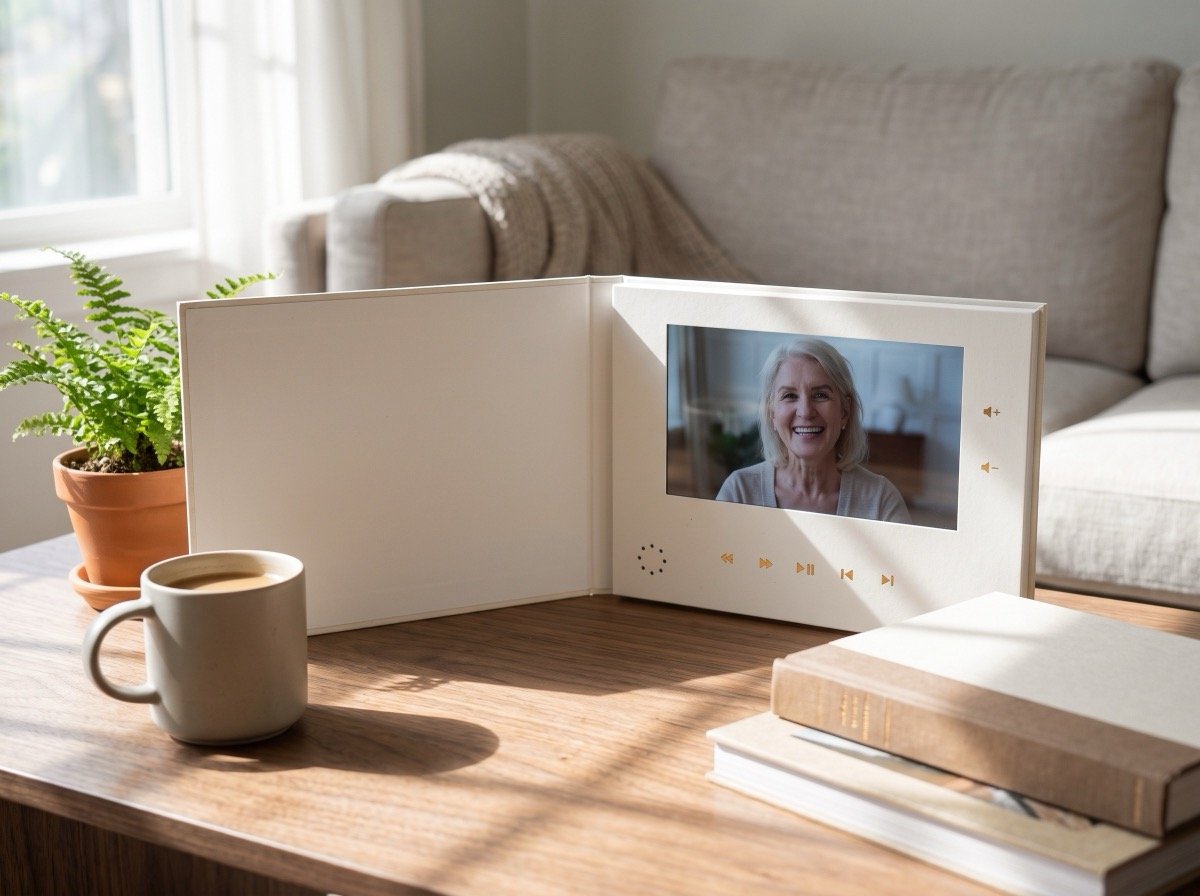
The finished video can arrive as a video book: a hardcover case with a screen inside that plays when you open it.
For a family who will want to watch it again in five years, the object outlasts the link. It also sits on a table at the gathering without anyone handing a phone around.
When this is the wrong answer: you already hold every photograph and clip yourself, or the service is in two days. Then the phone route above is faster.
The editor also lives inside a paid Tribute and is not a general purpose tool for an unrelated video.
If none of this is something you can face this week, it keeps. A memorial video made on the first anniversary is a common thing, and often a better one. The same collecting works for happier occasions, like an anniversary video.
Frequently Asked Questions
How long should a memorial video be?
Three to six minutes for a service, up to ten for something family watch at home. A funeral director will ask for the running time in advance, because it sits in a fixed order of service.
What music suits a memorial video?
One instrumental track, low, and chosen for tempo before meaning. A song with words competes with the voices in the clips, and the voices are the reason anyone is watching.
Can I use a song the person loved?
At a service, yes. Uploading it anywhere public is different: a commercial recording may collect a copyright claim and be blocked in some countries, so a licensed library track is safer for a link you send out.
What do memorial video services charge?
A funeral home often bundles a simple photo sequence into the service package. An independent editor charges by the hour, and the cost rises with the number of people whose clips need chasing, not with the length of the video.
Where should I share the finished video?
Upload it and send a link rather than the file, which bounces over email. YouTube set to unlisted reaches the right people: Pew puts YouTube use at 65% of US adults aged 65 and over, and an unlisted link opens without an account.
What if someone sends a clip I cannot use?
Keep a few seconds of it rather than dropping it. A clip with poor light and one good sentence is worth more than a polished one that says nothing, and the person who sent it will look for themselves.
Can I put the video on a screen at the service?
Yes, and download the file to the laptop that will play it. Venue wifi is the usual reason a memorial video does not start on time, and nobody wants to troubleshoot at the front of a room.
Is it too late to make one after the funeral?
No. Many families make one for the first anniversary, when people have more to say than they did in the first week and the gathering is smaller.
Gather what people want to say into one memorial video if they live in different places, and the clips arrive in order with the music already set under the voices.
