
Happy Anniversary Video: What to Put In It and How to Make It
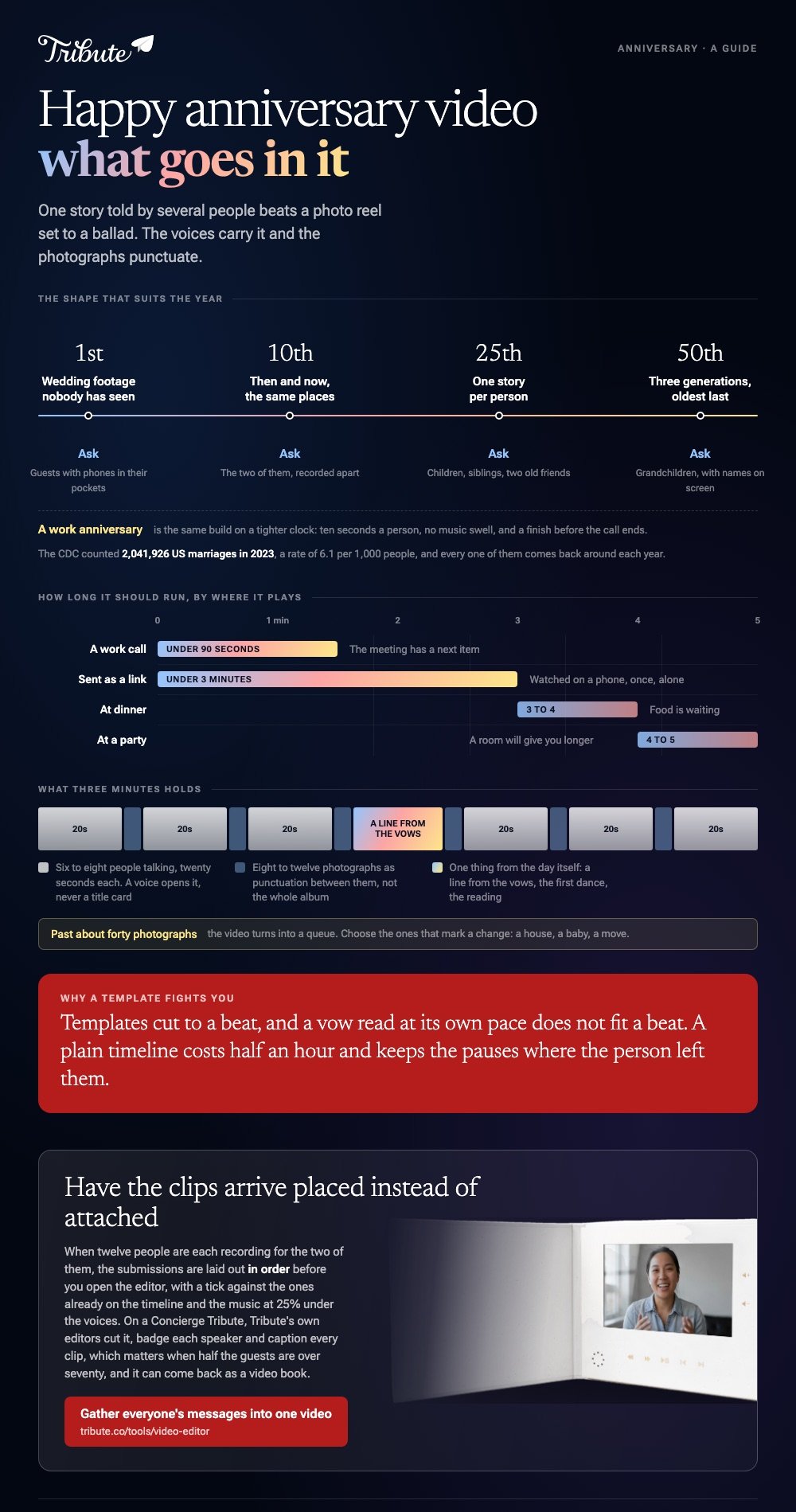
A happy anniversary video works best as one story told by several people, not a photo reel set to a ballad. Six to eight clips, three minutes, and the photos used as punctuation between them.

What goes into a happy anniversary video?
Three kinds of material, in this order of value.
- People talking. The best man who is now sixty. The daughter who was not born yet. Twenty seconds each.
- Photographs. Not the whole album. Eight to twelve that carry a date between them.
- Something from the day. A line from the vows, the song from the first dance, the reading.
The reel of photos is the version most people make, and it is the one that gets watched once. Voices are what make it specific, because a photo shows a haircut and a voice tells you what happened that week.
Any anniversary video creator can do the cutting. None of them can tell you what the year meant, which is why the asking matters more than the app.
Which anniversary video ideas suit which year?
Match the shape to the milestone.
| Anniversary | Shape that works | Who to ask |
|---|---|---|
| 1st | Wedding footage nobody has seen | Guests with phones in their pockets |
| 10th | Then and now, same places | The two of them, recorded apart |
| 25th | One story per person | Children, siblings, two old friends |
| 50th | Three generations, oldest last | Grandchildren, with names on screen |
| Work | One line each from the team | Colleagues past and present |
A happy work anniversary video is the same build with a tighter clock: ten seconds a person, no music swell, and a finish before the call ends.
Scale explains why these videos keep getting made. The CDC's National Center for Health Statistics counted 2,041,926 US marriages in 2023, a rate of 6.1 per 1,000 people, and every one of them comes back around each year.
How do you make a marriage anniversary video from photos?
Start in whichever tool already holds the pictures.
Google Photos, in a browser
- Open photos.google.com, click Create, then Highlight video, then Create your own video.
- Click or select photos and pick the photographs and clips you want.
- Click Create at the top, then Save.
- To change the soundtrack, open the video, click Edit, click Music and choose a track.
On the web, highlight videos have taken the place of movies, so a guide that tells you to click Movie is out of date.
Clipchamp, for more control
- Open the editor and drag the photos and clips onto the timeline in the order you want them.
- Set a duration for the stills. Four seconds each reads as a pace; two reads as a flicker.
- Put the music on its own track underneath and pull the level down under anyone speaking.
- Add names as text over the first second of each person's clip.
- Export. Microsoft's support pages say the free plan covers watermark-free exports up to 1080p, with 4K behind a subscription.

Compared with a template, a plain timeline costs you half an hour and keeps the pauses where the person left them. Templates cut to a beat, and a vow read at its own pace does not fit a beat.
How long should a happy anniversary video run?
Three minutes for most, five at a party.
| Where it will play | Length | Why |
|---|---|---|
| Sent as a link | Under 3 minutes | It gets watched on a phone, once, alone |
| At dinner | 3 to 4 minutes | Food is waiting |
| At a party | 4 to 5 minutes | A room will give you longer |
| Work call | Under 90 seconds | The meeting has a next item |
Making a video for an anniversary runs long for one reason: nobody wants to cut Aunt Carol. Cut her to her best sentence instead, and the whole thing lifts.
Cutting craft is covered in making a video montage, the birthday version in fun birthday videos, and the photo-first build in a photo video maker.
What if the clips came from both sides of the family?
The Tribute video editor is a browser-based group video editor: contributors record clips on their phones and Tribute assembles them on a timeline with the music balanced under the voices.
It is ours, and it is the last thing on this page.
- 39 licensed tracks across 11 genres, plus a YouTube link or your own MP3, WAV, M4A or FLAC
- Music ducks to 25% under a voice and sits at 75% under photographs, and you can override it per clip
- Crossfade songs blends one track into the next when the video outlasts a song
- Autosave with version history, so a cut you regret at midnight is recoverable

Best for: A 25th or 50th where the people who should speak are in four different houses.
Why it works: Unlike a shared folder of uploads, the clips land in order with the music already set under the speech.
Who makes the anniversary video when you are both in it?
Two people, one marriage, and both of them are in every photograph.
That is the gap in every method above. Someone has to stand outside the couple to build the video, and at a 40th or a 50th that person is a daughter, a nephew or a best friend with a full-time job.
There is a version of this where that person does much less.
The case: the gift is the people
You are in it when the present is twelve voices rather than an object.
Picture a 50th where four grandchildren, two surviving bridesmaids and a brother in Ireland each owe you twenty seconds. The material is scattered across seven phones and three time zones, and none of those people will open an editor.
Which means your anniversary video ideas problem is a collection problem wearing a costume.
Why the assembly stops being yours
Each clip arrives placed instead of attached.
In the Tribute video editor the submissions are laid out in order before you open it, with a tick against the ones already on the timeline and the music underneath. Your work starts at the editing, not at the gathering.
What you do not have to do
- No chasing. One link and one question go to everybody at once.
- No ordering. Clips arrive in sequence with music already under the voices.
- No edit. On a Concierge Tribute, Tribute's own editors cut it, badge each speaker and caption every clip, which matters when half the guests are over seventy.
- No guessing at the result. The preview matches the video that comes back.

It does not have to stay a file
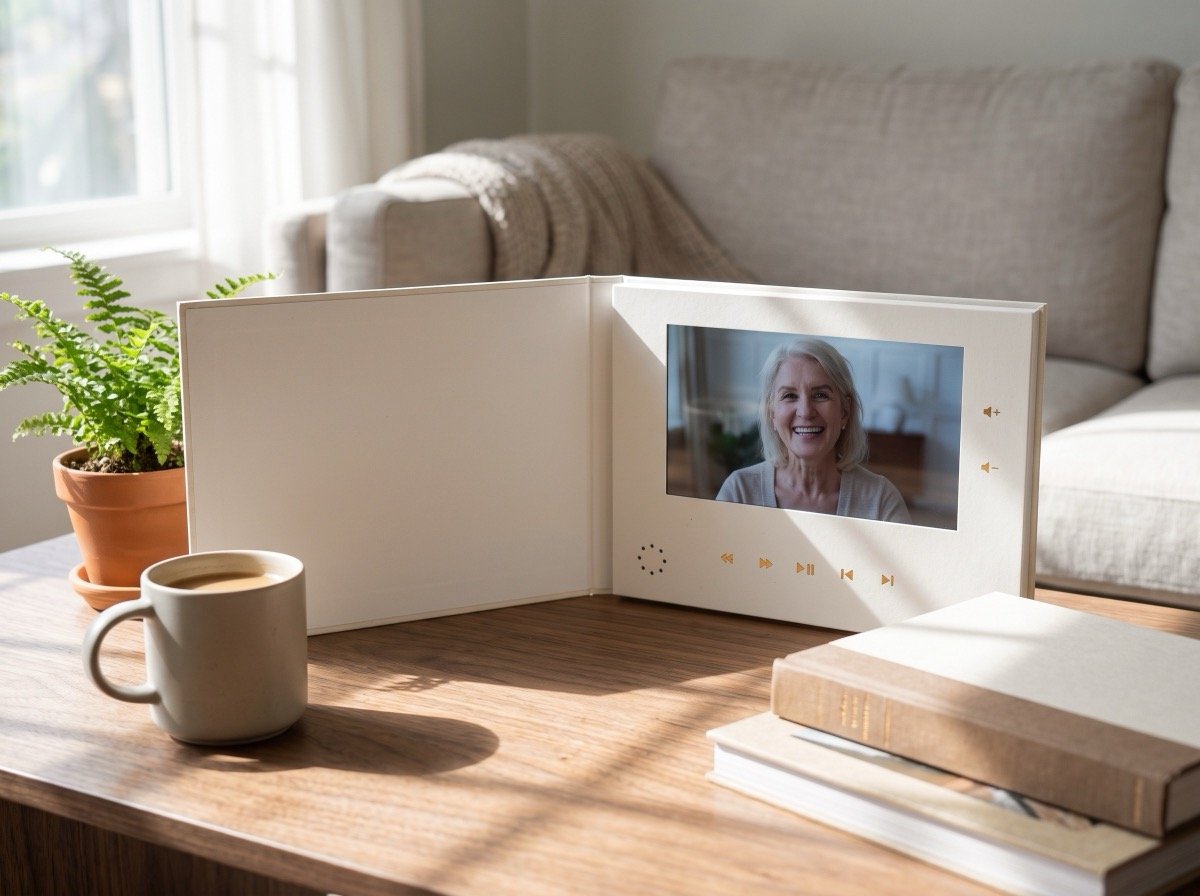
The finished video can come back as a video book: a hardcover case with a screen inside that plays when it opens.
For a 50th, that matters more than a link does. The couple can hand it round a table without anyone finding a cable or remembering a password.
When this is the wrong answer: you already have the wedding footage and the photographs on one laptop and nobody else is sending anything. Then Clipchamp or Google Photos finishes the job this afternoon.
Frequently Asked Questions
What should the first clip be?
A voice, not a title card. Thirty seconds of someone talking tells the room what kind of video this is going to be.
How many photos is too many?
Past about forty, a video turns into a queue. Choose the ones that mark a change: a house, a baby, a move, a haircut nobody has forgiven.
Can I use their wedding song?
Inside a private video played at a party, nobody is checking. Uploaded to YouTube, a commercial recording can draw a copyright claim, so a cleared instrumental is the safer choice.
What is a good anniversary video for a long distance couple?
Clips recorded in the places that matter rather than in a kitchen. Ask each person to stand where the story happened, then let the backgrounds do the work.
How do I handle a marriage anniversary video when one of them has died?
Make it about the marriage and say so at the start. Keep it shorter, leave the pauses in, and tell people they may say his name. A video tribute follows the same shape at a slower pace.
Does a work anniversary video need music?
Only underneath. One quiet instrumental at a low level, and no swell at the end, keeps it from reading as a farewell.
👉 Gather everyone's messages into one anniversary video if twelve people are recording for the two of them, and the clips arrive in order, ready to trim.
