
Photo Montage Video Maker: Turning a Folder of Stills Into One Video
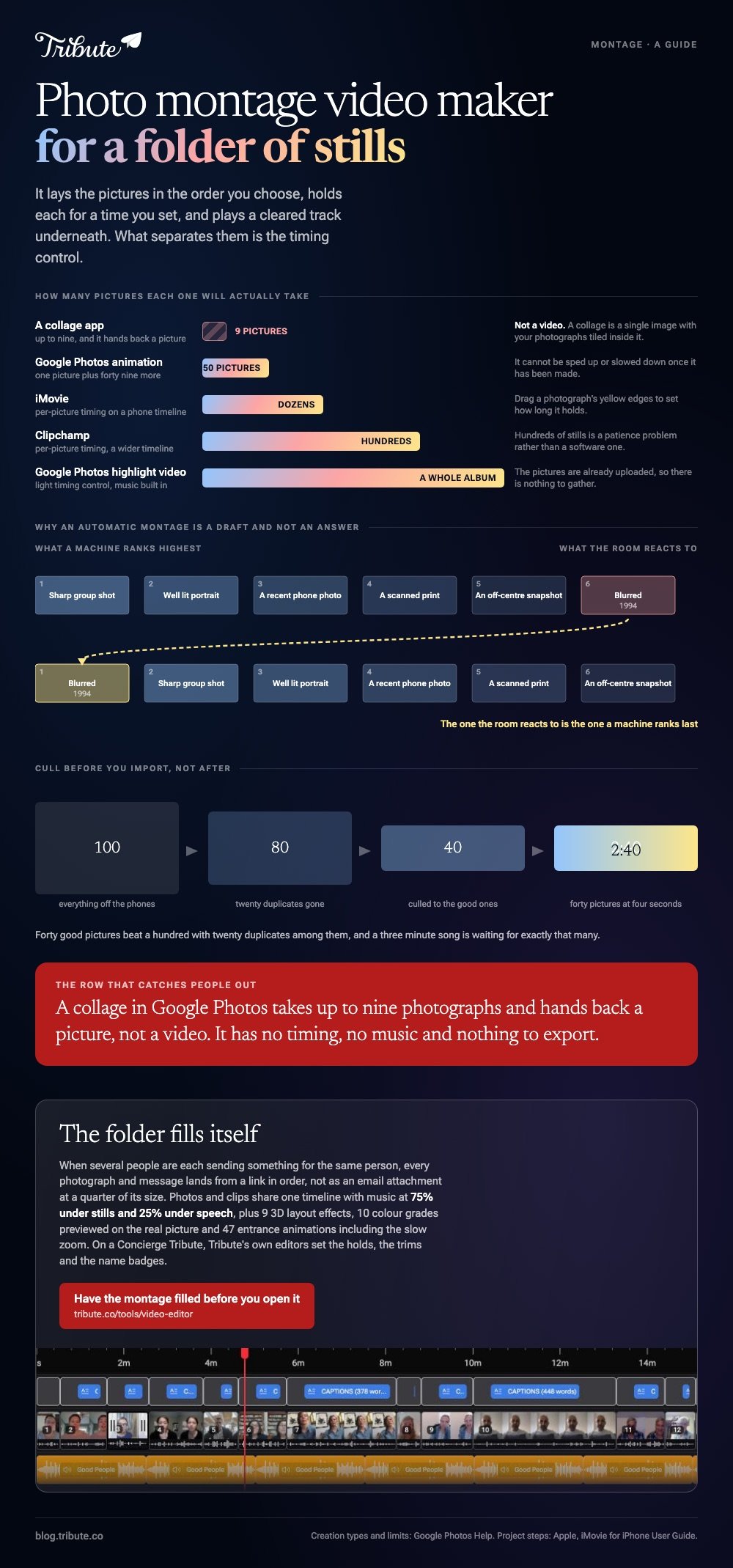
A photo montage video maker lays your pictures in order, holds each one for a set time, and plays music underneath. Google Photos, iMovie and Clipchamp do it at no cost. What separates them is how much control you get over the timing.

What does a photo montage video maker need to do?
Four things, and most tools do three of them well.
It has to accept the pictures in an order you choose, hold each for a duration you set, put a cleared track underneath, and hand back a file at full resolution.
Drop any one of those and you are editing around the tool rather than with it.
| Tool | How many pictures | Control over timing | Music |
|---|---|---|---|
| Google Photos | A whole album | Light | Built in |
| iMovie | Dozens | Per picture | Soundtracks and your own |
| Clipchamp | Hundreds | Per picture | Its own library |
| A collage app | Nine or so | None | None, it makes a still |
That last row catches people out. A collage in Google Photos takes up to nine photos and hands back a picture, not a video.
How do you make a photo montage video in Google Photos?
Highlight videos took over from movies on the web version, and you can still pick the pictures yourself.
- Go to photos.google.com on a computer.
- Click Create, then Highlight video, then Create your own video.
- Select the photos and clips you want, then click Create.
- Click Save when the preview looks right.
Google documents those steps and the creation types beside them. For a looping animation instead, select a photo, add up to forty nine more, then click Create new and Animation, which cannot be sped up or slowed down once made.
Best for: An album already in Google Photos, when you want something watchable in ten minutes.
Why it works: The pictures are already uploaded, so there is nothing to gather and nothing to transfer.
How do you build montage videos with more control over timing?
Move to a timeline, where every picture is an object you can stretch.
iMovie on an iPhone is the shortest route if the photos live in the camera roll.
- Open iMovie, tap Start New Project, then tap Movie.
- Tap each photo and clip you want on the Moments screen. A blue checkmark marks your picks.
- Tap Create Movie. Everything lands in the order you tapped it.
- Tap a photo and drag its yellow edges to set how long it holds.
- Tap Add Media, tap Audio, and choose from Soundtracks or My Music.
- Tap Done, then Share, then Share Video, then Save Video.
Apple sets out the project steps in its iMovie for iPhone guide. Clipchamp follows the same pattern in a browser, with a wider timeline and more room to drag.
Best for: A montage where the pictures carry different weight and some deserve longer.
Why it works: Unlike an automated maker, nothing decides on your behalf which face gets two seconds and which gets five.
Is an AI montage maker good enough for a party?
For a first pass, often yes. For the one photo that matters, no.
An AI montage maker reads your library, picks what it thinks is good, and cuts to a beat. Apple Memories and Google's highlight videos both work this way, and so do the one tap templates in most video montage app menus.
The weakness is always the same. A machine ranks a sharp, well lit picture above a blurred one from 1994, and the blurred one is the photograph the room will react to.
Use the automatic version as a draft, then open it on a timeline and put the bad photograph back in.
Which photo montage video maker suits a hundred pictures?
A desktop one, because the limit is your patience rather than the software.
Start from the song. Divide its length by the number of pictures and you have a duration: three minutes across forty five photographs is four seconds each, which is the pace most people read as comfortable.
Three rules keep a long montage watchable:
- Cull before you import. Forty good pictures beat a hundred with twenty duplicates among them.
- Vary the hold. Group shots need five seconds, a single face needs three.
- Let the last picture sit while the music resolves rather than cutting it off.

Most of those hundred pictures came off a phone. With 91% of US adults owning a smartphone, per the Pew Research Center mobile fact sheet, a family album now spans three generations of camera and as many picture sizes.
More on the moving version in making a video montage, and on doing it by thumb in choosing a montage app for iPhone.
What if the clips came from a dozen different people?
The Tribute video editor is a browser-based group video editor: contributors record clips on their phones and Tribute assembles them on a timeline with the music balanced under the voices.
It is ours, and it is built for one case rather than for montages in general.
- Photos and clips on one timeline, with music at 75% under stills and 25% under speech
- 9 3D layout effects for photos, including Tilt, Book, Floating and Billboard
- 10 color grades previewed on the real picture rather than on a sample
- 47 entrance and 47 exit animations, including the slow zoom that stops a still photograph sitting dead
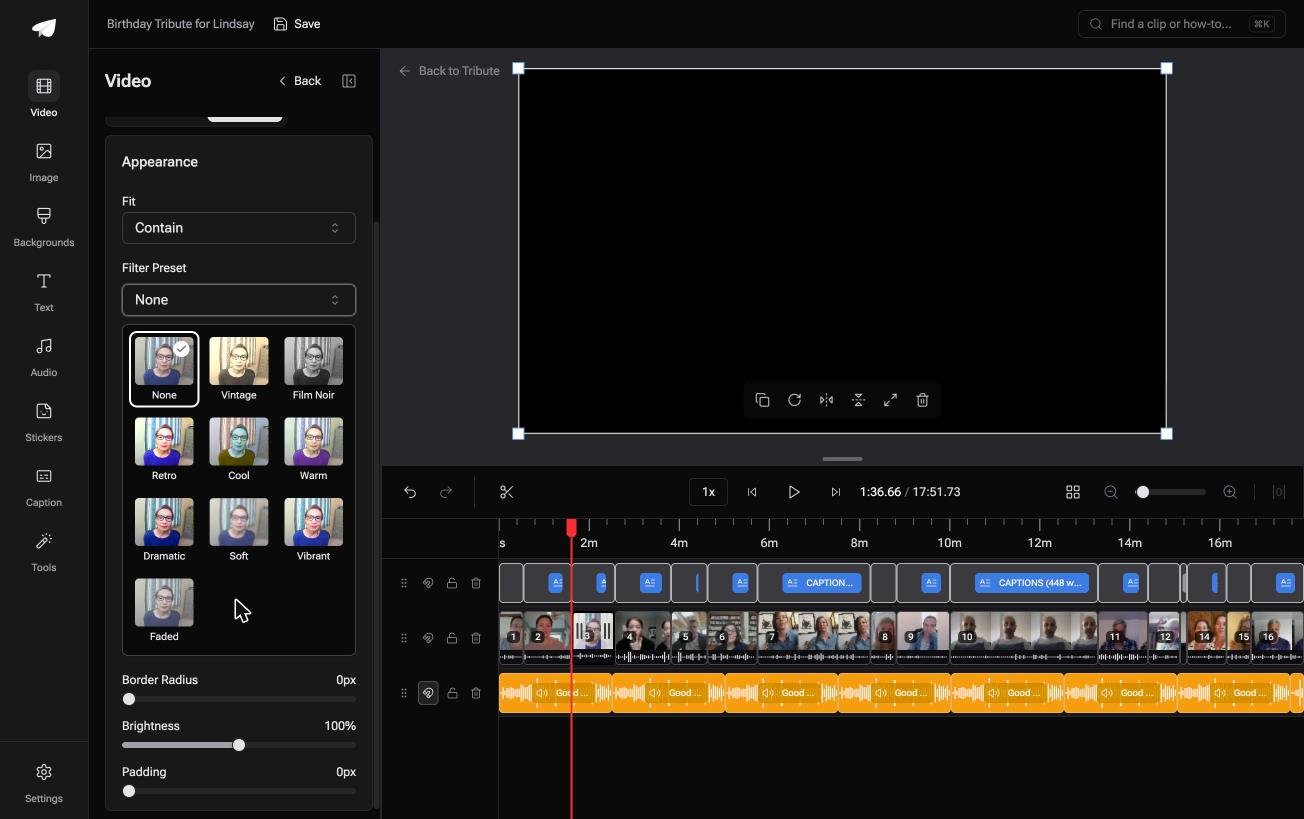
Best for: Pictures and messages arriving from households that share no album.
Why it works: Compared to building the montage yourself, the gathering and the ordering happen before you open it.
Can the photos and clips arrive without you collecting them?
That is the half of this job no montage maker touches.
Every tool above starts with a folder you already filled. Filling it is the week of texting, and for one kind of project it is the entire problem.
The case: a montage for one person, from many people
You are in it when several people each send something for the same person.
A grandmother turning eighty. A teacher leaving after twenty years. Everyone has one photograph and one thing to say, and none of it is on your phone.

Which means the search that brought you here, photo montage video maker, is aimed at the second half of a job whose first half is the hard one.
Why the folder fills itself
Each person adds their photograph or records their message from a link, and it lands on the timeline in order.
Nothing arrives as an email attachment at a quarter of its size. The Tribute video editor opens on a montage that already exists, with the music underneath.

What you do not have to do
- Not the chasing. Each photograph and message lands from a link, in order.
- Not the montage. On a Concierge Tribute, Tribute's editors set the holds, the trims and the name badges.
- Not the corrections. Eve, the assistant on Concierge and Concierge + Video Book, crops and repositions a clip inside the frame when you ask it to.
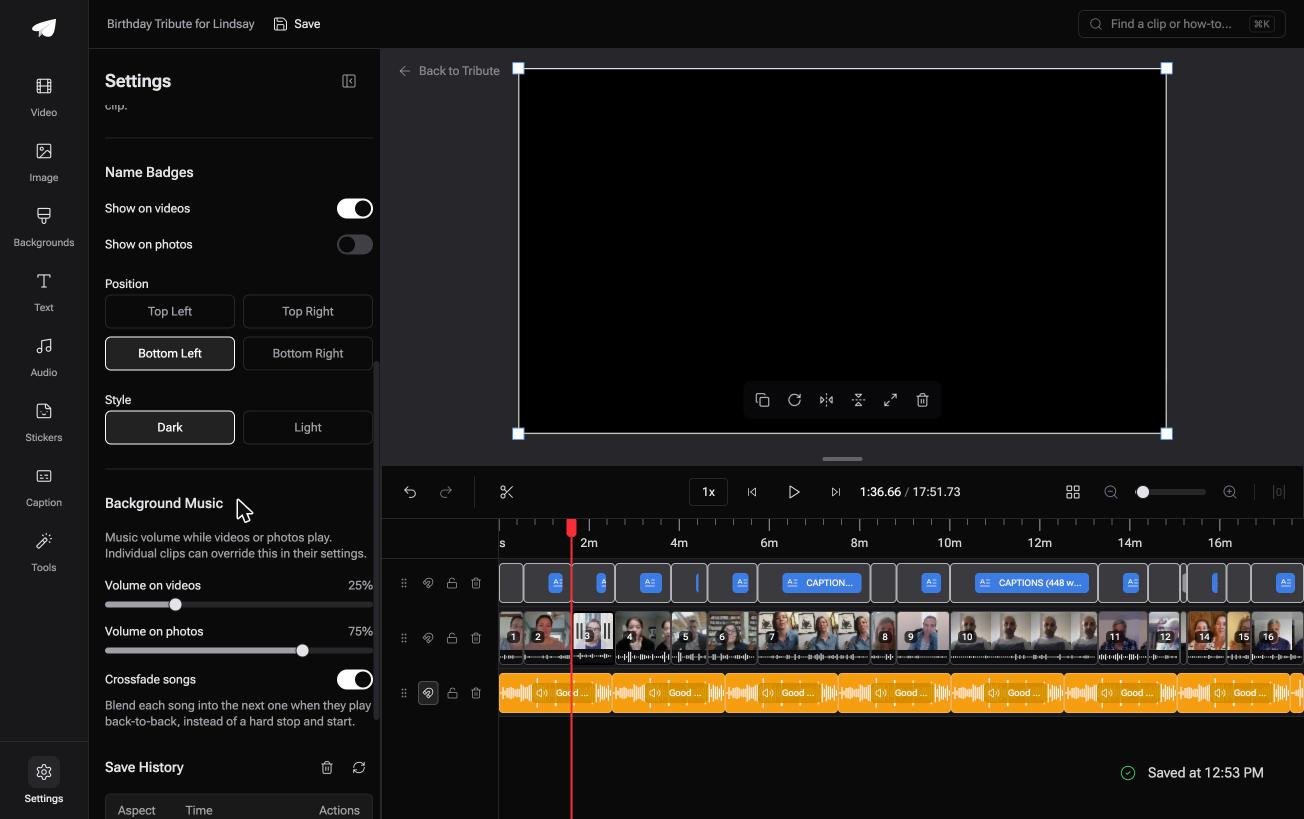
When this is the wrong answer: the pictures are yours and already in one album. Then Google Photos or iMovie finishes the job tonight, and the editor does not stand alone anyway, since it lives inside a paid Tribute.
Frequently Asked Questions
What is the best montage maker for someone who has never edited video?
Google Photos, because it builds a first version before you make any decisions. Move to iMovie or Clipchamp when you want to change the order or the timing.
Can I use a FaceTime recording in a montage?
Yes. A montage FaceTime clip is a screen recording like any other, so it drops onto the timeline next to your photographs once it is in the camera roll.
How many photos should a montage have?
Around forty for a three minute song, which gives each one four seconds. More than that and the video turns into a queue people stop watching.
Can I mix photos and video clips?
Yes, and the mix is what keeps attention. Lift the music under stills and drop it under anyone speaking, since a photograph has no voice to compete with.
Does a photo montage lose quality?
Only through the export setting. Pick the highest resolution offered, and avoid sending the file through a messaging app afterwards, because that is where pictures get crushed.
Which montage maker works without an account?
iMovie on an iPhone or a Mac, and Google Photos if you are already signed in for your pictures. Browser tools vary, and several ask at the download rather than at the upload.
Is a slideshow the same thing as a montage?
Close. A slideshow holds each picture for the same beat, while a montage varies the pace and mixes in video, which is covered in building a slideshow online.
👉 Hand the montage over once everyone has sent their part if several people are each sending something for one person, and the collecting stops being your job.
