
Animoto Slideshow Maker: What It Does and When Something Else Is Better
The Animoto slideshow maker is a browser tool that turns photos and clips into a video using templates, a licensed music catalog and a storyboard rather than a timeline. It suits marketing videos and quick family slideshows. It is not the cheapest route.

What is the Animoto slideshow maker?
A template first video builder that runs in a browser.
You start from a template or from an empty project, drop in your photos and clips, choose a song from its catalog, preview, then publish or download.
The storyboard is the unit of work rather than a timeline, and that is the biggest difference from the tools below.
| Tool | How you build | Music | Cost model |
|---|---|---|---|
| Animoto | Templates and a storyboard | Its own catalog | Paid plans, with a limited free tier |
| Clipchamp | A timeline | Its own library | Free tier, Microsoft account |
| iMovie | A timeline | Soundtracks and your own | Nothing, Apple devices |
| Google Photos | Automatic, then light edits | Built in | Nothing, if your photos are there |
Compared to a timeline editor, a storyboard trades precision for speed. You get a presentable video sooner and fewer ways to put one picture in the one place you want it.
How do you make an Animoto video from photos?
The shape of the job is the same whichever plan you are on.
- Pick a template that matches the occasion, or start from scratch.
- Add your media. Drag photos and clips in from the computer, or import them from a cloud drive.
- Put the blocks in order and type the text you want on each one.
- Choose a song from the licensed catalog so the clearance question never arises.
- Preview the whole thing before you commit, since the template times the cuts for you.
- Download or publish from the finished project.
Like any template based maker, you edit an Animoto video by reopening the project rather than by recutting the file you downloaded.
That holds for the Animoto video creator templates aimed at marketing too, where one storyboard is reused with new footage each month.
Best for: A presentable video with text on screen, built by someone who does not want a timeline.
Why it works: The template already knows how long each block should hold, which is the decision most people get wrong.
What should you check before paying for the Animoto slideshow maker?
Three things, and all three change without notice.
- The watermark. Whether a logo appears on the export, and on which plan it stops.
- The resolution cap. 720p on a lower tier against 1080p or 4K higher up.
- The music catalog. How much of it your plan can reach, and whether the license covers a public post.
Read the current pricing page rather than any blog post, including this one. Plan names and limits on subscription tools move around, and a figure written down in October is a guess by March.
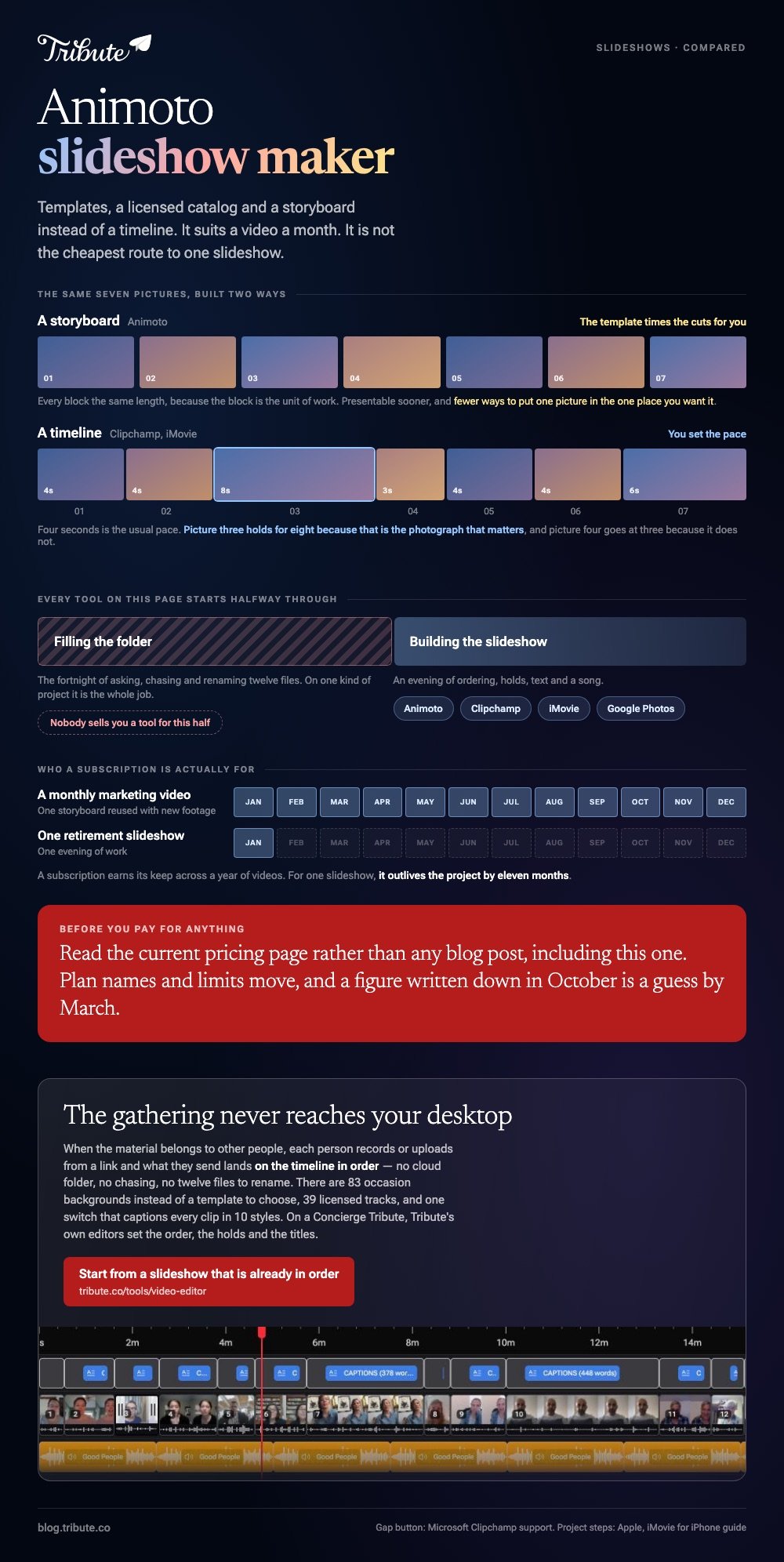
The question underneath is whether you publish often. An Animoto video maker subscription earns its keep across a year of monthly marketing videos. For one retirement slideshow, it is a lot of money for one evening of work.

What is the route that costs nothing?
Clipchamp in a browser, or iMovie if you are on Apple hardware.
Both are timeline tools, so you set the pace yourself rather than accepting a template's. The extra control is the whole reason to go this way.
- In Clipchamp, select My media on the toolbar, then the import media button, and browse to your photos.
- Drag them onto the timeline side by side on the same track, in the order you want.
- Drag the edge of each picture to set how long it holds. Four seconds is the usual pace.
- Move the cursor over any gap and press the delete this gap button.
- Add a track from the library underneath, then export at the highest resolution offered.
Microsoft documents the gap button for Windows and Mac.
On an iPhone the same job is iMovie: Start New Project, Movie, tap your pictures, Create Movie, then Add Media and Audio for the song, which Apple covers in its iMovie for iPhone guide.
Best for: One slideshow, where a subscription would outlive the project by eleven months.
Why it works: Unlike a storyboard, a timeline lets one photograph hold for eight seconds because that is the photograph that matters.
More on the alternatives in making a slideshow in Clideo, building one in Canva and picking a slideshow maker with music.
What if the clips came from a dozen different people?
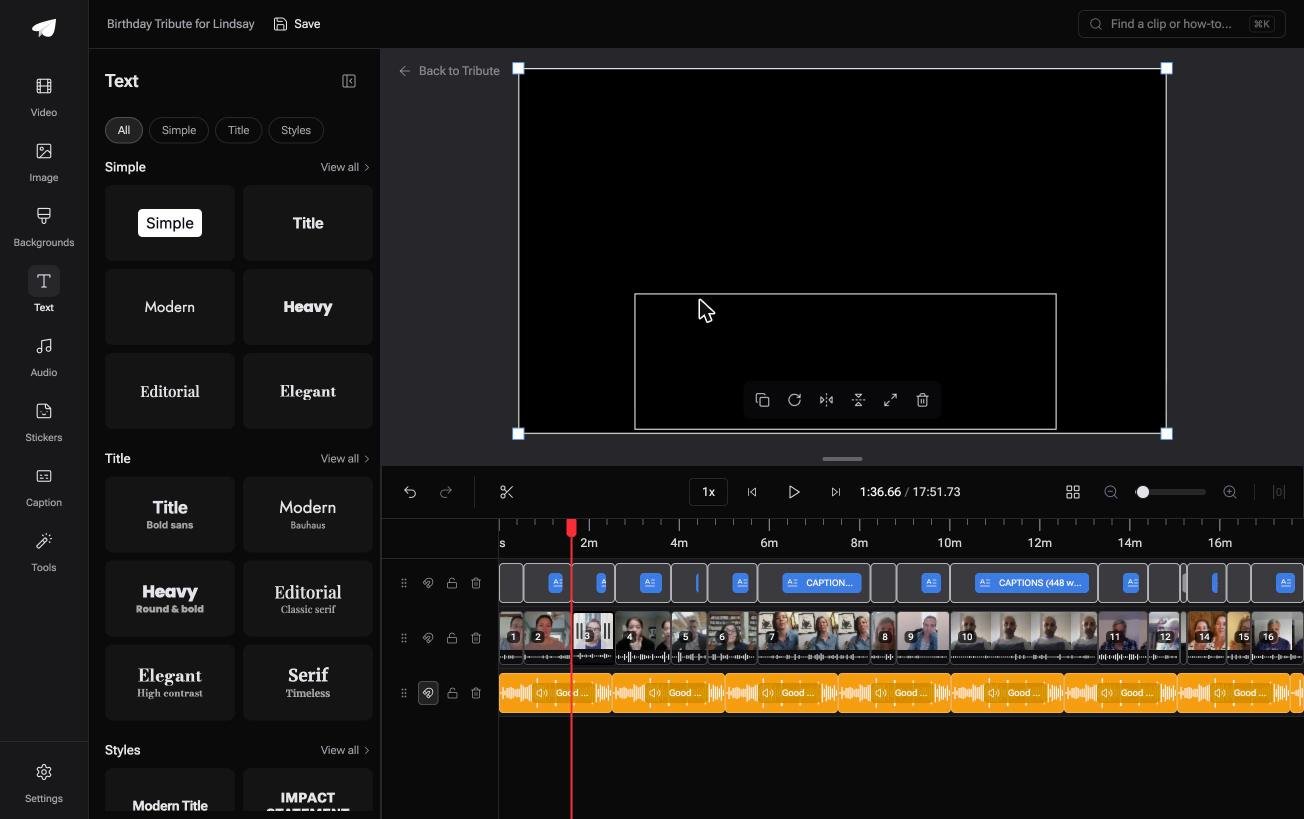
The Tribute video editor is a browser-based group video editor: contributors record clips on their phones and Tribute assembles them on a timeline with the music balanced under the voices.
It is ours, and it answers a narrower question than an Animoto video editor does.
- Clips arrive in order, with a tick against the ones already on the timeline
- 39 licensed tracks across 11 genres, plus a YouTube link or your own MP3, WAV, M4A or FLAC
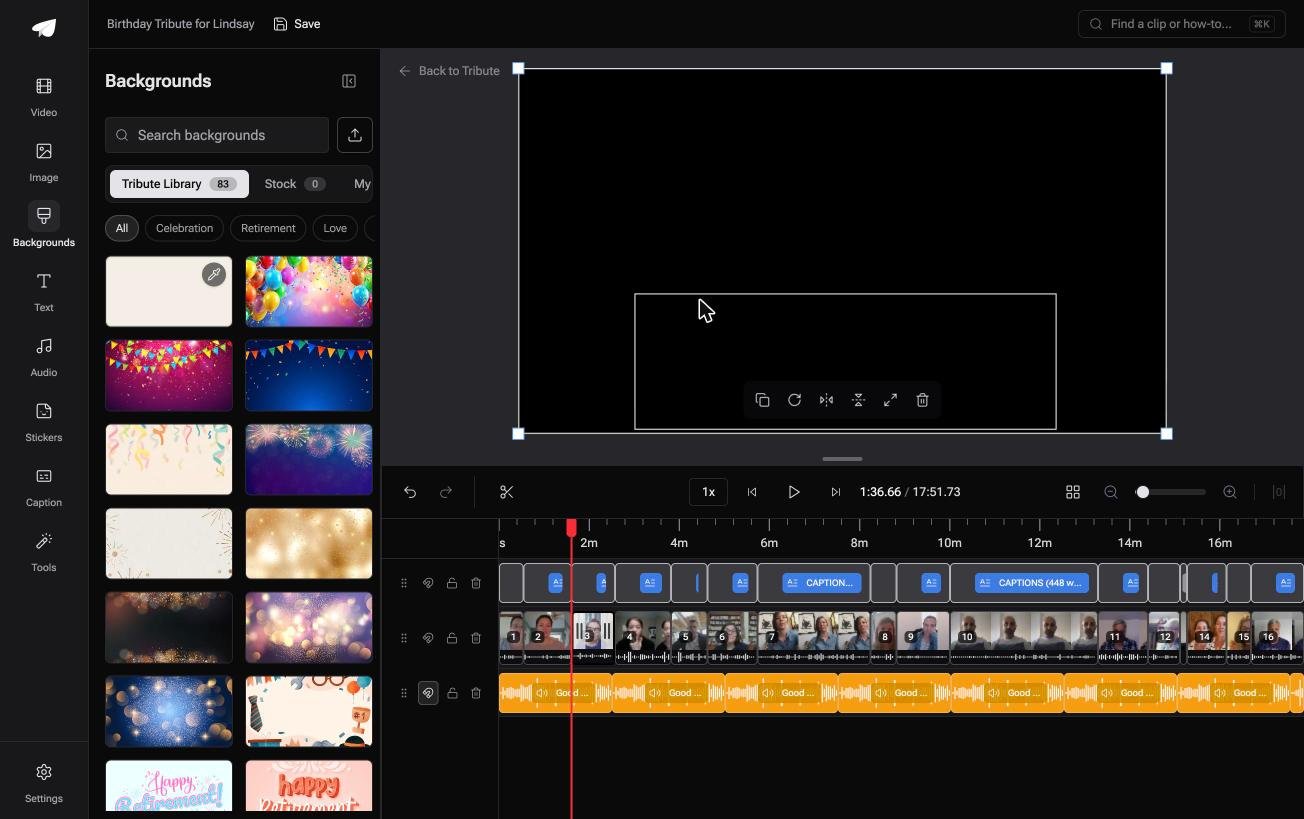
- 83 occasion backgrounds and ready made text styles grouped as Simple, Title and Styles
- One switch captions every clip, with 10 caption styles and the spoken word highlighted
Best for: A one-off video for one person, where a slideshow template is the least of the work.
Why it works: The ordering and the audio balance are done before the organizer opens the editor.
Can a slideshow maker do the gathering as well?
None of the tools above can, and that is the honest gap in this page.
Animoto, Clipchamp and iMovie all begin with a folder you filled. Filling it is the fortnight of asking, and on one kind of project it is the whole job.
The case: the material belongs to other people
You are in it when several people each record something for one person.
A grandmother turning eighty. A colleague leaving after fifteen years. Everyone has a photograph and something to say, and none of it is on your computer.

Which means a slideshow maker, Animoto included, is aimed at the second half of a job whose first half nobody sells you a tool for.
Why there is nothing to upload
Each person records or uploads from a link, and what they send lands on the timeline in order.
No cloud folder, no chasing, no twelve files to rename. The Tribute video editor opens on a rough cut with a cleared track already underneath it.

What you do not have to do
- No uploading. The material never reaches your desktop in the first place.
- No template to choose. Eighty-three backgrounds are grouped by occasion.
- No build. On a Concierge Tribute, Tribute's own editors set the order, the holds and the titles, and send the video back.
- No export settings. The preview matches the finished video frame for frame.
When this is the wrong answer: you are making a marketing video on a monthly schedule, or the photographs are all yours. Then a template maker is the better fit, and ours is no use, since it lives inside a paid Tribute.
Frequently Asked Questions
Is the Animoto slideshow maker good for beginners?
Yes, and that is its main argument. A template decides the pacing and the text placement, so a first video looks finished without any editing judgment from you.
Can I use my own music in an Animoto video?
Its own catalog is the path of least resistance, because those tracks are cleared for use inside the tool. Check your plan before counting on an upload of your own.
Does Animoto put a watermark on exports?
Lower tiers on subscription makers tend to and higher tiers tend not to, and the detail changes. The pricing page is the only source worth trusting on the day you buy.
What is a good alternative to an Animoto video slideshow maker?
Clipchamp in a browser, iMovie on Apple hardware, or Google Photos if your pictures are already there. All three give you a timeline instead of a template.
How many photos should a slideshow hold?
About forty five for a three minute song, at four seconds each. Past sixty the video becomes a queue and people start checking their phones.
Where should the finished slideshow go?
Upload it rather than attaching it, since messaging apps compress video hard. YouTube is the safe default, with 84% of US adults using it according to Pew Research Center, and unlisted keeps it out of search.
Can I use an Animoto slideshow maker online on a phone?
The browser version works on a phone, though laying out a storyboard on a small screen is slow going. For phone first work, iMovie or CapCut is less of a fight, and making a video montage covers the whole sequence.
👉 Start from a slideshow that is already in order if the material is coming from other people, and the gathering never reaches your desktop.
