
Slideshow Maker With Music: How to Make One That Does Not Look Like a Slideshow
The quickest slideshow maker with music is already on the machine holding the photos: Photos on a Mac, iMovie on an iPhone, Clipchamp on Windows. Each lays stills on a timeline under one track. What makes it a video rather than a slideshow is varying how long each photo holds.

Why do most slideshows with music look like slideshows?
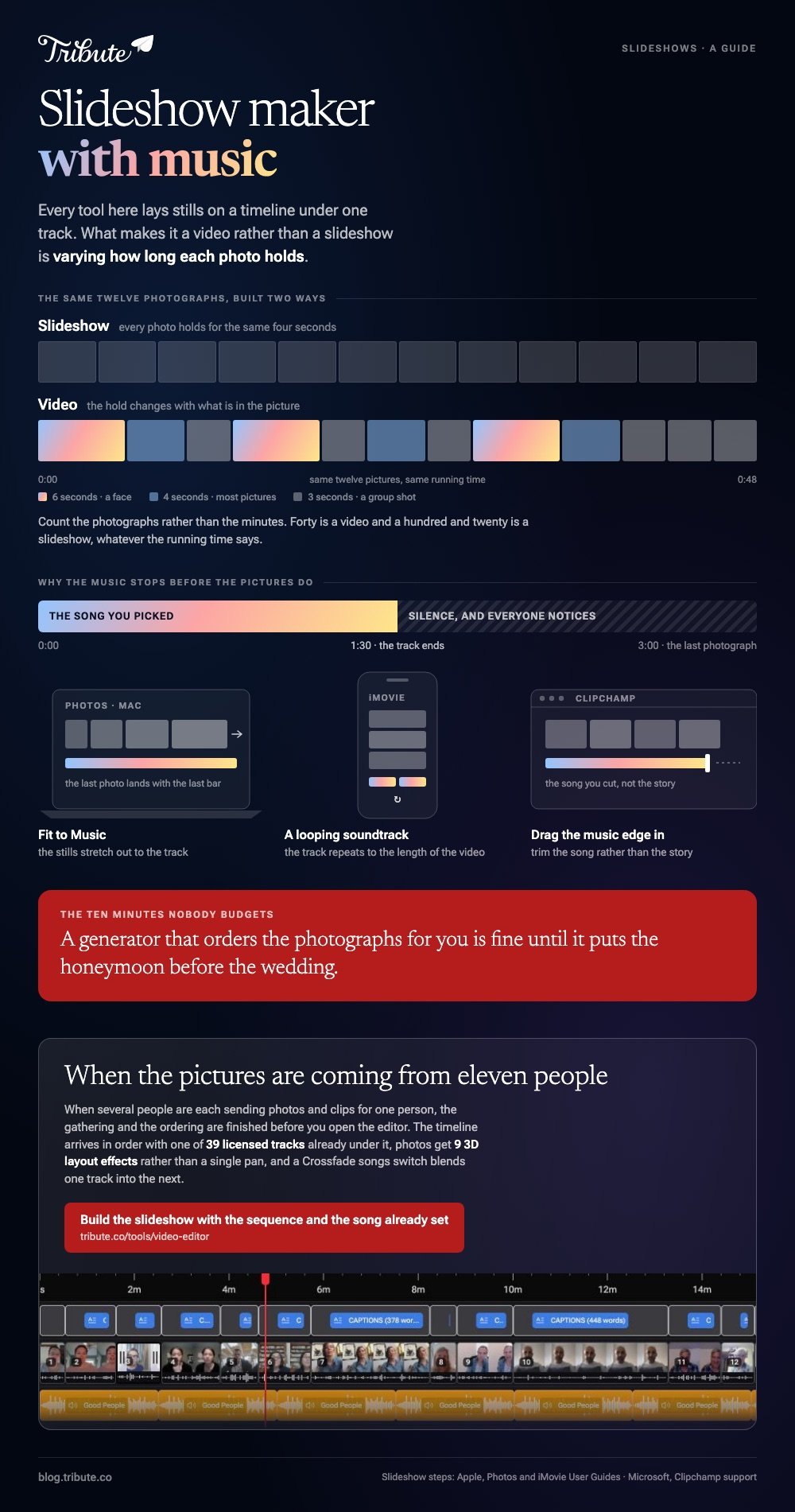
Three habits give it away. Every photo holds for the same four seconds, every change uses the same crossfade, and the track fades out halfway through because nobody checked the length.
Fix those and the same photos read as a video. Hold a face for six seconds and a group shot for three. Change the picture on a beat rather than on a timer.
Pick a song whose length is close to the running time you want, then let the tool stretch the photos to fit it rather than cutting the music short.
A slideshow generator with music will make those choices for you, which is fine until it puts the honeymoon before the wedding. Automatic ordering is worth ten minutes of checking.
Which slideshow maker with music should you use?
Choose by where the photos already live. The free options for a slideshow maker with music beat the paid ones for a family video, because the paid features are stock footage and brand kits rather than anything a birthday needs.
Photos on a Mac
- Click Library in the sidebar, then All Photos, and select the photos you want.
- Choose File > Create > Slideshow > Photos.
- Click the Slideshow pop-up menu, choose New Slideshow, name it and click OK.
- Drag the thumbnails along the bottom until the order is right.
- Click Themes and pick one. The theme decides fonts, text position and how one slide moves to the next.
- Click Music, click the arrow next to Music Library, and choose Theme Songs or your own Music. Drag songs to reorder them.
- Click Duration and choose Fit to Music, or set a custom time per slide with the slider.
- Click Preview, watch it, then export.
Apple sets out every step in its guide to creating slideshows in Photos.
Best for: A few hundred photos already sitting in a Mac photo library.
Why it works: Fit to Music does the arithmetic nobody wants to do, so the last photo and the last bar land together.

iMovie on an iPhone
- Open iMovie, tap Start New Project, then Movie.
- On the Moments screen tap each photo you want, then tap Create Movie.
- Tap a photo on the timeline and drag its yellow edges to set how long it holds.
- Tap the Add Media button, tap Audio, then Soundtracks for iMovie's own tracks or My Music for yours.
- Tap the track, then tap Add Audio. A soundtrack loops to fit the length of the video.
- Tap Done, tap Share, then Share Video, then Save Video to put it in your photo library.
Best for: Photos on a phone and an hour on a train.
Why it works: A looping soundtrack removes the most common failure, which is music that stops before the pictures do.
Clipchamp on Windows or in a browser
- Click My media, then Import media, and bring in your photos.
- Drag them onto the timeline side by side on the same track, then drag each one's trimming handles to set its duration.
- Click Content library in the sidebar, click the audio drop-down arrow, and pick music or sound effects.
- Click the add to timeline button on the track you want, or drag your own file from My media below the pictures.
- Trim the music by dragging its edges, then export at 1080p.
Microsoft documents both routes in its guide to adding audio or music to videos.
Best for: Mixing stills and video clips in one video, on any machine with a browser.
Why it works: Photos and clips sit on the same track, so the video does not change character halfway through.
Which song should the slideshow run on?
Pick the length first. A three minute song gives you room for about forty photos at four seconds each, and more than that starts to feel like a queue. Trim the song rather than the story if the two do not match.
Avoid lyrics over spoken moments, because a listener cannot follow two voices. Instrumental under talking, vocals under stills is the rule that holds everywhere.
For anything going on a public account, use a licensed library track: the music library inside the editor exists for that reason, and a popular song will get a video muted on most platforms.
Graduation season is when this question peaks. NRF expects a record $7.2 billion of graduation spending this year, with 39% of consumers buying a gift, and a slideshow costs none of it.

What if other people are sending the photos?
Then the slideshow stops being the hard part. Eleven people each send four photos and a clip, some by text at a quarter size, some by email, and two of them after the party.
Sorting that into one ordered video is the work you were not expecting.
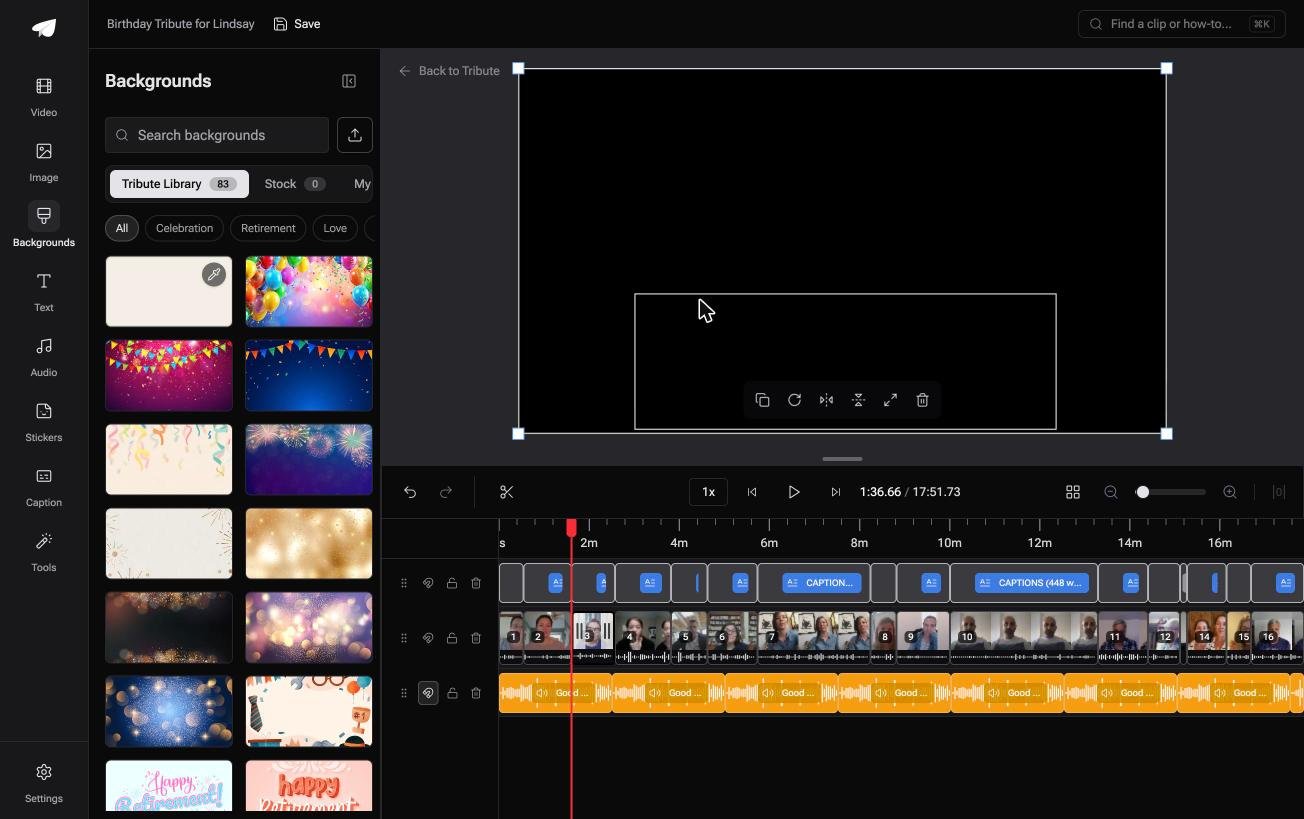
The Tribute video editor is a browser-based group video editor: contributors record clips on their phones and Tribute assembles them on a timeline with the music balanced under the voices.
It carries 39 licensed tracks across 11 genres, plus upload and YouTube link import, and music sits at 25% under video and 75% under photos by default so speech stays in front of the song.
A Crossfade songs switch blends one track into the next when a video is longer than one piece of music.
It is not a slideshow maker you can point at your own photo folder. It lives inside a paid Tribute, so it only makes sense if the pictures and clips are coming from other people.
Best for: Photos and clips from several households, with a single track underneath them all.
Why it works: Compared to a slideshow you assemble yourself, the gathering and the ordering are finished before you open the editor.

Photos get 3D layout effects rather than a single pan, and 83 occasion backgrounds sit behind them grouped by Celebration, Retirement and Love. The point of both is the same as everything above: stop every slide from looking like the one before it.
More on that case: one video from thirty different phones, and the wider job in making a video montage.
How long should a slideshow with music be?
Three to five minutes for a party, under two for anything going on social media. People overestimate how long a room will watch photos, and a video that ends while everyone is still enjoying it gets asked for twice.
Count the photos rather than the minutes. Forty is a video and a hundred and twenty is a slideshow, whatever the running time says. Cut the near duplicates first, because three shots of the same cake at the same angle read as an accident.
Unlike a video of people talking, a video of stills has no natural rhythm, so the music has to supply it. That is the whole argument for picking the song before you order the pictures.
Our guides to creating a slideshow with music from your photos and making a slideshow from photos and clips go further into both.
Frequently Asked Questions
What is the best slideshow app with music?
The one holding your photos, because moving a few hundred files costs more time than the edit. That is Photos on a Mac, iMovie on an iPhone, Clipchamp on Windows.
Design tools such as Canva will also export a slideshow as a video, which suits a video with a lot of text on it.
Can I make a photo slideshow with music for free?
Yes. Photos, iMovie and Clipchamp are all free tools that export without marking the picture, and each ships with a music library you can use. Paid tiers buy stock footage and higher resolutions rather than better slideshows.
Can I use any song I like?
For a private video shown in a room, in practice yes. For anything uploaded to a public account, use a licensed track, since platforms mute or block video that carries commercial music.
How many photos should a slideshow have?
Around forty for a three minute video. Vary the hold time rather than giving every photo the same four seconds, and give faces longer than wide shots of a room.
Can I mix video clips into a photo slideshow?
Yes, in any timeline editor. Drop the clips in with the stills and set the music lower under the talking so the voices stay in front of the song.
Why does my music stop before the slideshow ends?
The song is shorter than the video. Either use Fit to Music so the photos stretch to the track, loop the song, or add a second track and fade one into the other.
What resolution should I export?
1080p is enough for a television and a phone, and it keeps the file small enough to upload. Export at 4K only when the photos will fill a large screen in a bright room.
👉 Build the slideshow with the sequence and the song already set if eleven people are sending the pictures, and the music stays under the voices without you touching it.
