
How to Create a Slideshow With Music From Your Photos
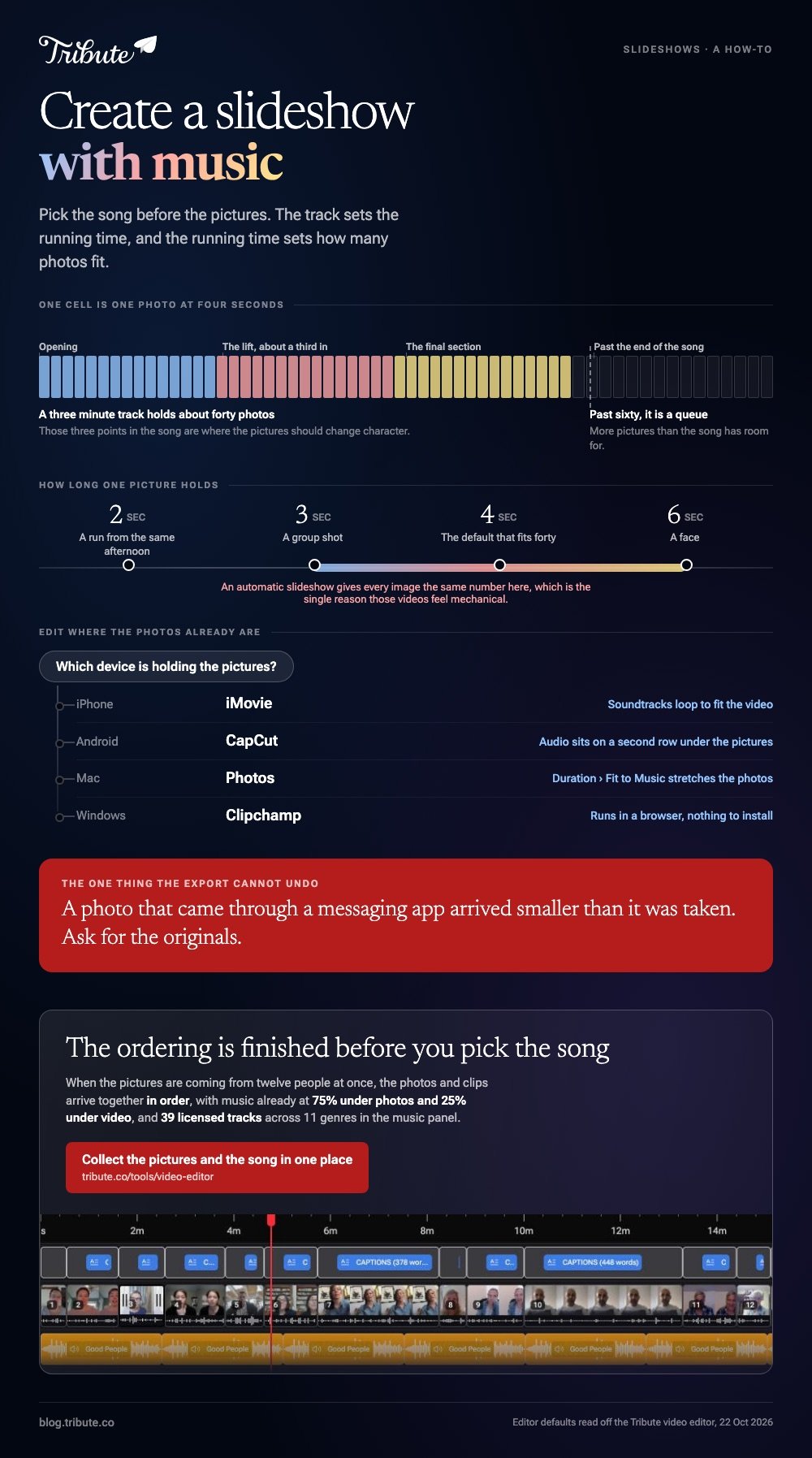
To create a slideshow with music, pick the song first, cull the photos down to about forty, set how long each one holds, then drop the track underneath and export. iMovie does it on an iPhone, CapCut on Android, Photos on a Mac, Clipchamp on Windows. The song decides the running time.

What do you need before you start?
Three decisions, and none of them happen inside an editor. The song, the shortlist of photos, and the shape of the frame.
Pick the track by length. Three minutes carries about forty photos at four seconds each, and the moment you go past sixty the video turns into a queue.
Then cull: pull the near duplicates, the dark ones and the four shots of the same cake, because a tight set of thirty beats a complete set of ninety.
Last, decide the frame. Widescreen suits a television in a living room, upright suits a phone, and mixing the two means some photos get cropped. Fix that before you import rather than after you notice it.
How do you create a photo slideshow with music on a phone?
Both phones do it with a free app, and neither needs a computer at any point.
On an iPhone, in iMovie:
- Tap Start New Project, then Movie.
- Tap each photo on the Moments screen, then tap Create Movie.
- Tap a photo on the timeline and drag its yellow edges to change how long it holds.
- Tap Add Media, then Audio, then Soundtracks or My Music.
- Tap the track, then Add Audio.
Apple notes in its guide to adding music and soundtracks that a background track loops to fit the length of the video.
Android users get the same result from CapCut:
- Tap New project and select the photos.
- Tap Add.
- Press and hold a photo to move it along the timeline.
- Add the track from the audio panel, where it sits on a second row under the pictures.
- Tap Export.
Best for: Photos that are already on the phone, which is most photos.
Why it works: Nothing uploads, and a looping soundtrack removes the most common failure, which is music that stops before the pictures do.

How do you create a picture slideshow with music on a computer?
A laptop gives you a wider timeline and a keyboard, which matters once you are past about fifty images.
On a Mac, select the photos in Photos and choose File > Create > Slideshow > Photos.
Set the order by dragging the thumbnails, pick a theme, click Music to choose a track, then click Duration and select Fit to Music so the photos stretch to the song instead of the song being cut short.
Windows hands the job to Clipchamp.
Click My media and Import media to bring the photos in, drag them onto one track, drag each one's trimming handles to set its duration, then click Content library and the audio drop-down to add a track, or drag your own file in below the pictures.
Best for: Large sets, and videos you will come back to and change.
Why it works: Both put photos and video clips on the same track, so a slideshow can turn into a video with talking in it without starting again.
Can Google Photos create a slideshow with music?
On Android, yes, and the route has moved more than once.
Google has rebuilt the video editor inside Google Photos twice in recent years, shifting movie and highlight video creation between the Create menu, the plus button and a templates screen, with the older Movie tool present on Android and absent elsewhere.
Open the Create or plus menu in your own copy and see what is there before you plan around it. If the option is missing, the app is behind a version or the feature has not reached your region.
Treat the Google Photos route as a fast first draft rather than the tool you finish in, since it gives you less control over how long each photo holds than any editor above.

How do you time the pictures to the music?
Play the song once with your eyes shut and note where it changes. Most tracks give you an opening, a lift about a third of the way in and a final section, and those three points are where the pictures should change character.
Vary the hold. Six seconds on a face, three on a group, two on a run of photos from the same afternoon. A photo slideshow generator will give every image the same duration, which is the single reason automatic videos feel mechanical.
Keep the music under any talking.
If a clip with a voice sits between the stills, drop the track to a quarter of its level for the length of that clip, which is the same principle covered in adding music to a video on an iPhone.
What if the photos are coming from other people?
Then the slideshow is the last ten minutes of a much longer job. Twelve people send four photos each through three apps, half of them compressed, and the ordering question stops being creative and starts being administrative.
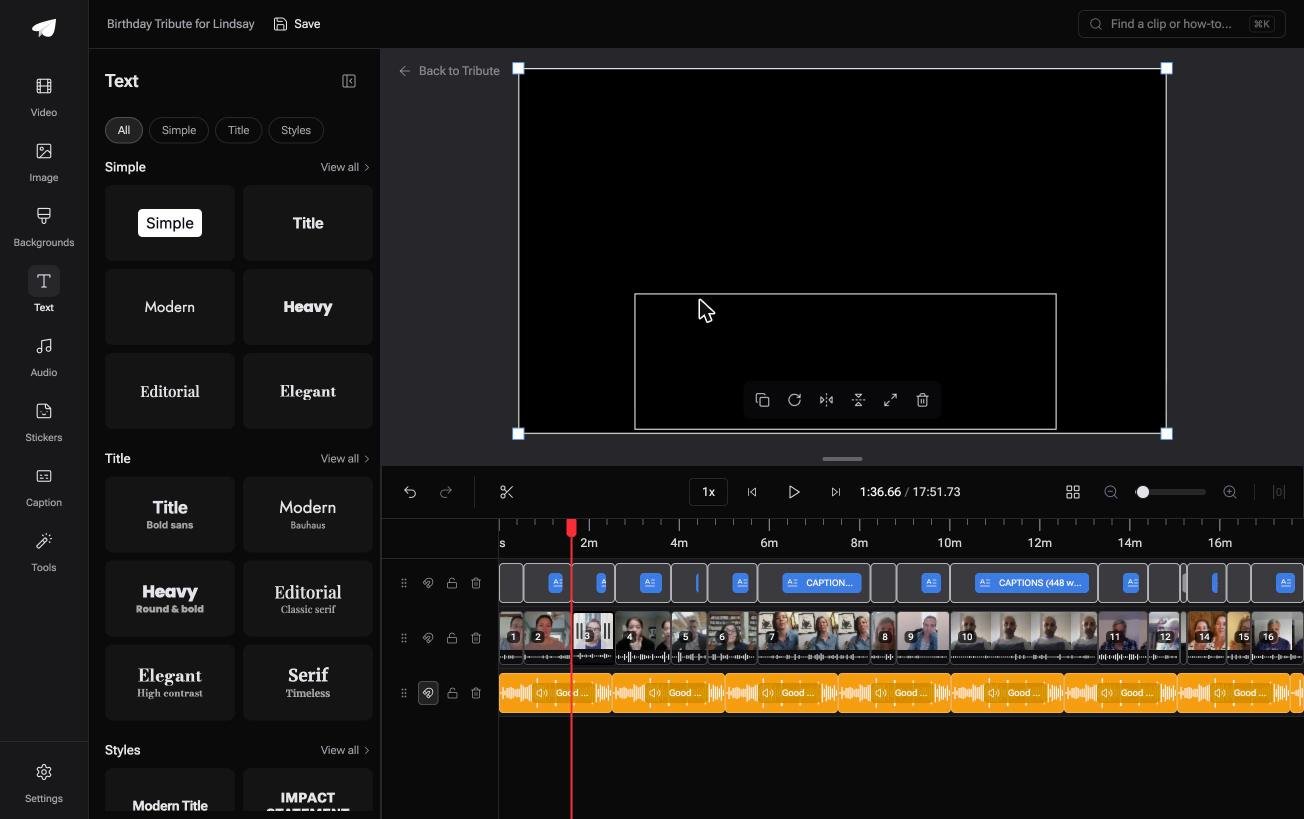
The Tribute video editor is a browser-based group video editor: contributors record clips on their phones and Tribute assembles them on a timeline with the music balanced under the voices.
Photos and clips arrive together in order, music sits at 75% under photos and 25% under video by default, and the music panel carries 39 licensed tracks across 11 genres plus upload and YouTube link import.
It lives inside a paid Tribute rather than standing alone.
Best for: A slideshow built from pictures that other people still need to dig out.
Why it works: Unlike a folder you fill yourself, the collecting and the ordering are finished before the editing starts.

Titles are the other thing a photo video needs and most people skip. Ready made text styles grouped as Simple, Title and Styles beat a raw font list, because naming the year or the place turns a run of pictures into a story with chapters.
More on that case: one video from thirty different phones, and the wider job in making a video montage.
Where should you share the finished video?
Upload it rather than attaching it. Messaging apps compress video hard, and a video you spent an evening on arrives looking like a screenshot of itself.
YouTube set to unlisted is the safe default for a family video: 84% of US adults use it, per Pew's social media fact sheet, so the person opening your link seldom needs an account.
With 91% of US adults owning a smartphone, according to Pew's mobile fact sheet, assume it gets watched on a phone and check how the titles read at that size.
Compared to a shared album, one video link survives being forwarded. For more on the format itself, see making a slideshow from photos and clips and our guide to choosing a slideshow maker with music.
Frequently Asked Questions
What is the best app to create a slideshow with music?
Whichever one holds the photos. iMovie on an iPhone, CapCut on Android, Photos on a Mac, Clipchamp on Windows. Moving a few hundred images between devices costs more time than the edit itself.
Can I create a photo slideshow with music online?
Yes. Clipchamp runs in a browser, and so do Clideo and Adobe Express, which suits a Chromebook or a work laptop. Check the export screen for resolution caps and watermarks before you upload rather than after.
How long should each photo stay on screen?
Three to six seconds, varied rather than fixed. Give faces and group shots longer, and give a run of similar pictures from the same afternoon less.
Can I add more than one song?
Yes, and most tools will play them in sequence. Fade the first out as the second comes in, or the change lands like a mistake in the middle of the video.
How do I stop the music drowning out people talking?
Drop the music level for the length of any clip with a voice in it. A quarter of the music's normal level is the usual setting, and it is the default in editors that handle it for you.
Why do my photos look blurry in the video?
The export resolution is lower than the images, or the photos arrived through a messaging app at a fraction of their original size. Ask for the originals and export at 1080p or higher.
Can I create a slideshow with music on Android without an app?
Through a browser, yes. Clipchamp and other browser tools work in Chrome on a phone, and you pick the photos the same way you would attach them to an email.
👉 Collect the pictures and the song in one place if the photo folder is three group chats and an inbox, and the only choice left is the track.
