
Video With Music Instagram: Where the Song Comes From and What Gets Muted
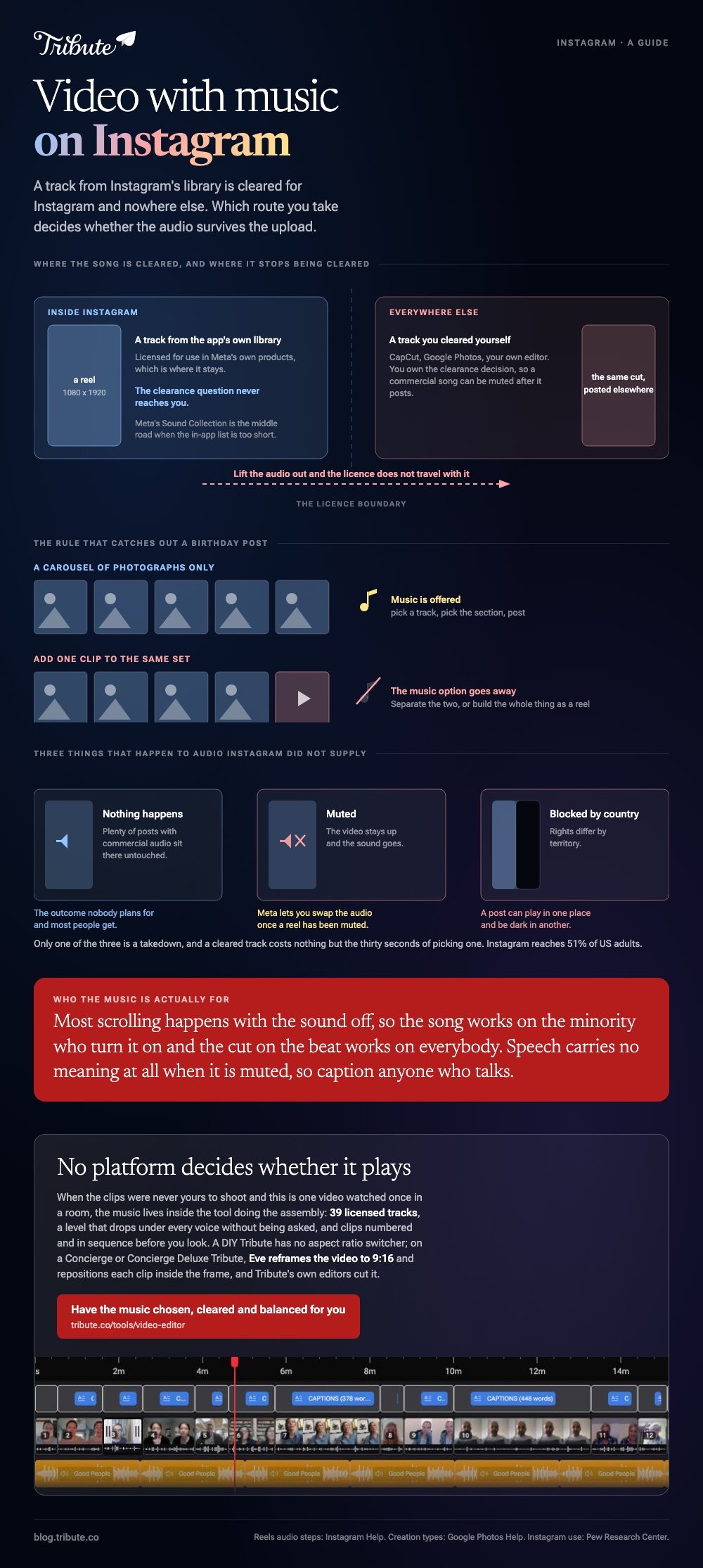
A video with music Instagram supplies is cleared for Instagram and nowhere else. A video you scored in another app carries whatever license you gave it. Which route you take decides whether the audio survives the upload.

| Route | Where the music comes from | What it costs you |
|---|---|---|
| Reels audio | Instagram's own library | The track only plays on Instagram |
| Photo carousel | Instagram's own library | Photos only, no clips in the set |
| Score it first | CapCut, Google Photos, your editor | You clear the track yourself |
How do you post a video with music Instagram will not mute?
Pick the track inside the app you are posting from.
The music in that library is licensed for use in Meta's own products. Lift that audio out and post it elsewhere and the license does not travel with it.
- Open the Instagram app and swipe the bottom menu across to Reels.
- Record, or choose a video already on the phone.
- Tap the Audio button at the top and scroll the music and original audio lists, or search for a track.
- Drag the timeline at the bottom left or right to pick the section of the song you want.
- Tap Done, then Next, then Share.
Instagram sets out that sequence in its own guide to adding music to reels.
Best for: One clip, posted today, where the song is the reason you are posting.
Why it works: The clearance question never reaches you, because the track never leaves the app that licensed it.
What about a post with several photos?
Music is offered on photo-only carousels.
Add a video to the same set and the music option goes away, which catches out anyone building a birthday post from a mix of stills and clips. Separate the two, or build the whole thing as a reel.
Can you make a video with music Instagram clears for you in another app?
No, and that is the trade.
Make a photo slideshow with music for Instagram in CapCut or Google Photos and you own the clearance decision, which means a commercial song can be muted after it posts. Pick from the app's own cleared library instead and nothing is at risk.
Google Photos, which Google documents
- Open Google Photos, tap Create at the bottom, then Highlight video.
- Tap Select content, choose your photos and clips, then tap Next.
- Tap Edit, then Add Music, and use Section to change which part of the song plays.
- Tap Volume to balance "Video audio" against "Soundtrack".
- Touch and hold a clip to drag it into a different position, then tap Save.
Those steps are from Google's guide to making creations in Google Photos, and the music segment is matched to the length of the video for you.
Best for: Twenty photos and four clips that need to be one upright video by this evening.
Why it works: The soundtrack arrives already cut to length, so the only real decision left is the running order.
CapCut, when you want the timing exact
CapCut publishes no help center article for its phone app, so read the labels on your screen rather than any walkthrough, this one included.
The shape is the same everywhere: import, drop the audio on its own track, drag the clip edges until a cut lands on a beat, then export at 1080 by 1920.
More on the general job in making a slideshow with music and putting music into a video.
What happens to a video with music Instagram did not supply?
One of three things, and only one of them is a takedown.
- Nothing. Plenty of posts with commercial audio sit there untouched.
- Muted. The video stays up and the sound goes. Meta lets you swap the audio once a reel has been muted.
- Blocked in some countries. Rights differ by territory, so a post can play in one place and not another.
Compared to a muted reel, a cleared track costs you nothing but the thirty seconds of picking one.
Meta also publishes a Sound Collection of royalty free tracks and effects for use in its own apps, which is the middle road when the in-app library is too short.
The license side is covered in royalty free music for videos.
Does the music even get heard?
Often not, which changes what the music is for.
Most scrolling happens with the sound off, so the song is doing work for the minority who turn it on and the rhythm is doing work for everyone else. Cut on the beat and a silent viewer still feels it.
Pew Research Center's social media fact sheet puts Instagram use at 51% of US adults, which is about half the people you might want to see this.
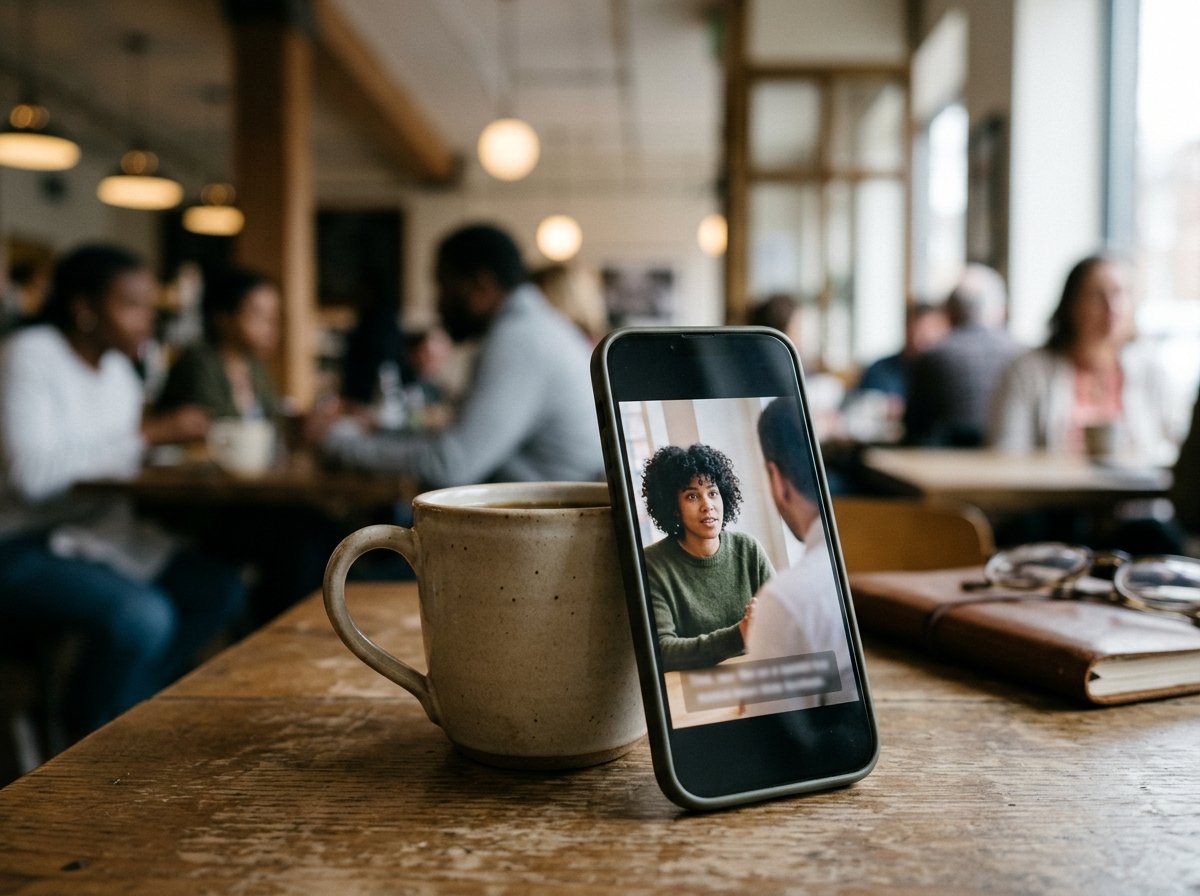
Caption anyone who speaks. Unlike a song, speech carries no meaning at all when it is muted.
What if fifteen people each sent a clip for one person?
The Tribute video editor is a browser-based group video editor: contributors record clips on their phones and Tribute assembles them on a timeline with the music balanced under the voices.
It is ours, and it is the last thing on this page.
- 39 licensed tracks across 11 genres, cleared for use inside the editor
- Your own audio too: a YouTube link, or an MP3, WAV, M4A or FLAC upload
- 25% under a voice, 75% under a photo by default, and overridable per clip
- Crossfade songs blends one track into the next when the video outlasts a song

Best for: A birthday video where one song has to carry fifteen voices recorded in fifteen rooms.
Why it works: The music sits under the voices at a level that was set before you arrived, rather than one you mix clip by clip.
Who assembles the slideshow when the clips are not yours?
Everything above assumes the photos and clips are already on your phone.
Collecting them is the part that takes a week: the chasing, the two people who send a link instead of a file, the one recorded sideways. There is a case where that week does not happen.
The case: one person, and everyone recording for them
You are in it when the clips were never yours to shoot.
A christening. A fiftieth wedding anniversary. A friend emigrating in March, and the people who want to say something are scattered across six cities.
Nobody is posting this to a grid. It is one video, watched once, in a room.
Why the music question settles itself
A shelf of cleared tracks is a smaller problem than an open web.
Once the music lives inside the tool doing the assembly, there is no license to check and nothing to mute. The Tribute video editor ships 39 of them and drops the level under every voice without being asked.

What you do not have to do
- Not the chasing. Each person records from one link, wherever they are.
- Not the balance. The track drops under every voice without being asked.
- Not the reorder. The clips are numbered and in sequence before you look.
- Not the edit. On a Concierge Tribute, Tribute's own editors cut it and send the finished video back.
When this is the wrong answer: the post is going on a grid, you shot the footage yourself, or the song is the whole point. Then stay in the Reels editor.
A DIY Tribute has no aspect ratio switcher, so there it does not cut one video into three social shapes, and the editor lives inside a paid Tribute.
On a Concierge or Concierge Deluxe Tribute, Eve reframes the video to 9:16 or another aspect ratio and repositions each clip inside the frame.

The wider job is covered in making a video montage.
Frequently Asked Questions
Why did Instagram mute my video?
A rights holder flagged the audio, or the track is not licensed in the viewer's country. Once a reel is muted you can replace the music, which is not possible while it still has sound.
Can I add music to an Instagram post with photos and videos together?
Not as a carousel. Music is offered on photo-only sets, so either split the post in two or build the whole thing as a reel.
How do I get music from an Instagram video?
Tap the audio name on the post to open that track's page, then save it to use in your own reel. Pulling the file out to use elsewhere is a different thing and the license does not cover it.
What length should the music be?
As long as the video, and no longer. A song that fades mid-sentence reads as a mistake, so trim the audio to the last frame rather than the last chorus.
Does an Instagram video maker with music exist on desktop?
Clipchamp and CapCut both run on a computer and both ship cleared libraries. Neither gives you Instagram's own catalog, which is the one thing a browser tool cannot supply.
How many photos fit in a slideshow at four seconds each?
About fifteen in a minute. Past ninety seconds the watch-through drops off a cliff, so cull before you score rather than after.
Should the clips be upright?
Yes, 1080 by 1920 for reels and stories. Export in the shape you will post in, because cropping a wide video down to upright throws away half the frame.
👉 Have the music chosen, cleared and balanced for you if this is for one person rather than for a feed, and no platform decides whether it plays.
