
How to Add Captions to Video (and Fix the Words It Gets Wrong)
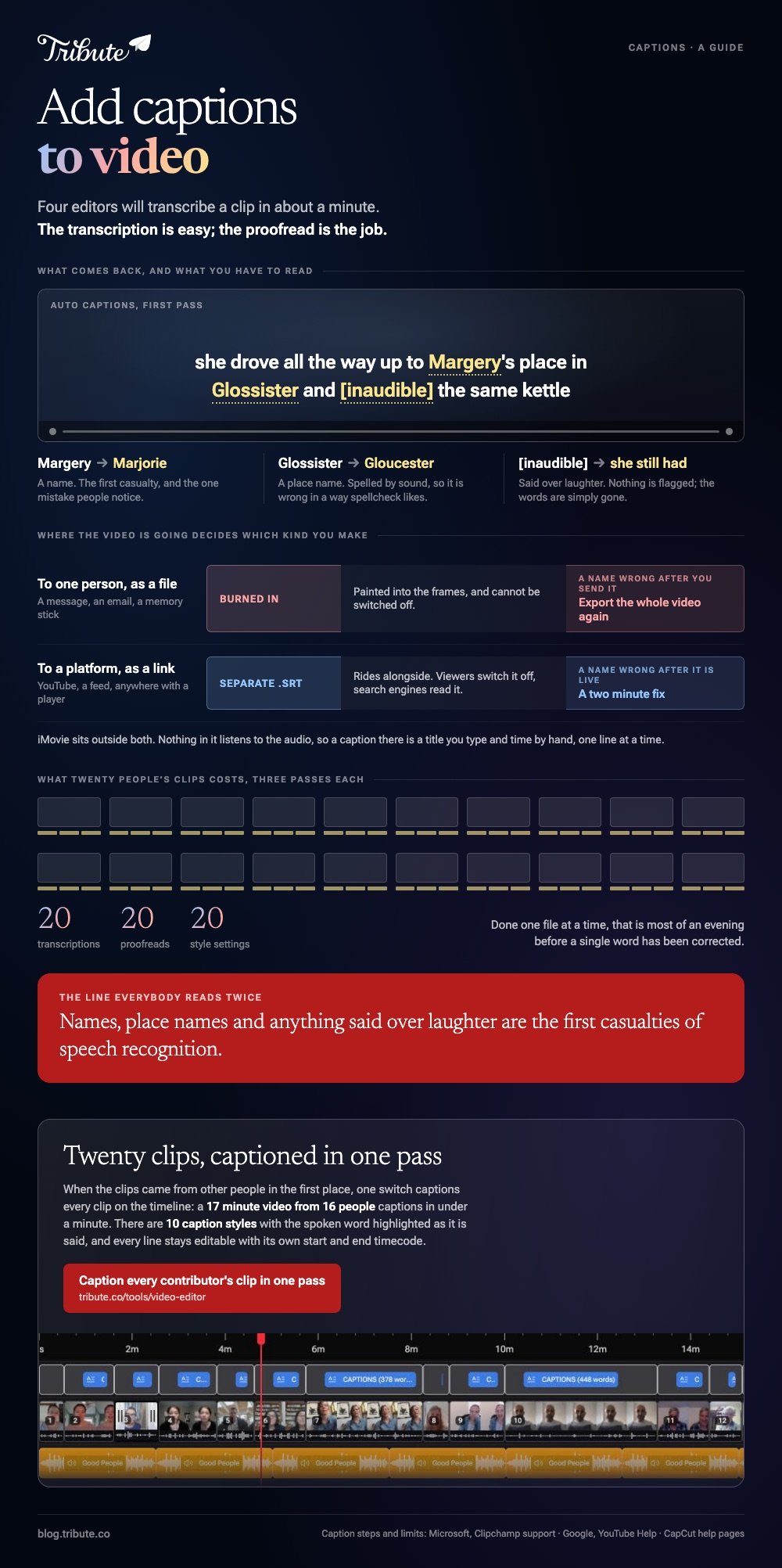
To add captions to video, open the clip in an editor with speech recognition, let it transcribe, then read every line back against what was said. CapCut, Clipchamp, Canva and YouTube Studio all caption in a minute, and all need correcting. The transcription is easy; the proofread is the job.

What is the difference between captions and subtitles?
Captions carry everything you would hear, so a line of speech plus the sound cues around it, written as [applause] or [door closes]. Subtitles assume you can hear and only carry the words, which is why the term is used for translation.
In practice the two words have blurred, and most editors label the same feature either way.
The split that matters more is burned in against separate. Burned-in captions are painted into the picture and cannot be turned off, which is what you want for a video sent to one family.
A separate file, most often an .SRT, rides alongside the video and the viewer can switch it off, which is what platforms prefer.
Both get called captions for videos, and both are worth having: a phone in a quiet hospital corridor or a loud kitchen is the normal viewing case, not the exception.
How do you add captions to video on a phone?
CapCut runs the whole job on the handset.
- Import your video into a new project.
- Tap Captions in the bottom menu.
- Choose Auto Captions, confirm the language, then tap Generate.
- Tap any subtitle box to edit its text, its timing or how it looks.
- Export, and check the burned-in result before you send it.
The desktop and web versions follow the same path from a Captions panel on the left, where you also pick which audio track to transcribe.
CapCut's own help pages note that advanced pieces such as speaker separation or .SRT export depend on the platform and version you are on.
Best for: A clip that was shot on a phone and is going back out from the same phone.
Why it works: Editing a line and seeing it on the picture in the same tap keeps the proofread honest.
How do you add captions in a browser?
Microsoft Clipchamp keeps captions beside the preview rather than inside the timeline.
- Add your file from My media and drag it onto the timeline.
- Turn on autocaptions from the captions icon in the video preview, or from the captions tab in the property panel.
- Choose the transcription language, decide whether to filter offensive words, then click the transcribe media button.
- Read the transcript that appears in the captions tab. Each line carries a timestamp, and you fix a word by double-clicking it.
- Click the download captions button if you want the .SRT file as well as the burned-in version.
Microsoft's guide to using autocaptions in Clipchamp sets out two limits worth planning around: one transcription language per video, and the feature only works on assets that contain a voice.
Canva takes a different route to the same place, with Captions under Dynamic text in the Text panel, a style pack to pick, and a Generate captions button.
Best for: A laptop with nothing installed, or a work machine that blocks downloads.
Why it works: The editable transcript sits next to the video, so you read and fix in one pass.

How do you add subtitles to video on YouTube?
If the video is going to YouTube, do the captions there and skip the burn-in. YouTube publishes automatic captions on its own, and you can replace them with your own text.
- Sign in to YouTube Studio and choose Subtitles in the left menu.
- Select the video, click ADD LANGUAGE, and pick your language.
- Under Subtitles, click ADD.
- Pick Type manually to play the video and type as you go, Auto-sync to paste a transcript and let YouTube time it, or Upload file for an .SRT you already have.
- Click PUBLISH.
Google's page on adding your own subtitles and captions advises against Auto-sync for videos over an hour or with poor audio, and asks you to mark sound cues such as [applause] so viewers know what is happening off screen.
Compared to text burned into the picture, a subtitle file stays editable after the video is live, so a name you got wrong is a two minute fix.
Best for: A long video with a link you will send to a lot of people.
Why it works: Viewers can switch the text off, and the words become searchable inside the video.
Why is iMovie missing from this list?
Because it has no caption tool. Apple's iMovie guides cover titles: you tap a clip, tap the Titles button, choose a style and type your text into the viewer.
Nothing in iMovie listens to the audio, so a caption there is a title you type and time by hand, one line at a time.
That is fine for a ten second clip and painful for a ten minute one. Generate the text somewhere with speech recognition and bring it back, or caption the video in the tool you edited it in.
What if the video is built from twenty people's clips?
Then captioning is a volume problem. Twenty clips means twenty transcriptions, twenty proofreads and twenty style settings, and doing that one file at a time is most of an evening.
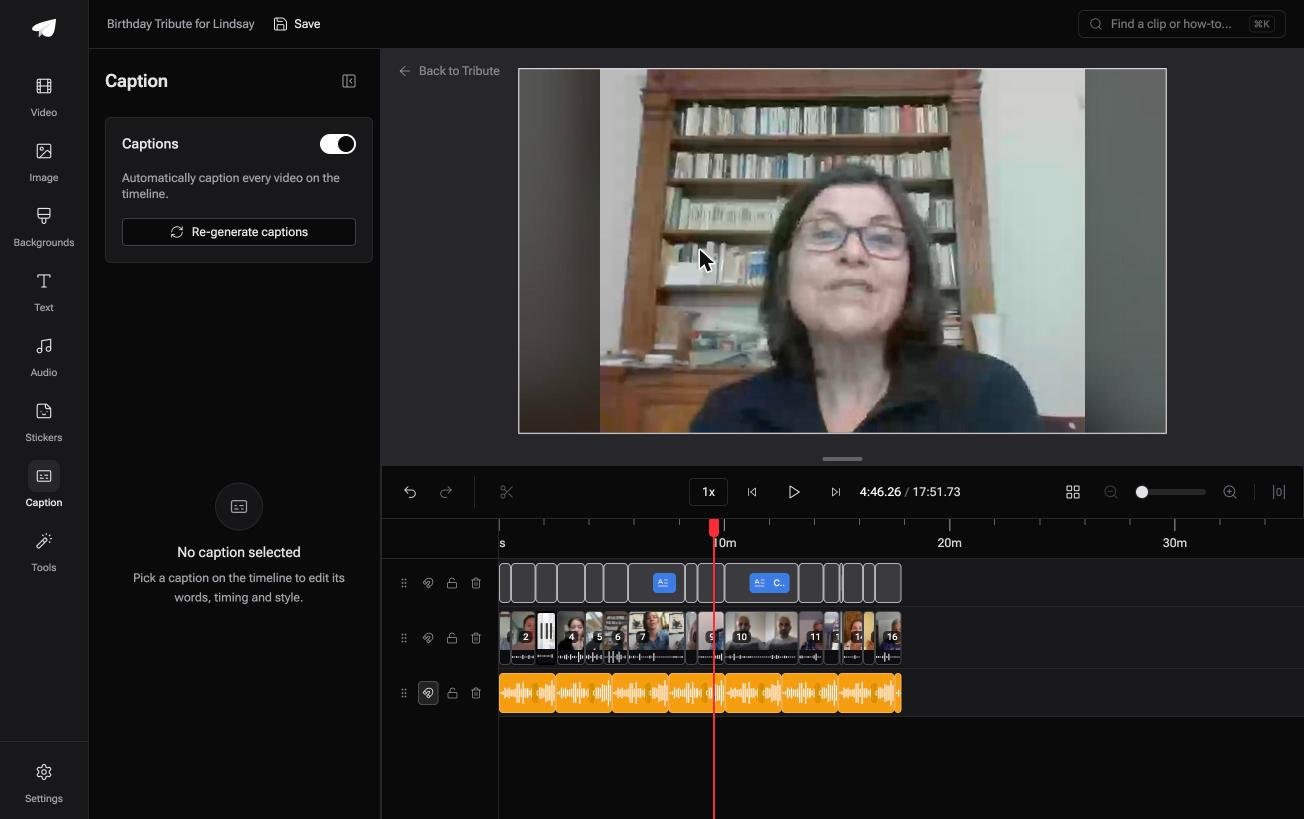
The Tribute video editor is a browser-based group video editor: contributors record clips on their phones and Tribute assembles them on a timeline with the music balanced under the voices.
One switch captions every clip on the timeline, and a 17 minute video from 16 people captions in under a minute.
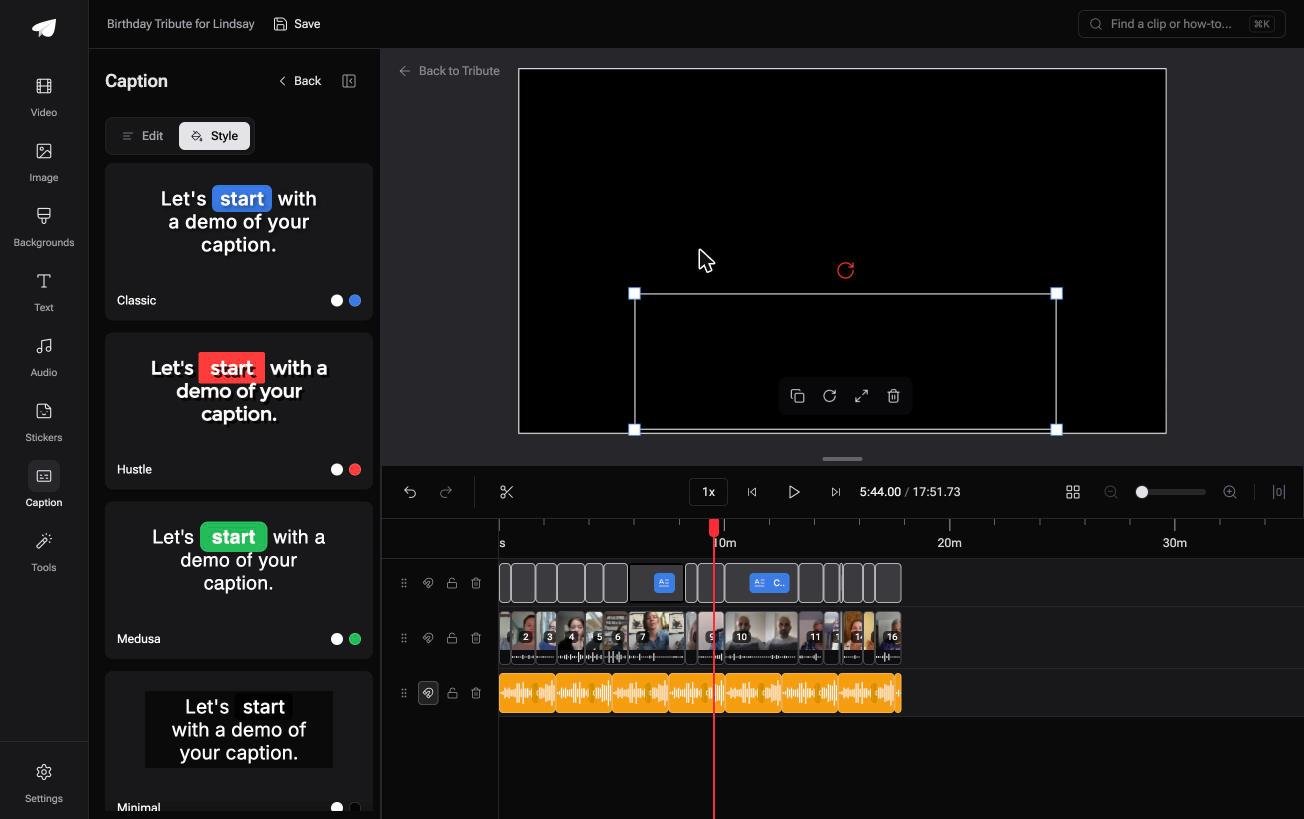
There are 10 caption styles with the spoken word highlighted as it is said, and every line stays editable with its own start and end timecode.
It will not caption a file from your camera roll. It lives inside a paid Tribute, so this is the answer only when the clips came from other people in the first place.
Best for: Sixteen clips recorded in sixteen rooms that all need captions in one pass.
Why it works: Unlike captioning clip by clip, one pass covers the whole timeline and leaves each line editable.
More on that case in how a group video maker handles thirty phones, and on the whole edit in making a video montage.
Where should captions sit on the screen?
Low and central, inside the safe area, about a tenth of the frame height up from the bottom edge. Feeds and players put their own buttons across the bottom strip, and a caption under them is a caption nobody reads.
Keep each line to one or two rows of large type with a solid or shadowed backing, because white text on a white wall disappears.
Two short lines beat one long one, and a line should stay up long enough to read twice at a glance.
Captions in videos also carry people who can hear well enough but not here.
Around 15% of American adults report some trouble hearing, or about 37.5 million people, according to the NIDCD hearing statistics, and that is before you count anyone watching with the sound off.

Text lands best on a video that is already the right length and the right volume: see adding music under the voices, the iPhone version of that job, and making a slideshow from photos and clips.
Frequently Asked Questions
How do I add a caption to a video for free?
CapCut, Clipchamp and Canva all generate captions on a free plan, and YouTube captions your upload on its own. Check whether the free tier lets you download the .SRT file, since that is often the part that is held back.
Are auto captions accurate enough to publish?
Not without a read-through. Names, place names and anything said over laughter are the first casualties, and a wrong name in a tribute video is the one mistake people notice.
Should captions be burned in or a separate file?
Burn them in for a video you send to a person, since they travel with the file. Use a separate file for anything uploaded to a platform, so viewers can switch the text off and search engines can read it.
Can I caption a video in another language?
Yes. Most editors transcribe the spoken language first, then translate the result, and Clipchamp allows one transcription language per video. Have a speaker check the translation before you send it.
What file format are subtitles?
Almost always .SRT, a plain text file of numbered lines with start and end times. Any editor or player will take one, and you can open it in a text editor to fix a name.
How long should a caption line stay on screen?
About one second for every three words, with a minimum of a second. Lines that flick past faster than that read as noise, even when every word is right.
👉 Caption every contributor's clip in one pass if you are captioning a video you did not record yourself, and the evening goes on reading names rather than typing them.
