
Canva Video Collage: Putting Several Clips in One Frame
A Canva video collage is built with a grid: open a video design, drop a grid from Elements, drag one clip into each cell, then trim the clips so they end together. Export with Share > Download > MP4 Video.

What is a video collage in Canva, and what is it not?
Two different jobs share the name, and Canva handles them in two different places.
| What you mean | What to use | Where it lives |
|---|---|---|
| Clips side by side in one frame | A grid or a frame | Elements tab |
| Clips one after another | Pages on a timeline | The page strip at the bottom |
| Photos with a song under them | A slideshow | Elements, plus the Audio tab |
Most people searching for a canva collage video want the first one: four faces on screen at once, the way a video call looks. The rest of this page builds that, then covers the sequential version in a line.
Grids or frames?
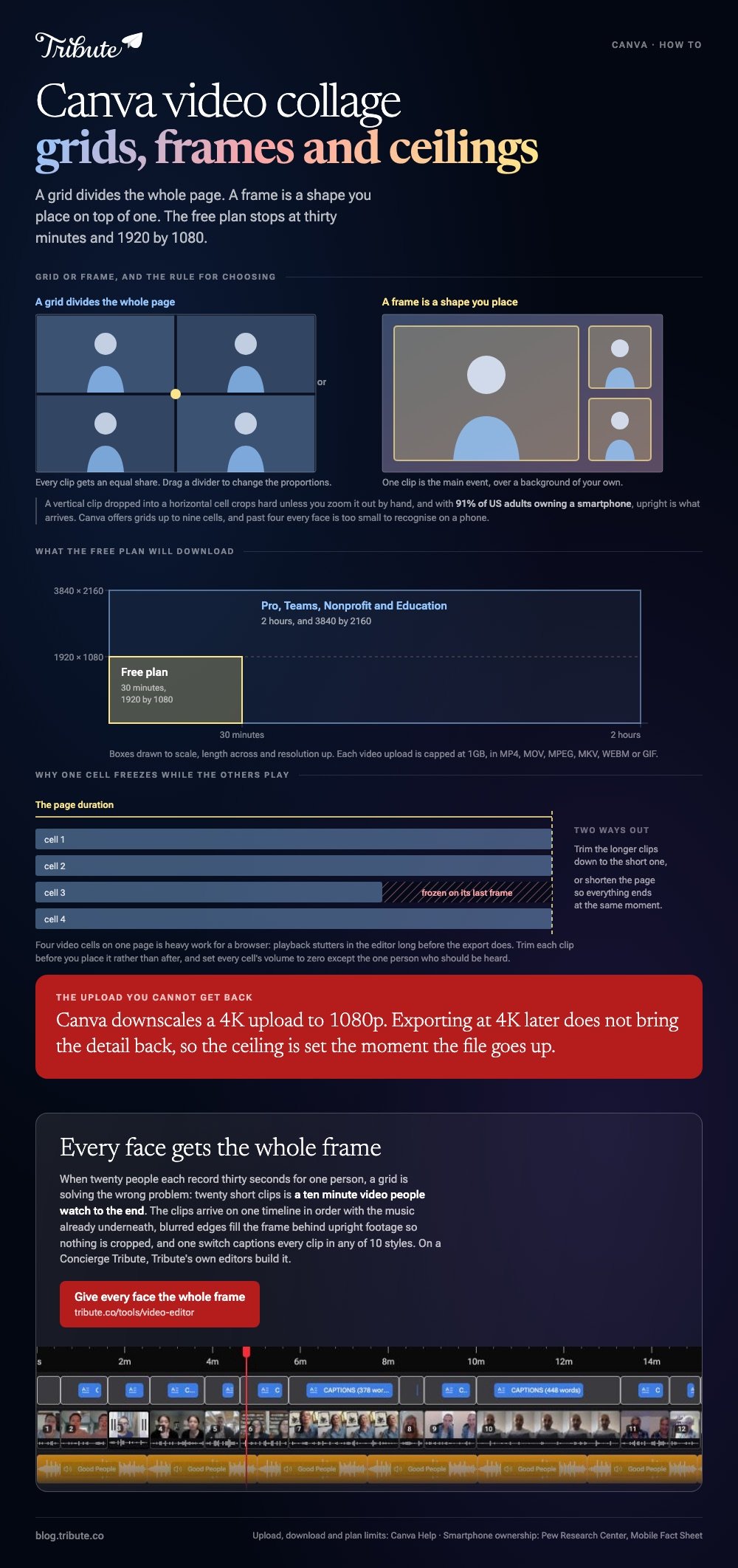
Grids divide the whole page. Compared to a grid, a frame is a shape you place where you like, over a background of your own.
Use a grid when every clip should get an equal share of the screen. Use a frame when one clip is the main event and two small ones sit in a corner.
How do you build a Canva video collage step by step?
Eight steps, and the clips go in last.
- Open canva.com and create a design at Video size, 1920 by 1080. Or search the template gallery for a video collage layout and start from that.
- Open the Elements tab and scroll to Grids. Pick a layout with as many cells as you have clips.
- Click the grid to place it. It fills the page.
- Open Uploads and add your clips. Canva accepts MP4, MOV, MPEG, MKV, WEBM and GIF, and caps each video upload at 1GB.
- Drag a clip onto a cell. It snaps in and crops to fill the space.
- Double-click a cell to reposition or zoom the clip inside it. Drag the dividers between cells to change the proportions.
- Trim each clip: click it, then drag the handles on the strip at the bottom. Right-click and choose Split to cut one in two.
- Click Share, then Download, then MP4 Video.

Why does the audio sound like a crowd?
Because all four clips are playing their own sound.
Click each clip, open the volume control, and set every one to zero except the one person who should be heard. A grid plays every cell at once, which is the single thing that ruins a first attempt.
Then set the page length so the cells finish together. A cell that runs out early freezes on its last frame while the others keep moving.
How do you add music to a video collage in Canva?
Through the Audio tab, after the clips are placed.
- Click Elements, then Audio, and browse the library by mood.
- Click a track to drop it under the whole page.
- Click the audio bar and drag its ends to trim, or use the volume control to pull it under any speech.
- Use the fade controls so the song does not stop dead at the end.
Canva's own tracks are cleared for use in Canva designs. Unlike a song from your library, they carry no copyright risk when the video is posted in public.
For the photo version of this, see making a picture collage with music and building a slideshow in Canva.
What are the limits of a Canva video collage?
Length, resolution and the number of moving parts.
On the free plan Canva downloads MP4 videos up to 30 minutes long at a maximum of 1920 by 1080. Pro, Teams, Nonprofit and Education accounts go to 2 hours and 3840 by 2160.
Resolution has a second catch. Canva downscales a 4K upload to 1080p, so exporting at 4K later does not bring the detail back.
The limit nobody mentions
Four video cells on one page is heavy work for a browser.
Playback stutters in the editor long before the export does, and the export itself takes minutes rather than seconds. Trim each clip before you place it rather than after.
The phone footage arrives upright more often than not. Pew Research Center puts US adult smartphone ownership at 91% in its 2026 survey, and a vertical clip in a horizontal cell gets cropped hard unless you zoom it out by hand.
Other browser tools are compared in video collage makers and video montage makers.
What if the clips came from a dozen different people?
The Tribute video editor is a browser-based group video editor: contributors record clips on their phones and Tribute assembles them on a timeline with the music balanced under the voices.
It is ours, and it is the last thing on this page.
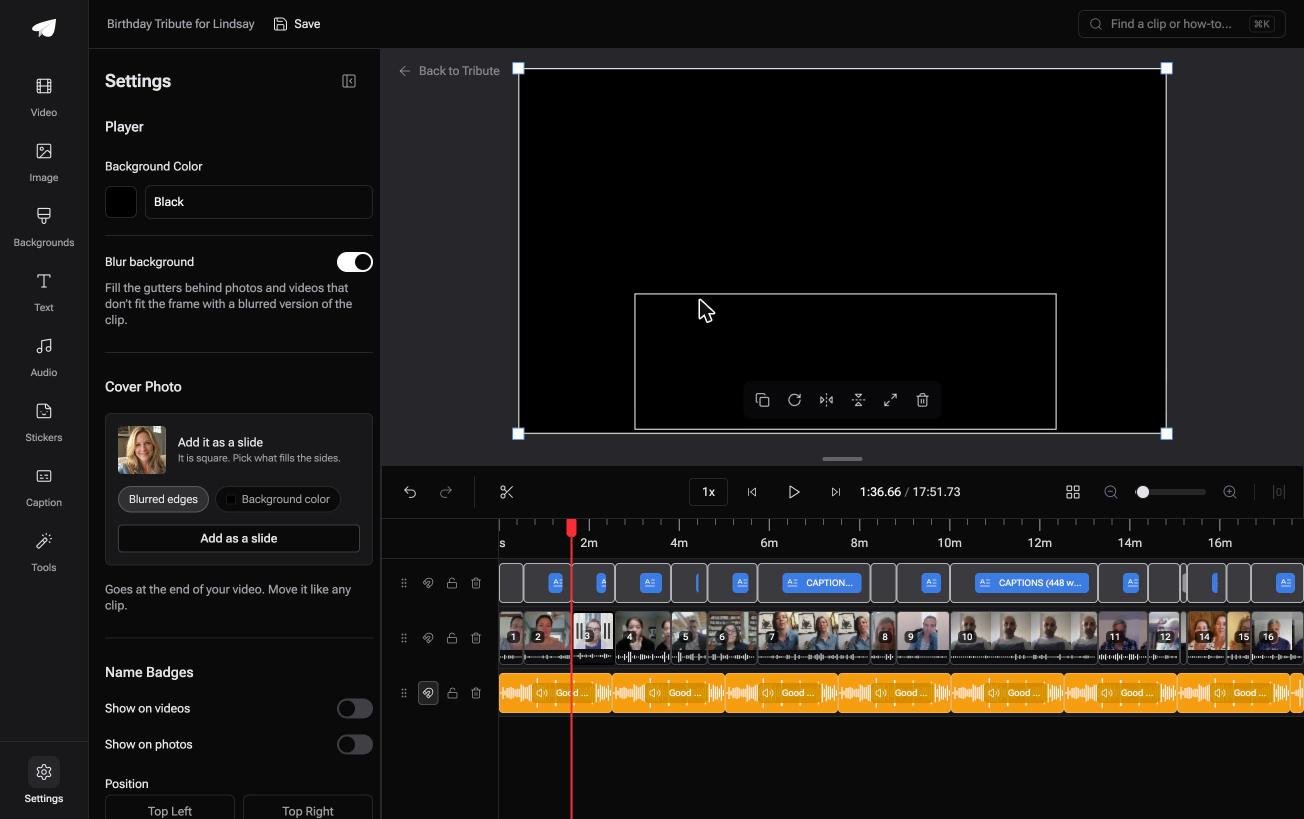
- Blurred edges fill the frame behind an upright phone clip, on by default, so nothing gets cropped and nothing sits in black bars
- Clips arrive in order on one timeline, with a tick beside each one already placed
- Music at 25% under speech and 75% under photographs, set per clip, so no two voices fight
- Name badges from an uploader name and relation, in any of four corners, dark or light
Best for: More people than one frame can hold at a size anyone can read.
Why it works: Upright phone footage is the normal case rather than the problem case.
Can you skip the collage question altogether?
A collage exists because you are short of screen time.
Fifteen people sent clips, the video would run twenty minutes end to end, so you put four of them on screen at once to get it down to five. That is a reasonable trade, and it costs you every face being small.
There is one case where the trade does not come up.
The case: short messages, one person, one video
You are in it when each clip is somebody speaking to one person rather than footage of an event.
Thirty seconds each, twenty people, a grandmother turning eighty. Nobody needs four of those running at once: they need to be heard one at a time, and your job is order, not layout.
Why the grid stops being the answer
A short clip per person already solves the length problem.
Twenty clips of thirty seconds is a ten minute video, which people watch to the end when it is about somebody they know. The Tribute video editor lays them out in arrival order with the music already underneath, so the work is trimming rather than arranging cells.

What you do not have to do
- Chase twenty people for files. One link, and each clip uploads from the phone that recorded it.
- Lay out a grid. The clips play one at a time, in order, each with the whole frame.
- Caption by hand. One switch captions every clip, in any of 10 styles.
- Make the video, on a Concierge Tribute. Tribute's editors build it, and Concierge Deluxe returns it as a video book.

When this is the wrong answer: you want four clips visible at once, or the video is for a brand rather than a person. Then the Canva grid is the right tool.
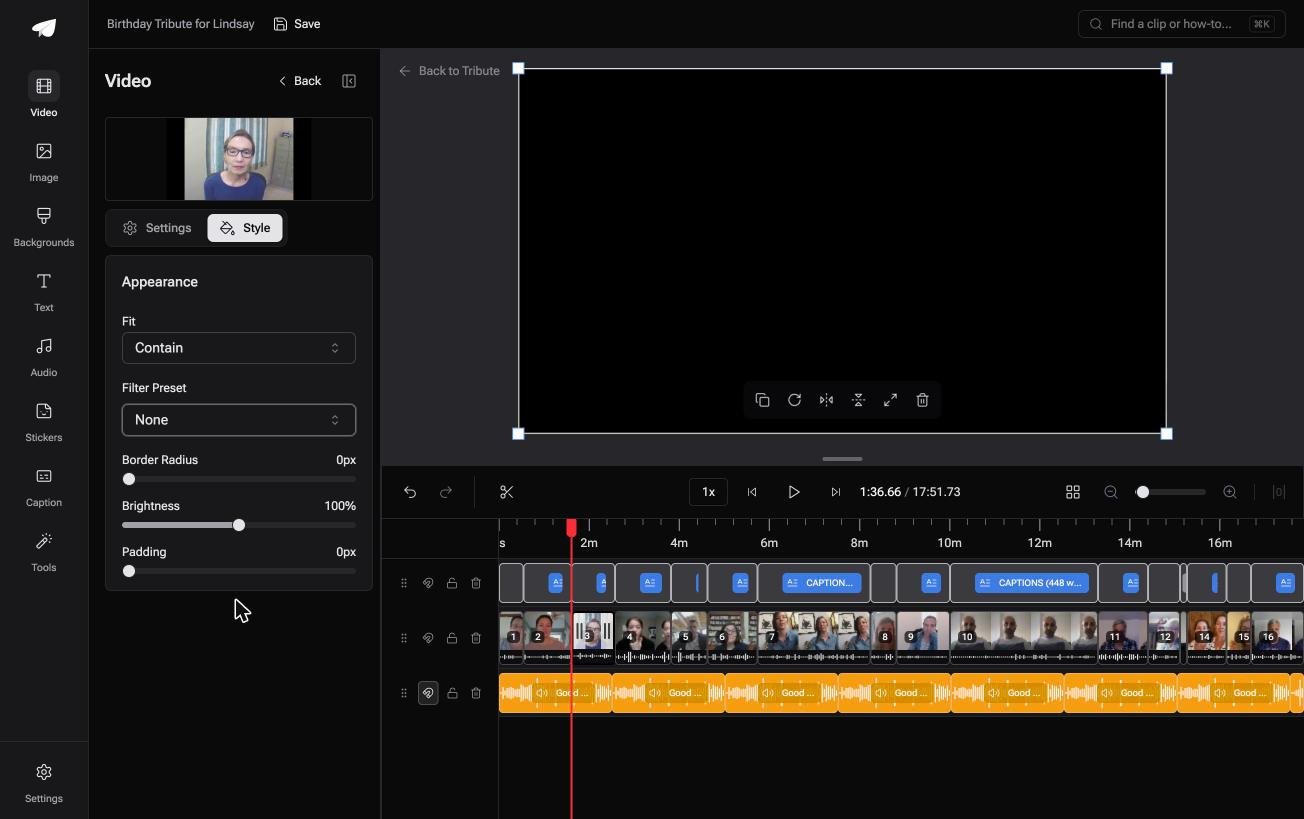
The Tribute editor is also not a standalone app: it lives inside a paid Tribute.
Frequently Asked Questions
Is the Canva video collage maker free to use?
Yes, on the free plan, with a 30 minute download limit and a 1920 by 1080 ceiling. Grids, frames and the basic audio library are included; some templates and tracks are marked for Pro.
How many clips can go in one grid?
Canva offers grids up to nine cells, and three or four is where it stops being readable. Past four, every face is too small to recognize on a phone screen.
Can you make a vertical video collage for Instagram or TikTok?
Yes. Start the design at 1080 by 1920 rather than 1920 by 1080, then place the grid as usual. Changing size later is a Pro feature, so pick the shape before you build.
Why is one cell frozen while the others play?
That clip is shorter than the page. Either trim the longer clips to match it, or shorten the page duration so everything ends at the same moment.
Can you put photos and video in the same collage?
Yes. A grid cell takes either, so a photo in one cell and a clip in another works. The photo holds still unless you add an animation to it.
How do you remove the Canva watermark from a video collage?
Watermarks come from Pro elements, not from the free plan itself. Swap any element marked with a crown for a standard one, or pay for that single element at checkout.
👉 Give every face the whole frame instead of a quarter of one if twenty people are each recording for one person, and no grid has to be designed.
