
Crop Video on Instagram: What the App Lets You Change
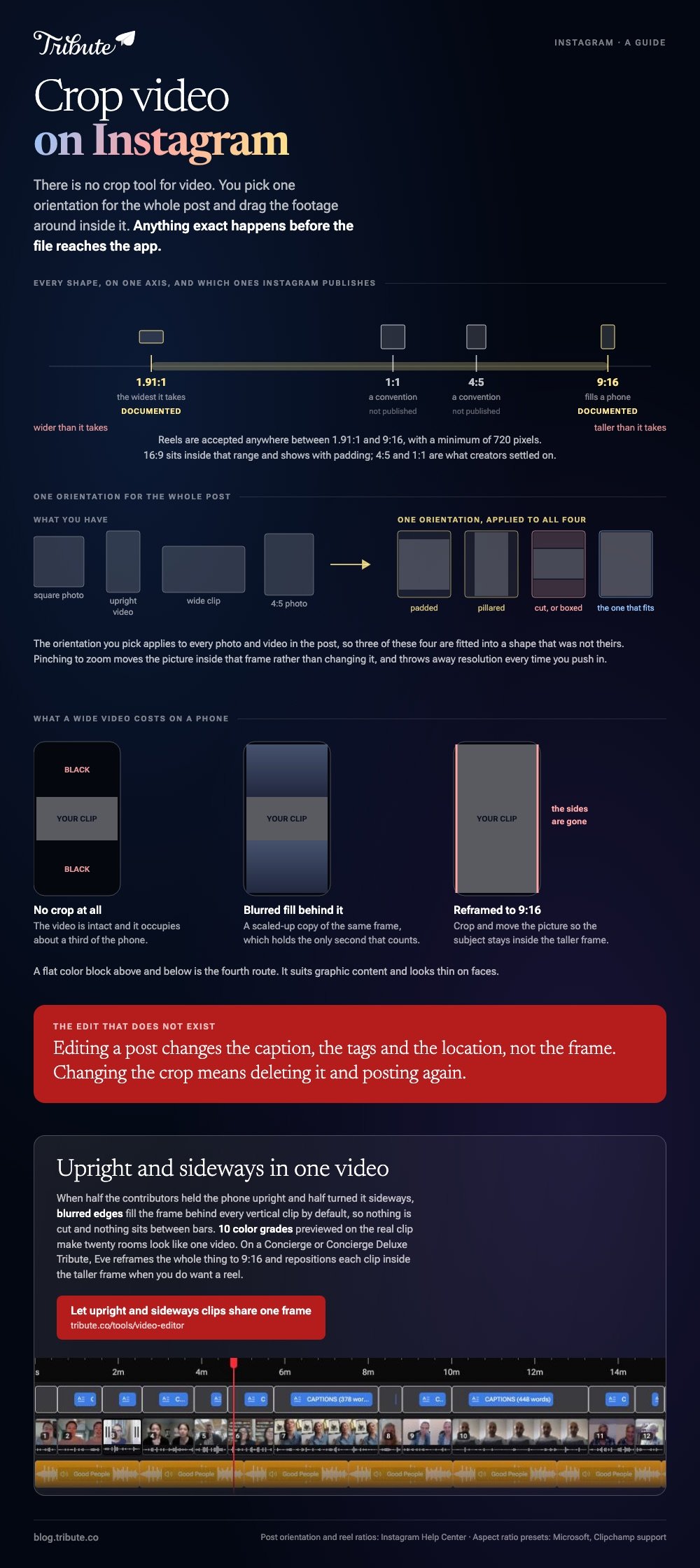
Instagram has no crop tool for video. At upload you pick one orientation for the whole post and drag the footage around inside that frame. Anything more exact has to be done before the file reaches the app.
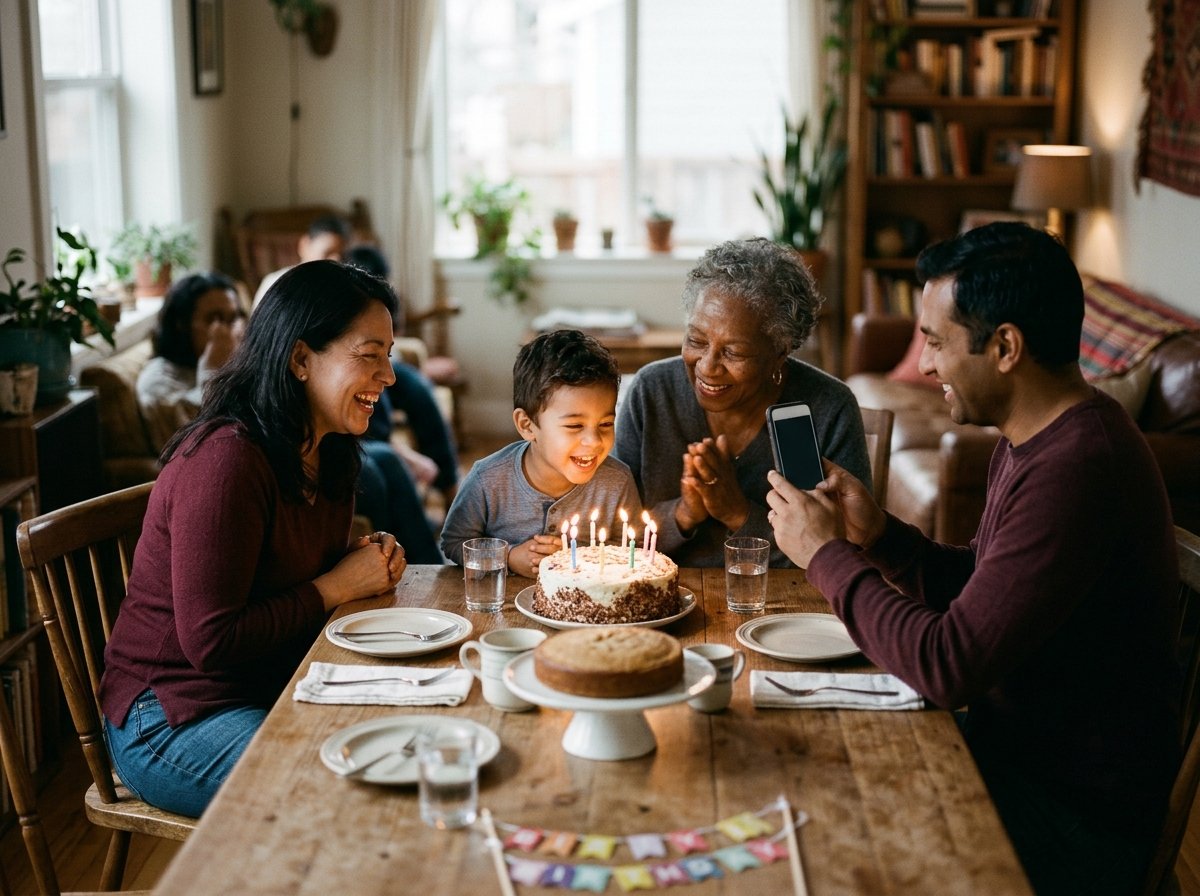
Can you crop video on Instagram inside the app?
Only by moving the video within the frame you chose.
Instagram's help page on posting says the orientation you pick applies to every photo and video in that post, and that you adjust each item by tapping it and moving it inside the frame.
Two consequences follow, and both catch people out:
- You cannot mix orientations in one post. A square photo and an upright video have to share a shape
- You cannot recrop after posting. There is no edit that changes the frame, so the fix is delete and repost
Pinching to zoom moves the picture inside the frame rather than changing the frame. Unlike a crop in an editor, it keeps the frame and throws away resolution each time you push in.
Which Instagram video crop sizes matter?
One shape is documented and the rest are conventions.
Instagram's help page on reel size and aspect ratios states the range it accepts for reels: anywhere between 1.91:1 and 9:16, with a minimum of 720 pixels.
| Where it lands | Shape | Note |
|---|---|---|
| Reel, full screen | 9:16 | Inside the documented range and the only one that fills a phone |
| Story | 9:16 | Same upright shape, same reason |
| Feed, upright | 4:5 | A convention, not a published spec. The tallest the feed shows |
| Feed, square | 1:1 | A convention. Safe when the same clip goes several places |
Instagram does not publish feed pixel ratios on that page, so treat 4:5 and 1:1 as what creators have settled on rather than a rule the app enforces. The grid crops a thumbnail of its own either way.
Shoot upright when the video is for a reel and the subject is a person. Shoot wide when it has to live on a television too, and accept that the reel version will be a crop.
How do you crop video on Instagram before you upload?
Set the shape in an editor, so Instagram receives a file that already fits.
Microsoft's page on changing the aspect ratio of a video in Clipchamp lists seven presets, and three of them are the ones here.
- Open the project and click the size button on the floating toolbar above the stage.
- Hover over each preset to preview it. The list runs Widescreen 16:9, Portrait 9:16, Square 1:1, Classic 4:3, Social 4:5, Vertical 2:3 and Cinematic 21:9.
- Click Portrait 9:16 for a reel, or Social 4:5 for the feed.
- Select the clip on the timeline and click the fill button on the floating toolbar inside the stage, which crops the picture to the new frame.
- Drag the video in the stage to choose which part survives the crop, then export.
If you want the borders back, the fit button on the same toolbar restores them. Microsoft is plain that a mismatch between the clip and the frame produces black bars.
Doing one file in a browser without a project is covered in cropping video online and the same job in one pass.
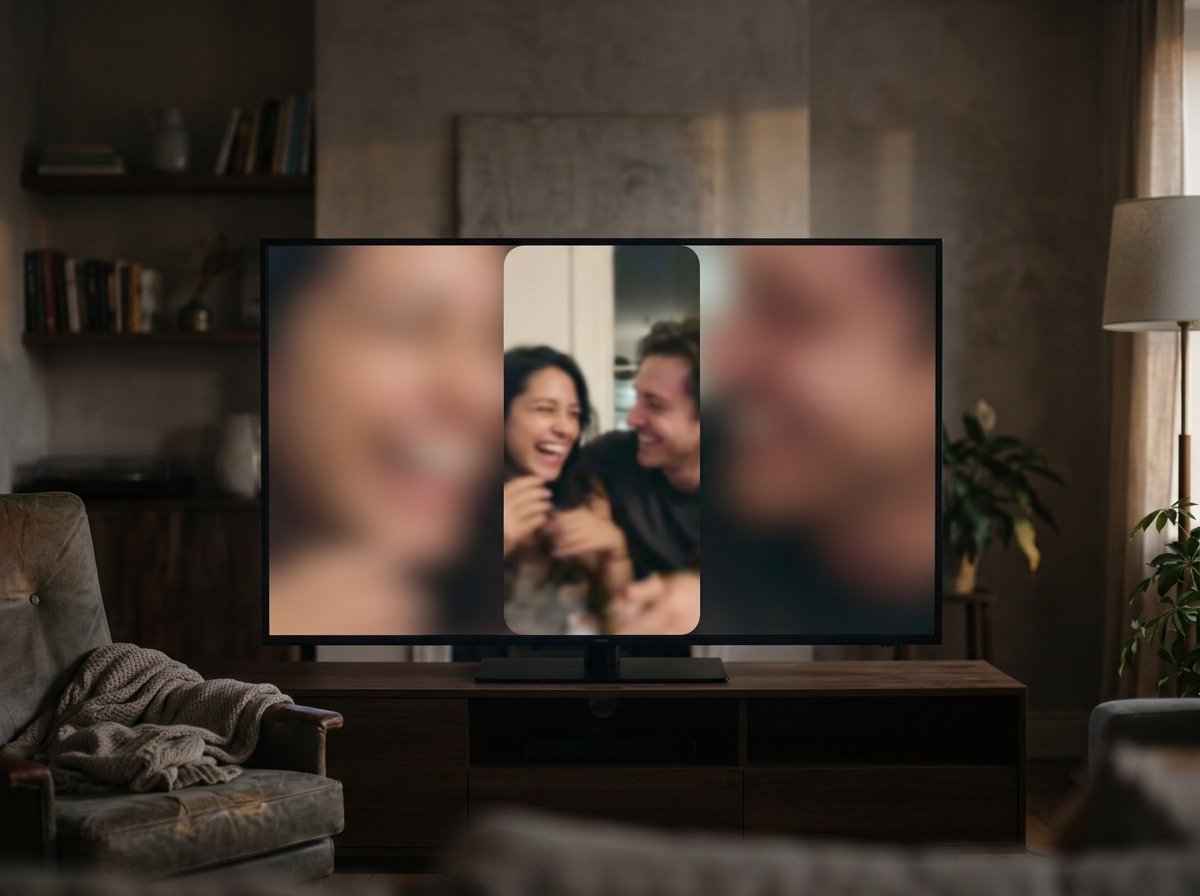
What does a no crop video for Instagram cost you?
Screen space, and a bar of empty color on two sides.
Posting a wide video to a reel without cropping leaves black above and below it. The video is intact and it occupies about a third of the phone, which is the trade people are making without noticing.
Three ways to keep the whole frame and still fill the screen:
- Blurred fill. A soft, scaled-up copy of the same frame behind the video, which reads as a design choice rather than a gap
- A color block. Flat background above and below, which suits graphic content and looks thin on faces
- Reframe the shot. Crop to 9:16 and move the picture so the subject stays in it
Compared with a letterboxed upload, blurred fill holds attention for the first second, which is the only second that decides whether anyone watches the rest.
Cropping the same footage in a desktop editor is in cropping video in Premiere Pro.
What if nobody agreed on how to hold the phone?
Then half are upright and half are sideways, and no single crop serves both.
The Tribute video editor is a browser-based group video editor: contributors record clips on their phones and Tribute assembles them on a timeline with the music balanced under the voices.
It is ours, and it is the last thing on this page.
- Blurred edges fill the frame behind upright footage, on by default, so a vertical clip needs no bars and no crop
- Per clip settings for the uploader's name, the music level and whether the blur is on
- Clips arrive in order on the timeline, with a tick against the ones already placed
- 10 color grades previewed on the real clip, so twenty rooms end up looking like one video

Best for: A video made for one person to watch on a sofa rather than for a feed.
Why it works: The mixed-orientation problem is settled in one switch rather than clip by clip.
Who decides the shape when the video is not for a feed?
Where the video gets posted has decided every choice on this page.
You picked a shape because Instagram shows that shape, and then you cut your footage to suit it. There is a kind of video nobody posts at all.
The case: one viewer, not an audience
That case arrives when several people each record a message for the same person.
A grandmother turning eighty. A manager leaving after fifteen years. A memorial where the people who should speak are spread across four time zones.
It is watched once, on a laptop in a living room, by people sitting together. No feed, no grid, no thumbnail.

Why the crop question goes quiet
Because nothing is competing for attention in a scroll.
An upright clip can keep its full frame with soft fill beside it, and a sideways clip can stay wide, in the same video, without either being cut.
The Tribute video editor does that by default. Unlike a feed, the destination here is one screen rather than nine platforms, so nothing has to be trimmed to a house style.
What you do not have to do
- No cropping. Blurred edges fill the frame behind every upright clip.
- No look per clip. One color grade and one background cover the whole video.
- No trimming or ordering. On a Concierge Tribute, Eve does both across the timeline when you ask in words.
- No edit of your own. Tribute's editors build the video on that same tier.
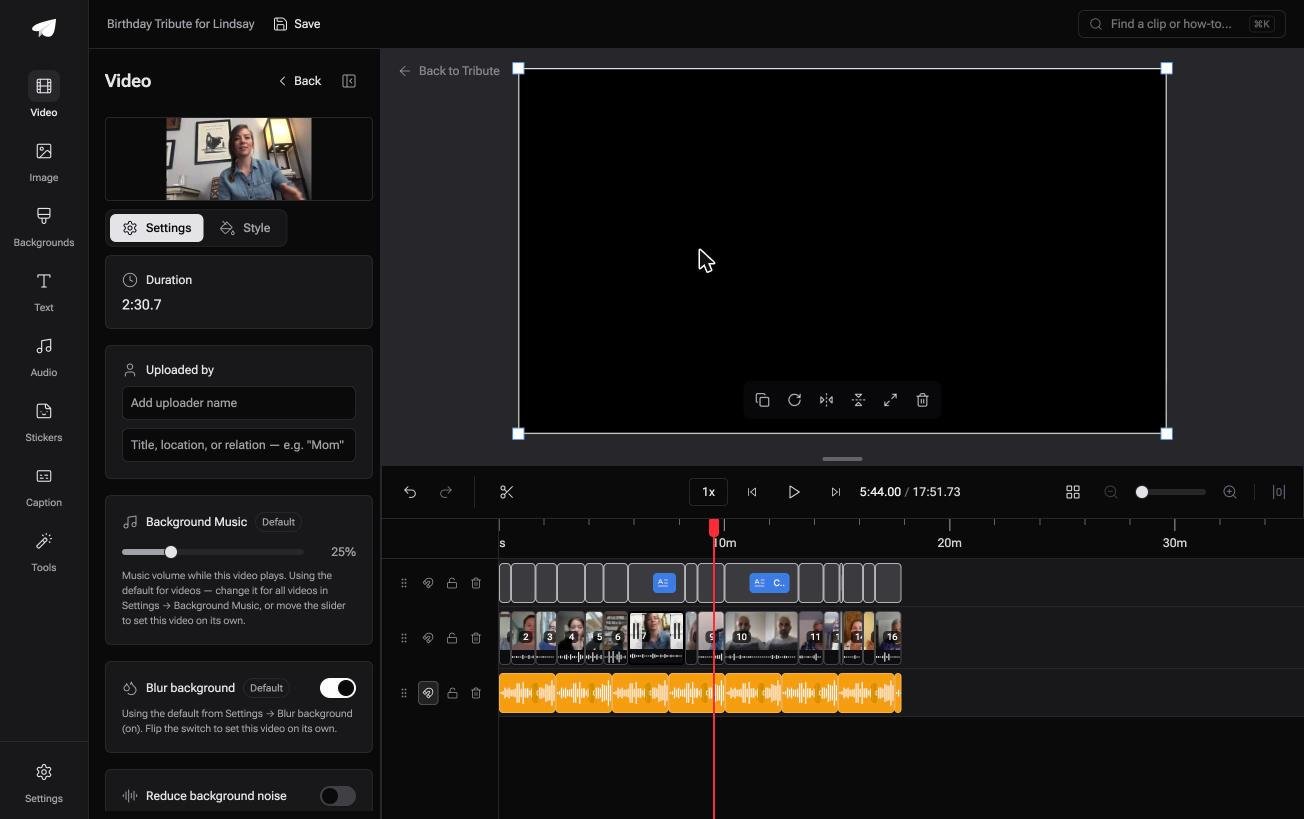
When this is the wrong answer: you need a 9:16 file for a reel. A DIY Tribute has no aspect ratio switcher and no crop control, so crop in Clipchamp or your own editor and post from there.
On a Concierge or Concierge Deluxe Tribute, Eve, the AI assistant in the editor, reframes the video to 9:16 and repositions each clip inside the taller frame. Ask for the shape and the reel version comes out of the same timeline.
The editor also lives inside a paid Tribute rather than standing on its own. For the wider job see making a video montage.
Frequently Asked Questions
Can I crop a video after posting it on Instagram?
No. Editing a post changes the caption, the tags and the location, not the frame. To change the crop you delete the post and upload a new file.
What aspect ratio does Instagram accept for reels?
Instagram's help page gives a range between 1.91:1 and 9:16, with a minimum of 720 pixels. Only 9:16 fills a phone screen, and everything else is shown with padding.
Why does Instagram crop my video automatically?
Because the file does not match the orientation you chose for the post. Pick a different orientation at upload, or export the video at the shape you want beforehand.
How do I post a wide video without black bars?
Put something behind it. A blurred copy of the same frame fills the space above and below, and it holds attention better than two black bands.
Can one post mix upright and square clips?
No. Instagram applies one orientation to every item in a post, so each clip is fitted into the same frame whether it suits that shape or not.
Does cropping reduce video quality?
Cropping alone keeps the pixels it keeps. Scaling the cropped picture back up to fill a frame is what softens it, so crop from the highest resolution file you have.
What size should I use if the video goes several places?
Square at 1:1 survives a feed, a grid and a repost better than anything else. Export a separate 9:16 version for the reel rather than making one file do both.
👉 Let upright and sideways clips share one frame if the video is for one person rather than a feed, and nothing has to be cut to fit.
