
InShot Video Collage: The Collage Tool Is for Photos
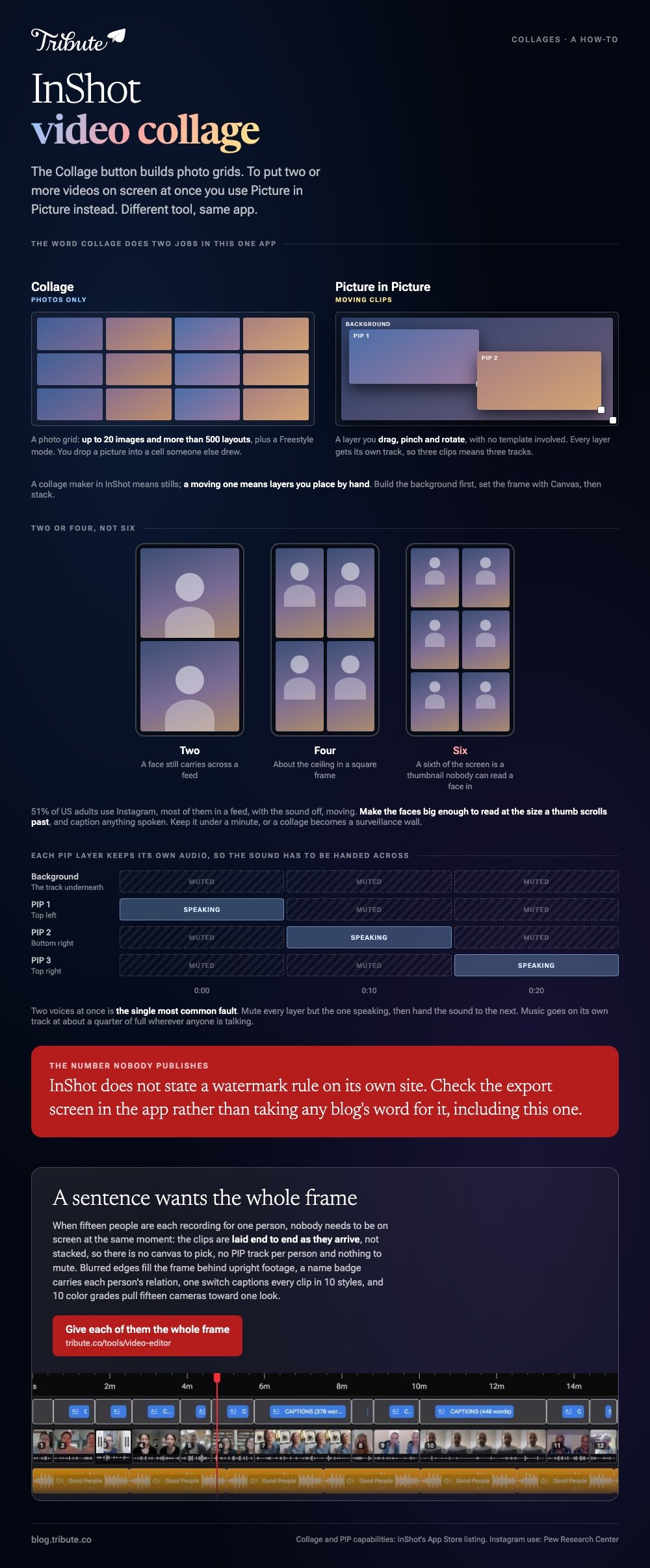
InShot's Collage button builds photo grids. To put two or more videos on screen at once you use Picture in Picture instead, layering each clip over a background. Different tool, same app.

Is the InShot collage maker built for photos or video?
Photos, and the App Store listing says so in plain words.
InShot describes its collage feature on its App Store page as an easy-to-use photo grid collage maker, with up to 20 photos and more than 500 layouts, plus a Freestyle Collage mode for scrapbook arrangements.
The video capability is listed on its own, as Picture-in-Picture: layer multiple videos to create multi-layered videos. Unlike the grid, it hands you a layer you place anywhere rather than a cell, and no template is involved.
So the word collage is doing two jobs. A collage maker in InShot means stills; a moving one means layers you place by hand.
| What you want | Where it lives | What you get |
|---|---|---|
| A grid of photographs | Collage | Up to 20 images, 500+ layouts |
| Two clips playing at once | PIP | Layers you size and place |
| Clips one after another | Video | A single timeline |
How do you make an InShot video collage?
Build a background first, then stack the clips on top of it.
- Open InShot and tap Video, then choose the clip that will sit underneath. A plain color or a still works if nothing should play behind.
- Set the frame shape with Canvas. Square for a grid of two or four, upright for a phone screen.
- Tap PIP and choose the second clip. It arrives as a layer you can drag, pinch and rotate.
- Place it in the half or quarter of the frame it belongs in, then drag its ends on the track below to set when it starts and stops.
- Tap PIP again for each further clip. Every layer gets its own track, so three clips means three tracks.
- Mute the layers you do not want to hear. Two voices at once is the single most common fault.
- Tap the export arrow at the top right and pick a resolution before saving.
Best for: Two to four clips that are better side by side than one after another.
Why it works: Nothing is locked to a template, so a reaction in the corner and a four-way split come out of the same control.
What it costs
The App Store listing prices InShot Pro at $4.99 a month or $19.99 a year, read in October 2026, with a separate $3.99 purchase to remove ads.
InShot does not publish a watermark rule on its own site, so check the export screen in the app rather than taking any blog's word for it.
What goes in each cell, and how long should it run?
Fewer cells than you think, and shorter than you think.

- Two or four, not six. On a phone, a sixth of the screen is a thumbnail nobody can read a face in.
- One voice at a time. Mute every layer but the one speaking, then hand the sound to the next.
- Match the crop, not the footage. Upright clips in a square frame need filling at the sides or they sit in bars.
- Keep it under a minute when the point is everybody at once. Longer and a collage becomes a surveillance wall.
Compared to a straight sequence, a collage trades detail for the feeling that the people are in a room together. That trade is worth making for a chorus, a countdown or a toast, and it works against you when anyone has something to say.
What does an InShot video collage look like on Instagram?
Smaller than it does on your phone while you are making it.
Half of the country is looking at it there: 51% of US adults use Instagram, per the Pew Research Center social media fact sheet, and most of them in a feed, with the sound off, moving.
Two practical results. Put captions on anything spoken, and make the faces big enough to read at the size a thumb scrolls past.
Other routes to the same picture are in video collage makers, online video collage makers and picture collages with music.
What happens when fifteen clips arrive from fifteen phones?
The Tribute video editor is a browser-based group video editor: contributors record clips on their phones and Tribute assembles them on a timeline with the music balanced under the voices.
It is ours, and it is the last thing on this page.
- Clips arrive already in order, with a tick against the ones on the timeline
- Blurred edges fill the frame behind upright phone footage rather than black bars
- Name badges from an uploaded by name and relation, in four corner positions, dark or light
- One switch captions every clip, with 10 caption styles and the spoken word highlighted
- 10 color grades previewed on the real clip, so fifteen cameras can be pulled toward one look
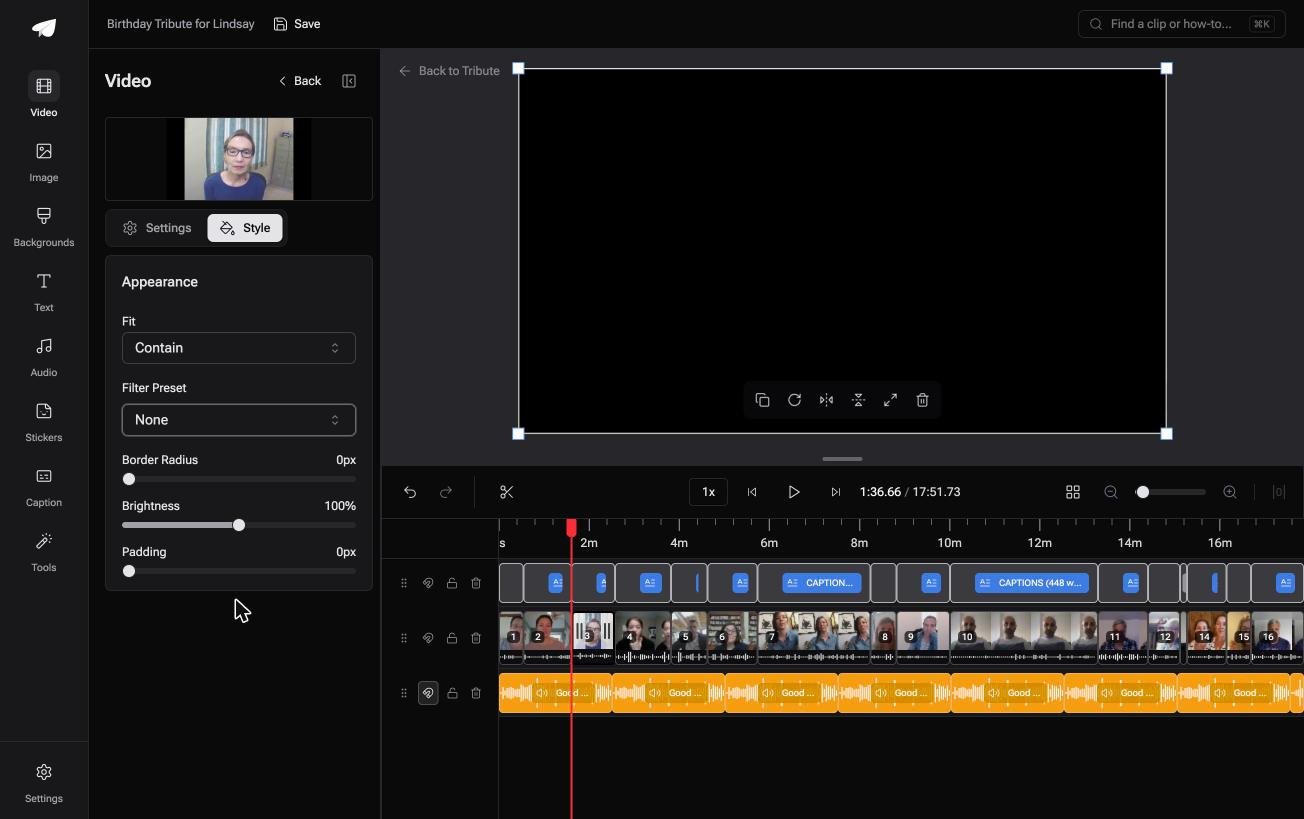
Best for: Not a split screen of two clips, but a dozen people one after another in order.
Why it works: Nobody is placed in a cell by hand, and each person gets the whole frame for the few seconds they speak.
Is a grid the right shape for fifteen people?
A collage is a good answer to a small question.
Four friends, one chorus, ten seconds. It stops working at the point where every face is a postage stamp and two people are talking over each other.
That is the point most group videos start from, not the one they end at.
The case: several people each recorded for one person
You are in it when the clips are messages rather than footage.
A grandmother turning eighty. A colleague leaving after fifteen years. A memorial where the people who should speak are in four states.

Nobody needs them on screen at the same moment. Each person has a sentence, and a sentence wants the whole frame.
Why the layering never comes up
The clips are laid end to end as they arrive, not stacked.
No canvas to pick, no PIP track per person, no muting fourteen layers to hear the fifteenth. Music sits under the voices at 25% and lifts back over the photographs.
That is how the Tribute video editor handles it: not a bigger grid, but the reason a grid stopped being the shape.

What you do not have to do
- Not the collecting. Each person records from one link, wherever they are.
- Not the layering. The clips run end to end and numbered, with nothing to stack.
- Not the captions. One switch writes them, and a badge carries each person's relation.
- Not the edit. On a Concierge Tribute, Tribute's own editors finish it, and it can arrive as a video book, a hardcover case with a screen inside.

When this is the wrong answer: you want four clips playing at once for a ten second post. Then InShot and its PIP layers are the right tool, on the phone the footage is already on.
One limit worth stating: the editor runs in a browser and lives inside a paid Tribute.
The wider craft is in making a video montage.
Frequently Asked Questions
Does InShot have a grid for videos?
No. The grid layouts belong to the photo Collage tool. Moving clips are placed with Picture in Picture, which gives you a layer to size and position rather than a cell to drop into.
How many videos can you layer in InShot?
InShot does not publish a number, and the practical limit on a phone is how many faces stay readable. Four in a square frame is about the ceiling.
Can I use the InShot collage maker with photos and videos together?
Start in Video rather than Collage. A still can sit on the background track and clips can go on PIP layers above it, which gives you a mixed frame the photo grid cannot.
Why do I hear two people talking at once?
Each PIP layer keeps its own audio. Mute every layer except the one that should be heard, and hand the sound across as the clips take turns.
What size should a video collage be for Instagram?
Set Canvas before you place any layer, because changing it afterward moves everything. Square reads well in a feed and upright fills more of the screen.
Is there a video collage maker that is not an app?
Browser tools do it, and the trade is upload time instead of install time. On a phone with the clips already in the camera roll, the app finishes sooner.
Can I add music under an InShot video collage?
Yes, on its own audio track under the layers. Pull it down to about a quarter of full volume wherever anyone is speaking, then lift it back.
👉 Give each of them the whole frame if fifteen people are recording for one person, and nobody has to be shrunk into a cell.
