
Photo Video Maker With Music Online Free: Which Free Tool to Open
Three browser tools turn a folder of photos into a video with music and ask for nothing: Clipchamp, Canva and Google Photos. All three carry cleared tracks, and Clipchamp exports at 1080p with no watermark on the free plan.

Which photo video maker with music online free should you open?
Free online, the real choice is three, and they split by what you already have open.
Clipchamp is the one that behaves like an editor. Canva is the one that makes it look designed.
Unlike either of those, Google Photos builds the video out of pictures you already uploaded, so there is nothing to gather first.
| Tool | Best for | Music | Export on the free plan |
|---|---|---|---|
| Clipchamp | Photos and clips on one timeline | Stock library plus your own files | Up to 1080p, no watermark |
| Canva | Titles, captions and layout | Stock tracks with fade controls | An MP4 download |
| Google Photos | Pictures already in the cloud | Swap the suggested track | Saves back to your library |
How do you build one in Clipchamp?
Photos first, music second, and the order saves you a re-edit.
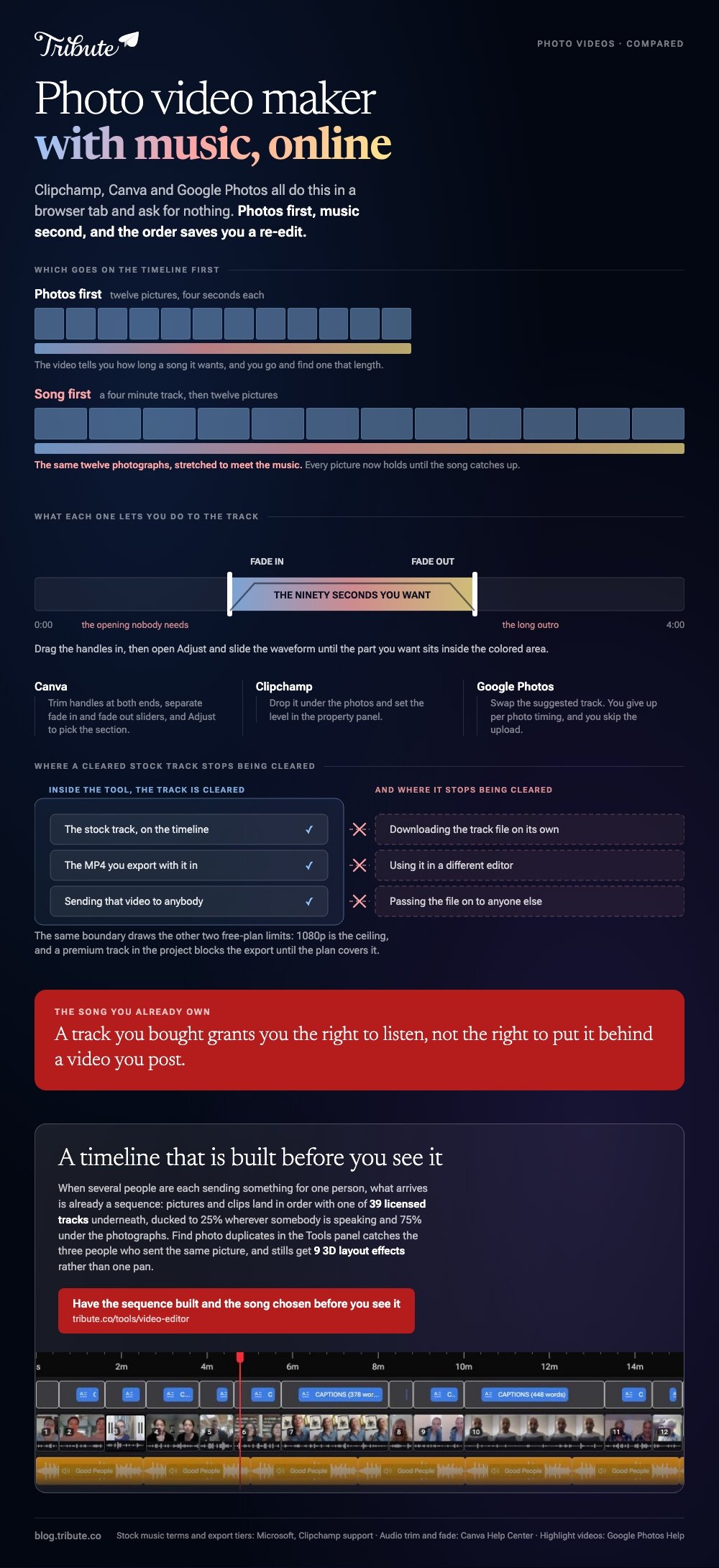
Drop the images in before you pick a track and you can see how long the video wants to be. Pick the song first and you end up stretching twelve photos across four minutes.
- Open My media in the left sidebar and drag your photos in, or use Import media.
- Drag the photos onto the timeline in the order you want them.
- Click a photo and drag its edge to set how long it holds. Four seconds each is a sane default.
- Open Content library, then the audio drop-down, and choose music.
- Click the add to timeline button on the track you want, or drag it under the photos.
- Click the audio on the timeline and set the level in the property panel, then export.
To create a photo slideshow with music online, free tools like this one do the whole job in one browser tab. Nothing installs and nothing is watermarked at 1080p.
One restriction worth reading: Microsoft allows the stock tracks inside videos you export, and forbids downloading the individual files to redistribute or to use in another editor.

Where does Canva take a different route?
Canva treats the track as an object you shape rather than a bed you drop in.
Select the audio on the timeline and trim handles appear at either end. A Fade option in the toolbar above the editor gives you separate fade in and fade out sliders.
To use the middle of a song rather than the opening, open the more menu at the end of the audio and choose Adjust, then drag the waveform until the part you want sits inside the colored area.
You can edit music online for free this way, cutting a four minute track down to the ninety seconds that suit your photos. A slideshow maker with music, free online, that cannot do this leaves you fading the song out by hand.
Can Google Photos still make one?
Yes, under a different name on the web.
Google's help page says that on photos.google.com, highlight videos replace movies. The route is Create, then Highlight video, then "Create your own video", then "or select photos" to choose what goes in.
Click Create at the top, use Music in the edit view to change the suggested track, then Save. Compared with Clipchamp, you give up per photo timing and you skip the upload, because the pictures are already there.
To make a music video online, free tools cap you at your own footage anyway: the clips have to be yours before any of this starts.
What does a photo video maker with music online free leave out?
Free plans draw the line in the same three places.
- Resolution. 1080p is the ceiling. 4K sits behind a subscription in Clipchamp.
- Premium stock. Add a premium track and the export is blocked until the plan covers it.
- The files themselves. Stock music is licensed inside the tool, not handed to you as a download.
None of those matter for a birthday slideshow. All of them matter if you are producing something for a client.
More on the neighboring jobs in choosing a slideshow maker with music, putting a song behind photos online, fixing music that will not play, and building a montage from clips rather than stills.
What if the photos are coming from twenty different people?
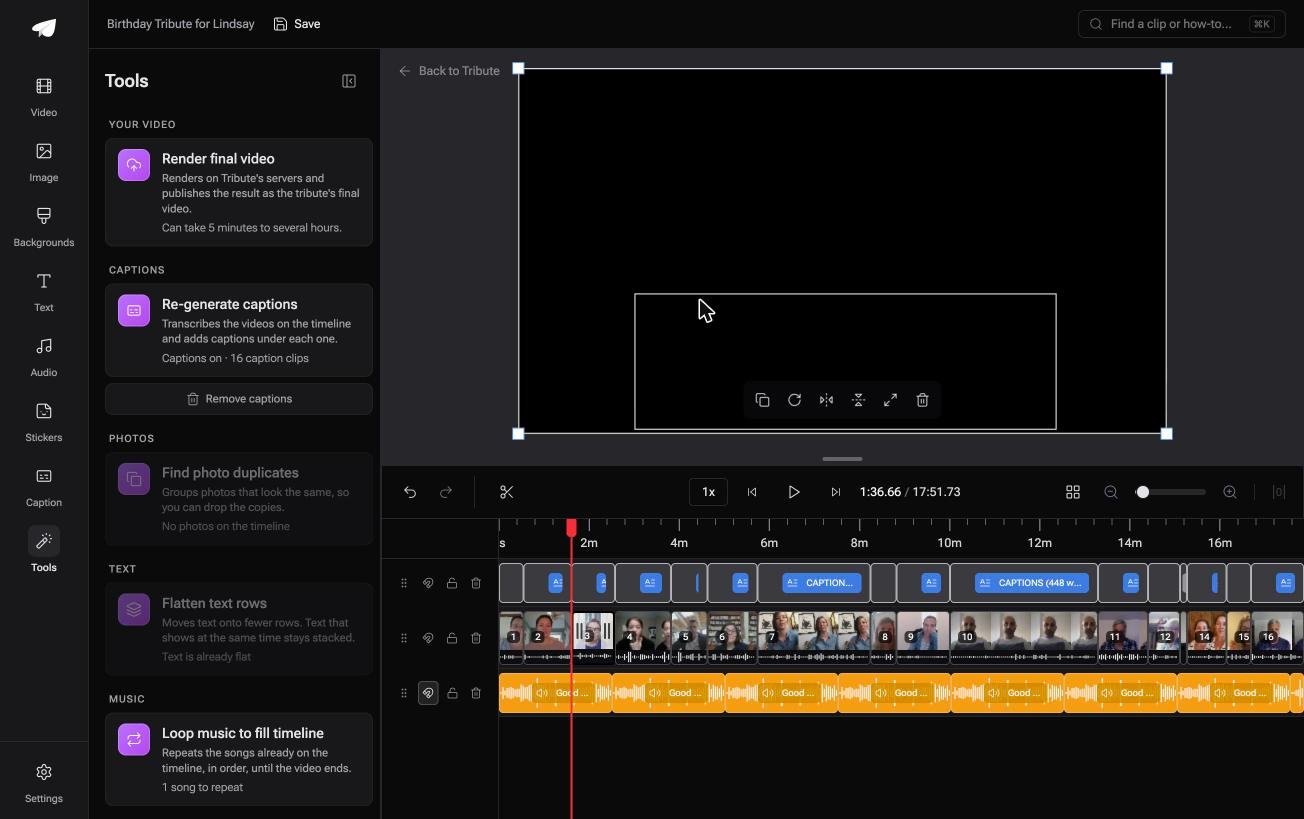
The Tribute video editor is a browser-based group video editor: contributors record clips on their phones and Tribute assembles them on a timeline with the music balanced under the voices.
It is ours, and it is the last thing on this page.
- 39 licensed music tracks across 11 genres, plus a YouTube link import and MP3, WAV, M4A or FLAC upload
- Music at 25% under speech and 75% under photos by default, overridable per clip
- 9 3D layout effects for stills, including Tilt, Book, Floating and Billboard
- Find photo duplicates in the Tools panel, which matters once three people send the same picture

Best for: Photos arriving from twenty people, three of whom sent the same one.
Why it works: The pictures arrive in one place with the music level already set, so the assembly is not yours to do.
Is there a version of this where the music is already in place?
Every step above starts with an empty timeline.
You gather the pictures, you order them, you audition tracks, you set a level. That is the work, and there is one situation where none of it reaches you.
The case: the pictures are sent in, not collected
It shows up when several people each contribute something for one person.
A grandmother turning eighty. A colleague leaving after fifteen years. A memorial where the people who should speak are in four time zones. Each of them sends what they have, and nobody is building anything.

Why the empty timeline never appears
Because what arrives is already a sequence.
Photos and clips land in order with a track underneath, ducked to 25% wherever somebody is speaking.
That is how the Tribute video editor handles it: not another free online photo video maker with music, but a timeline that is built before you see it.
What nobody asks you to do
- Not the gathering. Each person uploads a picture or records a message from the link.
- Not the assembly. On a Concierge Tribute, Tribute's editors order the sequence and set the track under it.
- Not the second pass. Eve, the assistant on Concierge and Concierge + Video Book, reorders every clip from a rule you describe, such as putting the grandchildren together.
When this is the wrong answer: the photos are all on your own phone and nobody else is involved. Then go back up this page and open Clipchamp. The editor is also not a standalone slideshow tool: it lives inside a paid Tribute.
Frequently Asked Questions
Can I make a slideshow with music without an account?
Canva and Clipchamp both ask you to sign in before you export, and neither asks for a card on the free plan. Google Photos needs the Google account the pictures are already in.
How many photos should a slideshow have?
Around forty at four seconds each fills a three minute song. Past about sixty the video turns into a queue and people start checking their phones.
Can I use my own song?
You can upload one, and whether you may publish it is a separate question. A track you bought grants you the right to listen, not the right to put it behind a video you post.
Why does my music stop before the slideshow ends?
The song is shorter than the timeline. Either shorten the photo durations until they fit the track, or add a second copy of the song and fade the join.
Can I mix video clips in with the photos?
Yes in Clipchamp and Canva, which put stills and clips on the same timeline. Keep the clips short, because a thirty second clip in a photo sequence reads as a stall.
Will the export have a watermark?
Clipchamp's free plan exports up to 1080p without one. A watermark or a blocked export tends to mean the project contains a premium stock asset the plan does not include.
What resolution should I export?
1080p. It plays on every phone and television without stutter, and the jump to 4K changes nothing anyone will notice on a slideshow of phone photos.
👉 Have the sequence built and the song chosen before you see it if several people are each sending something for one person, and the empty timeline never opens.
