
Resize Video: Dimensions or Megabytes, and Which One You Mean
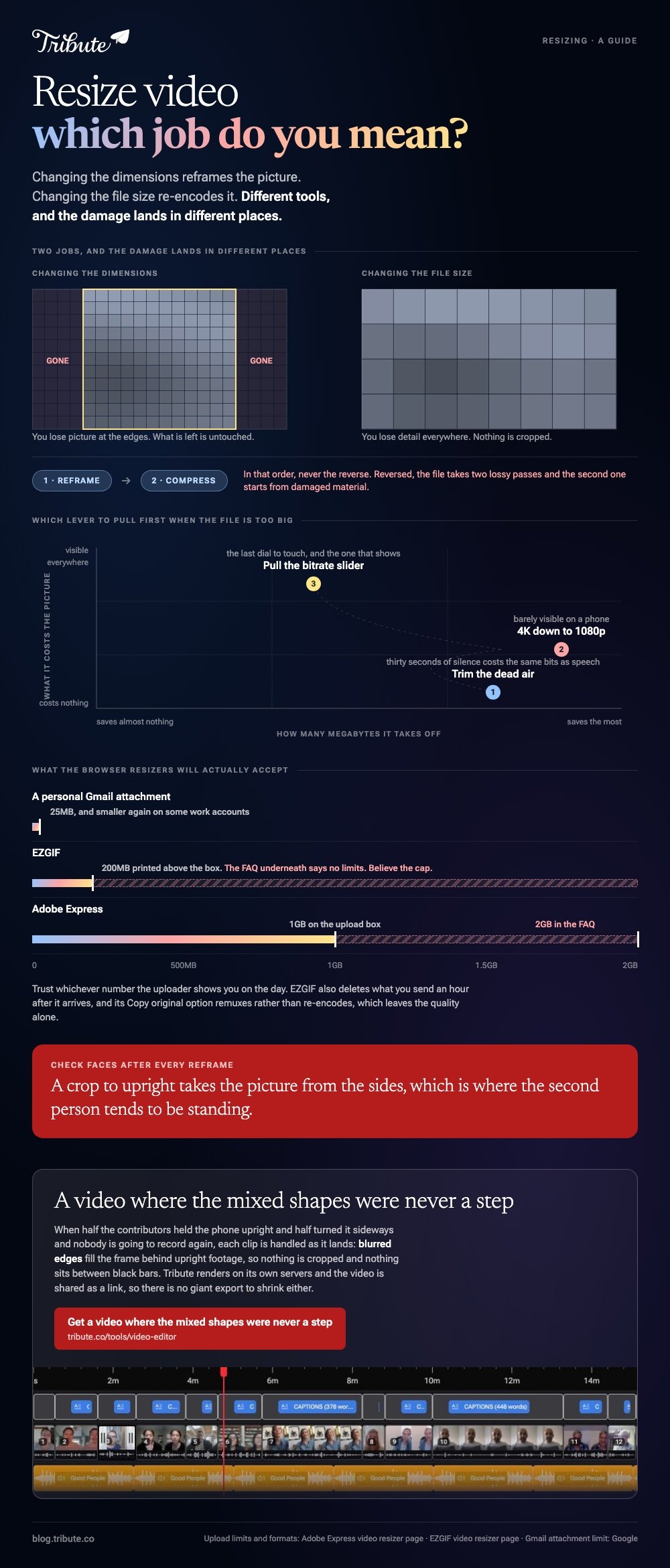
Resize video means two different jobs. Changing the dimensions reframes the picture, 1080 by 1920 for a feed or 1920 by 1080 for a television. Changing the file size re-encodes it. Different tools, different damage.

| What you want | What it is called | Use |
|---|---|---|
| A different shape on screen | Dimensions, aspect ratio | Adobe Express, Clipchamp, EZGIF |
| A smaller file to send | Compression, bitrate | HandBrake, a browser compressor |
| Both | Reframe, then compress | In that order, never the reverse |
What does resize video mean, dimensions or file size?
Two people searching the same phrase want opposite things.
One has a horizontal clip that needs to be upright for a feed. The other has a 900MB file that an email will not take.
The first is a framing decision and costs you picture at the edges. The second is an encoding decision and costs you detail everywhere.
Doing both means reframing first and compressing second. The reverse runs the file through two lossy passes, and the second one starts from damaged material.
How do you resize video dimensions in a browser?
Adobe Express
The closest thing to a one-click answer, and the Adobe video resizer most people land on.
- Open the tool and upload the clip. The page says files up to an hour long are accepted.
- Choose a destination from the dropdown, or type a custom size.
- Download the result, or keep editing in the full Express editor.
Adobe labels the three stages Select, Resize and Continue editing on its video resizer page, and names MP4, MOV, AVI and WMV among the formats it takes.
One thing to check on the day. The upload box says file size can be up to 1GB while the FAQ underneath says 2GB, so trust whichever number the uploader shows you.
Best for: One clip that has to fit a named platform.
Why it works: Choosing a destination rather than typing pixels removes the arithmetic.
EZGIF
A plain video file resizer with no account and no editor wrapped around it.
Pick Width, Height or Percentage. Leave the other dimension empty and it is calculated for you, then choose whether the output stays in its original format or becomes MP4.
The ezgif video resizer accepts MP4, WebM, AVI, MPEG, MKV, FLV, OGG, MOV, M4V, WMV, ASF and 3GP, with a stated maximum file size of 200MB. Its page says uploads are deleted an hour after they arrive.
Its FAQ calls the tool free to use with no limits, which sits at odds with the 200MB cap printed above it. Believe the cap.
- Look for: the Copy original option, which remuxes rather than re-encodes and leaves the quality alone.
- Price: nothing, and no sign-in.
Best for: A quick dimension change on a file under 200MB.
Why it works: There is no project, no timeline and no export wizard between you and the file.

Clipchamp, when you are editing anyway
Set the project ratio before you build rather than after, because changing it later reframes every clip at once.
Drop the clips on the timeline, choose the ratio, then use the fill option on any clip that does not match so it crops instead of sitting in black bars.
Best for: A video you were going to assemble in any case.
Why it works: The resize is a project setting, so one decision covers twenty clips.
How do you resize video file size without wrecking it?
Trim first, drop a resolution step second, touch the bitrate last.
Thirty seconds of dead air costs the same bits as thirty seconds of somebody talking. Cutting the silence is the only saving that does no damage to the picture.
After that, going from 4K to 1080p saves more than any amount of slider fiddling, and it is far less visible on a phone.
For a repeatable result, use HandBrake's Constant Quality number. Its documentation recommends RF 18 to 22 for standard definition, RF 19 to 23 for 720p, RF 20 to 24 for 1080p and RF 22 to 28 for 4K.
A lower RF means higher quality. Compared to a slider labeled quality, a number you can write down makes every file in a batch come out the same.
What frame does each place want?
Three shapes cover almost everything.
| Where it goes | Ratio | Pixels |
|---|---|---|
| Reels, Shorts, TikTok | 9:16 | 1080 x 1920 |
| YouTube, a television | 16:9 | 1920 x 1080 |
| A square feed post | 1:1 | 1080 x 1080 |
To resize a video to 9:16, set the width to 1080 and let the height calculate to 1920. Typing both numbers is how pictures end up stretched.
Check faces after every reframe. A crop to upright takes the picture from the sides, which is where the second person in the shot tends to be standing.
Unlike a photograph, a clip cannot be reframed shot by shot in these tools, so one crop has to serve the whole thing.
Building at the right size from the start is covered in making a slideshow in Canva and slideshow templates that cost nothing.
What if the clips came from a dozen different people?
The Tribute video editor is a browser-based group video editor: contributors record clips on their phones and Tribute assembles them on a timeline with the music balanced under the voices.
It is ours, and it is the last thing on this page.
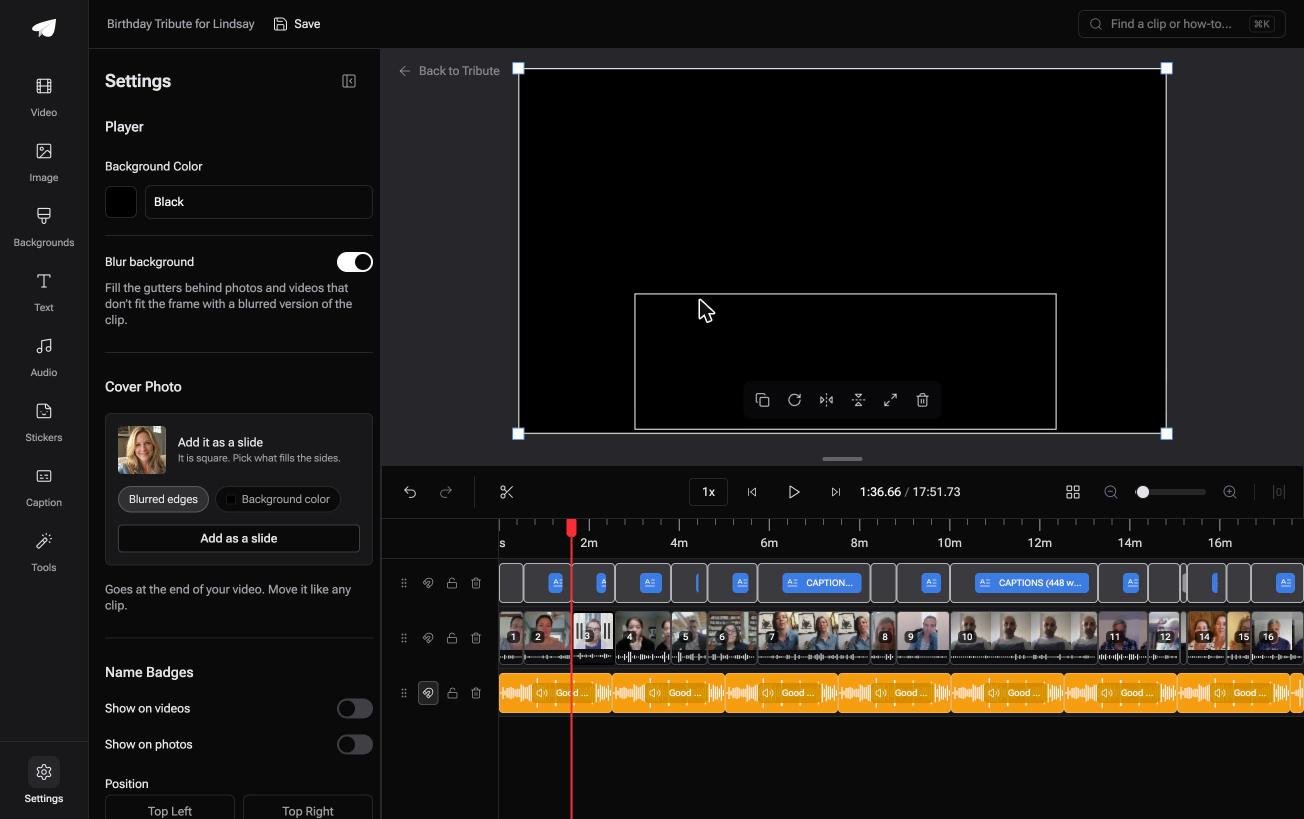
- Blurred edges fill the frame behind upright phone footage, on by default, so a vertical clip never sits between black bars
- Clips arrive auto-assembled in order from each person's own phone, with a tick against the ones already placed
- Tribute renders the final video on its servers, so the heavy encode never runs on your laptop
- There is no aspect ratio switcher on DIY. If the job is a 9:16 cut for a feed, one of the tools above is the right answer. On a Concierge or Concierge Deluxe Tribute, Eve reframes to 9:16 and repositions each clip inside the frame
Best for: Clips in four different sizes that all have to end up in one frame.
Why it works: Mixed shapes are handled as each clip lands, rather than one at a time after the merge.
Can you avoid resizing anything?
Every resize above is a correction. Something was recorded in the wrong shape, or came out too big for the pipe you chose.
You picked a frame, cropped around it, checked whose face survived, then squeezed the result until it would send.
There is one case where almost none of that happens.
The case: the footage arrives from other people
You are in it when none of this was shot on your phone.
A coach stepping down after nine seasons. A midwife retiring from a ward. A memorial where the people who should speak are scattered across the country.
Half of them hold the phone upright and half turn it sideways, and nobody is going to re-record.
Why the shapes stop being your problem
Each clip is handled as it lands rather than reframed afterwards.
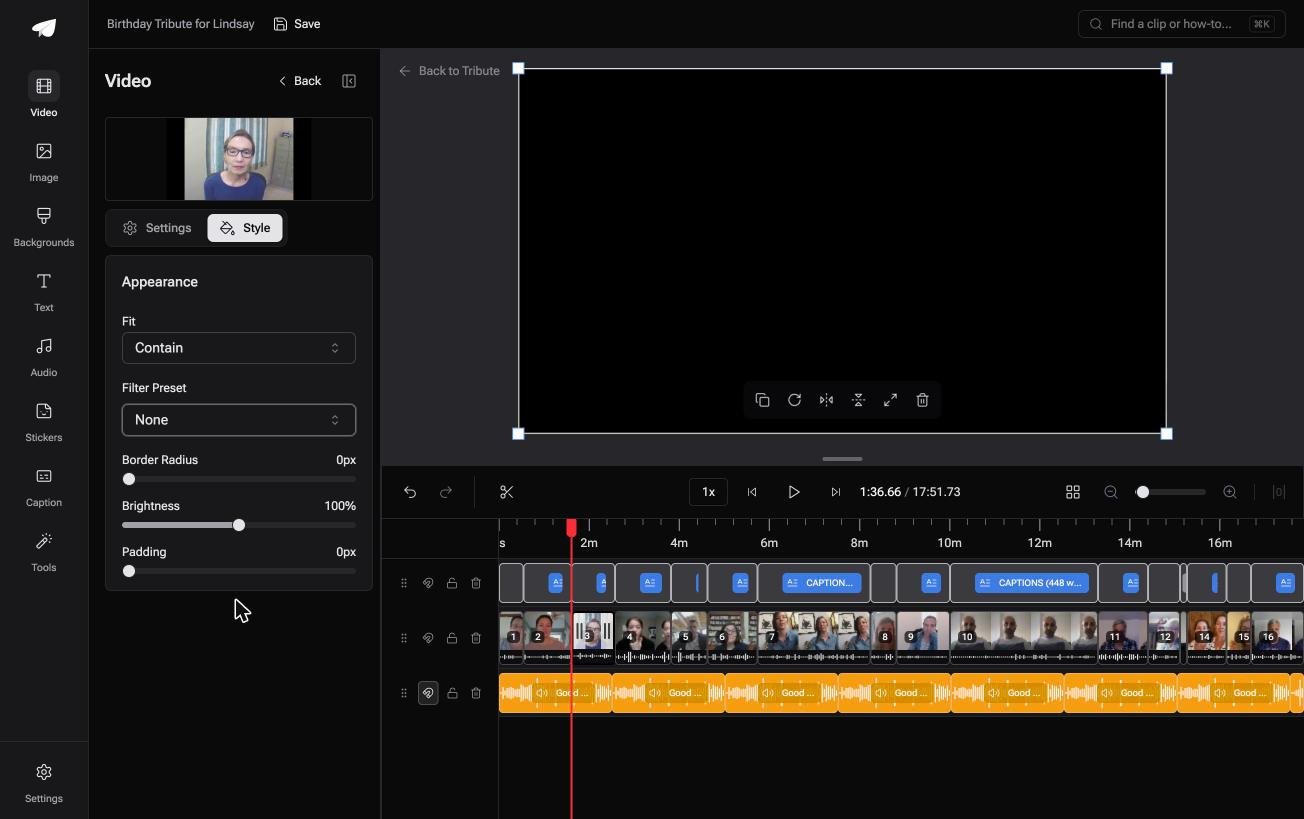
Upright footage gets a blurred copy of itself filling the gutters, so nothing is cropped and nothing sits in black bars. The video is shared as a link, which leaves no giant export to shrink either.
That is how the Tribute video editor handles it: not a resizer, but a video where the mixed shapes were never a step.
When this is the wrong answer: you need a specific ratio for a specific platform. Then use Adobe Express or EZGIF and ignore all of this. A DIY Tribute has no ratio control, and the editor lives inside a paid Tribute.
What it is for is covered in making a video tribute and in making a video montage.
Frequently Asked Questions
How do I resize an MP4 without losing quality?
Where the dimensions are unchanged, use a tool that remuxes rather than re-encodes, such as EZGIF's Copy original option. Any real change of dimensions needs a re-encode, so pick the highest quality setting you can live with.
Does resizing a video make the file smaller?
Smaller dimensions mean a smaller file, because there are fewer pixels to describe. Changing the shape at the same resolution saves almost nothing, so run a compression pass of its own when size is the goal.
Why does my resized video look stretched?
Both dimensions were typed in and they no longer match the original ratio. Set one and let the tool calculate the other, or crop to the new shape instead of scaling into it.
What size should a video be for email?
Under 25MB for a personal Gmail account, and smaller again on some work accounts. A shared link avoids the question and keeps the full quality version intact.
Can I resize a video on a phone?
Yes. CapCut and iMovie both set a project ratio, and the browser tools here open in a mobile browser as well as on a laptop.
Is there a video file resizer that does not upload my footage?
HandBrake on a desktop, which sends nothing anywhere. That matters for a memorial recording, or for anything you would rather keep off somebody else's server.
👉 Get a video where the mixed shapes were never a step if the clips are arriving from twenty different phones, and reframing each one stops being your evening.
