
Slideshow Template Free Online: Where to Get One That Fits Your Photos
Every editor worth opening ships slideshow templates on a free plan: Canva, Clipchamp, CapCut and PowerPoint all do. The question is which one survives contact with your own photographs, because most templates are built around footage nobody has.

Which slideshow template, free online, fits your own photos?
Start from where the pictures already are, not from the prettiest gallery.
Video templates are free online in all four tools below, and the differences that matter are the export ceiling and whether anything gets stamped on the picture.
| Source | Best for | Free plan ceiling | Watermark |
|---|---|---|---|
| Canva | Typography and title cards | MP4 up to 30 minutes, 1080p | Only from premium elements |
| Clipchamp | A clean file with nothing added | 480p, 720p and 1080p export | None |
| CapCut | Upright cuts for a feed | Templates and captions included | Check the export screen |
| PowerPoint | Photos with a lot of text | Up to 4K on the desktop app | None |
Microsoft states the Clipchamp position in one sentence. Its page on watermarks says the editor adds no visual, audio or other watermark to an export, on personal or work accounts.
There is one trap in that sentence. Using a premium asset does not stamp the video; it blocks the download until you upgrade, which you find out at the end.
Where the templates live in each app
- Canva: search the template gallery by occasion, then open it as a Presentation or a Video design.
- Clipchamp: a free video editor with templates on the home screen, grouped by use rather than by style.
- CapCut: the Templates tab, where you tap a layout and it asks for the right number of clips.
- PowerPoint: any design theme becomes a video at export, which is the route people forget.
The free apps here all do template editing on a phone as well as a laptop, so the device is not the thing to choose on.
Is a slideshow template free to use in every editor?
No, and the catch sits in three places.
Premium elements inside open templates. A layout costs nothing while one font, one sticker or one stock clip inside it does not. Swap that element and the export unlocks.
Export caps by plan. Canva's help center puts MP4 downloads at up to thirty minutes on a free account and up to two hours on a paid one, with 1080p as the default quality.
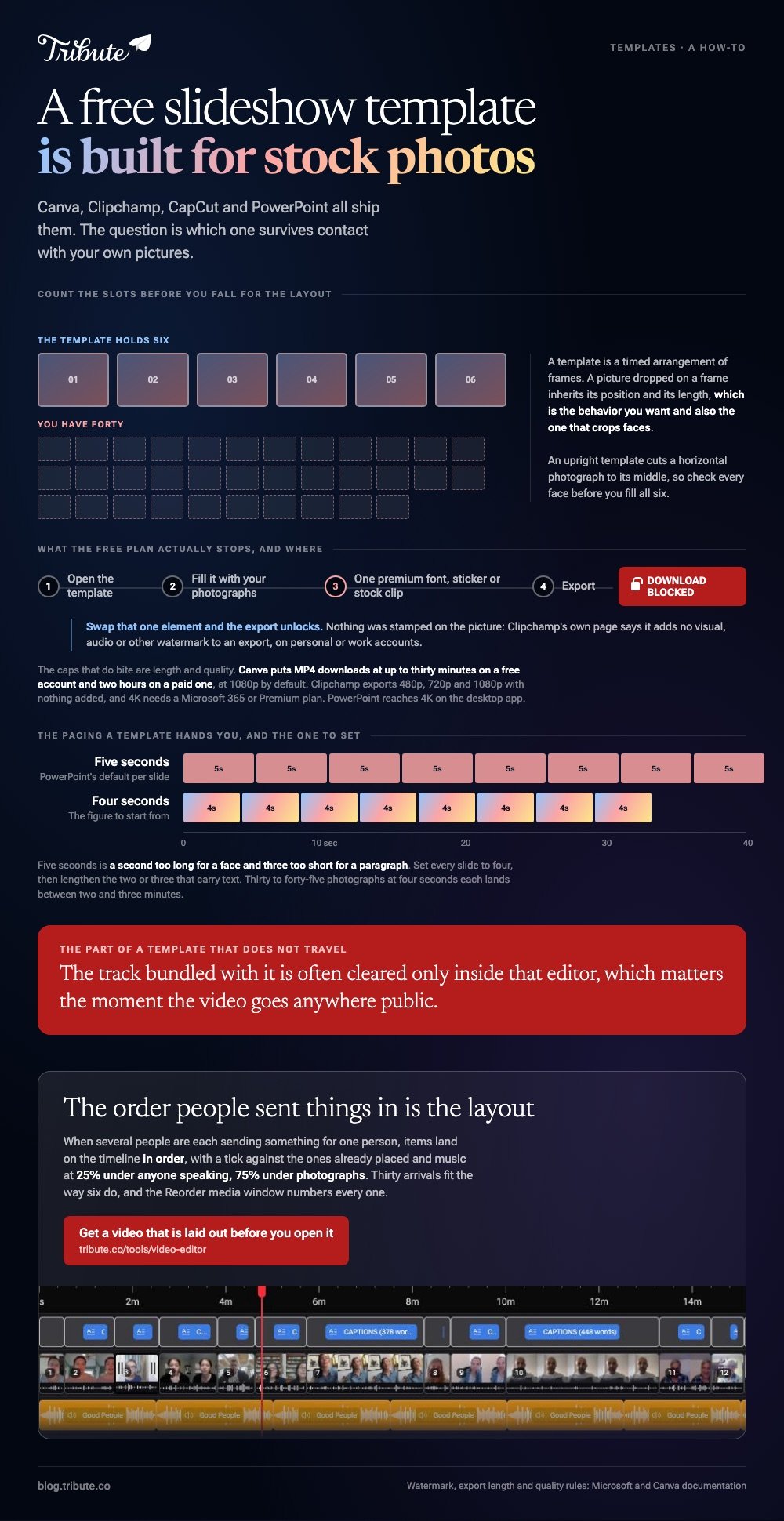
Music licensing. The track bundled with a template is often cleared only inside that editor, which matters if you plan to upload the result anywhere public.

Clipchamp exports a video template with no watermark on the free plan, at 480p, 720p or 1080p, and 4K needs a Microsoft 365 subscription or the Premium plan. That is the clearest set of rules of the four.
How do you fit your own photographs into a template?
Replace the media before you touch anything else.
A template is a timed arrangement of frames. Drop your picture onto the frame holding the stock image and it inherits that frame's position and length, which is the behavior you want and also the one that crops faces.
- Count the slots first. A six-slot template and forty photographs is a bad match. Find one built for the number you have.
- Match the shape. An upright template crops a horizontal photograph to its middle. Check every face before you fill all six.
- Override the pacing. Template timings are set for stock footage. Four seconds a photograph is the figure to start from.
- Cut the closing card. Most templates end on a logo slot. Replace it with the last photograph or delete it.

Unlike a stock reel, your photographs vary in shape, age and resolution, so the template that looked effortless in the gallery needs ten minutes of reframing.
The Canva version of this job, step by step, is in building a slideshow in Canva.
What if you would rather start from a blank page?
PowerPoint is the fastest blank start most people already own.
One photograph per slide, one theme applied across the deck, and then an export. Microsoft documents the path: File, then Export, then Create a Video, with Ultra HD (4K), Full HD (1080p), HD (720p) and Standard (480p) in the quality list.
The setting that decides the result is the second drop-down. The default time spent on each slide is five seconds, which is a second too long for a face and three too short for a paragraph.
Set it to four, then lengthen the two or three slides that carry text.
Compared to a template, a blank deck costs you the design and saves you the fight with somebody else's pacing. For forty family photographs that trade is worth taking.
Song choice is the other half: making a slideshow with music covers it, and the best apps for a slideshow with music compares the tools.
What if the photographs came from a dozen different people?
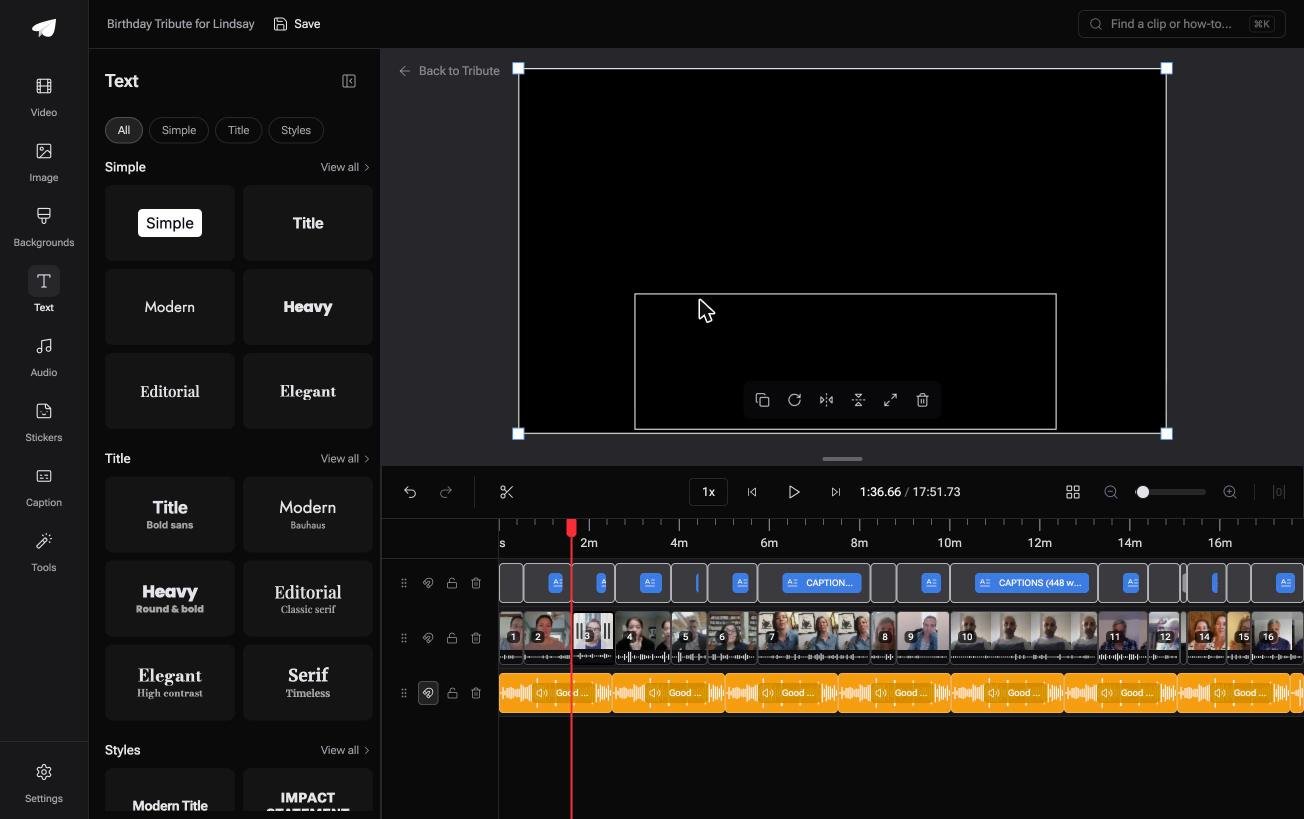
The Tribute video editor is a browser-based group video editor: contributors record clips on their phones and Tribute assembles them on a timeline with the music balanced under the voices.
It is ours, and it is the last thing on this page.
- Text panel leads with ready-made styles grouped Simple, Title and Styles, so titling is a choice rather than a font hunt
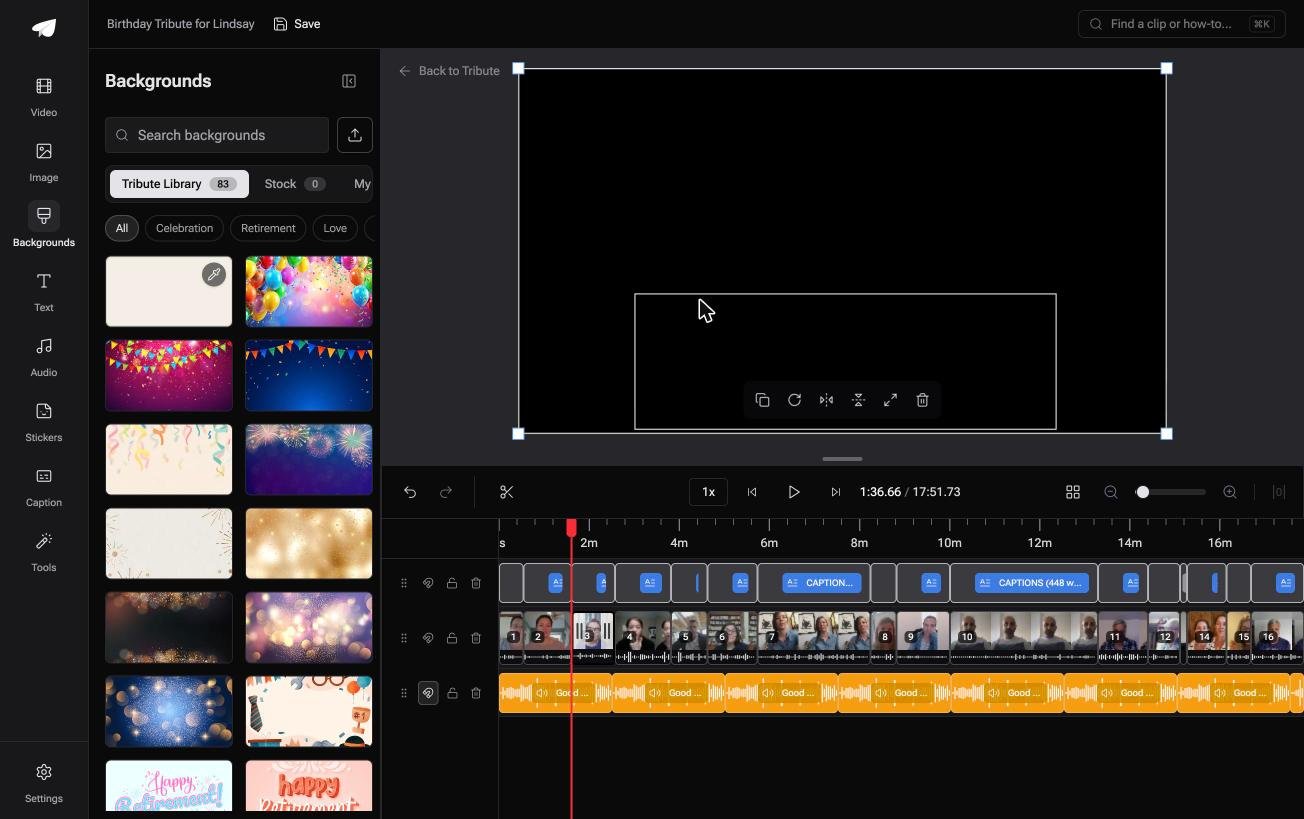
- 83 occasion backgrounds grouped by Celebration, Retirement and Love
- 9 3D layout effects for photographs, including Tilt, Book, Floating and Billboard
- 47 entrance and 47 exit animations, including the slow zoom that stops a still picture looking static
- 39 licensed tracks across 11 genres, cleared inside the editor
Best for: Forty photographs and no template with the right number of slots.
Why it works: The arrangement is done before you arrive, so there is no template with the wrong number of slots.
Can you skip the template hunt altogether?
A template exists to answer one question: what shape should this be?
You browse a gallery, pick a layout, discover it wants six clips and you have thirty, and start again. That search is the cost of starting from an empty page.
There is one case where the page is not empty.
The case: you are collecting, not designing
You are in it when several people each record or send something for one person.
A grandmother turning eighty. A colleague leaving after fifteen years. A memorial where the people who should speak are in four time zones.
Nobody is choosing a layout. Everyone is sending one message, and your job is arrangement, not design.
Why the template question never comes up
The arrangement arrives before you do.
Items land on the timeline in order, with a tick against the ones already placed, and music sits at 25% under anyone speaking and 75% under photographs. The shape of the video is the order people sent things in, which is the right shape.
That is how the Tribute video editor handles it: not a better gallery, but a video that does not need one.

What you do not have to do
- No gallery to browse. The order people sent things in is the layout.
- No slots to fill. Thirty arrivals fit the way six do, and every item is numbered in a Reorder media window.
- No reordering by hand on a Concierge Tribute: tell Eve, the assistant inside the editor, to put the grandchildren together and it moves them.
- No build at all on Concierge, where Tribute's editors assemble the video and send it back.
When this is the wrong answer: the photographs are already yours and you want a particular look. Then open Canva or Clipchamp and pick a layout. The editor is not a template gallery, and it lives inside a paid Tribute.
The wider job is covered in making a video montage.
Frequently Asked Questions
Is a video script template free to use for a slideshow?
Yes, and it solves a different problem. A script template plans what people say or what the captions read; a slideshow layout plans what the screen looks like. For a group video the script matters more.
Which app has the best templates for a photo slideshow?
Canva for typography, CapCut for upright cuts aimed at a feed, Clipchamp for a clean file you hand to somebody. PowerPoint beats all three when the slideshow carries real text.
Can I use a template without an account?
Not in practice. Canva, Clipchamp and CapCut all ask you to sign in before you can export, and PowerPoint needs the application. The sign-in is the price of the gallery.
Why does my template look worse with my own pictures in it?
Stock footage in a gallery is shot to the same shape, exposure and resolution. Family photographs are not, so reframe each one inside its slot and the template recovers.
How many photographs should a slideshow template hold?
Thirty to forty-five at four seconds each, which lands between two and three minutes. Beyond that people stop watching, whoever the video is for.
Can I change the music that comes with a template?
In every tool here, yes. Delete the bundled track and drop your own in, and check that the replacement is cleared for wherever the video ends up.
👉 Get a video that is laid out before you open it if several people are each sending something for one person, and the template hunt never starts.
