
Subtitle in VLC: Load One, Fix the Sync, and Why Burning In Fails
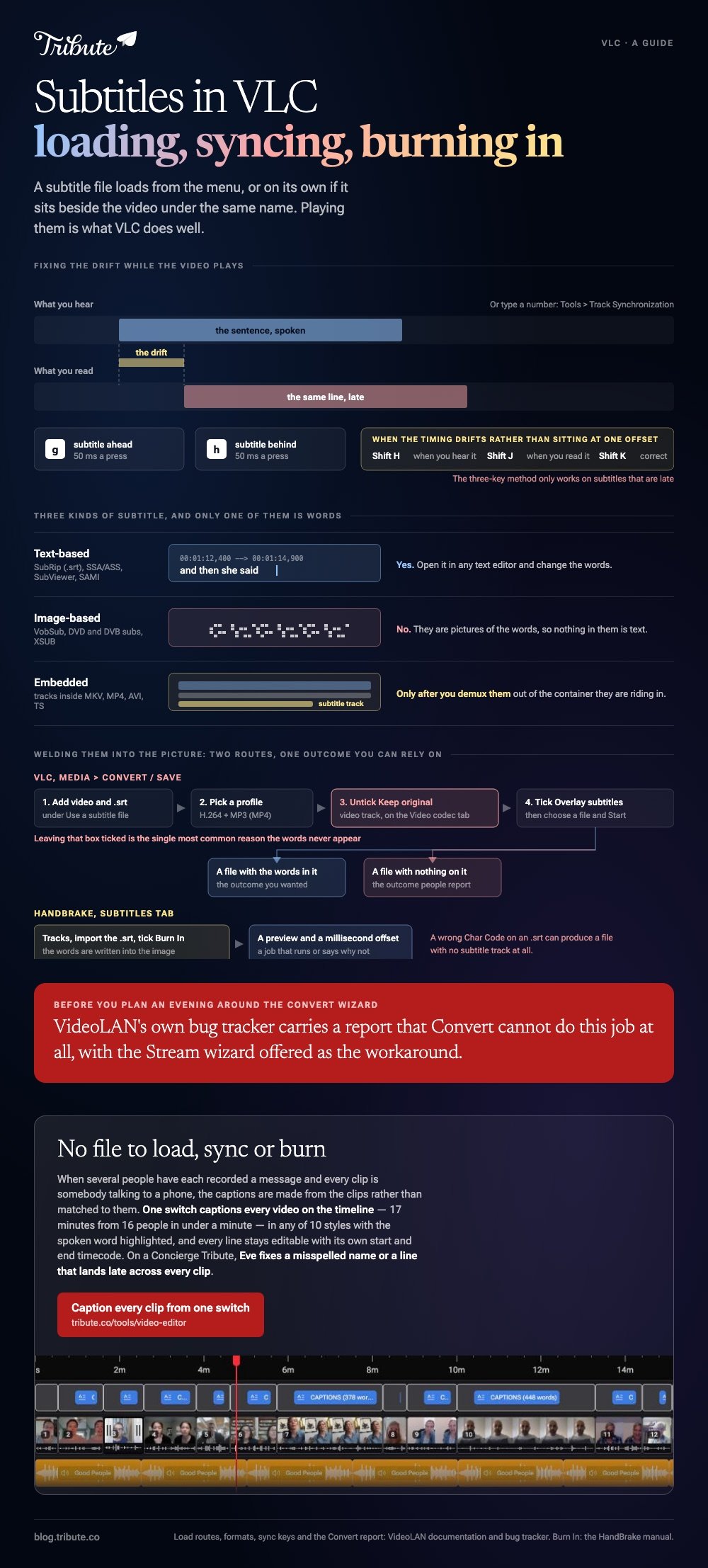
A subtitle in VLC loads from the Subtitle menu, or on its own if the .srt file sits beside the video with the same name. Playing them is the part VLC does well. Welding them into the picture is the part that goes wrong.

How do you load a subtitle in VLC?
Three ways, and the third one needs no clicks at all.
- The menu. With the video playing, choose Subtitle > Add Subtitle File and pick the .srt.
- Drag and drop. Drop the subtitle file onto the playing window. VLC picks it up without stopping.
- Matching names. VideoLAN's wiki notes that a file named Dark Star.srt beside Dark Star.avi opens on its own when you double-click the movie.
In the VLC player, add subtitles once and the track stays selected under Subtitle > Sub Track for as long as the file is open.
Name the third route your default. Rename the subtitle file to match the video and you never think about it again.
Which subtitle formats does VLC read?
More than any other player on a desktop.
VideoLAN's documentation splits them three ways, and the split matters because only one of the three can be edited in a text window.
| Kind | Examples | Can you edit the words? |
|---|---|---|
| Text-based | SubRip (.srt), SSA/ASS, SubViewer, SAMI | Yes, in any text editor |
| Image-based | VobSub, DVD and DVB subs, XSUB | No, they are pictures |
| Embedded | Tracks inside MKV, MP4, AVI, TS | Only after you demux them |
Stick to .srt where you have a choice. Support for plain .txt subtitle detection went away in VLC 3, and .srt is the format every other tool in this chain reads.
Why does a subtitle in VLC drift out of sync?
Because the file was timed against a different cut of the video.
VLC fixes it while the video plays. VideoLAN's wiki says to press g if the subtitle is ahead of the sound and h if it is behind, in steps of 50 ms.
For a number you can type, open Tools > Track Synchronization and set the delay there.
The method for lines that run late
There is a three-key trick for a file whose timing drifts rather than sitting at a fixed offset.
Press Shift H when you hear a sentence you will recognize, Shift J when you read that same sentence on screen, then Shift K to correct the sync. VideoLAN limits this one to subtitles that are late.

Can VLC merge subtitles to video and keep them there?
In theory yes, in practice not often enough to plan around.
The usual request is to convert an MKV to MP4 with the subtitles kept, and VLC is the tool people reach for because it is already open.
Whether VLC will export a video with subtitles attached depends on which wizard you use and which version you are running.
The Convert path looks like this:
- Choose Media > Convert / Save and add both the video and, under Use a subtitle file, the .srt.
- Pick a profile such as Video H.264 + MP3 (MP4), then click the wrench to edit it.
- On the Video codec tab, untick Keep original video track. Leaving it on is the single most common reason the words never appear.
- On the Subtitles tab, tick the subtitle codec and tick Overlay subtitles on the video.
- Choose a destination file and click Start.
Then check the output, because this is where VLC earns its reputation. VideoLAN's own bug tracker carries a report that the Convert wizard cannot do the job at all, with the Stream wizard offered as the workaround.
Unlike the playback side, which is solid, this path re-encodes the whole video to paint text onto it and then sometimes paints nothing.
What burns subtitles in without the argument?
HandBrake, which is free software and does nothing else with your file unless you ask.
Open the video, go to the Subtitles tab, use Tracks to import the .srt, then tick Burn In.
HandBrake's manual calls this hard burn: the words are written into the image itself. It also warns that a wrong Char Code on an SRT can produce a file with no subtitle track at all.
Compared to the VLC route, you get a preview, a millisecond offset field, and a job that either runs or tells you why it did not.
Keep VLC for the part it is good at: checking the result. More on its other limits in trimming video in VLC and cutting a section out with VLC.

What if the clips came from a dozen different people?
The Tribute video editor is a browser-based group video editor: contributors record clips on their phones and Tribute assembles them on a timeline with the music balanced under the voices.
It is ours, and it is the last thing on this page.
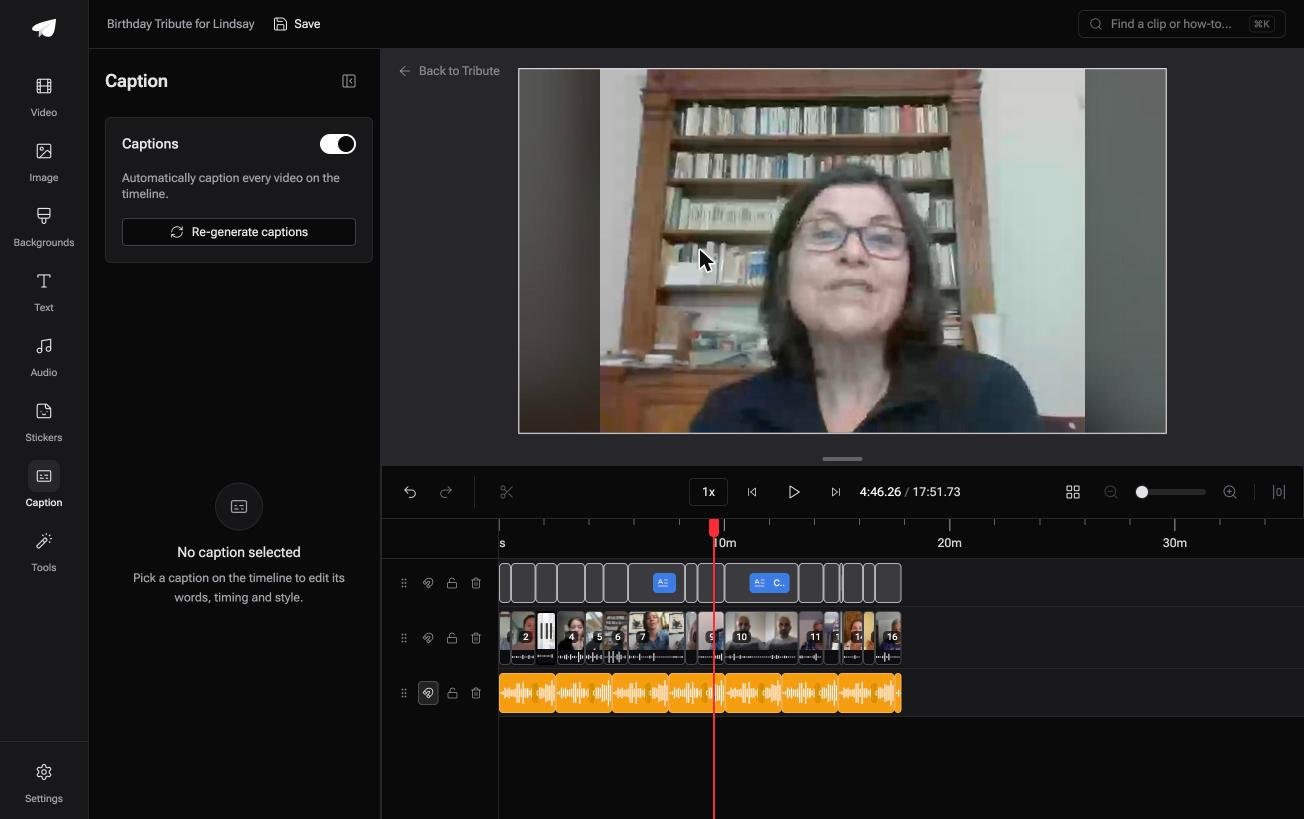
- One switch captions every clip on the timeline: 17 minutes from 16 people in under a minute
- Every line editable, with its own start and end timecode, so a misheard name is a two-second fix
- 10 caption styles, with the word being spoken highlighted as it lands
- Name badges from an uploaded-by name and a relation, in 4 corner positions, dark or light
Best for: Seventeen minutes of speech that nobody wants to transcribe by hand.
Why it works: The captions are generated against the clips that are already on the timeline, so nothing has to be matched up afterwards.
Who writes the lines when twelve people are talking?
Everything above assumed a subtitle file already existed.
VLC plays one. HandBrake bakes one in. Neither of them writes a word, and for most home video there is no .srt anywhere. There is one case where that gap never opens.
The case: the speech is the whole video
You are in it when several people each record a message for one person.
A grandfather turning ninety. A colleague leaving after fifteen years. A memorial where the people who should speak are in four time zones, and every clip is somebody talking to a phone.

Why the file never has to exist
Because the captions are made from the clips, not matched to them.
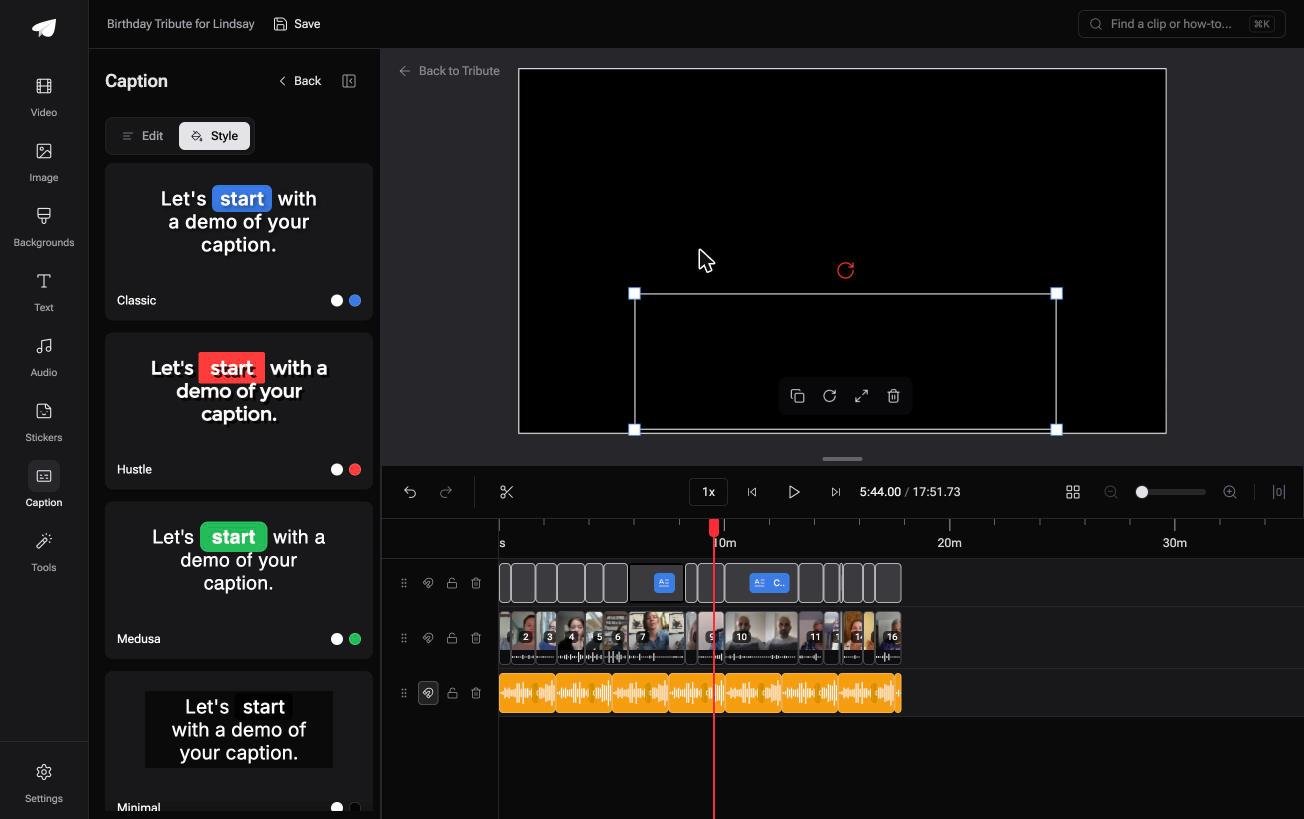
You turn one switch on and every video on the timeline comes back captioned, each line sitting where the words are. That is how the Tribute video editor handles it: no .srt, no sync keys, no burn-in step.
What you do not have to do
- No subtitle file. Nothing is written, loaded, synced or burned in.
- No line by line correction. On a Concierge Tribute, Eve fixes a misspelled name or a line that lands late, across every clip.
- No styling pass. Ten caption styles, with the spoken word highlighted.
- No edit of your own. Tribute's editors build the video on that same tier.
When this is the wrong answer: you have a downloaded movie and a translation file. Then VLC is the right tool and the top of this page is the job. The editor will not open a stray video: it lives inside a paid Tribute.
Frequently Asked Questions
How do I turn subtitles on in VLC?
Open the Subtitle menu and choose Sub Track, then pick a track. If the list is empty, no subtitle file has been loaded and nothing is embedded in the video.
Why are my subtitles not showing in VLC?
Either the track is set to Disable under Subtitle, or the file is a .txt rather than a .srt. VLC 3 dropped automatic detection of plain text subtitle files.
Can VLC generate subtitles from speech?
No. VLC plays subtitle files and does not transcribe audio, so the words have to come from somewhere else first. A transcription tool or a platform's own captioning is the usual source.
How do I save a video with the subtitles built in?
Use the Convert dialog with Overlay subtitles on the video ticked and Keep original video track unticked. Check the result, and if the words are missing, burn them in with HandBrake instead.
Does VLC have a subtitle editor?
Not one that writes to the file. You can shift the timing of the whole track under Tools, Track Synchronization, but changing the words means opening the .srt in a text editor.
Why do my subtitles look tiny on a big screen?
The size is fixed in VLC's preferences rather than scaled to the window. Change it under Tools, Preferences, Subtitles and OSD, then restart VLC.
What happens to subtitles when I join two videos?
They stay with their own file and the timings no longer line up. Joining clips is covered in building a video montage, and a video tribute is the version where the captions follow the clips.
👉 Get every clip captioned from one switch if several people each recorded a message for one person, and there is no subtitle file to load, sync or burn.
