
How to Trim Video Clips (and Cut the Dead Air at the Start)
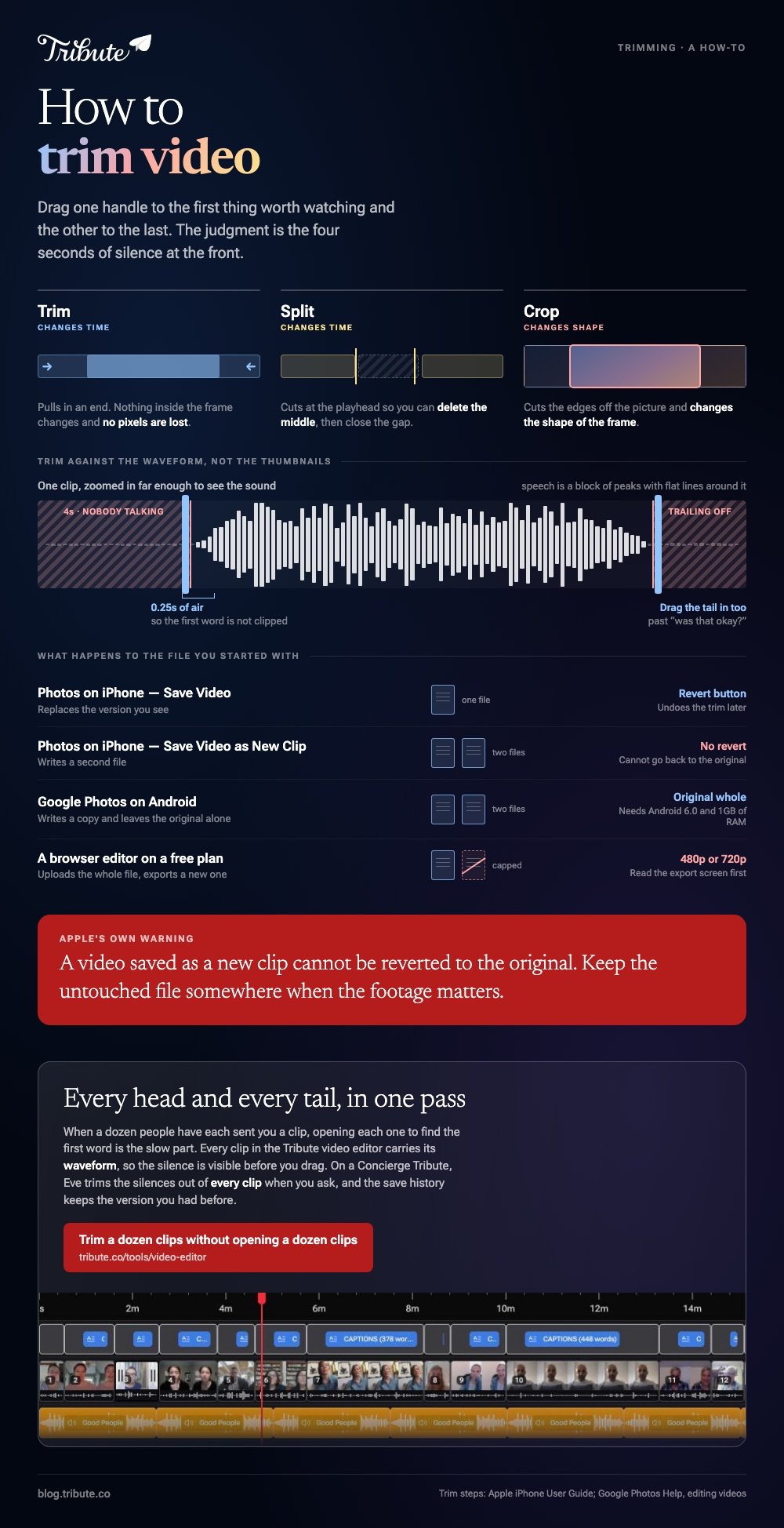
To trim video, open the clip in an editor, drag one handle to the first thing worth watching, the other to the last, and save. The Photos app does it on an iPhone, Google Photos on Android. The judgment is the four seconds of silence at the front of almost every clip.

What does it mean to trim a video?
Trimming moves the start point, the end point, or both, so the clip plays for less time. Nothing inside the frame changes and no pixels are lost.
Compared to cropping, which cuts the edges off the picture and changes the shape of the frame, trimming only changes time.
Three words get used for three different actions. Trim pulls in an end. Split cuts a clip into two pieces at the playhead so you can delete the middle.
Cut video is the loose term people use for either one, which is why search results for it are such a mess.
Cropping is a separate job with separate tools: how to crop a video covers that side.
How do you trim video on an iPhone?
Everything you need is in Photos. This is one of the few editing jobs Apple keeps in Photos rather than pushing to iMovie.
- Open the video in Photos and tap Edit.
- Drag either end of the frame viewer, the strip of thumbnails below the video, to set a new start and stop time.
- Play back the selection to check you did not clip the first word.
- Tap Done.
- Choose Save Video to keep only the trimmed version, or Save Video as New Clip to keep both.
Apple spells out the same five steps, plus the Revert button that undoes a trim later, in its guide to trimming video length and editing audio on iPhone.
One warning from Apple's guidance: a video saved as a new clip cannot be reverted to the original, so keep the untouched file somewhere when the footage matters.
Best for: A clip you shot yourself that runs long at one end.
Why it works: The edit is stored alongside the original, so a bad trim costs you nothing.

How do you trim a video on Android?
Google Photos handles it, and the controls sit one tap deeper than on an iPhone.
- Open the video in Google Photos.
- Touch and hold, then drag the trim handles at either end to the section you want to keep.
- Tap Save at the top. Google Photos writes a copy and leaves the original alone.
Those steps are documented by Google, along with Export frame for pulling a still out of the footage, in its help page on editing videos in Google Photos.
The same page sets the hardware floor: video editing needs Android 6.0 or later and at least 1GB of RAM, and non-Pixel phones on Android 9 do not support it at all.
Best for: Any Android phone, with no download and no account beyond the one you have.
Why it works: Saving a copy by default means the clip in your camera roll stays whole.
How do you trim video online for free?
Browser editors do the same work without an install.
In Microsoft Clipchamp, which runs in a tab and in Windows, you drag the clip onto the timeline, click it, and pull the handle at either end inward until the sidebars sit where you want the clip to begin and end.
Clideo, Canva and CapCut's web editor all follow the same pattern: upload, drag the handles, export.

Unlike a phone editor, a browser tool has to receive the whole file before it can touch it. Read the export screen before you upload rather than after.
A free plan often caps the output at 480p or 720p, and the upload itself is the slow part, since a few minutes of 4K from a recent phone is a large file to send twice.
Best for: A work laptop or a Chromebook where you cannot install anything.
Why it works: The trim runs on a server, so an old machine performs the same as a new one.
How do you cut the dead air at the start of a clip?
People press record, look at the lens, think, and then speak. Four seconds of that at the head of every clip is what makes a home video feel long, and it is the single edit that improves a video most.
Work from the waveform rather than the picture. Zoom the timeline in until the speech shows as a block of peaks with flat lines around it, then drag the start of the clip to just before the first peak.
Leave about a quarter of a second of air so the first word does not sound clipped, then do the same at the tail, where people trail off or ask whether that was okay.
One honest caveat: none of the editors above removes dead air from every clip in one pass. You open each clip, find the first word, and drag. Twenty clips take about ten minutes, and the video you get back is shorter than the one you started with.
What if a dozen people each sent you a clip?
Then trimming is the small part of the job.
Collecting twenty files at full quality, getting them in an order that makes sense, and keeping the sound even across twenty rooms is the work, and the tools above are built for one clip at a time.
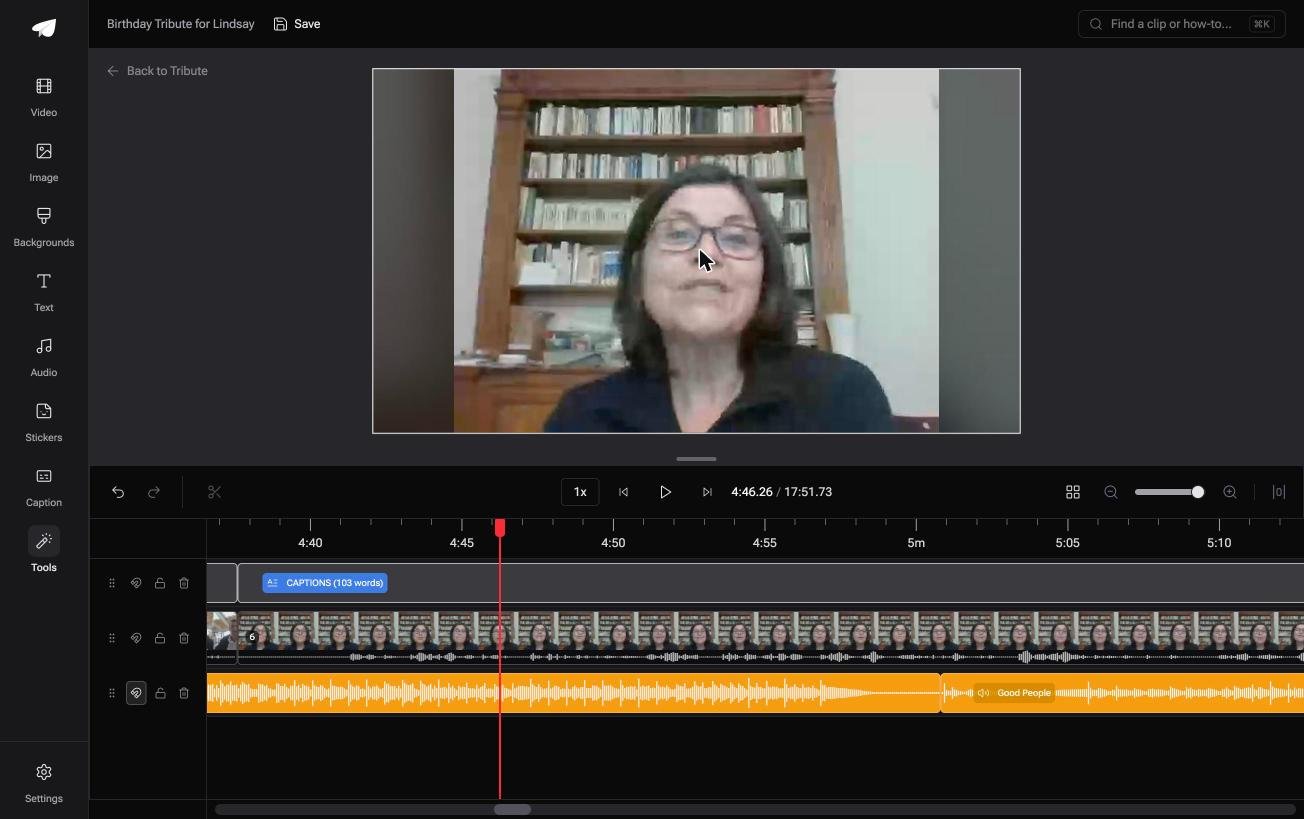
The Tribute video editor is a browser-based group video editor: contributors record clips on their phones and Tribute assembles them on a timeline with the music balanced under the voices.
Every clip carries its waveform, so you can see the silence before the first word and drag the edge in without guessing.
On a Concierge or Concierge Deluxe Tribute you can skip that pass: Eve, the AI assistant inside the editor, trims the silences out of every clip when you ask it to.
Music is already balanced under the voices at 25% on video and 75% on photos, and a save history keeps earlier versions you can restore after a trim you regret. It lives inside a paid Tribute, not as a standalone editor for unrelated footage.
Best for: Forty clips, each with a few dead seconds at the front and nobody to cut them but you.
Why it works: The clips arrive in order with the music already set under the voices, so trimming is all that is left.
More on that case in how a group video maker handles thirty phones, and on the wider edit in making a video montage.
Does trimming reduce video quality?
It should not. Trimming throws away time, not detail, and a tool that copies the stream instead of rebuilding it gives you the source quality back.
Quality drops when the editor re-encodes the whole file on export at a lower setting than the footage was shot at.
That is worth checking on a phone video, because the footage is good.
With 91% of US adults owning a smartphone, according to the Pew Research Center mobile fact sheet, the camera that shot your clip is better than the export preset most browser tools default to.
Pick the highest resolution the export screen offers and watch the first ten seconds before you share.

Trimming is also the fix for a slideshow that drags: see making a slideshow from photos and clips, and adding music on an iPhone once the lengths are right.
Frequently Asked Questions
How do I shorten a video without losing quality?
Trim rather than re-export where you can, and when you must export, choose the highest resolution on offer. Shortening a video removes time, so the picture only suffers if the tool rebuilds the file at a lower setting.
Can I cut a section out of the middle of a video?
Not with a trim. Split the clip at both ends of the part you want gone, delete the middle piece, then close the gap. Phone editors such as CapCut and iMovie both have a split control on the timeline.
Does trimming in Photos delete the original?
No, if you pick Save Video as New Clip, which writes a second file. Save Video replaces the version you see but keeps the edit reversible through the Revert button, unless the clip was already saved as a new clip.
What is the best way to trim a video online?
Any browser editor with a timeline will do it in under a minute. Check the resolution cap and the watermark rules on the export screen first, because those differ between tools and change more often than the editing does.
How short should each clip be in a group video?
Thirty to forty seconds of speech holds attention, and most people take ten seconds to warm up. Cut the warm-up, keep the message, and a twenty person video lands around twelve minutes.
Why does my trimmed clip still start with silence?
The trim handle snapped to a thumbnail boundary rather than the sound. Zoom the timeline in and set the start against the waveform, where the first peak is the first word.
👉 Hand the trimming to Eve on a Concierge Tribute if a dozen people each sent you a clip, and every head and tail goes in one pass.
