
Video Editing Software for Beginners: What to Use If You Have Never Edited
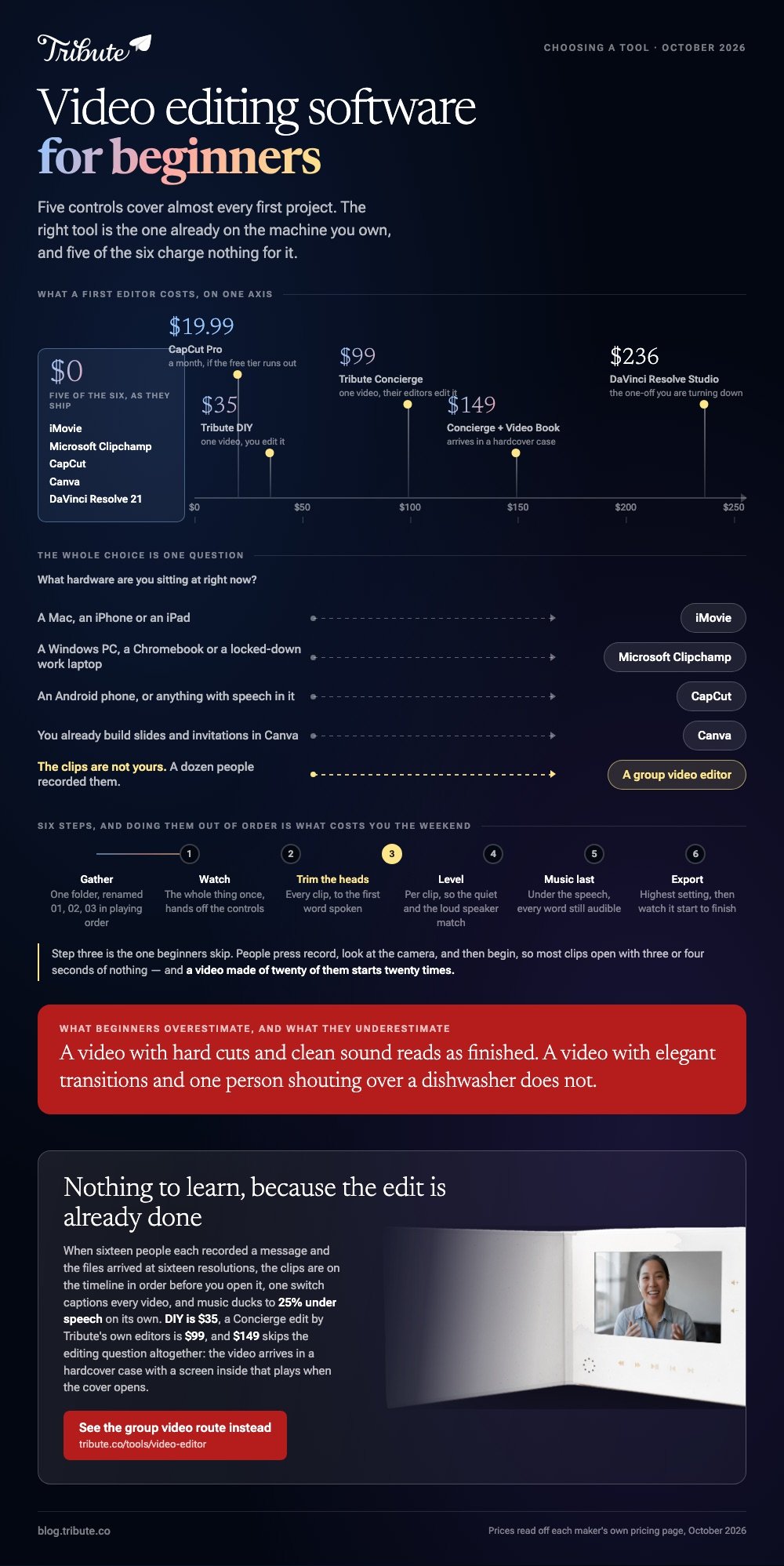
The best video editing software for beginners is the one on the machine you own: iMovie on a Mac or iPhone, Clipchamp on Windows, CapCut on Android. Each joins clips, trims the dead air, adds music, and exports a file you can send. Skip DaVinci Resolve and Premiere Pro until your third project.

| Tool | Best for | Price |
|---|---|---|
| iMovie | A first video on a Mac, iPhone or iPad | No charge from Apple |
| Microsoft Clipchamp | Windows, Chromebooks and work laptops | Free tier, 4K with Microsoft 365 |
| CapCut | Android, captions and social formats | Free tier, Pro from $19.99 a month |
| Canva | Anyone who already makes slides there | Free tier, paid plans above it |
| The Tribute video editor | Clips recorded by a dozen other people | Paid, DIY from $35 |
| DaVinci Resolve | Your second year, not your first week | Free version, Studio $236 |
Prices as of October 2026.
What should beginners look for in editing software?
Video editors for beginners all converge on the same short set of controls, and five of them cover almost every first project.
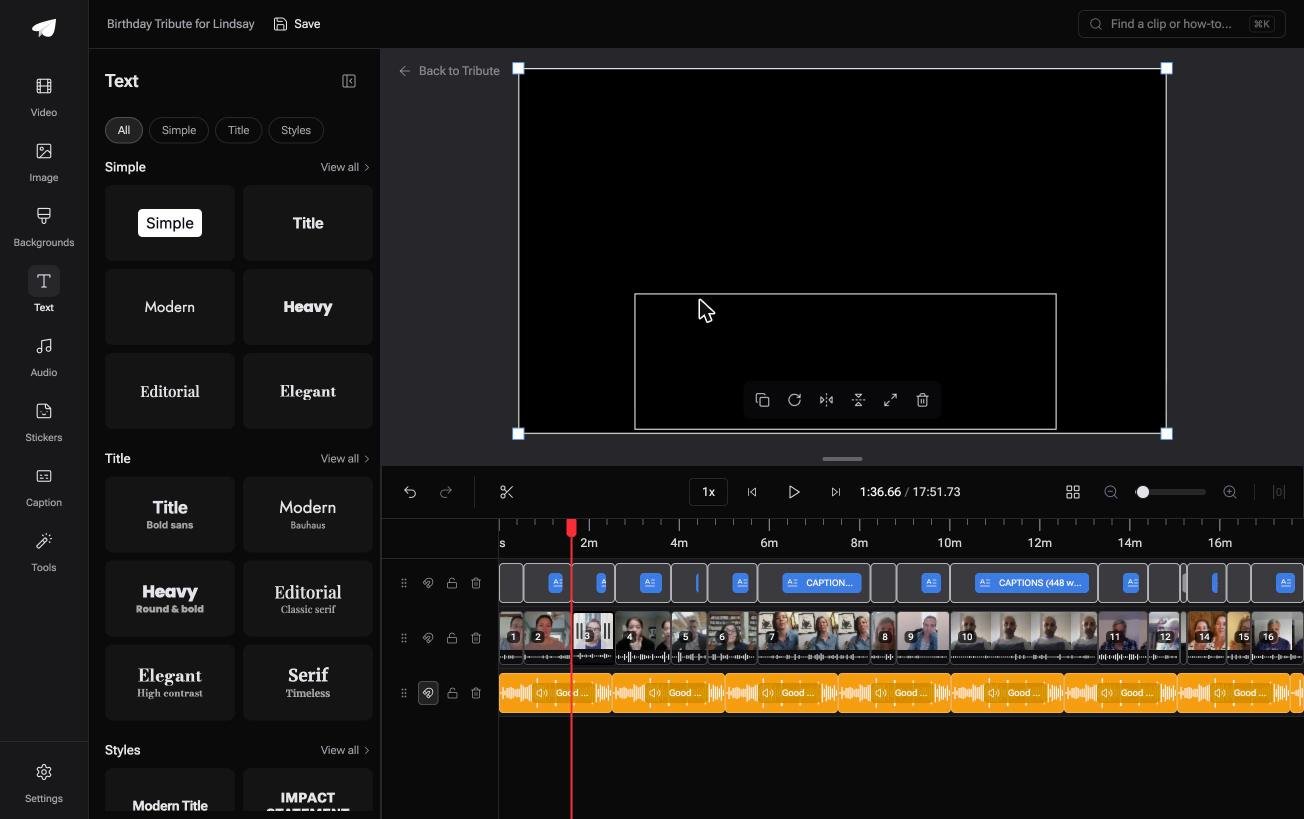
A timeline you can drag clips along, a trim handle at each end of a clip, a volume slider per clip, a text tool for names and dates, and an export button that produces an MP4.
Anything beyond those is a feature you will find when you need it.
What beginners overestimate is effects and what they underestimate is audio. A video with hard cuts and clean sound reads as finished; a video with elegant transitions and one person shouting over a dishwasher does not.
Pick the tool that makes per-clip volume easy to reach.
Where the software runs matters as much as what it does. Browser editors send your footage to a server, so your upload speed sets the pace. Installed software keeps everything on the machine and asks for disk space instead.
Which video editing software for beginners is worth downloading?
iMovie
Apple includes iMovie on Mac, iPhone and iPad, and it is the shortest path from a camera roll to a finished video.
On an iPhone, tap Start New Project, then Movie, tap each clip until a blue checkmark appears, and tap Create Movie, as Apple sets out in its iMovie for iPhone guide.
There are three project types, and most first-timers pick the wrong one. Magic Movie builds the video for you with a soundtrack and transitions between clips, Storyboard hands you a shot list to video against, and Movie gives you the full timeline.
Start with Magic Movie and adjust what it produced.
Best for: A first video this afternoon on hardware you already own.
Why it works: The Photos app passes clips straight in, and nothing leaves your device. Unlike a browser editor, there is no upload to wait through.
Microsoft Clipchamp
Clipchamp ships with Windows 11 and runs at app.clipchamp.com in Edge or Chrome, which makes it the default answer for anyone not on Apple hardware.
Click create a new video, open My media, click import media, then drag files to the timeline or press the green + on each one.
Trimming is a drag of the green bars at either end of a clip. To cut one in half, move the seeker to the spot and click split.
Text lives in the text tab and music in the content library under audio, and Microsoft documents all of it in its guide to editing a video in Clipchamp.
Best for: A Windows PC, a Chromebook, or a locked-down work laptop.
Why it works: Exports reach 1080p with no watermark on the free tier, and your edits save as you go. 4K is the part held back for Microsoft 365 subscribers.

CapCut
CapCut is the one app on this list that runs the same way on iPhone, Android, Mac, Windows and the web, so what you learn transfers.
Tap New project, choose your clips, drag them into order, and tap Export at the top right with the resolution label beside it.
Captions are where it pulls ahead of iMovie for a beginner.
The automatic pass is good enough that you spend your time correcting names rather than typing sentences, and 84% of US adults use YouTube, per Pew's social media fact sheet, where captioned video is now the norm rather than the exception.
Best for: Android phones, vertical video, and anything with speech in it.
Why it works: Per-clip volume and auto captions sit two taps from the timeline, which is where beginners lose the most time in other tools.
Canva
If you already build slides or invitations in Canva, its video editor uses the same canvas, the same drag-and-drop and the same brand colors. That familiarity is worth more to a beginner than a better timeline would be.
Be clear about what you are getting. Canva treats video as a moving design rather than a video, which suits a title card, a short social clip or a photo montage, and gets awkward the moment you have forty minutes of speech to cut down.
The free tier covers simple projects; the deeper stock library and brand tools sit on the paid plans.
Best for: Short, designed pieces by someone who already knows Canva.
Why it works: Zero new interface to learn, which removes the single biggest reason first projects stall.
The Tribute video editor
This is the paid pick, and it is worth saying in plain terms: if you are learning to edit, it is not for you.
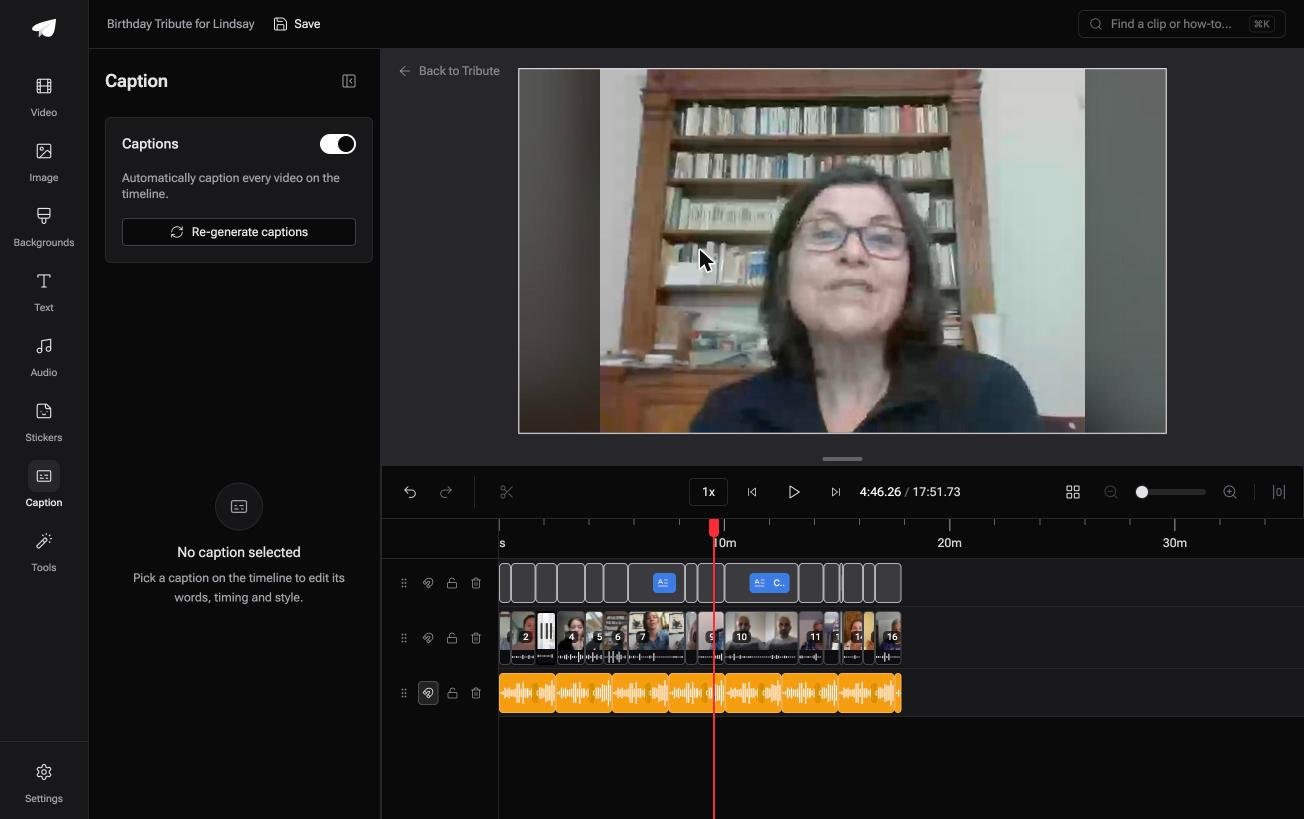
The Tribute video editor is a browser-based group video editor: contributors record clips on their phones and Tribute assembles them on a timeline with the music balanced under the voices.
It sits inside a paid Tribute and it will not open a video you made elsewhere.
Its reason to exist is the project that no tool for beginners handles. Sixteen people each recorded a message for one person, the files arrived at sixteen resolutions, and the editing is the last twenty minutes of a three week job.
Clips are in order before you open the editor, one switch captions every video on the timeline, and music ducks to 25% under speech on its own.
Best for: A first video that is also a surprise for someone, built from what sixteen people sent.
Why it works: Compared with learning an editor, there is nothing to learn: the collecting, the ordering and the audio balance happen before you sit down. DIY starts at $35, and a Concierge edit by Tribute's own editors is $99.
Concierge + Video Book is $149 and skips the editing question altogether: the video arrives in a hardcover case with a screen inside that plays when the cover opens.
DaVinci Resolve
Resolve 21 is a free tool, professional, and the wrong first editor for most people.
It is here so you know what you are turning down: a tool that color grades feature videos, with the paid Studio edition at $236 and the free version handling 8-bit footage up to 3840 by 2160 at 60fps.
Work is divided across pages named Cut, Edit, Fusion, Color and Fairlight. A beginner who starts on the Cut page and ignores the rest can get through a simple project, and will spend the first evening on vocabulary rather than on the video.
Come back to it when a simpler tool has told you what it cannot do.
Best for: Your second year of editing, or a long project with real color work.
Why it works: Nothing is held back from the free version for ordinary editing, so the ceiling is your patience rather than your budget.
What happens in a first edit?
Six steps, in this order, in any of the software above. Doing them out of order is what makes a first edit take all weekend.
- Gather the files in one folder before you open anything. Rename them 01, 02, 03 in the order you want.
- Drop them on the timeline and watch the whole thing once without touching a control.
- Trim the front of every clip to the first word. This single pass removes more dead weight than any other edit.
- Set volume per clip so a quiet speaker and a loud one sit at the same level.
- Add music last, under the speech, at a level where you can still hear every word.
- Export at the highest setting offered, then watch the export start to finish before you send it.
Step three is the one beginners skip. People press record, look at the camera, and then begin, so most clips open with three or four seconds of nothing, and a video made of twenty of them starts twenty times.

What should a beginner not worry about yet?
Transitions, for one. A hard cut is the professional default and a crossfade on every join is the clearest sign of a first edit. Use one at a change of scene and nowhere else.
Color grading is the second. Matching the color of twelve clips shot in twelve kitchens is a real skill and it will not rescue a video whose audio is a mess. Spend that hour on sound instead.
Resolution is the third. 1080p is enough for a phone, a laptop and almost every television, and a 4K export of phone footage buys you a bigger file and a longer render.
If even six steps sounds like more than you signed up for, we wrote a shorter route: what to use when you do not want to learn video editing. For phone-only workflows, see what to use on an iPhone.
How do you choose between them today?
Answer one question: what hardware are you sitting at? Mac or iPhone sends you to iMovie, Windows to Clipchamp, Android to CapCut, and a Canva habit to Canva.
That decision is worth less deliberation than people give it, because every tool here clears the bar for a first project.
Change the answer only if the footage is not yours. Clips arriving from other people is a different problem with a different shape, covered in how a group video maker handles thirty phones and in our guide to making a video montage.
Test before you commit. Join two clips end to end in whichever tool you picked, following the steps for merging videos, and you will know within ten minutes whether the interface suits you.

Frequently Asked Questions
What is the easiest video software for beginners on a PC?
Clipchamp, because it is already installed on Windows 11 and needs no account to start. CapCut's desktop version is the next step if you want more control over audio.
Is there beginner video editing software with no watermark?
Yes. iMovie, Clipchamp, DaVinci Resolve and Shotcut all export a clean image. Check the export screen in any phone app before you render, since some reveal a watermark only at the end.
How long does it take to learn basic video editing?
An evening for the five controls that matter, and a few projects for the judgment about what to cut. The interface is not the hard part; deciding which thirty seconds to lose is.
Should a beginner start with Premiere Pro?
No. Premiere Pro and DaVinci Resolve are built for people who edit every day and assume a vocabulary you do not have yet. Start somewhere smaller and move when the small tool runs out.
What video editing software do YouTubers use when starting out?
Most start with whatever shipped on their machine and move to CapCut or Resolve once they are publishing weekly. The jump happens when captions, thumbnails and repeatable presets start to matter more than the cut.
Can I edit video on a Chromebook or a tablet?
Yes. Clipchamp and CapCut both run in a browser tab, and iMovie runs on an iPad. On a Chromebook the limit becomes your upload speed rather than your processor.
Do I need a powerful computer?
Not for 1080p clips from a phone. 4K footage and long timelines are where memory and disk speed begin to matter, and a browser editor shifts that load onto a server instead.
👉 Open an editor where the clips are already in their running order if you are learning this only because a birthday video landed on you, and your first edit is trimming, not assembling.
